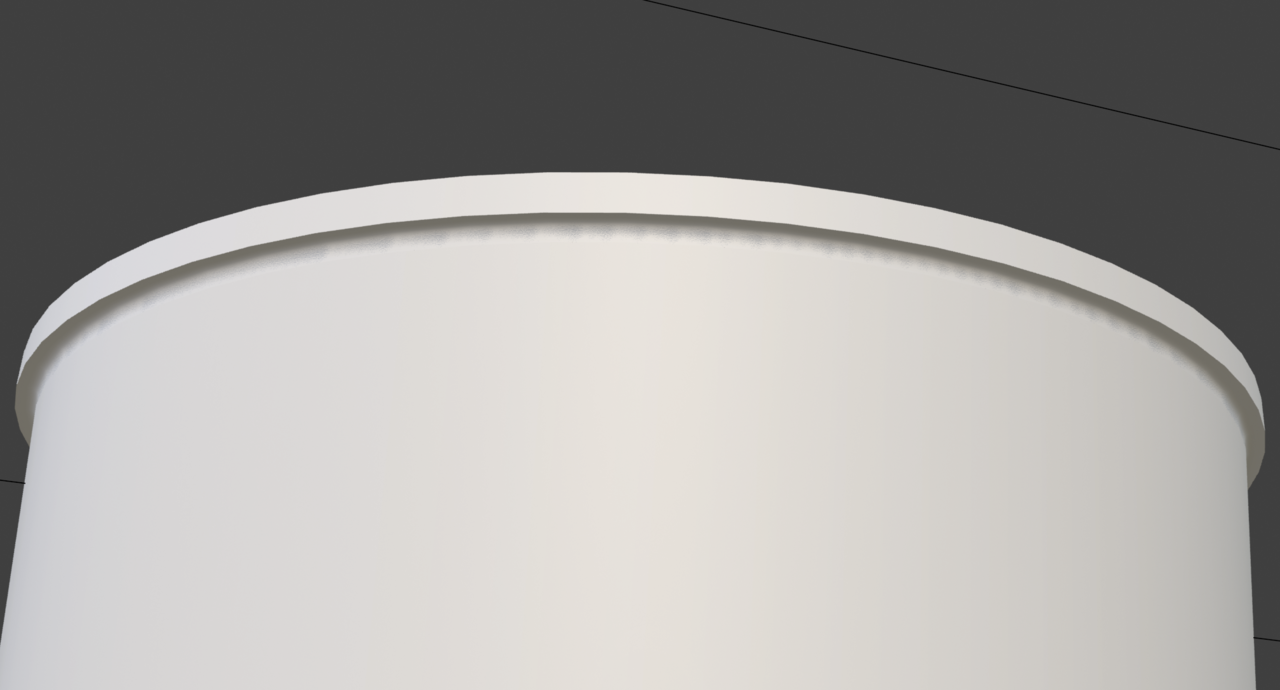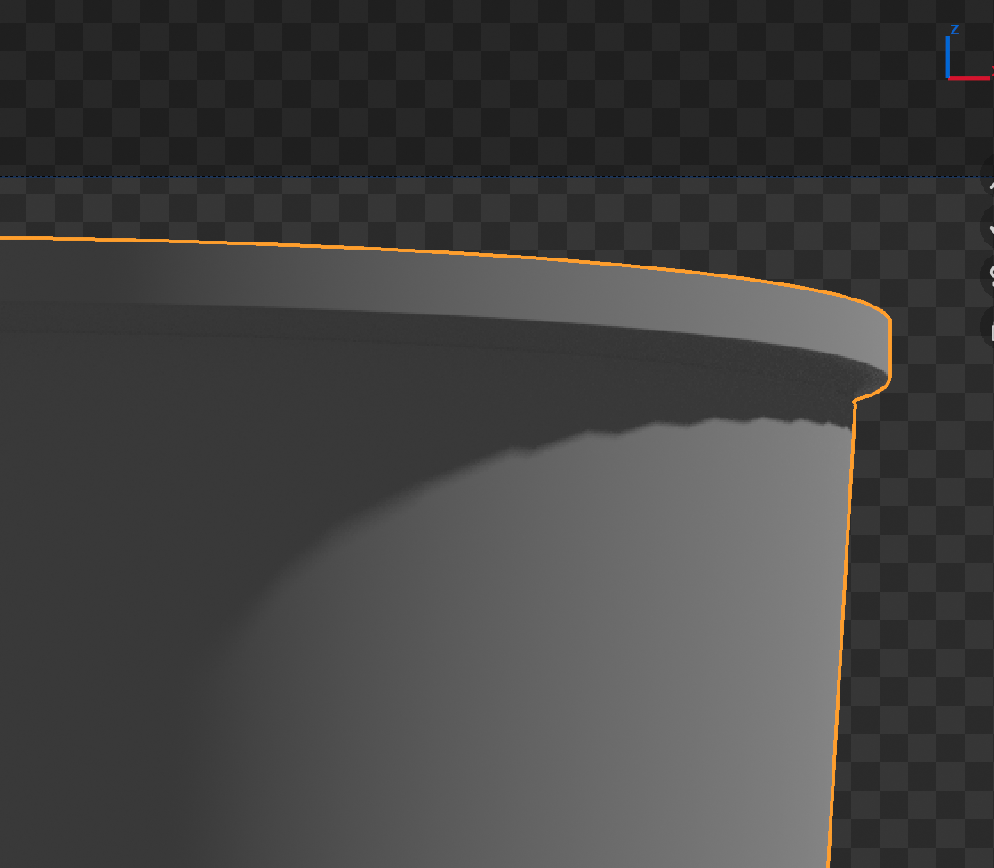
Shading issues after using a plugin.

Question Modeling

Hi! I'm modeling a paper cup and I have bad shadows after using a plugin. I tried to remove these faces and create them again but it didn't help. Could you please help to find a problem? Many thanks!

9-09 at 17.14.38.png
Link to model (Blender 4.2 LTS)

1 love
Reply
  • Omar Domenech replied

    Hello Boris. That looks like you need a holding edge there. Or maybe mark that edge as sharp and it should go away. Try any of those things and see if it works. 

    1 love
  • Martin Bergwerf replied

    Hi Boris, do you mean this:

    Shadow.png?

    That is because your model is low poly.

    Simply enable your Subdivision Surface Modifier in the Viewport.

    1 love
  • Boris Boiev(Boris Boiev) replied

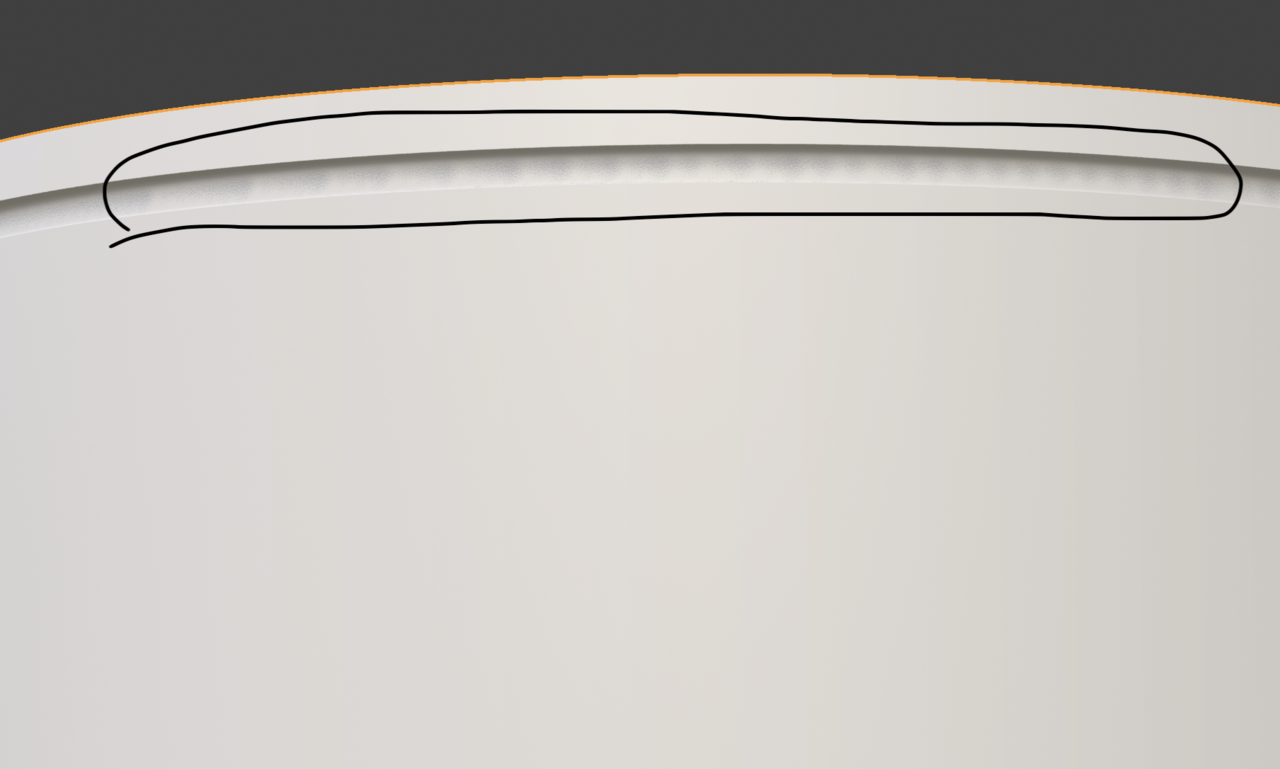
    Sorry for misunderstanding. I mean this weak shadow in Material Preview using EEVEE. And this weak shading is only from one side.9-09 at 19.06.08.png
    1 love
  • Martin Bergwerf replied

    Oh, I'd say, that's probably just EEVEE being EEVEE.

    If you are going to Render with Cycles, you can ignore that.

    Otherwise, you'll have to ask someone more proficient in EEVEE (not sure if there is much that can be done about it though).

    Using an Area Light might help.

    2 loves
  • Omar Domenech replied
    Perhaps you can just increase the resolution for EEVEE in the viewport. It can be just the render engine artifacts. So try switching to Cycles and see if it's there as well. 
    2 loves
  • Boris Boiev(Boris Boiev) replied

    Omar, Martin, Many thanks for help! Will stick to Cycles

    • 👍
    1 love