Hello, Im trying out geometry nodes to make a motion graphic and i need help with the texture. I have noise texture for some randomness but it repeats for each cube in the grid. Can anyone please help me make it a different for each cube. Also if anyone knows how to make the veins bend only at right angles, id like to know too, please.


Hi RRigel864 ,
One thing that I notice, is that you Set Material, before Instancing on Points.
Maybe try to Instance first, (then maybe Realize Instances) and after that Set the Material.
I'm not sure if I understand what you mean by making the veins bend only at right angles...There might be a simpler way to achieve that, than with a Voronoi...(I am thinking about a Cube with more Vertices and then maybe use a Shortest Path Node....or a Voronoi, with Manhattan Distance...or...
Hi, Martin Bergwerf, thanks for the suggestion.
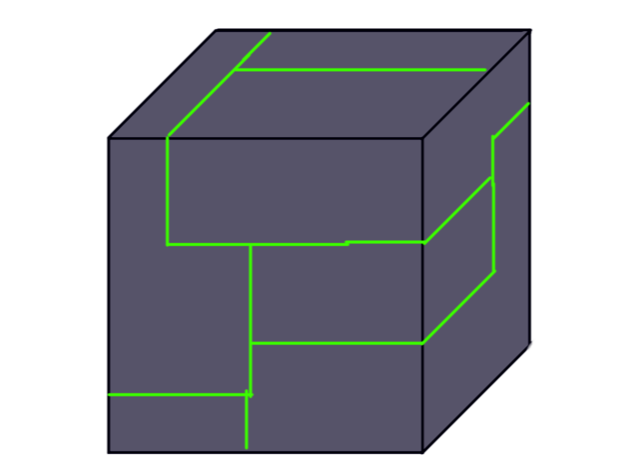
What i meant with the right anglesis that the original idea was to have the boxes look something like this with a different pattern each time.
Also, I since have instanced and realized instances and it did solve my original problem so thank you for that.However i ran into an different one as now the texture slides on the boxes as they move.
Hi RRigel864 ,
What exactly is your Node set-up (for the Material and the GN)?
Oh uhm, well as I move the W on the noise texture changing the position of the cubes, it slides, or scrolls through the texture. This is the best i can show you atm. cant screen record now for some reason

Hi RRigel864 ,
Here's a way:
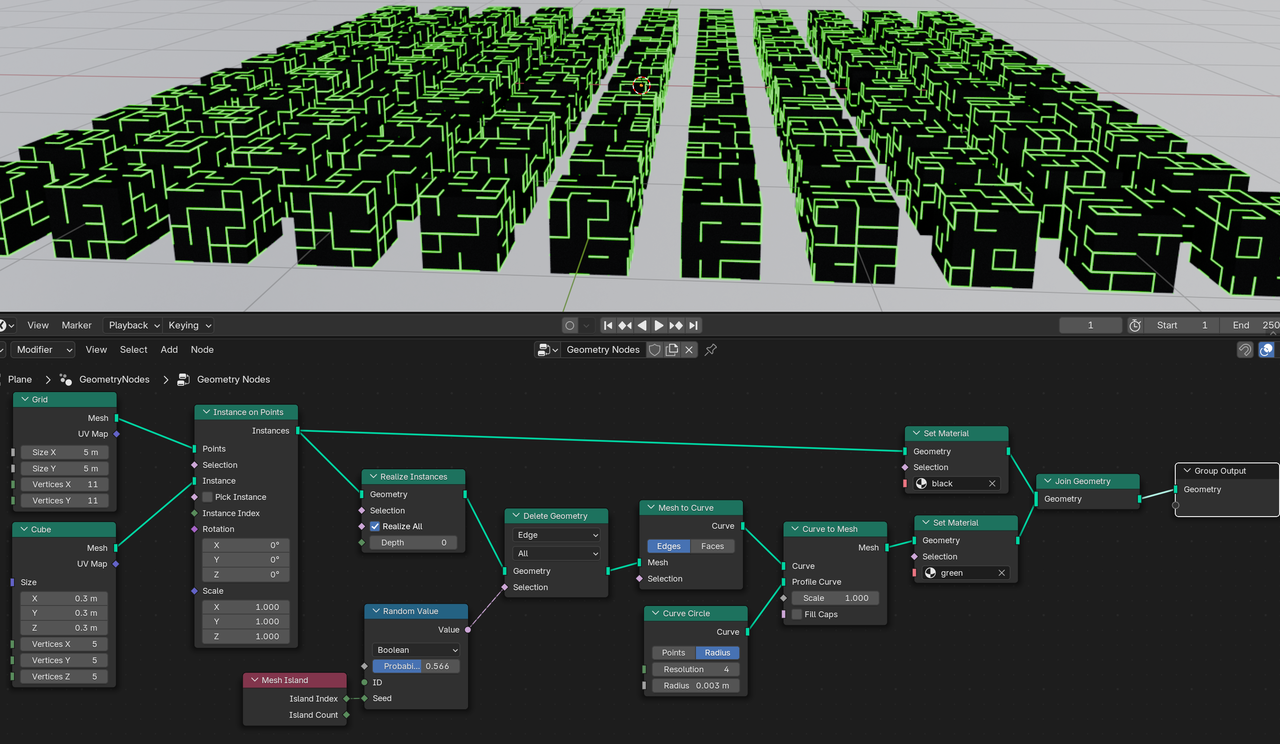
Admittedly, a bit of an ugly method, but maybe you can get some ideas from it.