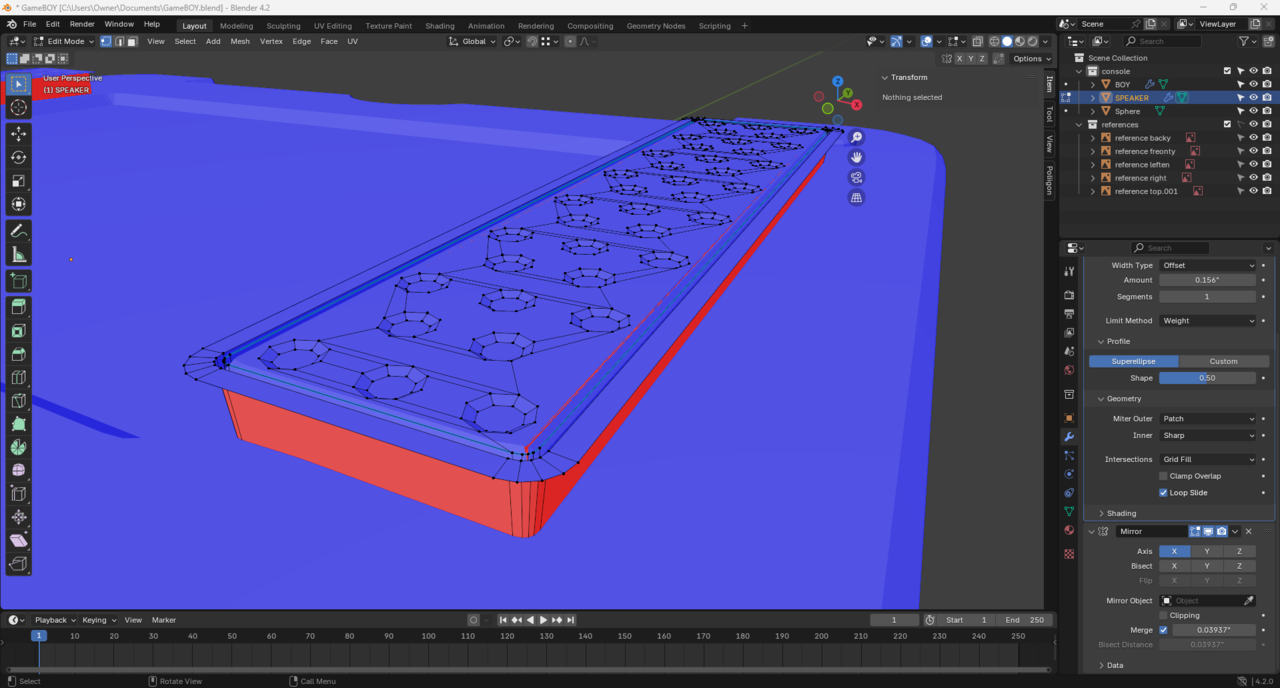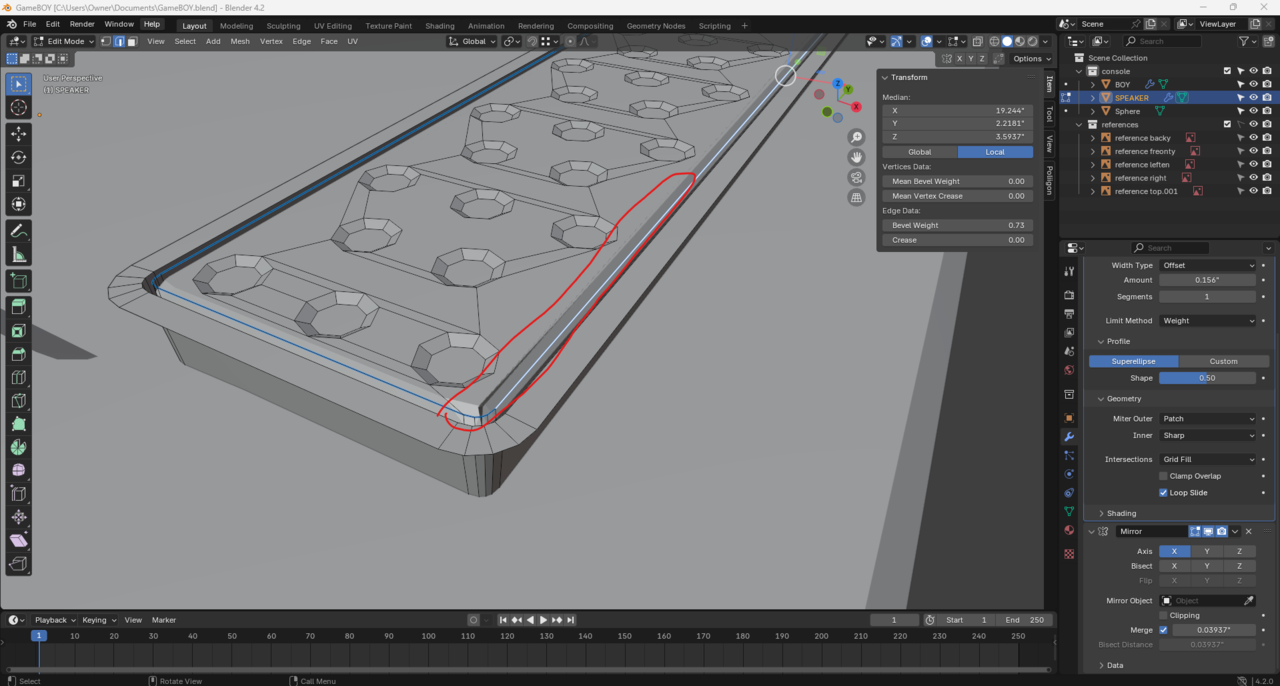
Well I'm back haha, I'm having issues with the bevel on the speaker, I tried merge by distance and recalculate normal's but that didn't fix the issue

That is some funky geometry there. It might be the bevel modifier making the faces fold into each other. Try turning the bevel on and off to see if it goes away, if it does goes away then you might need to adjust the bevel amount. Perhaps you have an inner face there, so you would need to delete the face and reconstruct that part a little bit. Or perhaps it is as easy as you have double vertices there and you you have to merge them by distance with M.
Thanks guys, I've tried both ways already, I must've really messed things up early on. I think because it's so small I'm gonna move on and cross my fingers that you can't see it in the finish render haha
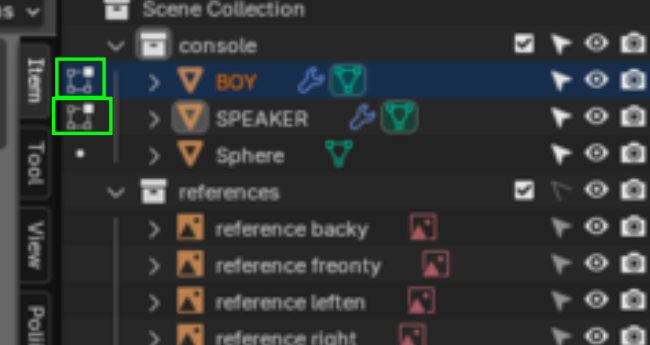
This must be the problem, for some reason in the console the speaker is still editable? Maybe it's modeled in both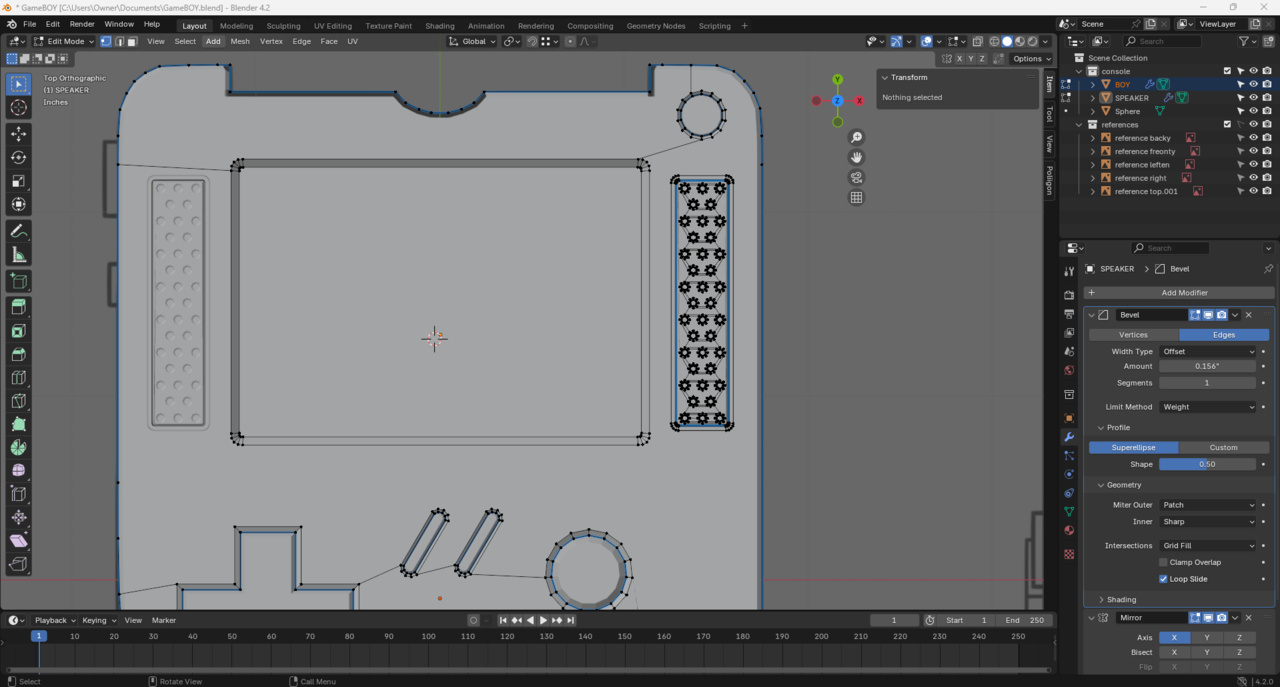
Well like we always say, do it again, start again from scratch and you'll see you focus on new things, stuff that went over you now you'll see them clearly and you'll see where you made lots of mistakes. We all repeat courses because each time we learn something new, specially when you're a beginner. So start the course over, make the console from scratch and see how you level up a bunch.
Hey guys it's been a busy last few days, here's the blender file https://drive.google.com/file/d/1iax0cJDMcs5isUYDZh_h3yQpcbEovz9_/view?usp=drive_link
I totally get that Omar, I definitely will make a habit of restarting soon probably on the MACRO courses as I plan to do those next, but I think it's kind of a big deal to me to get my first project done even if it's a little janky haha, I think for now so long as there are no major issues I will try to finish this without restarting, It will be my first completed project from CG cookie and I know when it's "done" that "done" label alone will unlock a lot of learning, confidence and reward that will power future courses and projects. I agree starting over would train me to do this much better, but for morale sake I think I need to postpone that as long as I can on this press start course.

HI Ford Ford ,
Thanks for the file.
This is indeed tricky to figure out yourself, but there are some Vertices close together, that cause trouble, a simple solution is, to J(oin) these Vertices and then Dissolve the old Edge (red):
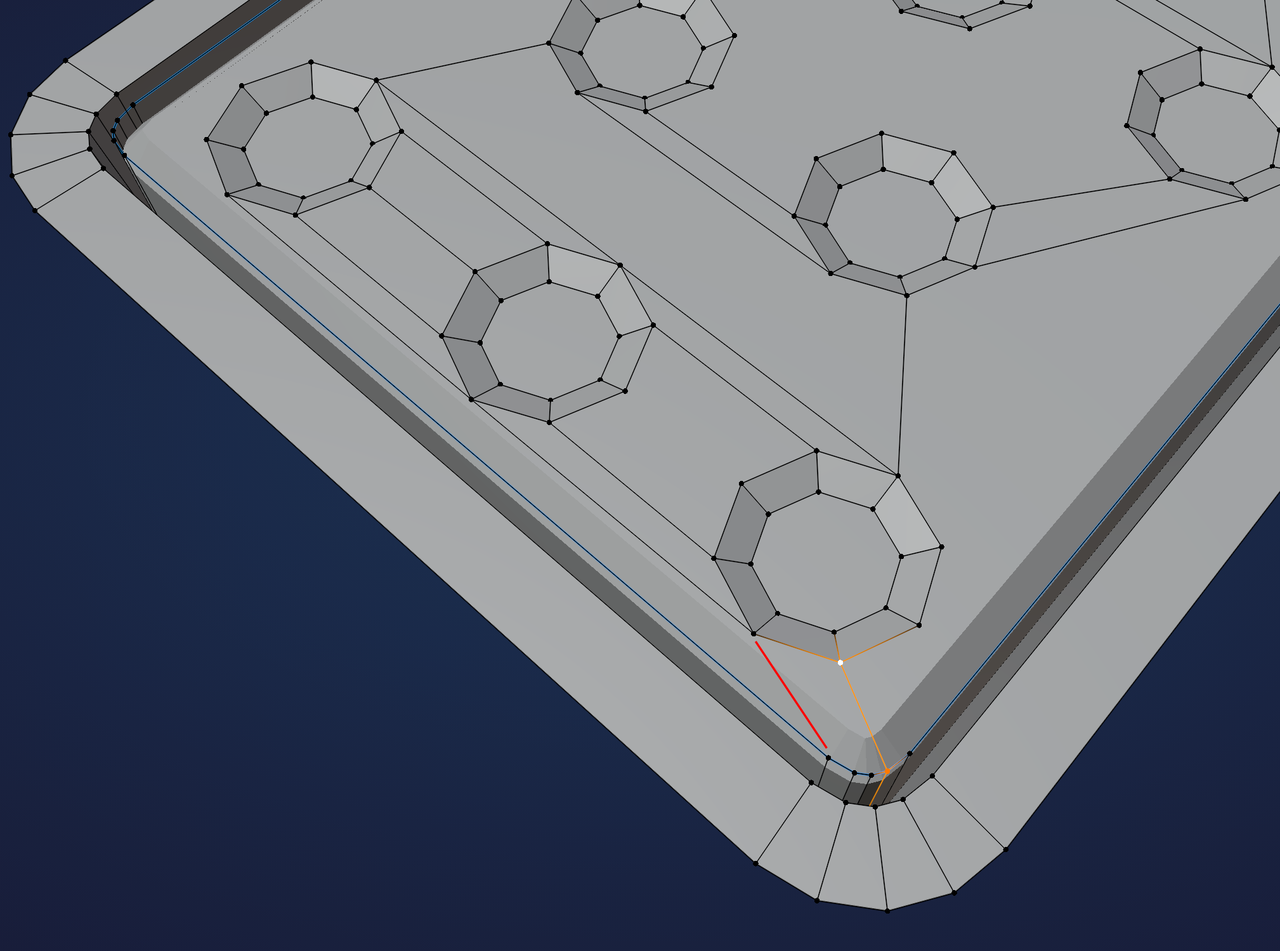
There is another, similar issue that is also caused by close-together Vertices:
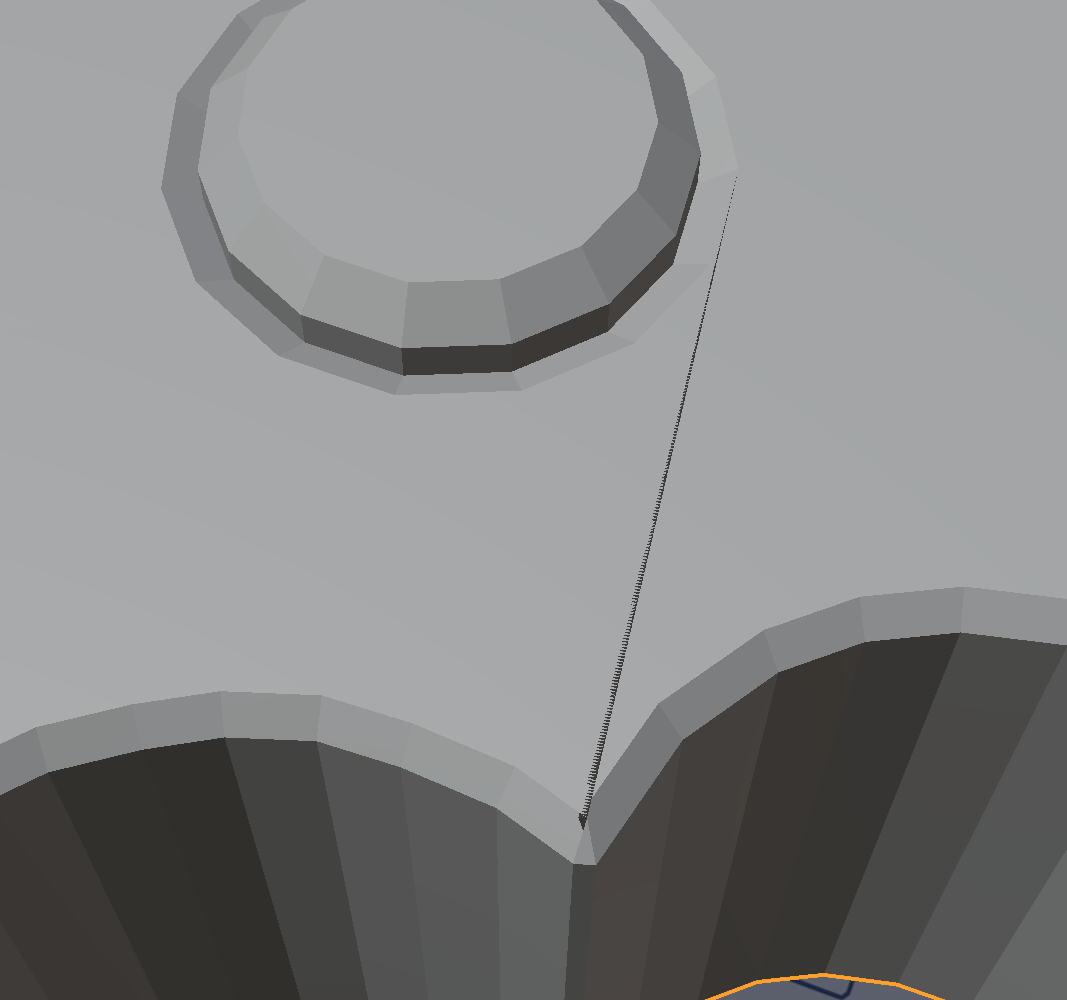
in this case, I would suggest to Merge those Vertices like so:
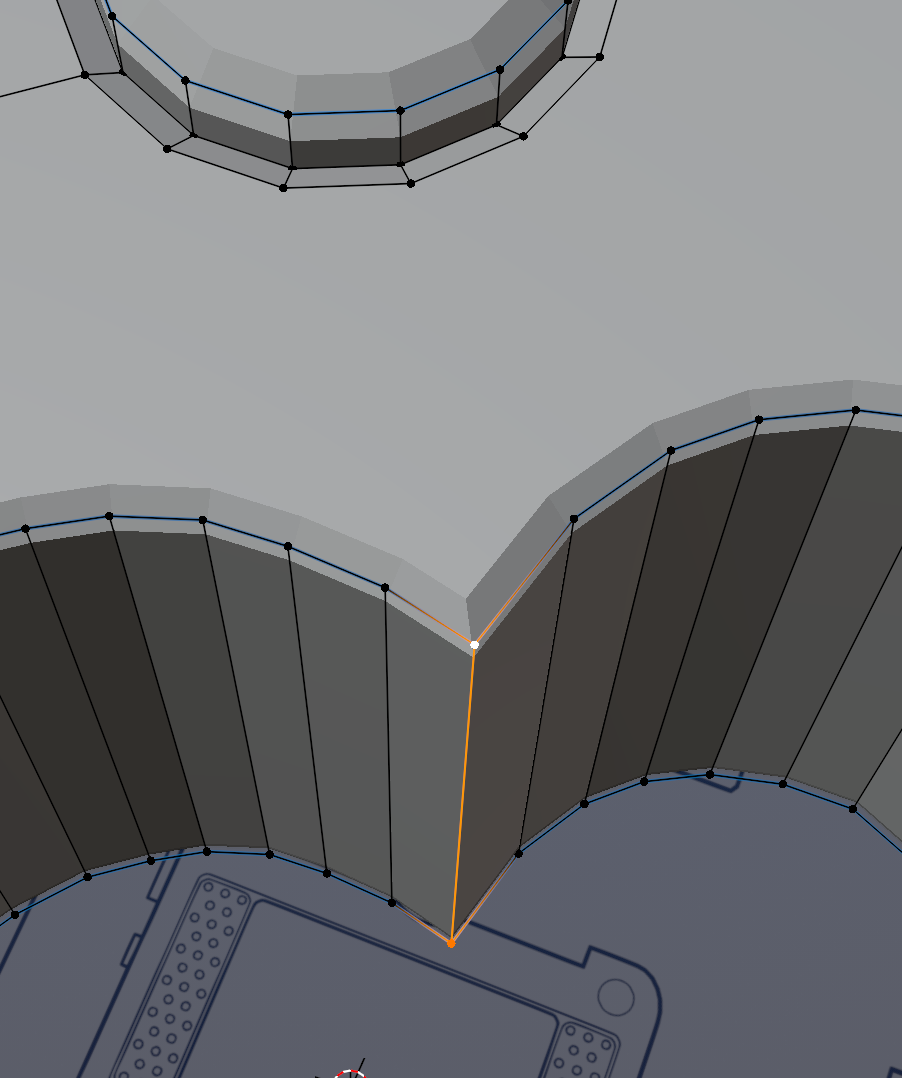
You can also Dissolve one of those vertical Edges, of course.
The good old bevel modifier making the faces fold into each other. It could be the lyrics of a song at this point. Oh my god we should totally make an AI make a song with the most common modeling mistakes. Doubled vertices, interior faces, flipped normals, bevel modifier making the faces fold into each other, etc. I'm totally doing this.
WOW Now I know what you mean by too close together, thanks so much for your help! I just did merge by distance but obviously they were too far apart! Nice call Omar! And let me know when the album is out! Maybe I'll learn something form it lol!