Is there a way you can blur the world HDRI background in Blender?
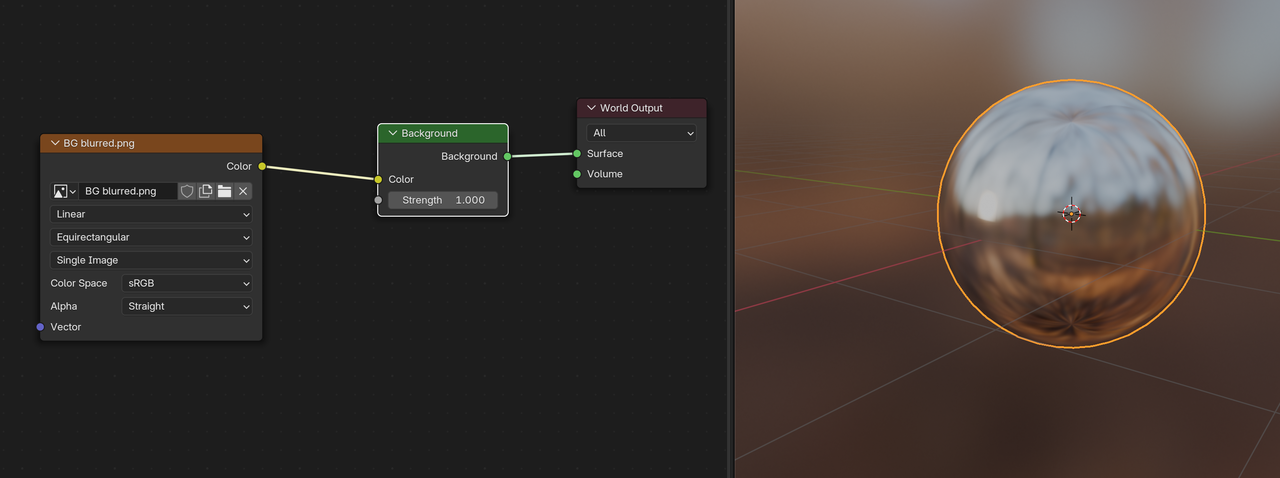
After like 15 years how is there no simple blur setting? I can blur it myself but I'm worried about tiling, it won't "tile" if I blur it in photoshop.

ssoundstormlabs yeah, maybe it is odd that there's not a simple blur setting for worlds. Though I can't think of many reasons why I would want to..
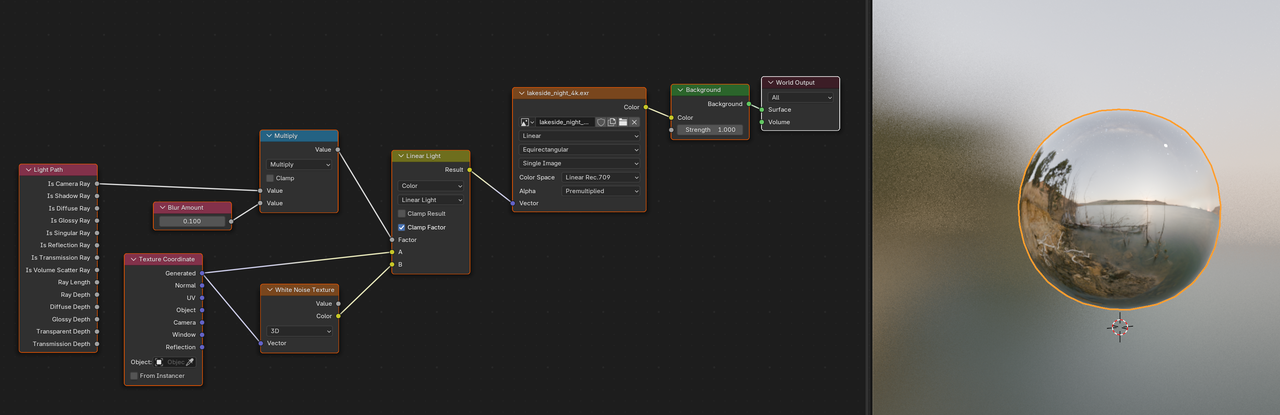
did you try Martin's solution?
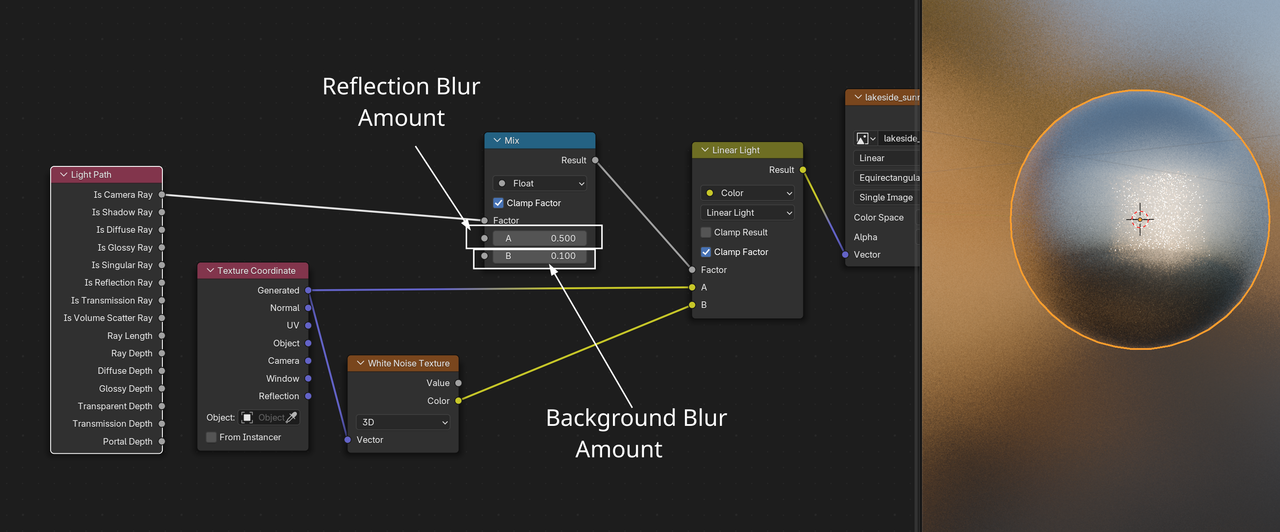
Thanks Martin, I was freaking out a little bit because I thought "wait what there's a blur node??" but then I realized it was just a value node named "Blur Amount". Yeah it definitely blurs the background. Also, I couldn't get the "reflection" to also blur with the multiply setting in the math node, but for some reason, and I don't know why (maybe you can offer insights), setting the math node to "add" instead of "multiply" also blurs the reflection, but then the background becomes chaotic noise. Maybe this has something to do with the camera rays? I'm unsure, but thanks for the node setup, I can try playing around with it. Probably I can "force" both the reflected blur and world background to be blurred at the same time by using a mix node.
How...would you predict how to set this up? This is really not an intuitive setup to me, how would I reason through how to set this up myself? Is there something from the CORE Light or CORE Material videos that would make what you did more intuitive?

Oh,
as for why Multiply in the first setup works and Add doesn't:
the Is Camera Ray outputs 1, if something is directly in front of the 'Camera' (/Viewport), (or seen through a Transparent BSDF) and 0 otherwise.
Multiplying that by any number a, gives a and 0.
Adding any number a to it instead, results in a+1 and a.