
Oh dear, I cannot figure this out...here is a screenshot and the file, if you have time [no rush, obvs]...
https://drive.google.com/file/d/148CGWbEUvqQ_aDljyfkTrZX6flt-qseJ/view?usp=sharing
https://drive.google.com/file/d/1kSJLpXL24RN4scgP7_JUw0VGLEct9c5k/view?usp=sharing
I have tried a few different corner configurations for where the trim fits into the corner of the door, in order to make the grain align as it would in real life. All my maps come out crooked, even on that quarter of the door. When I apply the mirror and map the whole door, it's even worse.
I've spent the past hour going over it in x-ray mode, and I cannot find what's causing the weird UV angles. My lines seem to be straight, and I removed all the .1 corner bevel weights for clarity. Am I using sharp & seam marking the right way?

Hi Shale,
I'd recommend to use Wireframe Mode, instead of X-Ray (but that might just be my personal preference), disable Bevel and Mirror Modifier display in Edit Mode.
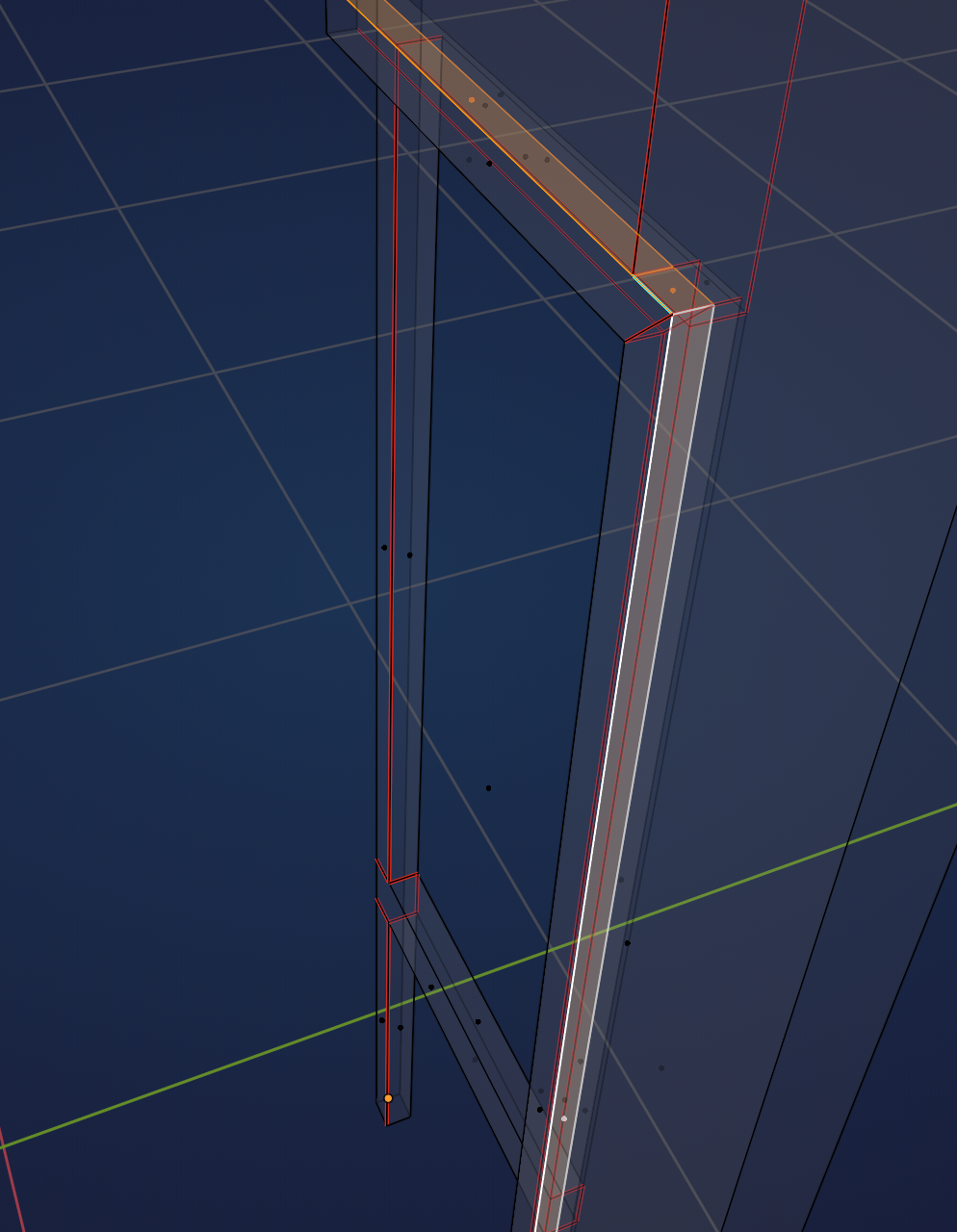
There are some inner Faces that probably shouldn't be there:
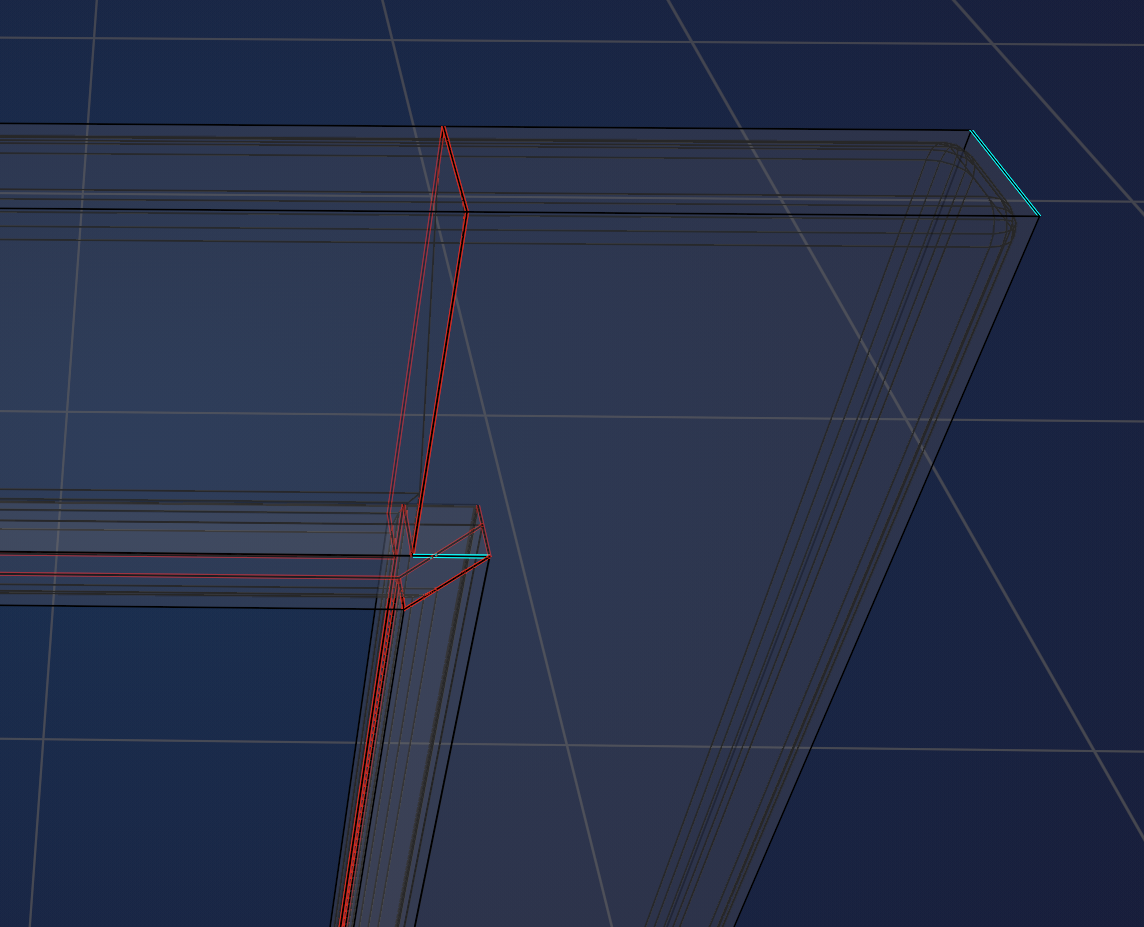
I am also not sure if Edges should be Marked Sharp (it's been a while since I've seen these Lessons, so maybe there is a reason to use Sharp Edges):
 \
\
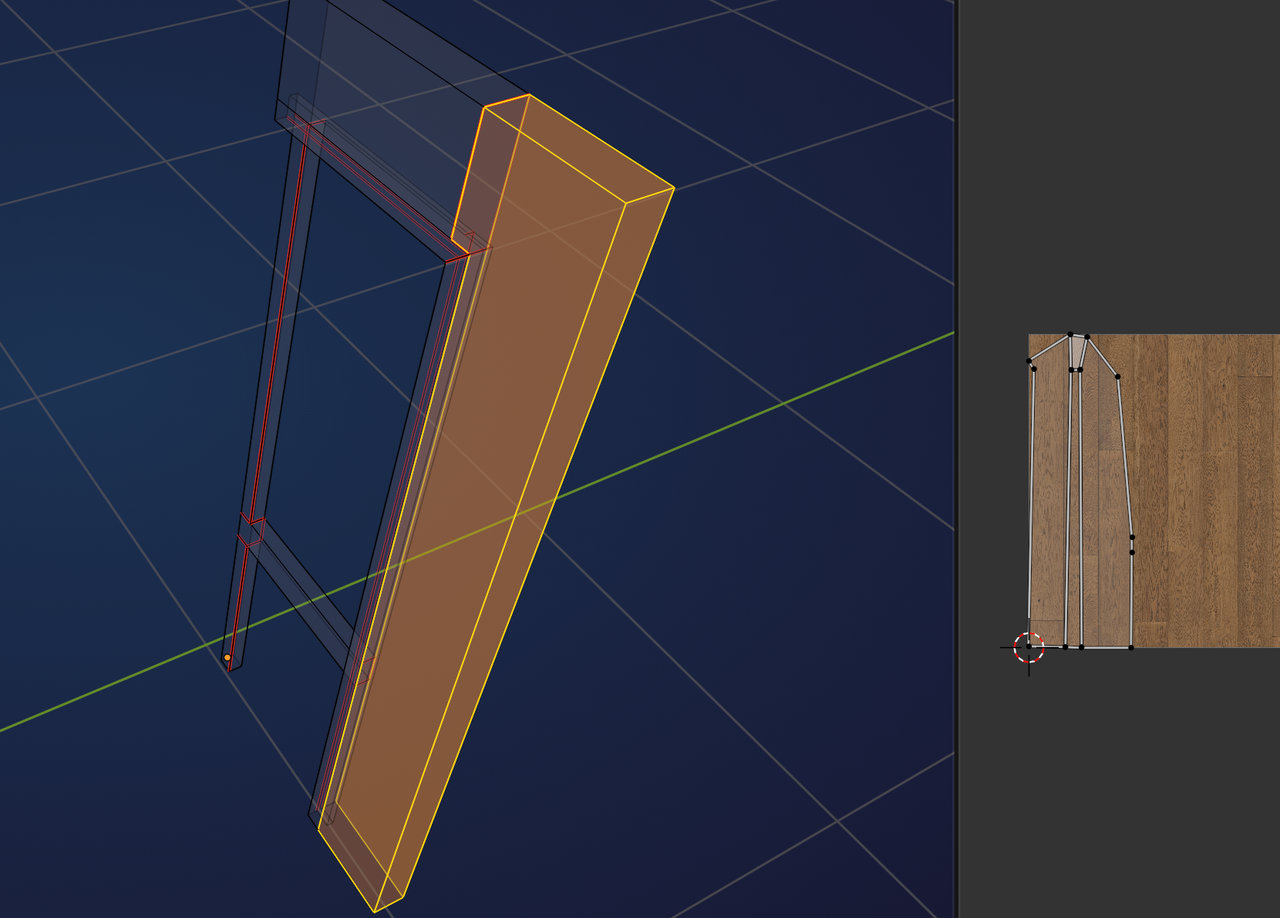
Also this will not Unwrap well:
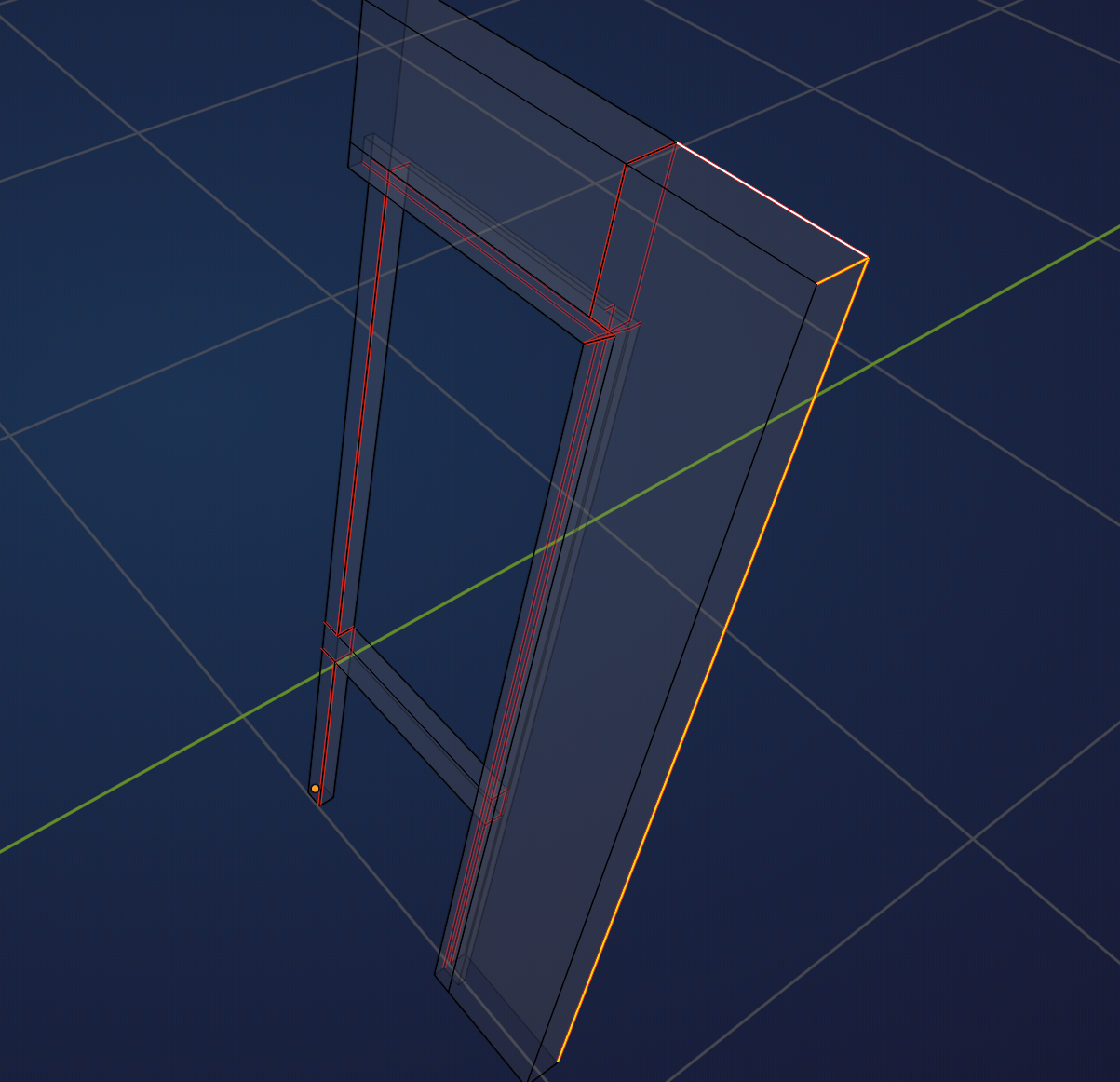
Some Seams, for instance like this, will help:


Hello Shale. Did you watch the Blender Basics and then the Core Mesh Modeling? Some courses require previous knowledge and you'll have a harder time adapting if you haven't spent some time with the basics. You can pause a course if you feel you're having too much trouble any time and go back to CORE. So I'll link you up just in case:
https://cgcookie.com/courses/core-fundamentals-mesh-modeling
Good morning Shale CCookiePuss,
there's a lot going on with your front. Martin already pointed out a few good things and Omar is right too. Never hurts to look up specific basics again, when you get stuck.
I'll just go over everything so I don't get a knot in my synapses 😁:
First a couple of trouble shooting tips:
- as Martin said I'd turn off the bevel modifier in edit mode, so it doesn't get in the way visually.
- Under the mesh edit overlays you can turn off certain things like the bevel weights or seams, depending on what you want to trouble shoot. Here I'd turn off everything but seams to just see those.
- In the UV editor you can turn on the sync selection to find the faces that give you the most trouble: Just make sure to turn that off again, when you're done!
Now let's get into the weeds of it:
As Martin pointed out, you have some edges marked sharp, which shouldn't be. Maybe they're remnants from your previous trouble shooting? Anyway I would select them all and right click -> clear sharp
Next, viewed from the front, the stile will not unwrap properly, as Martin said. I suggest selecting two edges on top and marking them as seam.
Your horizontal muntin needs an additional seam too, here seen from the back:
Now to the big one: A single face on the front, which needs to be cut up some more:
First you need another edge to separate the vertical muntin from the rail. You can do that easily in front view with the knife tool and constrain it to the x-axis. Then mark that newly created edge as seam:
Then there's an edge on the front where the horizontal meets the vertical muntin, which isn't connected to the faces. I'm not sure what happened there exactly (I assume f to fill?), but it doesn't make two faces:
You can delete that edge, then select the two vertices in the corners and press J to join them, this will cut up your face. Then mark the new edge as seam:
Once that is all done, you can check the unwrap, apply the mirror modifier and after a bit of clean up as I show in the lesson unwrap again, so the textures don't get mirrored, and all should be fine.
As for the interior faces Martin mentioned: They don't seem to cause any trouble from what I can see, although internal faces are rarely a good idea. The whole glass trim on the back should technically have been a separate mesh island, which it isn't in your case. It looks like you skipped or missed a step there.
Long story short: Lots going on with your front there. You can fix it all with the above tips, however with all that I highly recommend to start the front over from scratch and go through the lesson again, check what you missed and where you might have gone wrong. That way you can really make that lesson sink in.
These fronts are quite a bit more complicated than the rest, so it's totally fine to go over it again.
Hope this helps :)
Thank you very much for the detailed feedback, Sascha and Martin and Omar! Sorry I didn't respond earlier; I went to bed and then had an early appointment this morning. Now I will try to fix this mess.
Sascha, those troubleshooting tool tips are great, I didn't know about them. Also, it's possible I made some seam lines with F instead of J, although I make a habit of using J to draw lines across existing faces. And I need to read more about when to use the knife tool, since I always forget about that.
I already watched the CORE tutorials many months ago, but forgot a few things, apparently. I've spent the past year learning Blender, SketchUp, Twinmotion, D5, and Unreal, so things get confusing sometimes. In some ways learning multiple apps helps me learn faster; in other ways I have to do remedial homework after awhile.
All better now!
I appreciate everyone's feedback. I learn more by having to untangle my mistakes than by starting over--because sometimes you don't realize you've made errors until you're too far along to start over.
I also discovered that the UV Sync Selection is nice for troubleshooting, but does NOT regenerate every time I change seam configuration in the model, which it probably should.