
Roughness in the shaders

Hi, what exactly is the role of roughness in the diffuse shader and in simple terms how does this work?
1 love
Reply
  • Martin Bergwerf replied

    Hi abhishek_90 ,

    That is nothing to worry about, don't touch it; it makes a barely noticeable difference.

    But, since you are asking, increasing the Roughness slider in the Diffuse BSDF makes an Object look 'softer'.

    A roughness of 0 uses the Lambert Shader, Lambert said (in 1760): "a diffuse surface looks equally bright from every viewing angle" That would be a 'perfect' diffuse surface and that doesn't exist in the real world (but it's cheap to calculate).

    A roughness higher than 0, switches to the newer (around 1990) Oren-Nayar model, that takes the roughness of the surface into account and is thus more accurate (but the difference is often very subtle).

    2 loves
  • abhishek_90 replied

    Thanks.  :-) 

    • 👍
    1 love
  • Martin Bergwerf replied

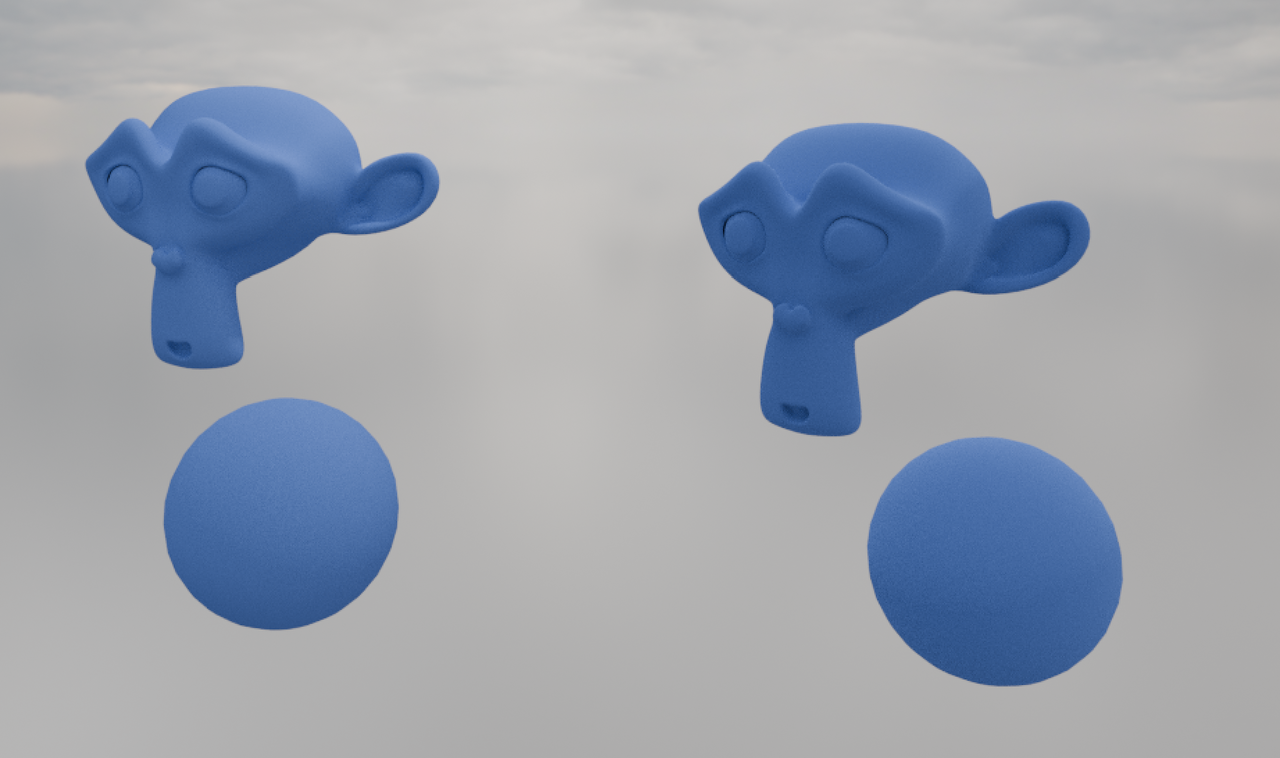
    Here's an example of Roughness 0 vs Roughness 1:

    Diffuse.png

    As you can see, the Oren-Nayar model is darker, (as you would expect) because of self shadowing due to surface roughness.

    2 loves
  • abhishek_90 replied

    The Blender docs did mention both Lambert and the Oren-Nayar Model, but thanks for further clarification in more simple terms.
    • 👍
    1 love
  • Omar Domenech replied

    There's lots of stuff that's in there because it's legacy Blender and it's always been in there. But slowly those things get updated and Blender cleaned up of features that have outlived their usefulness. You'll find out stuff like that here and there as you move along. 

    1 love
  • abhishek_90 replied

    Thanks..

    1 love