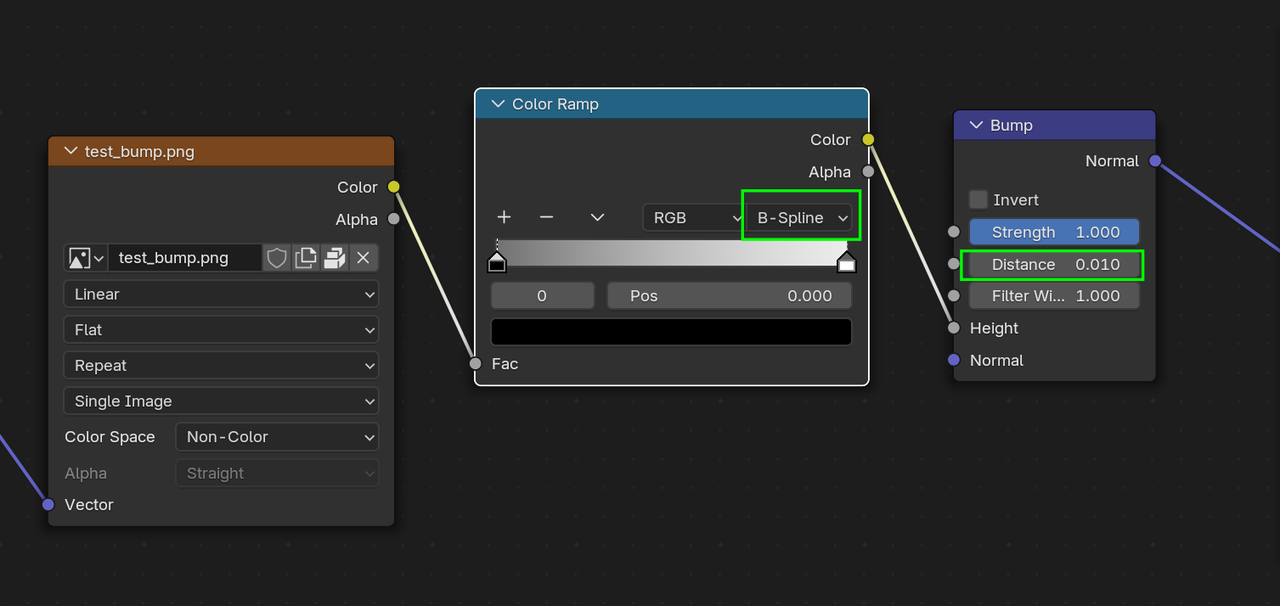
Hi, I need to create wave effect on flexible packaging seals. What is the easiest way to do this?
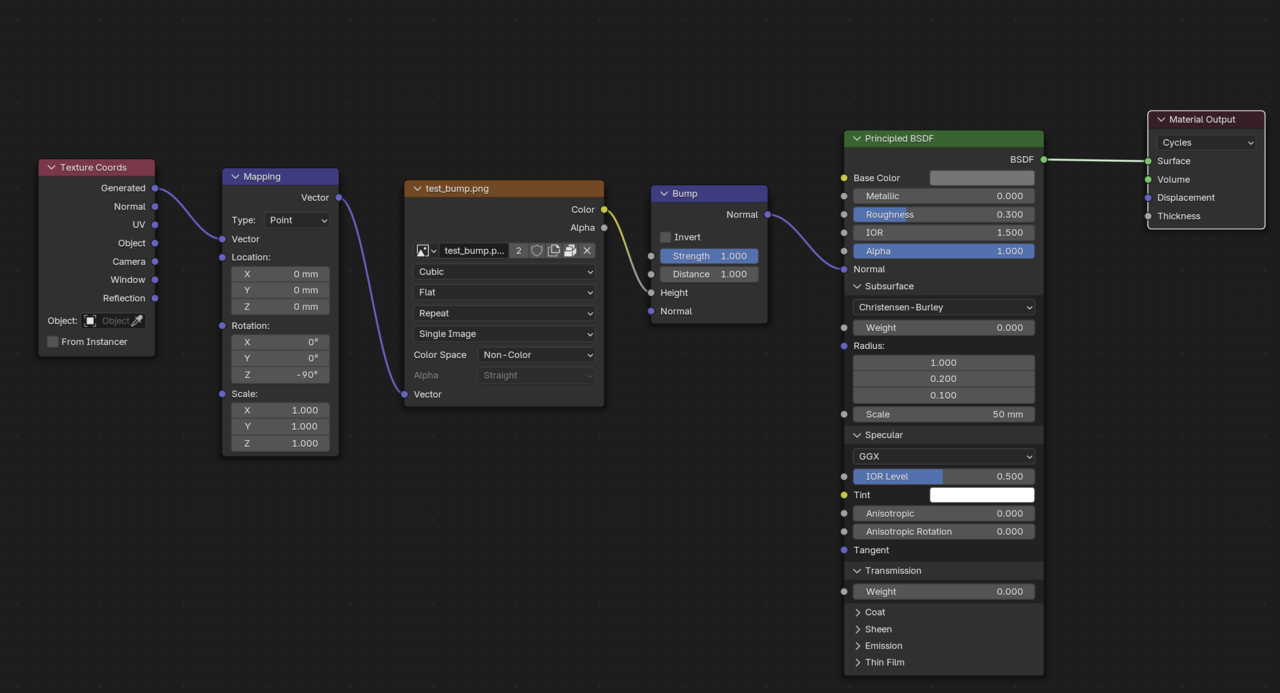
I have tried bump map, but I'm getting sharp edges instead of smooth. And I cannot understand what values for Strength and Distance to choose. I think there is a problem with the mesh itself, but i can't find it.
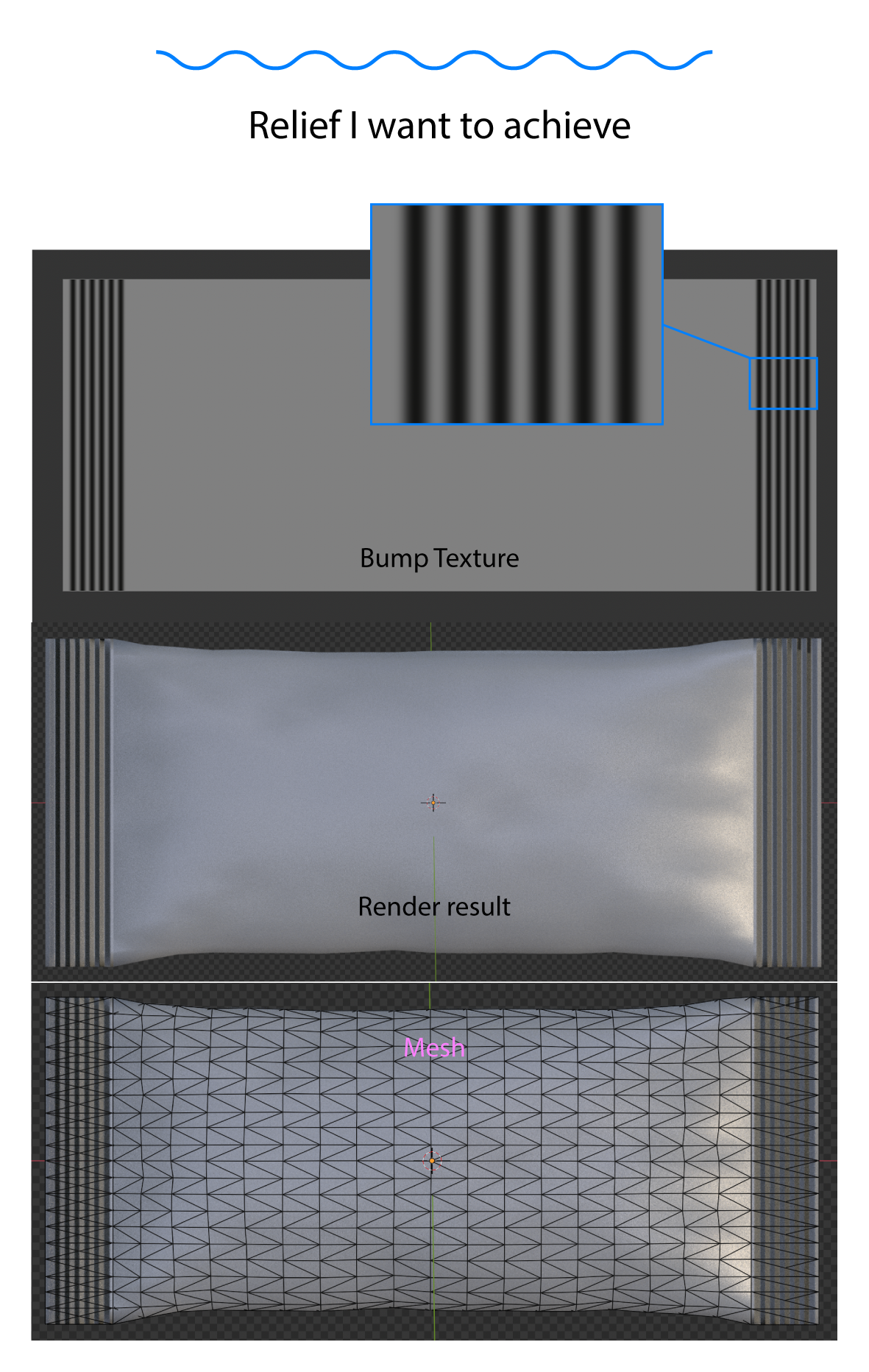

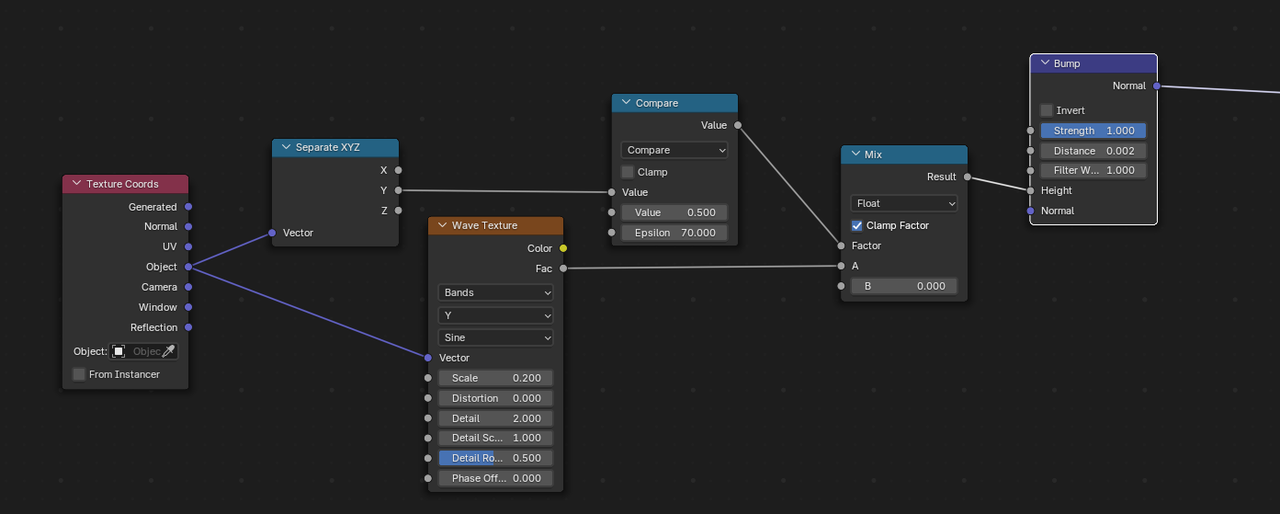
The problem is there isn't much of a gradient in the bump map image. Also it's not the same on both sides. It would probably be better to UV Map it. You can fake it with a few nodes. Then Adjust the strength of the bump node. Since both sides are so different I had to raise the To max on the map range node and then lower the distance on the bump node. Note: You can use a step of 50 or 25 if the camera doesn't get to close. If it does then use 100 or 200. 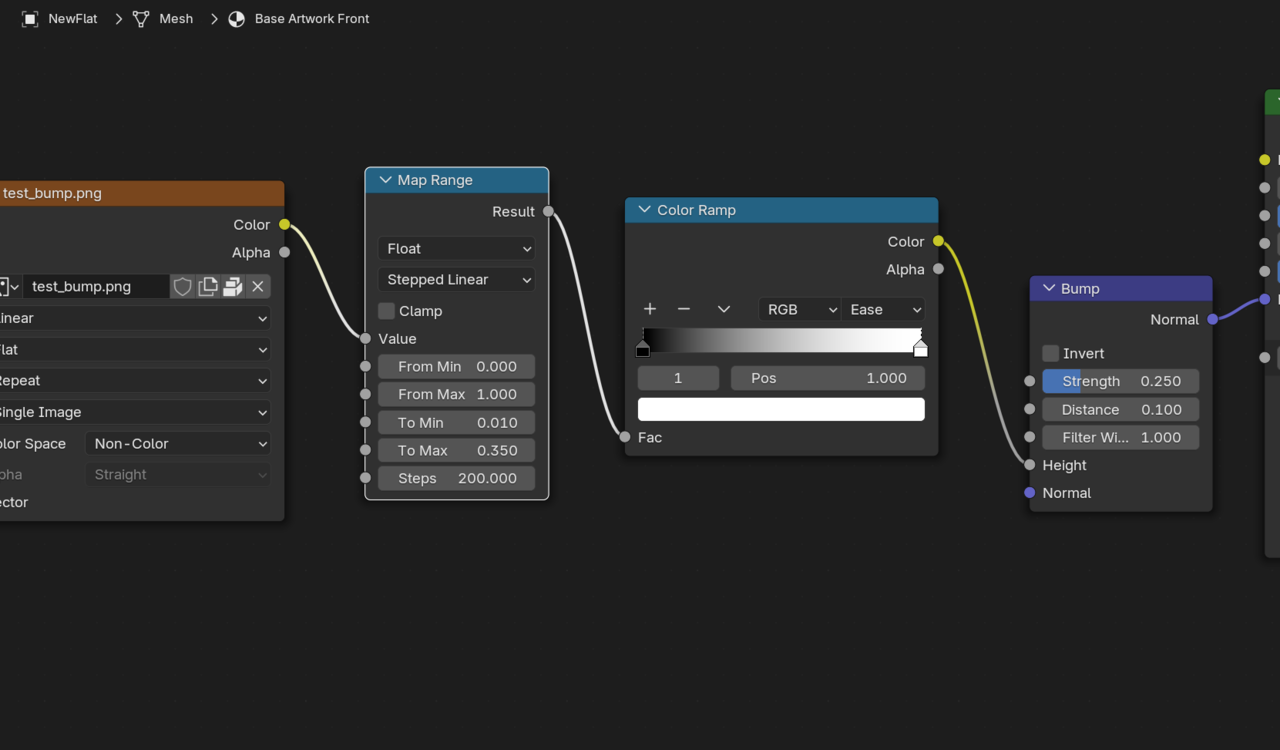
Thank you very much Dwayne! Thank you very much Martin!
So it's a problem of the texture, not the mesh. I wll try to learn more how these Map Range, Color Ramp, Strength and Distance are working.