
As you can see, there’s an uneven gap. I could create more edges there and probably fix the issue, but let’s say I only want to use three edges — in that case, would there be no way to avoid the uneven gap? How can I fix it?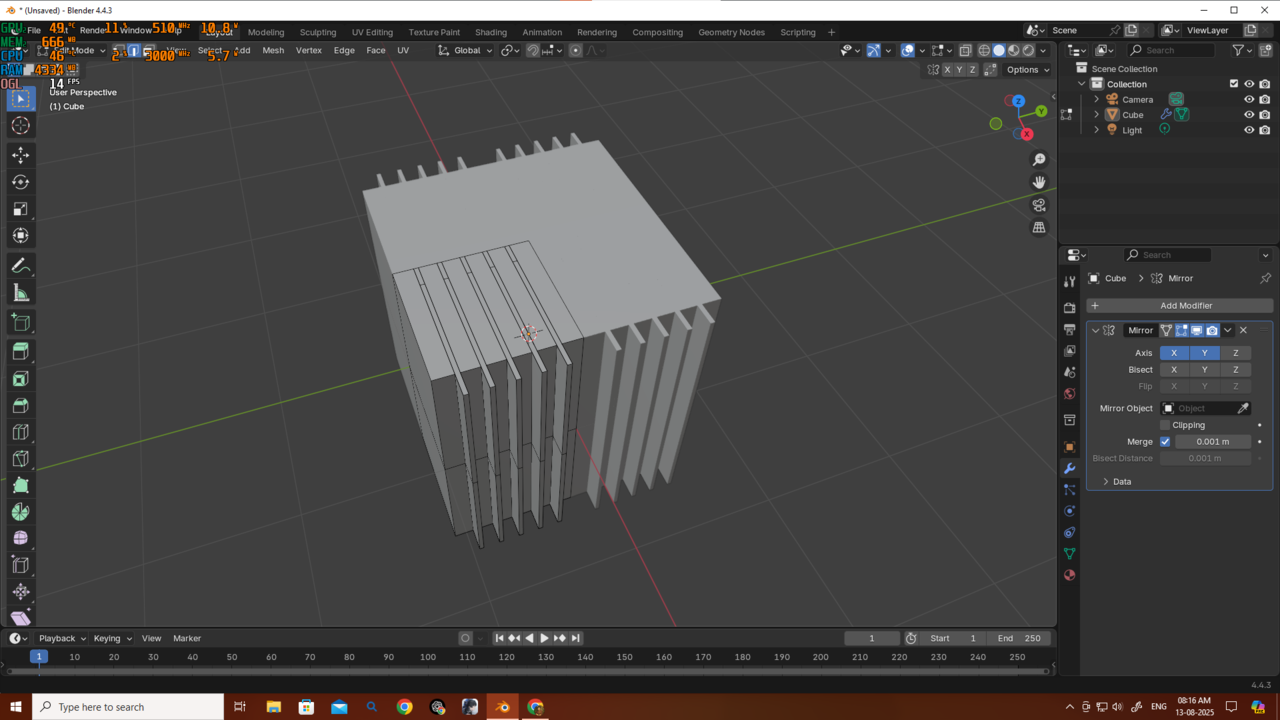
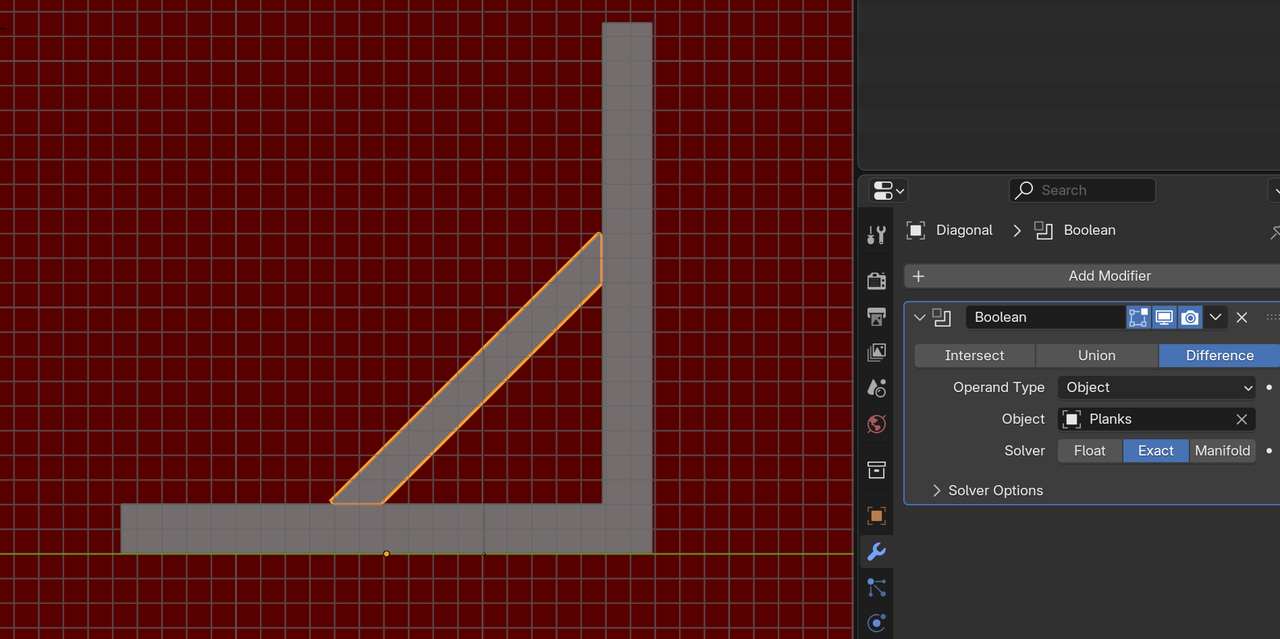
And here is the obj that i want to fit it diagonally i cant scale it to fit and if i try to move the edges and try to fit its not working either because now the plane is uneven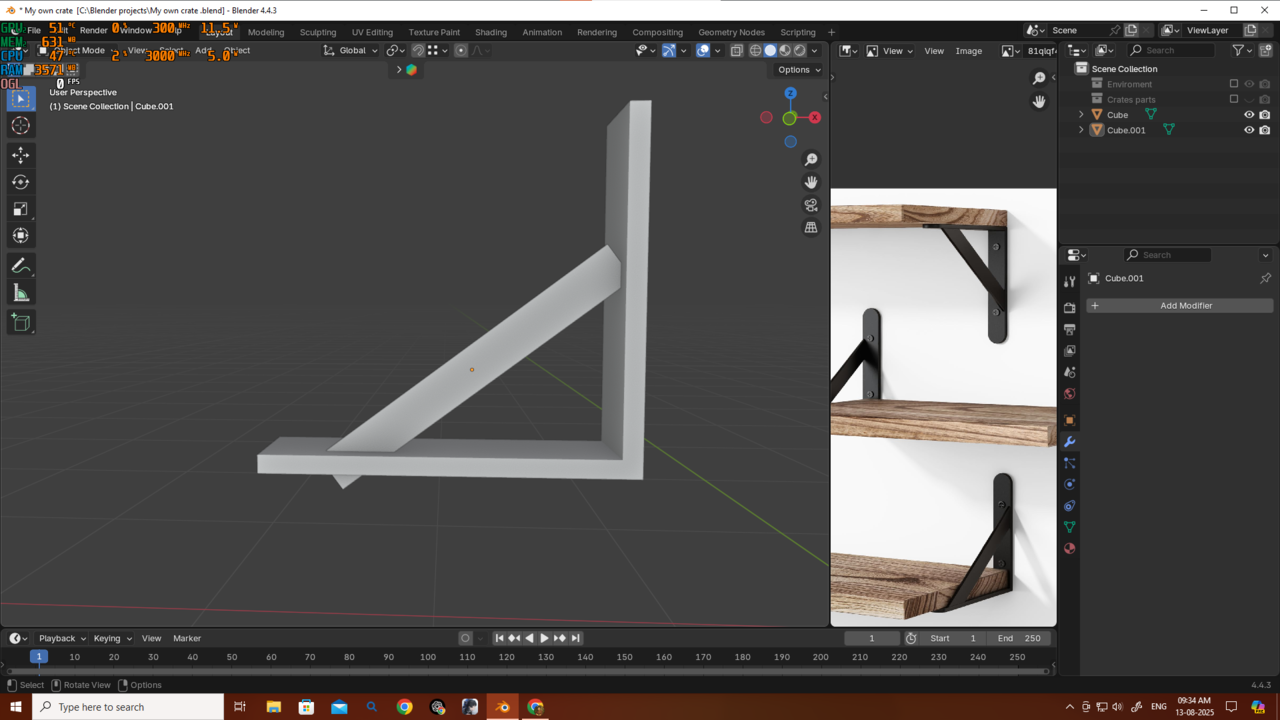

Hi AAgainstTheFlow ,
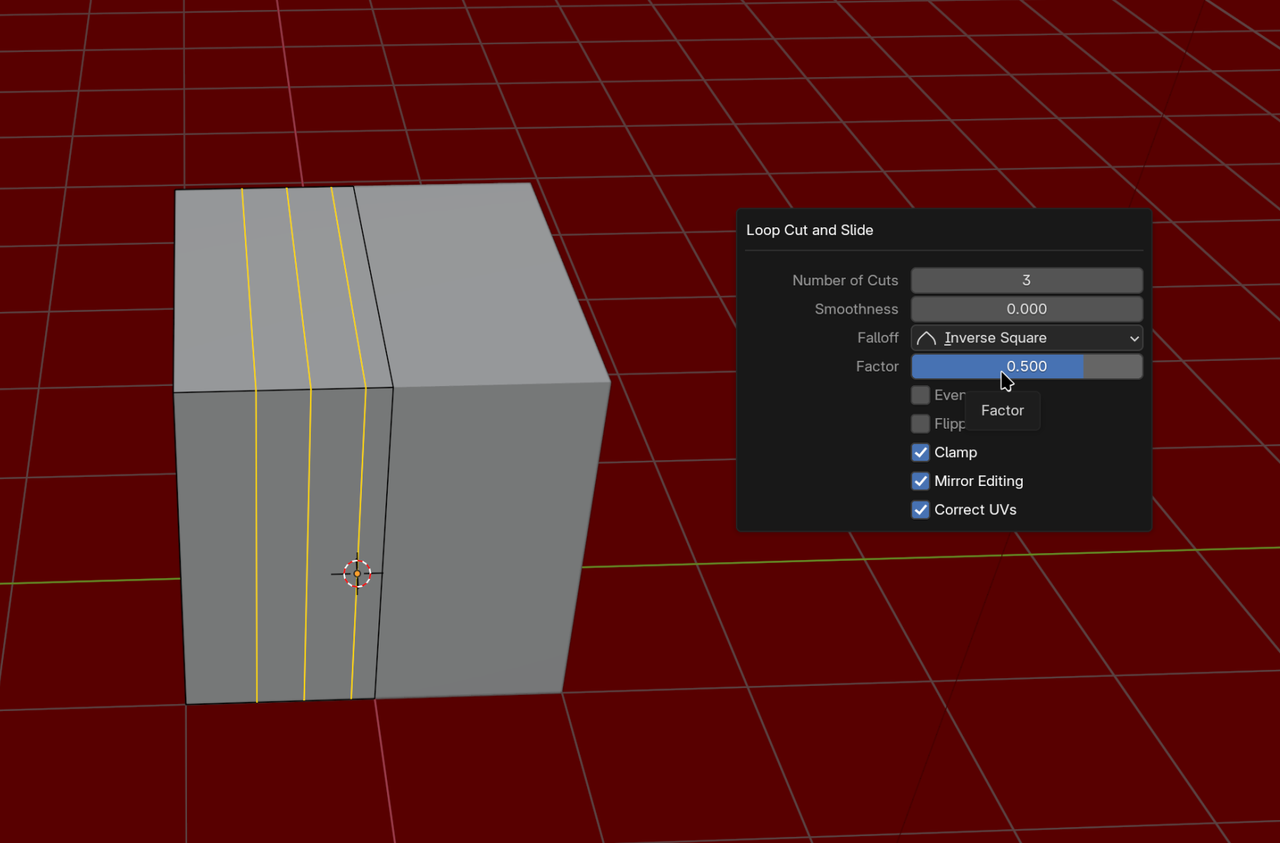
To your first questiion: you can, when making the Loop Cuts, set the Factor to (+/-) 0.5 (top left corner of your 3D Viewport,, when your still in Slide Mode, or in the Adjust Last Operation Panel, when you've already confirmed twice):
Then Bevel and Extrude to get this:
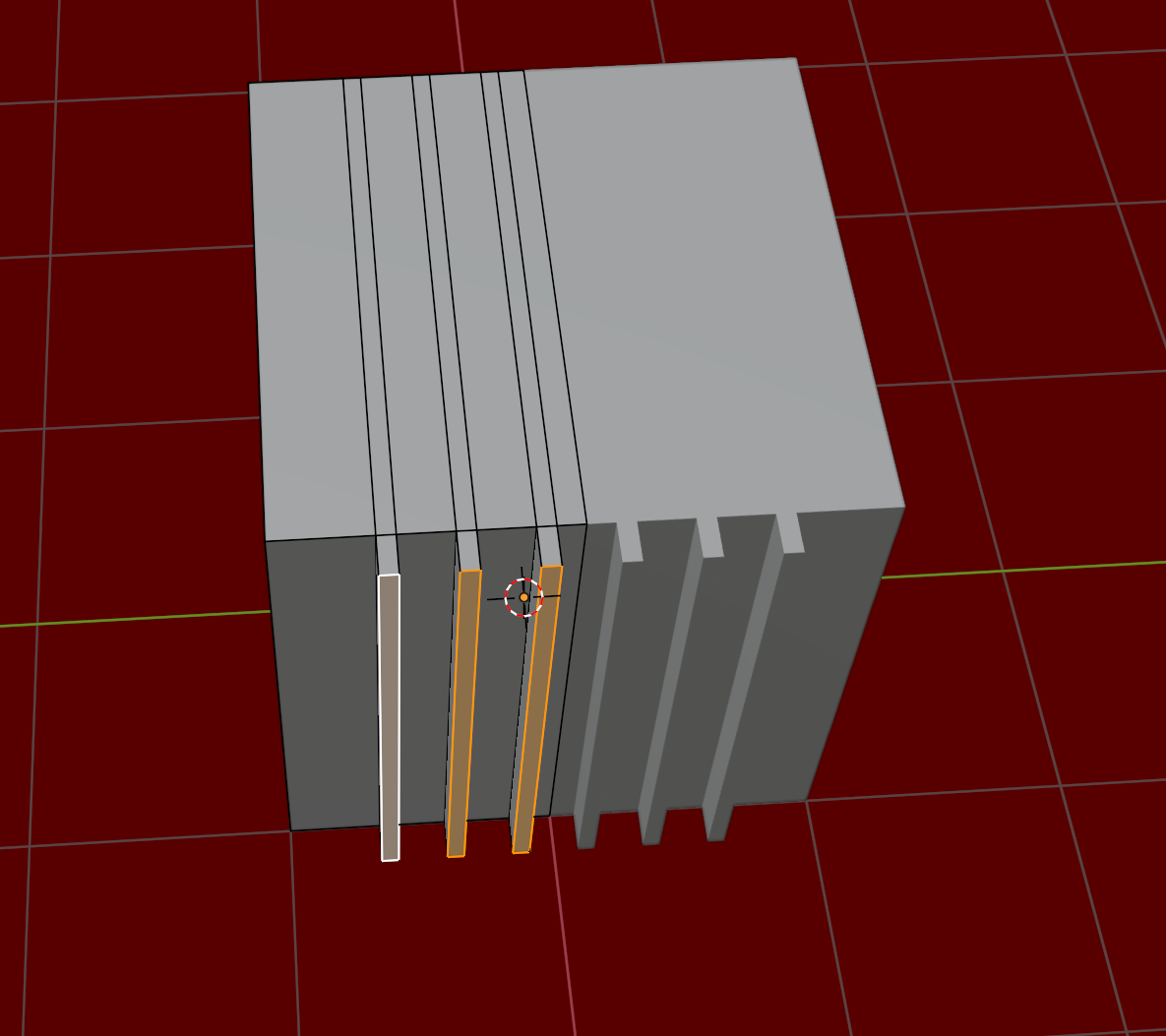
Another way, would be to Apply the Mirror Modifier (make sure it's the first of your Modifier stack), then make those 'ridges' and then Add a new Mirror Modifer again.
Depending on the exact situation, you might need to Move the Edges by hand.
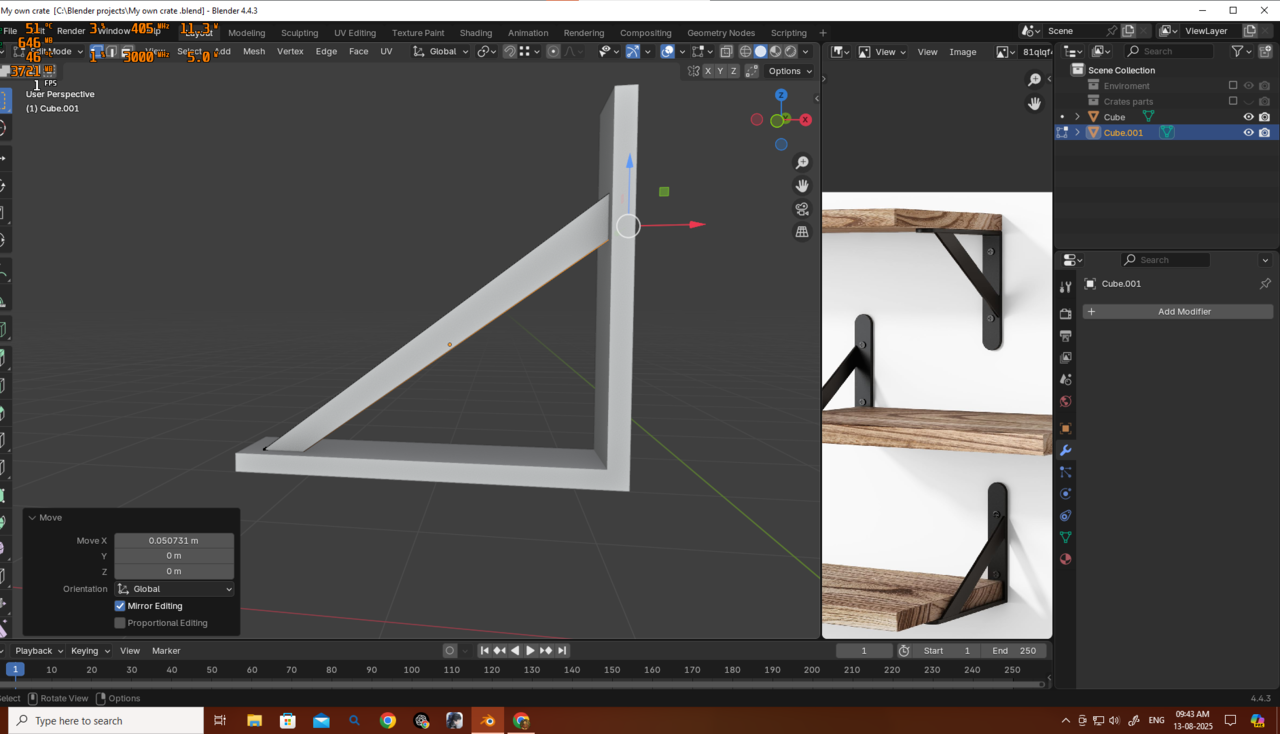
As for the second question, there are many ways, but the easiest might be to simply use a Boolean:
 spikeyxxx plz plz could you explain the Boolean thing here....
Hi Deb,
I used the 'Planks' to cut away the ends of the 'Diagonal'. That's what a Boolean Difference does.
Here's another example: the Cube is cutting away part of the monkey (sorry Suzanne, it's not as painful as it looks, fortunately)):
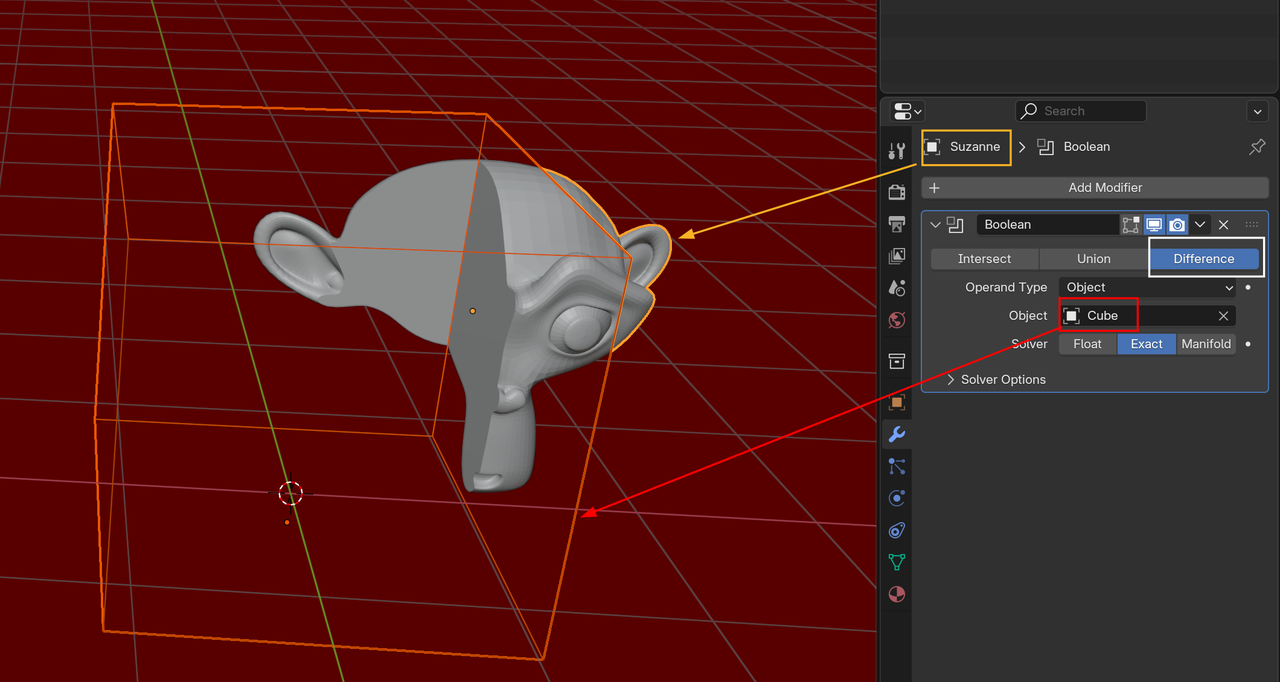
Boolean Difference is like a 3 dimensional subtraction; Suzanne minus where the Cube is.
Totally get it... thanks a bunch as always spikeyxxx
I always get my ans here....but in reddit 😭..what i have done without mate 🥹🥹🙏
