

Hello, If you setup a copy location for bones and let the space for the target be local with parent, then if you move the target's parent the owner will move. But if you instead had it to local then it would have not. But how do you setup a copy location to see the affect of the difference between having the owner space to local versus local with parent?

Hi tfsuper3d
Space types can be pretty mind bending.
I'm not not exactly following what you are trying to do - but if you add pictures or a video (or even link a file) I can take a look.
But one thing about "Local with Parent", that includes the parent transformations all the way through the hierarchy (not just the direct parent)
So that often will give you unwanted double transformations.
I would try Target Space: "Local owner orientation" and Owner Space: "Local"
This is super helpful in many situations.
I think about like "Hey when you move that way, I move that way - and I don't care which way you're pointing"

I think I can explain it.
First, you need to understand local vs world or global. Open blender. Add a monkey. Move the monkey 3 units on the Y axis. Open n-panel(Technically the sidebar). On the item tab under the transforms panel you will see that the location of Y is 3. The number of units(Meters by default) that the monkey's origin(Local) is from the world/global origin. The global axis is used to map out the world space. The monkey's vertices are mapped out from the monkey's local origin and local axis. This local axis is used to map out local space.
Second, we look at parenting and point of reference. In the case of the monkey, it's point of reference is the world origin. Select the monkey, then shift+select the cube, and press ctrl+p->Object. Now select the cube and move it 3 unit on the Z axis. You will notice that the monkey also move 3 units up; however, when you select the monkey and look at it's transforms the Z still shows as 0. That is because when you created the parent it changed the monkey's point of reference from the world origin to the cubes origin. Press alt+p->Clear Parent the monkey will jump back down. Do ctrl+z to undo clearing parent. Press alt+p->Clear and Keep Transforms. The monkey doesn't move, but the Z now has 3 in it.
Third, the answer I hope you are looking for. Each bone has it's own local space starting at the head as the origin and mapped out by it's own axis. Not to get to deep in the weeds but transforms of bones in pose mode is based off of the bones reset position(Starting point...usually). You can think of the bones reset position as it's world origin. When you move a bone in pose mode, it uses it's reset position as it's point of reference. Now when you use a copy location constraint and target is set to local it makes the owner(Bone with the constraint) have the same location transform as the target bone(The one you are coping). The thing is the point of reference for the owner is the owners origin, but the Armature's axis. If you change owner from world to local it will now use the owner's axis. If you move the target bone's parent it doesn't change the target bones transform, because like the monkey, the target bone's point of reference is the parent bone. When you switch the target from local to local with parent you are now getting the parent's location plus the target bone's location. Another way to look at it is you are getting the target bones location in reference to it's rest position instead of the parent.
I hope that clear things up.
Okay, maybe I was unclear about what I meant. I am attaching some pictures here
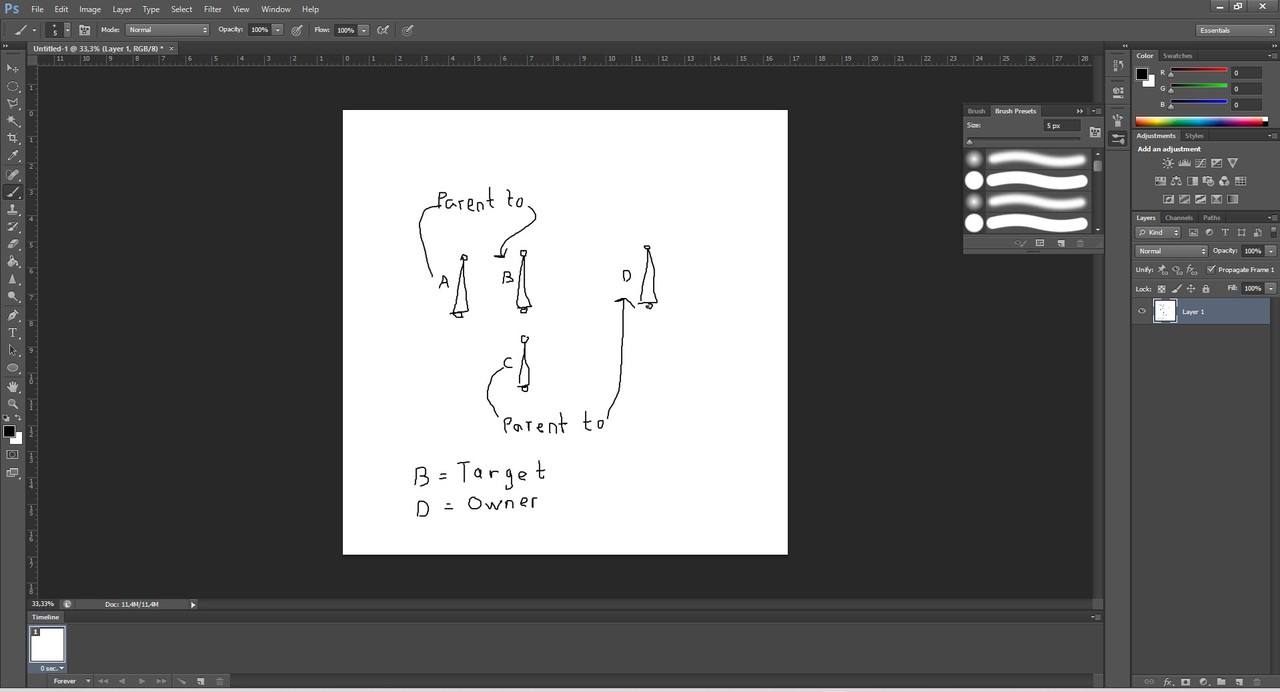
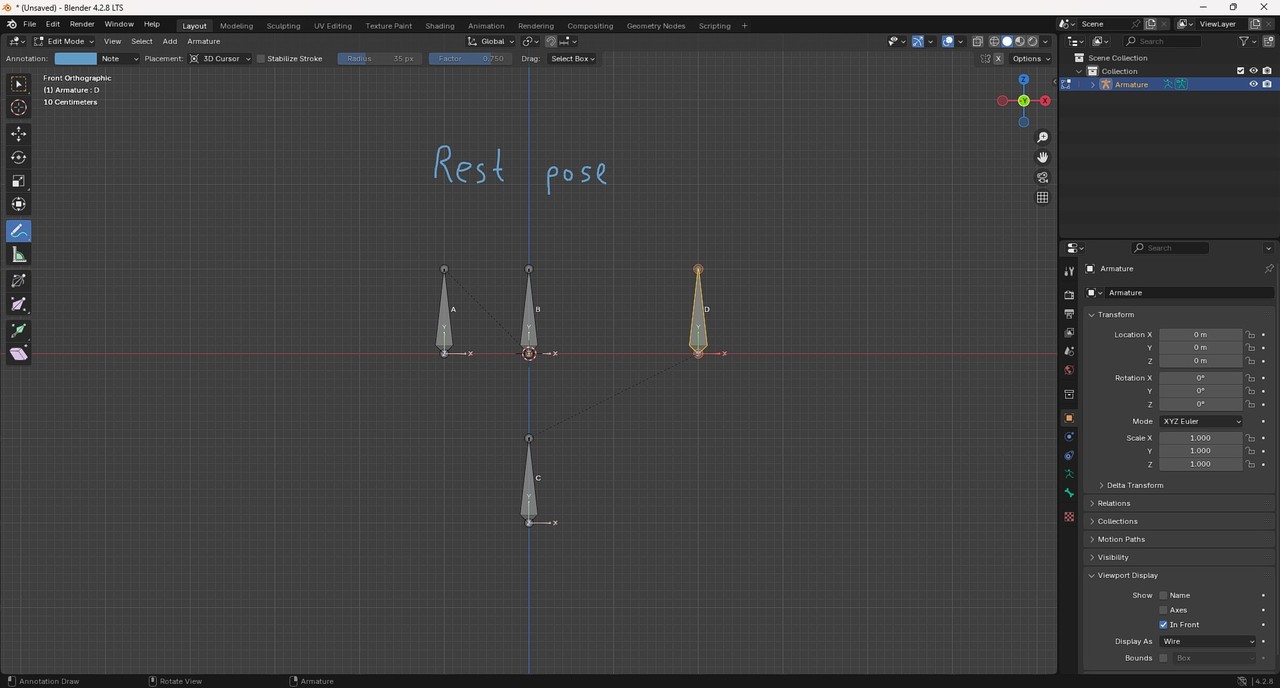
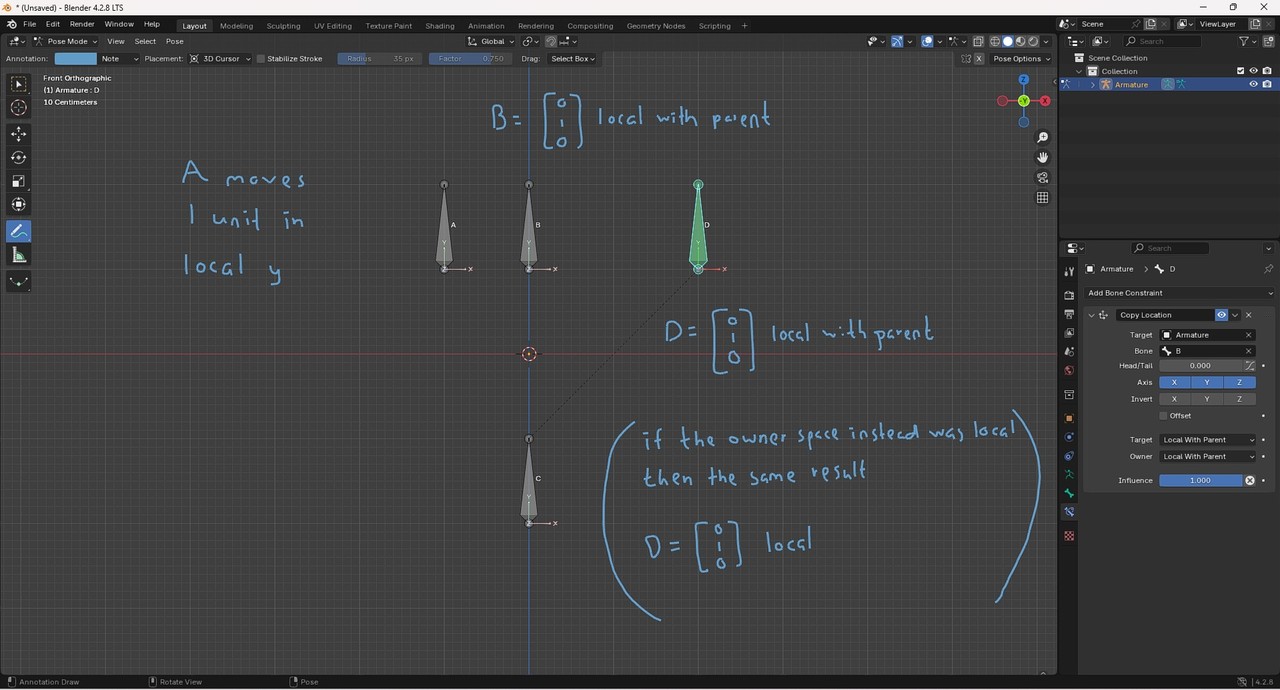
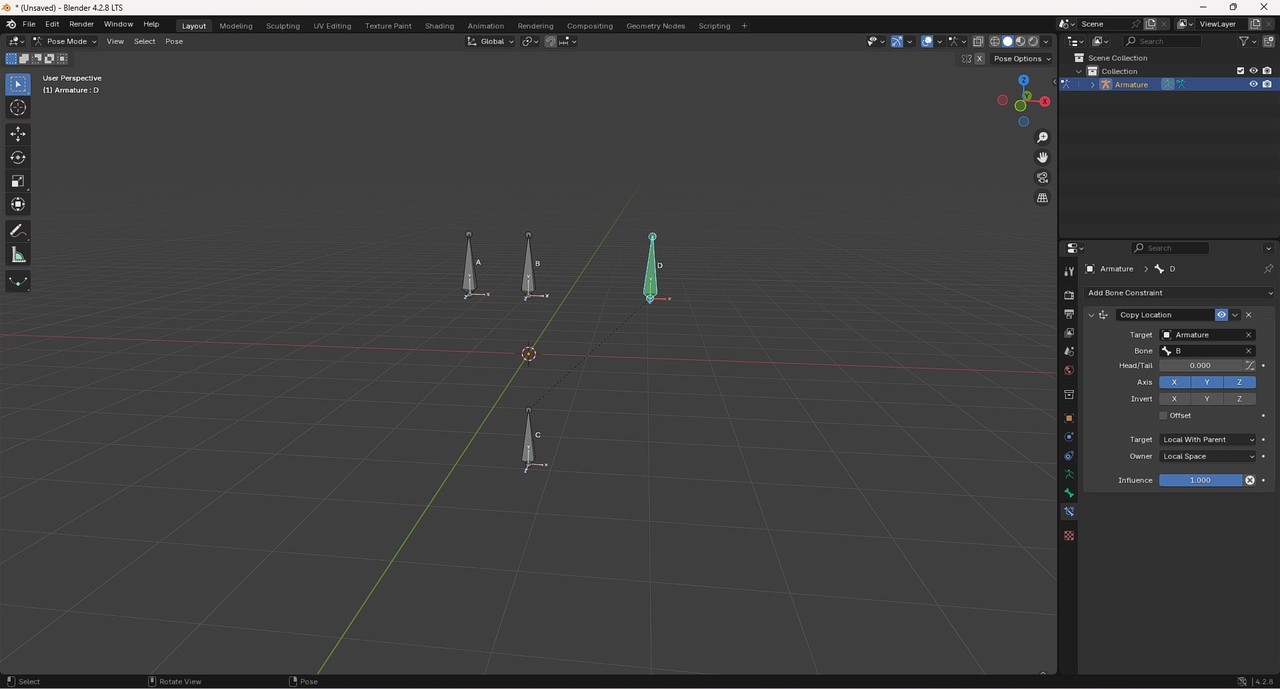
So in this case we get the same result for local and local with parent space for the owner. So my question is in which cases do we get a different result between the two? A setup showing this would be great, thank you (B is a child of A and D is a child of C, if that was unclear:)
Great Martin! That is definitely a differece between the two. So if D is in local with parent and C moves then D won't move because it copies location from B. But if D is in local it is "allowed" following its true parent. Wait, I was too fast I think? If you enable offset then D will follow C in local with parent as well. Let me think...
When you check offset, that allows you to move the owner or D bone in this case. In addition to the copy location constraint. To see this try moving D bone with offset unchecked. Then try again with it checked.
Now I have been thinking about it. This is the way I see it. If D is in local space and C moves then D is following. And in this case offset doesn’t need to be enabled, because D’s coordinates will be unchanged in this coordinate system after that transformation. This is not the case when D is in local with parent space, therefor offset has to be enabled. Maybe this doesn’t make 100 percent sense? But I don’t think I can come up with something better. So if someone could explain it I would be more than happy.
But my question was not just that. If B is in local then if A moves D will not, because B’s coordinates will be unchanged so there is nothing new to copy. So this we both can calculate and also see the affects of visually. For the difference between local and local with parent in the owner space. We have calculated, yes. But the affect it has on other bones we have not yet seen. And that is something I would appreciate alot.
Maybe I'm chasing ghosts here. I have not any projects with this, I’m just trying to understand. Thank you

