origin issue

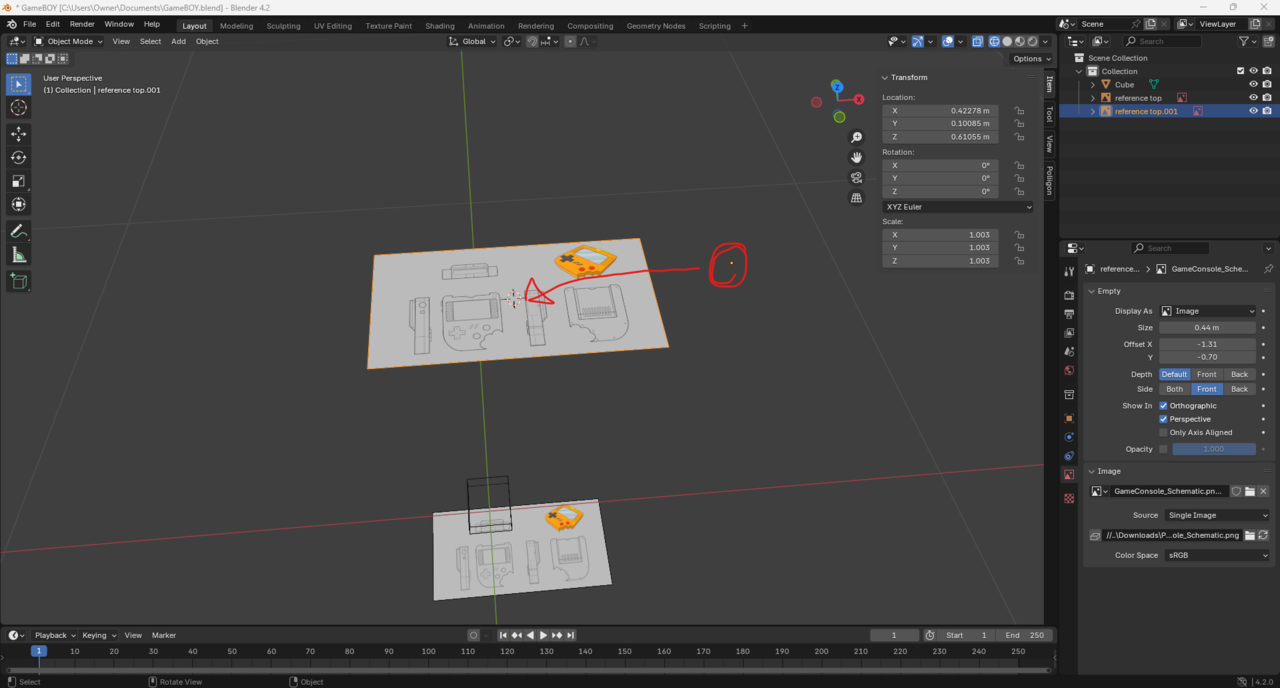
Can't move origin to 3d cursor, I went back and followed the tutorials on it in blender basics but it still didn't move, my origin is in wrong place to flip the plans like he does here.

1 love
Reply
  • Martin Bergwerf replied

    Hi Ford,

    What do you mean?

    Does Object > Set Origin > Origin to 3D Cursor not work?

    Make sure you have the correct Object Selected. For some Objects (a Camera for instance), you can't just move the Origin.

    2 loves
  • Omar Domenech replied

    Can you post some screenshots as well? It's a fairly straight forward operation, you're probably just making a simple mistake. We can help pin point it. 

    2 loves
  • Ford Grimm(Ford) replied

    MMartin - correct

    Object > Set Origin > Origin to 3D Cursor does not work

    OOmar - yes 

    025-08-06 054109.png

    1 love
  • Martin Bergwerf replied

    Hi Ford Ford ,

    That Reference Image is an Empty. you can't use Set Origin with Empties (or Cameras, Lights,...). You should reset the Offset to its Defaults of -0.5:
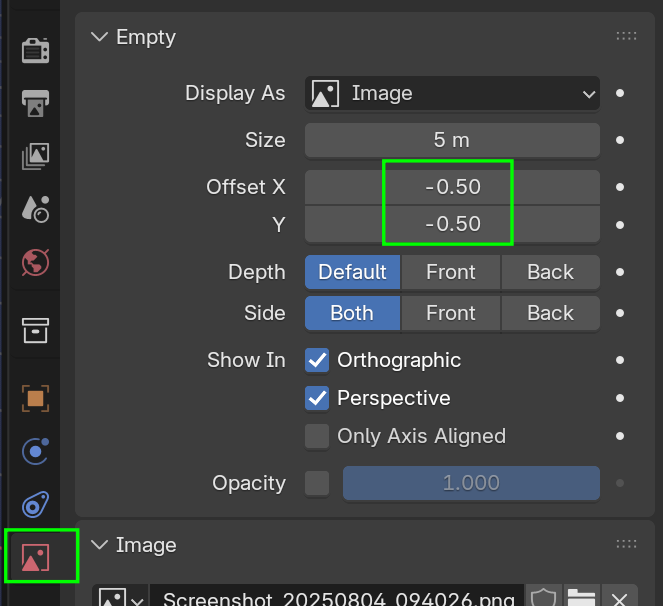
    Image.png

    then you can use SHIFT+S (> Snap) > Selection to Cursor.

    2 loves
  • Martin Bergwerf replied

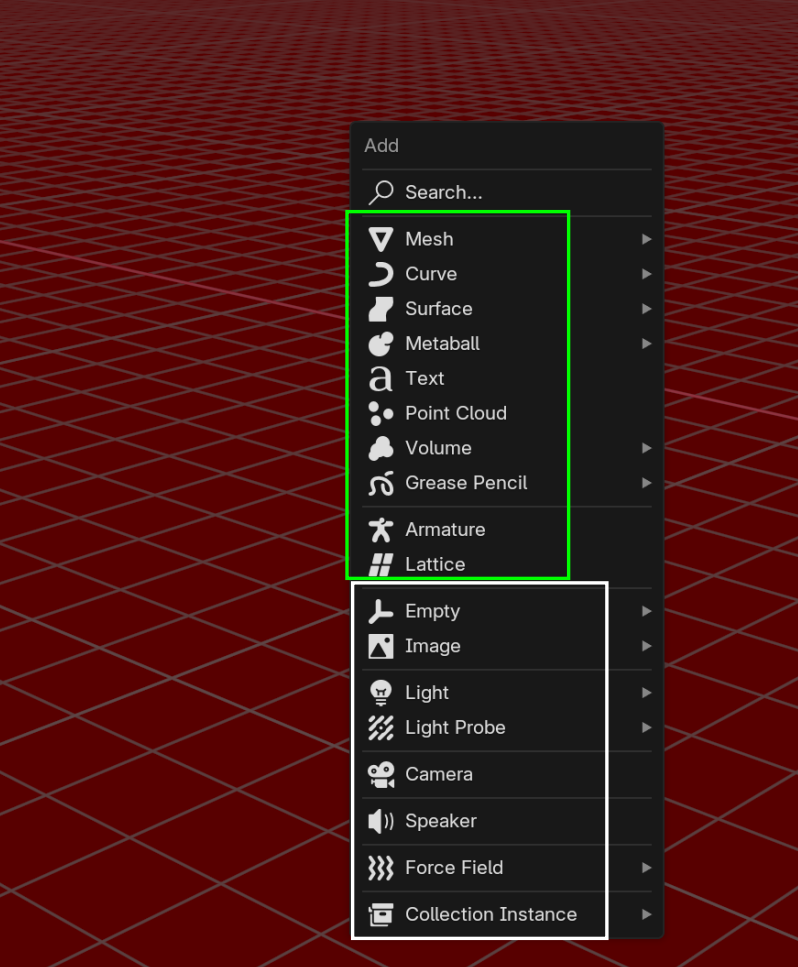
    To be complete you can't Transform only the Origin from Empties. 

    This includes all the Objects in the white rectangle (that are actually just Empties):

    Empties.png

    2 loves
  • Omar Domenech replied

    You could also provide a time stamp in the video to see which part you're trying to recrate and we can see what might be going on. 

    2 loves
  • Ford Grimm(Ford) replied
    Thanks guys! I ended up moving past this because it didn't seem necessary to flip it the exact same way he did, but I have taken note regarding the empties and how their origins operate, I'm sure I will bump into this issue again lol
    • 👍
    • 👌
    1 love