No blue only Red normal faces in 4.5.0

In the tut, It shows the option for face orientation enabled, which shows blue for front face and red for the back face. When I turn it on, it only shows red for the back face of a mesh, but doesn't change the front face to blue. Should i be exactly worried? or does it just not matter.

1 love
Reply
  • Dwayne Savage(dillenbata3) replied

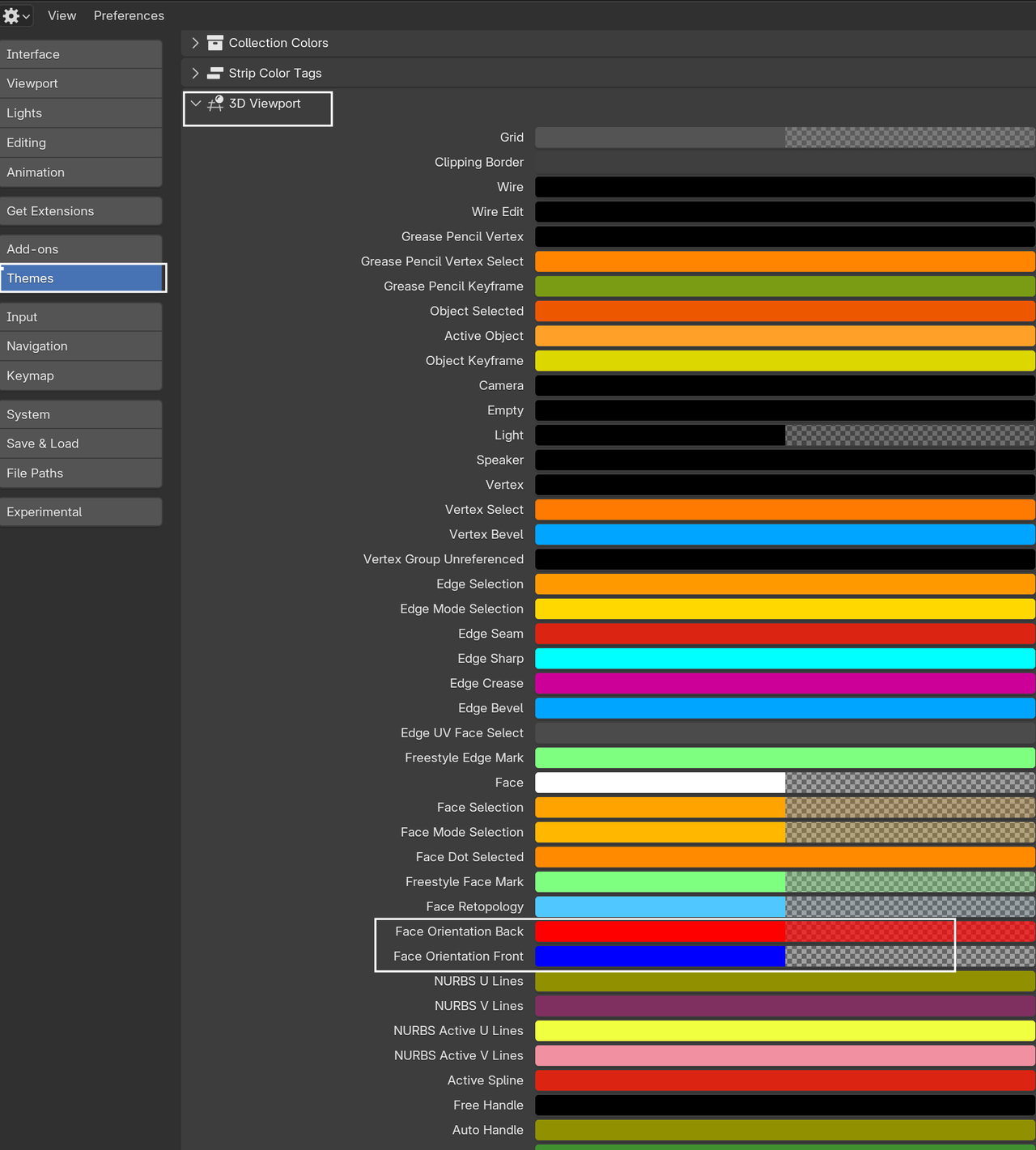
    It doesn't matter. The thing you're looking for is the red anyways. All they did was change the theme so that Blue has an alpha of 0. You can go to preferences->theme->3D viewport->look for face orientation. On the blue one,  click the color and increase the alpha if you want the old way. 

    1 love
  • Martin Bergwerf replied

    It's easier on the eyes, when you want to leave the Face Orientation on, while modeling; now you only get a 'warning' if faces are 'wrong'.

    Like Dwayne says, you can (and could also before) change those colors to whatever you want:

    Face Normals.png

    2 loves
  • Omar Domenech replied

    It's better how it's now if you ask me. Just showing the red makes it less cluttered, now one cares about the blue right? Although sometimes I do miss seeing all the blue and feeling like a hero. 

    1 love
  • Berry Basket(HewwoBerry) replied
    Ok . Thank you all. Just wanted to make sure, in case maybe I messed with my settings somehow and screwed stuff up. 


    • 👍
    1 love