Took a break over the weekend and now its back to the grind. With the scene set up properly, spend most of the time on foreground objects. Mostly the high stool. Super proud that i was able to model it from scratch. Will probably finish the side table by tommorow... maybe even refine the kitchen table top and cabinets.

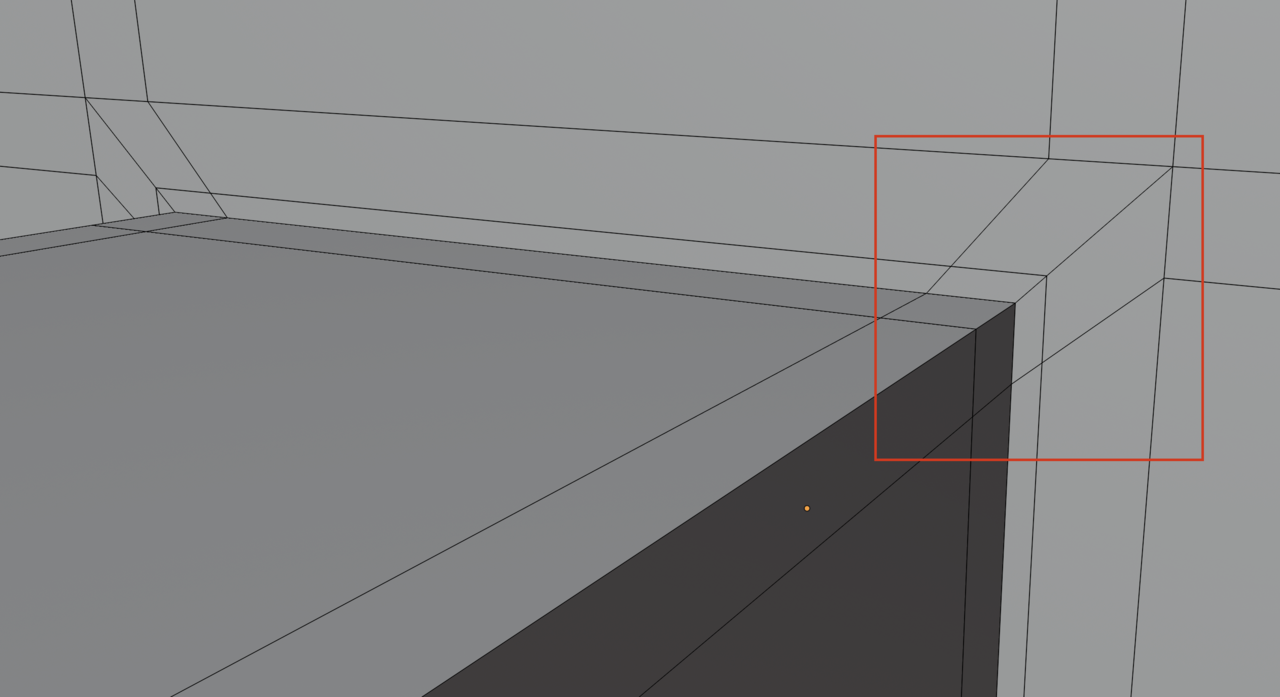
One thing i faced while modelling the stool was this junction:

I wanted to combine the cylinder part with the legs of the stool. The cylinder and the junction had the same amount of vertices. So I brought the two meshs together and used merge {M + by Distance}. So I used the knife tool and snap tool to get this neat topology:

However... I still get this shading issue:

Thankfully, this detail is not very much visible in the camera view but still is there a better way to fix this issue?
Anyhow... I think I am on track to finish this project end of week

ok... so i should try and keep my poles not on but around the junction right?

Also, a more advanced method would be, if you then still have shading issues, to use a Data Transfer Modifier, to use the Normals of a plain Cylinder on the problematic parts. Something like this:
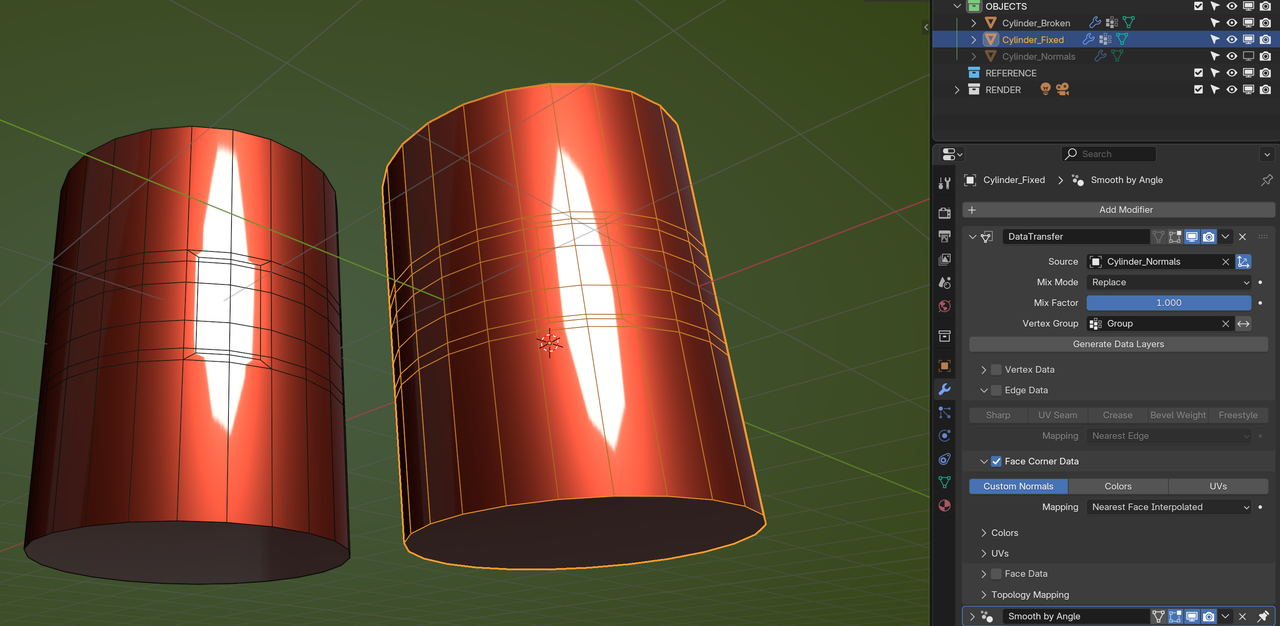
Jonathan Lampel uses this technique in the Pothead Course.
But definitely use Omar's Topology example, that might already fix the Shading.
woah... didnt know u could do that... but yeah i think i am happy with the results i got from omar's solution. I will check out how data transfer modifier for future use cases