When I press quad Ramesh, blender crashes.

posted to: Remesh
When I press quad Ramesh, blender crashes. Why does that happen? I have 4 GB VRAM and 64 GB RAM and 3050 Ti lenovo gaming laptop. Does anyone know how to fix the problem? I’m currently updating my drivers.
1 love
Reply
  • Martin Bergwerf replied

    That's usually because you set the Amount of Faces too high (or the Edge Length too low, oor the Ratio too high).

    Does Blender crash, when Quad Remeshing with the default Settings?

    The Quad Remesher doesn't use the GPU, so it probably isn't a Driver issue.

    But the fact that you're on a Laptop won't help.

    2 loves
  • Martin Bergwerf replied

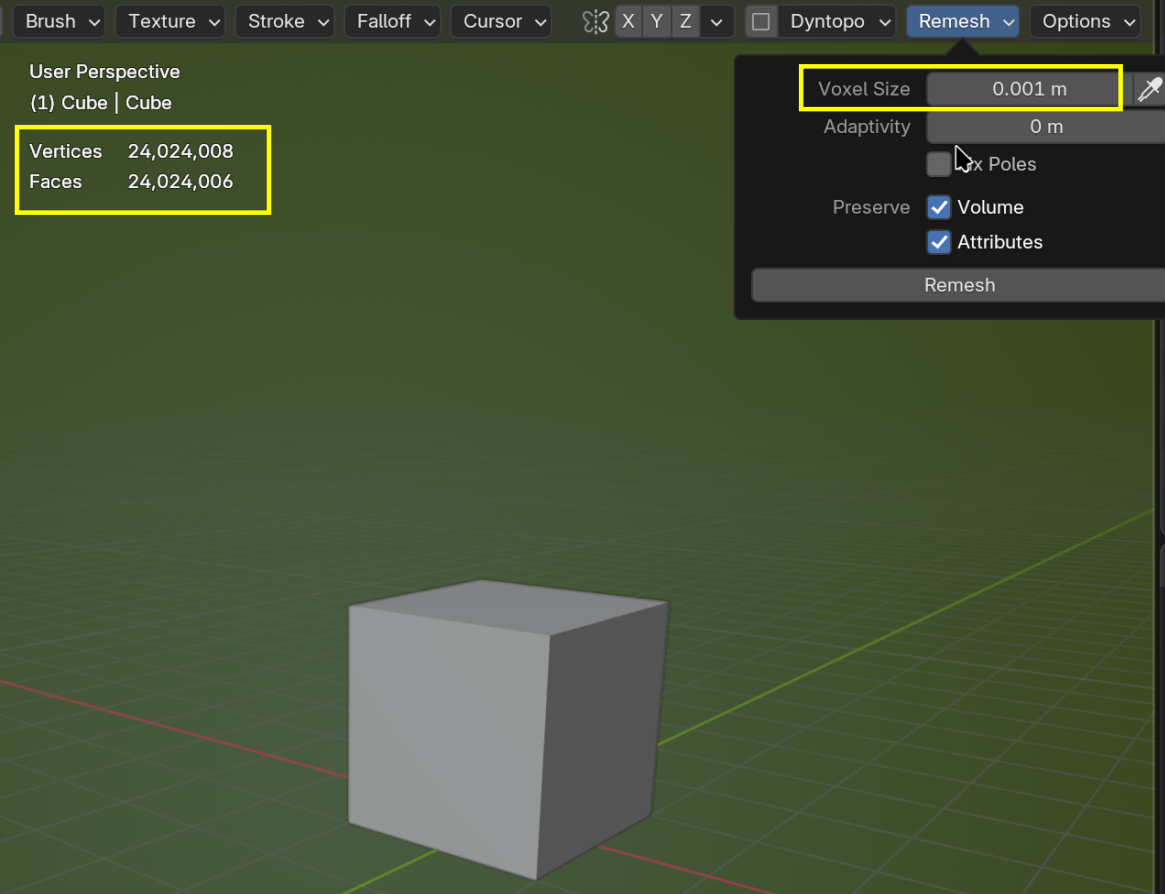
    Oh wait, this is in the Sculpting Course, so you probably mean the Voxel Remesher.

    Then it's the Voxel Size that is too low for your Mesh.

    2 loves
  • Martin Bergwerf replied

     It's most likely a Memory issue; if you Remesh the Default Cube (2x2x2 m) with a Voxel Size of 1mm, you already end up with a Mesh with 24 million Vertices:

    Remesh.png

    3 loves
  • Maiil Tahiiev(ThatsHim) replied

    Thank you! 

    • 👍
    1 love