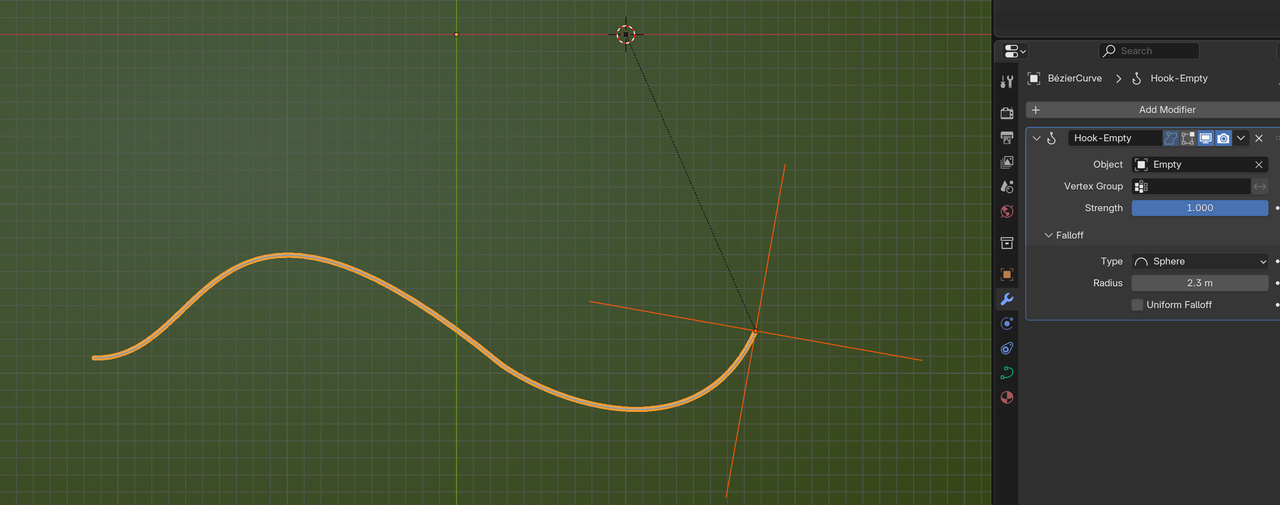
By default, the curve modifier gives me smooth deformations of a surface. But, I can't animate the vertices. The solution? Apply a hook to the vertices.
When I do this though, the deformations are extremely sharp, rather than smooth like they used to be. Furthermore, no rotation information is recorded while rotating the hook. How do I fix this so I can animate a curve?

Side note: I personally hook to bones in an armature.
I'm assuming you're using a Bezier curve. Create hooks for the handles too. Then parent the handles' hook objects to the vertex hook object. This gives you the rotation and the ability to adjust the handles. Another option is to select both handles and vertex(Control point) then create the hook or if you already have the hooks created then you can select the handles and on the hook modifier click assign. This will give you rotation and help keep the handles aligned, but you won't be able to adjust the handle. unless you use shape keys, but that gets complicated quickly.
I'm hooking to one individual vertex of a bezier curve, not a mesh itself. The bezier curve has super sharp deformation even when the falloff is smooth.