Cycles barely work

Plane, cube, single point light and cycles - 1.5 fps. 
RAM 16 GB
Intel Core I5 6600
Radeon RX 580 Series

How to fix? I just updated the drivers too. When I switch to GPU as a render device - it gets greyed out
Important note - none of the pref system settings are avalible for me
  • Prefs>System
1 love
Reply
  • Omar Domenech replied

    Hello. Can you give much more context and explain a little more? Are you trying to render a big scene? Your computer doesn't sound very up to date. Maybe that video card is too old and it's not supported by Blender nowadays?

    1 love
  • Stas Dushko(Jollium) replied

    That video card is fine. I am trying to render a cube and a plane. And it gives me 1.5fps when I rotate a camera. I cant pass the light course because of this

    1 love
  • Martin Bergwerf replied

    Hi Stas JJollium ,

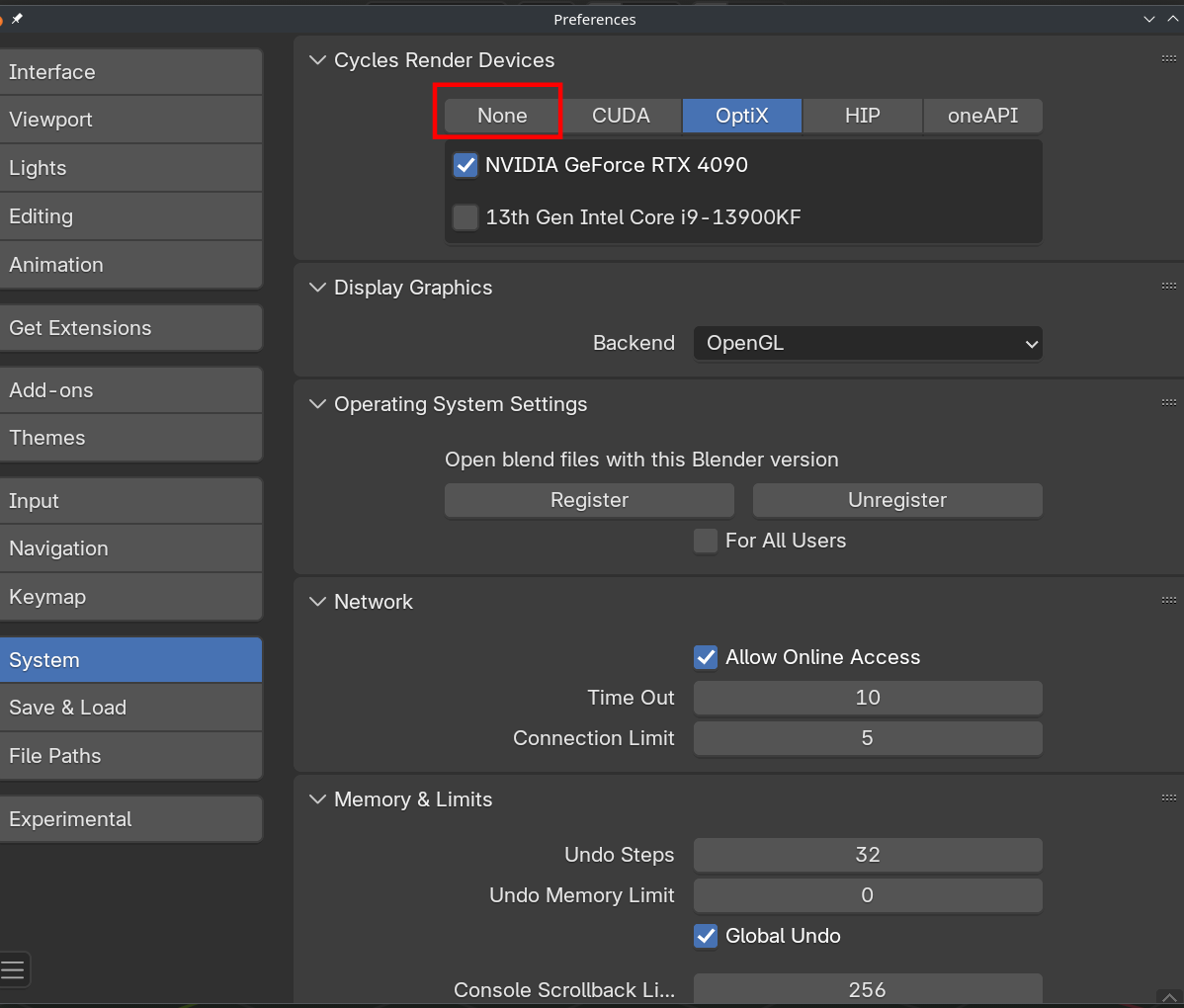
    Make sure that your Cycles Rendering device is set in your Preferences:

    Render.png

    1 love
  • Stas Dushko(Jollium) replied
    Literaly nothing on the screenshot is avalible for me.
    1 love
  • Omar Domenech replied

    Can you post your screen? Which Blender version are you using? Try downloading a different Blender version and see if it persists. 

    1 love
  • Martin Bergwerf replied

    It should not be set to None (that's why I drew the red rectangle around it).

    You probably have different Options, because you have a different GPU.

    1 love
  • Stas Dushko(Jollium) replied

    Martin, nothing is avalible for me. None of the options. I deselected none, others dont work. They all say different reasons on why, but they just dont.  When I press them - there is a checkbox to, well, turn them on - and it is greyed out

    1 love
  • Martin Bergwerf replied

    Can you post a screenshot please, Stas?

    1 love
  • Martin Bergwerf replied

    You can also have a look at the Manual: https://docs.blender.org/manual/en/4.5/editors/preferences/system.html 

    I never used a Radeon, things might be different.

    1 love
  • Martin Bergwerf replied

    It could be, that your GPU is not supported, see the minimal requirements: https://www.blender.org/download/requirements/ 


    1 love
  • Stas Dushko(Jollium) replied

    My GPU isnt on the list. Its not supported. What do I do now? How do I even finish the course?

  • Martin Bergwerf replied

    You can Render on your CPU (I did that for years), upgrade your computer (best option if you want to do Computer Graphics) , or use an older Blender Version..

  • Omar Domenech replied

    Yeah sadly computer graphics is demanding when it comes to hardware. It's like if you want to race cars, you're going to need a fast car, there's no way around that. As Martin says, rendering on the CPU is ok, that's how we all start until we get to the point of getting a better computer.