
Hi guys, I need help, please, can someone explain to me why everything explodes when I extrude it?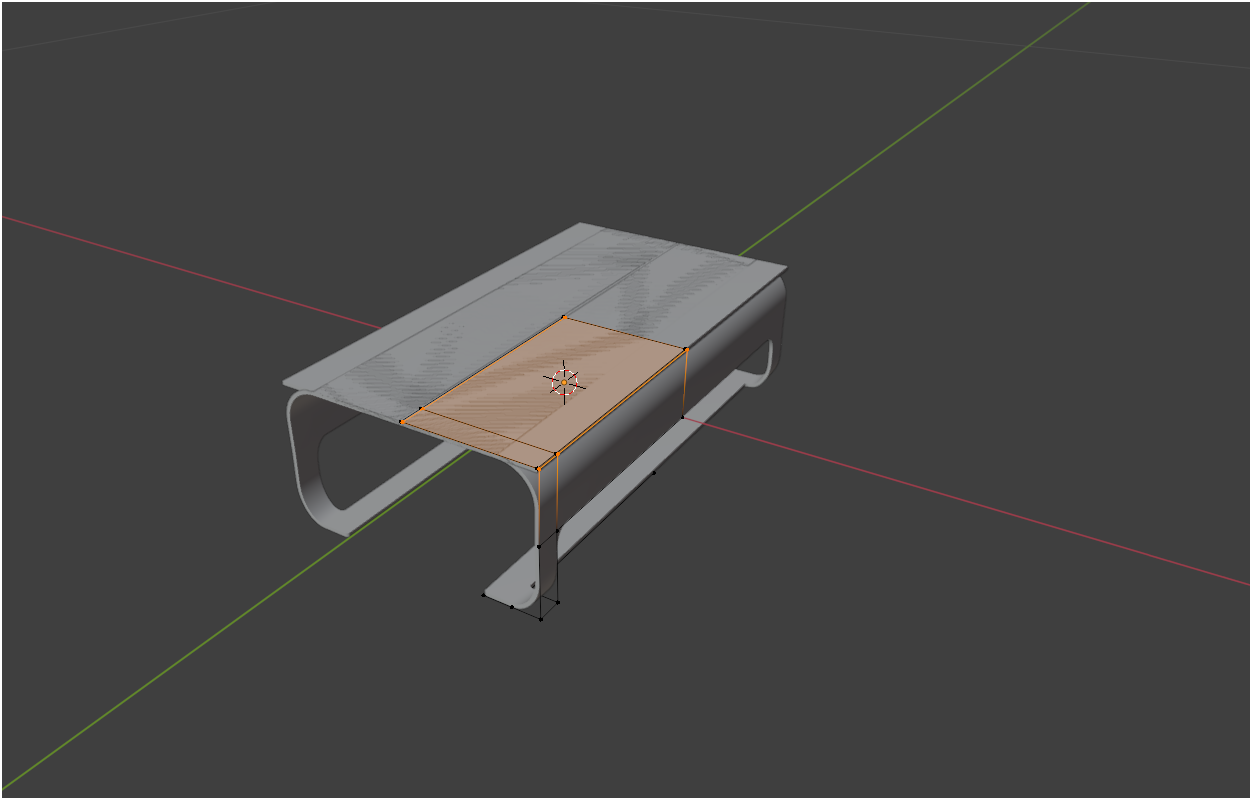
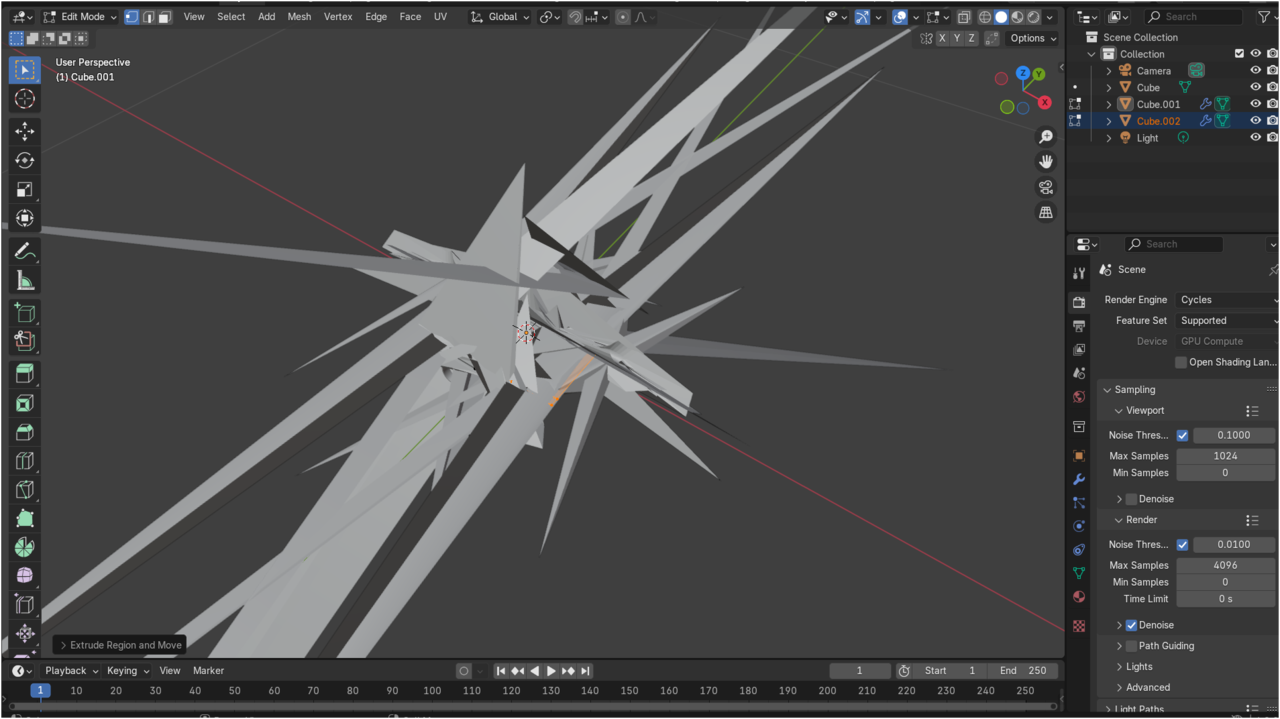

I'm not sure what's going on there, it shouldn't get so crazy as that. Are you just extruding with E? Try selecting everything with A and then M to merge at center, to see if it's just double vertices.
Perhaps it's your modifier stack. It could also be the bevel modifier. Try turning it on and off when the gets crazy like that to see if it goes away and comes back as you turn it on and off.

Hi Wil WWil97 ,
I agree with Omar..
I think it's probably the Bevel Modifier doing this, but it does it, because something's wrong with your Mesh.
A, to Select 'All', M > Merge > By Distance, to get rid of those double Vertoices (and the overlapping Face):
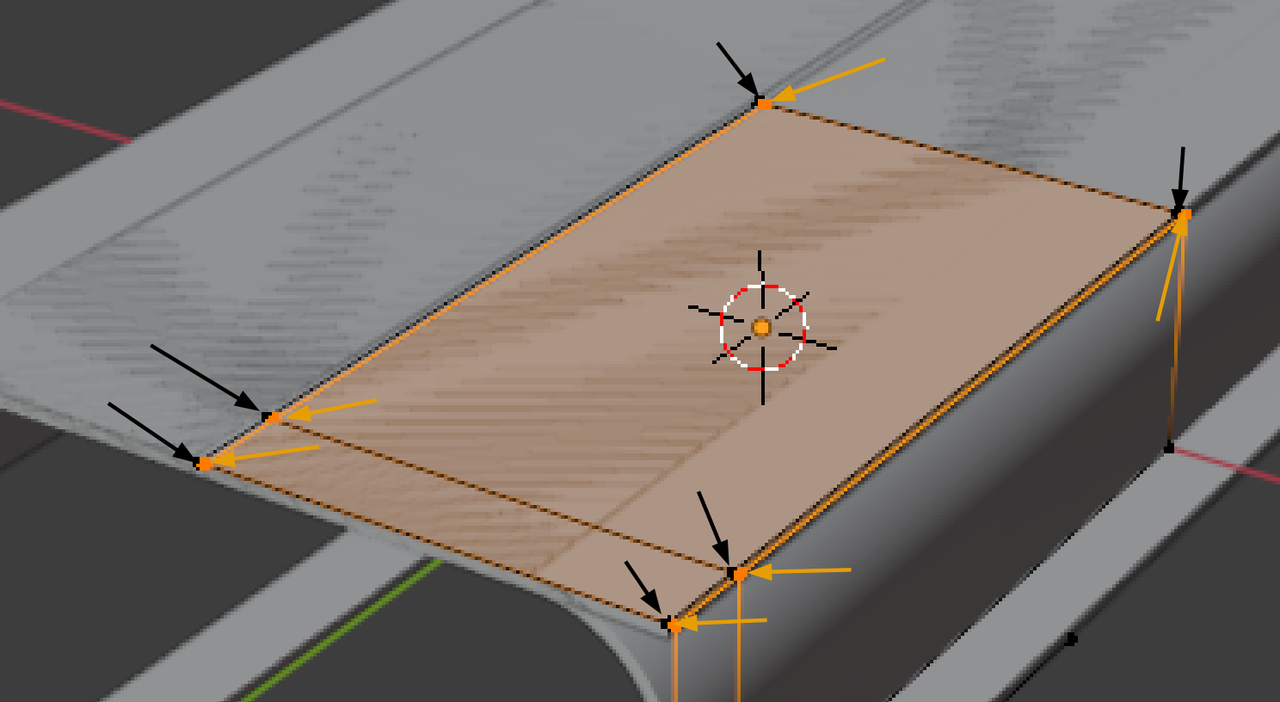
then check your Normals (Face Orientation Overlay!) and SHIFT+N, or just Select the wrong (red) Faces and ALT+N > Flip.
What I think happened is, you Duplicated the top Face, P > Separate Selection, switch to Object Mode At that moment you had your Cube.001 and Cube.002 Selected. You then Switched back into Edit Mode (for both Objects). You should have Separated, switch to Object Mode and then Select (only) the Cube.002 and then go back into Edit Mode.