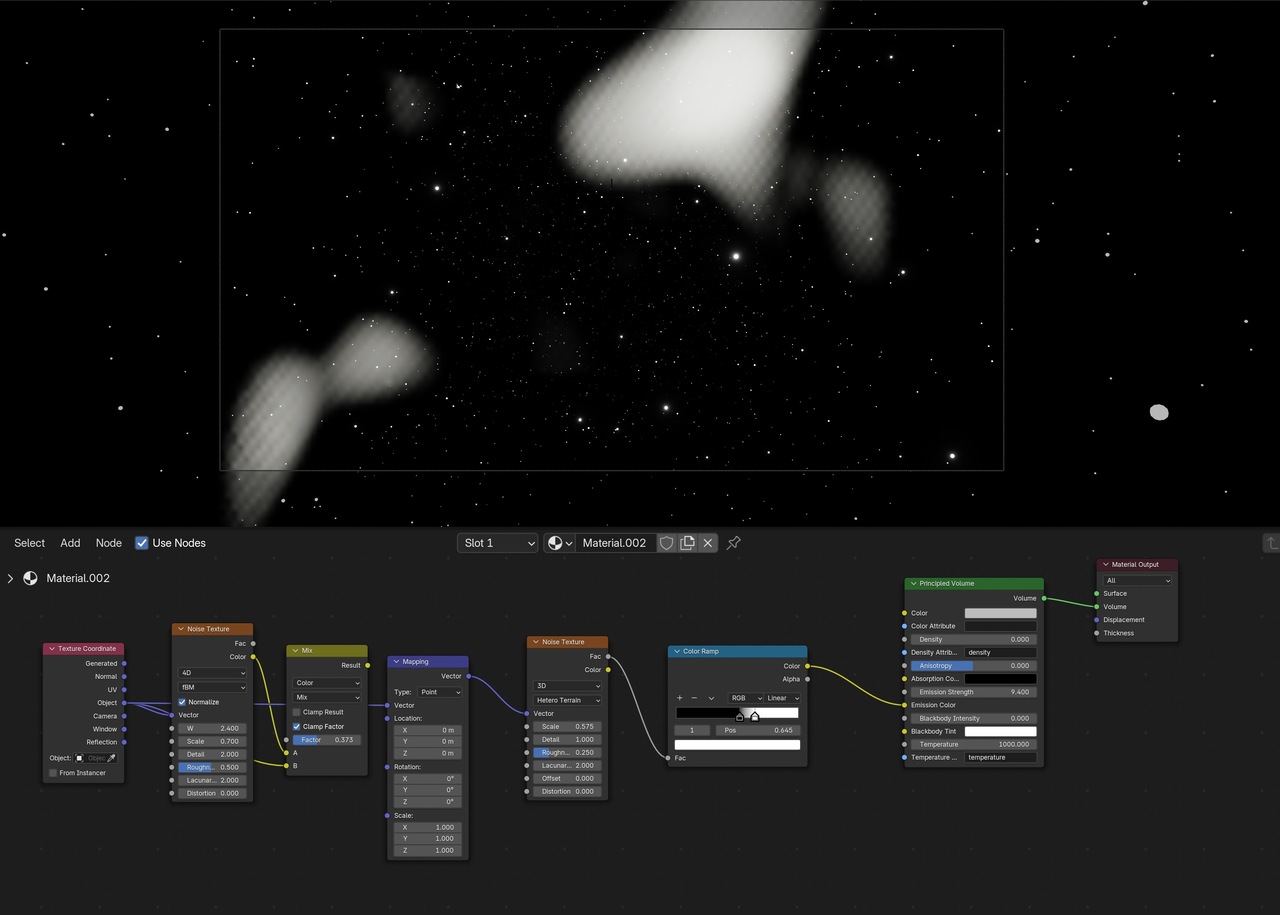
Hi jjecho ,
Could add a screenshot of your Shader Editor and Viewport, please?
I can't tell from just your description what is going on.
Hi jjecho ,
My first guess would be, that it has to do with your Volume Settings in EEVEE, especially the Resolution and Steps.
Here is what you get with Steps set to 2, for instance:
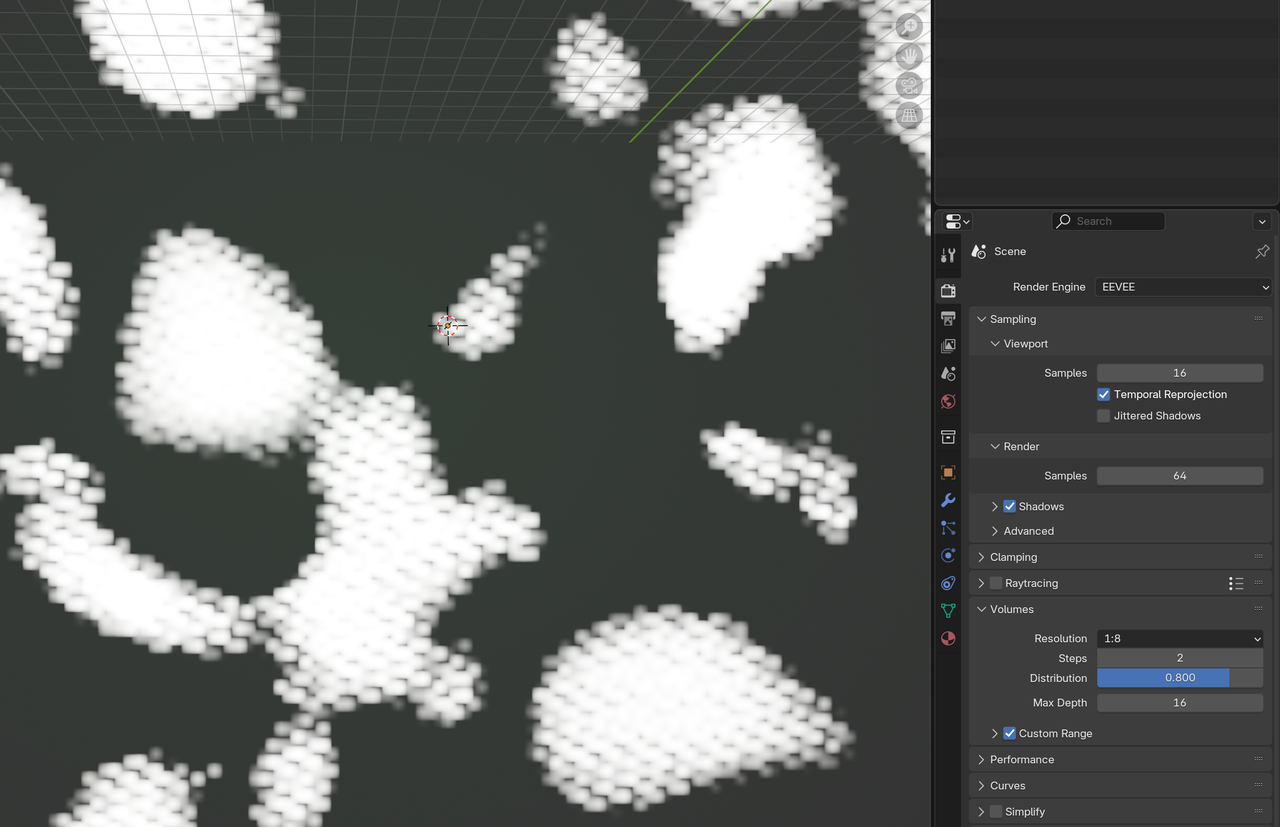
An easy check is, to switch to Cycles and see how that looks.
Thank you for the advice, Martin! Changing the Resolution & Steps definitely had an impact. Steps was set to 64 and I had to raise it to 128 for it to begin to improve. Switching the Resolution from 1:8 to 1:4 helped as well. Naturally, the FPS of playback slowed dramatically. When I tried it with Cycles, the pattern went away.
Does the end result of the same EEVEE settings (ie Steps = 64 and Resolution = 1:8) differ significantly from one GPU to another? Both my desktop & laptop are older, so I haven’t tested it with a newer tech.

If you want the same setup as Ducky then this is the settings you need. Even if you stay with the Hetro Terrain you need to increase your scale. 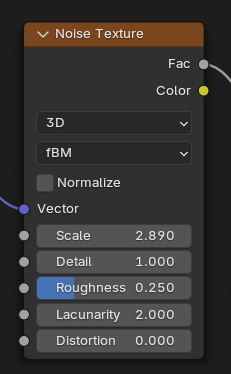
Hi jjecho ,
Those EEVEE Settings depend on the size of your Volume (and when using Object Coordinates, possibly also on whether or not you have Applied the Scale of your Volume Object).
This might not be correct, but I think of it like this: if you cover 1 meter, taking 10 steps, the steps are smaller, than when you take 10 steps and cover 100 meter.
Same with the Resolution; a 1080 p resolution will be more than enough on a phone screen, but wiould look terrible in a cinema.
And to answer your question: no, it shouldn't matter what GPU you use (at least not for the EEVEE Settings...it will impact the Render times and if it's 'really old', Cycles might not be able to Render with it and has to revert to CPU).