
The problem is that sometimes I can't extrude in the normal direction. I could extrude in the global direction and then in the normal direction, but not immediately.
Here in the picture, to the right of the triangle.
Transform Orientation is set to Normal, Face Orientation is also correct. I have also bungled all the options to Normal Calculation but that didn't really help. I suspect that this may be because the outer points of the triangle are on “two sides” and there are therefore problems or is there another technical background?

You can always select the edges and change to Normal transform orientation, it always helps if you have the tool selected so you can see where the arrows are pointing:
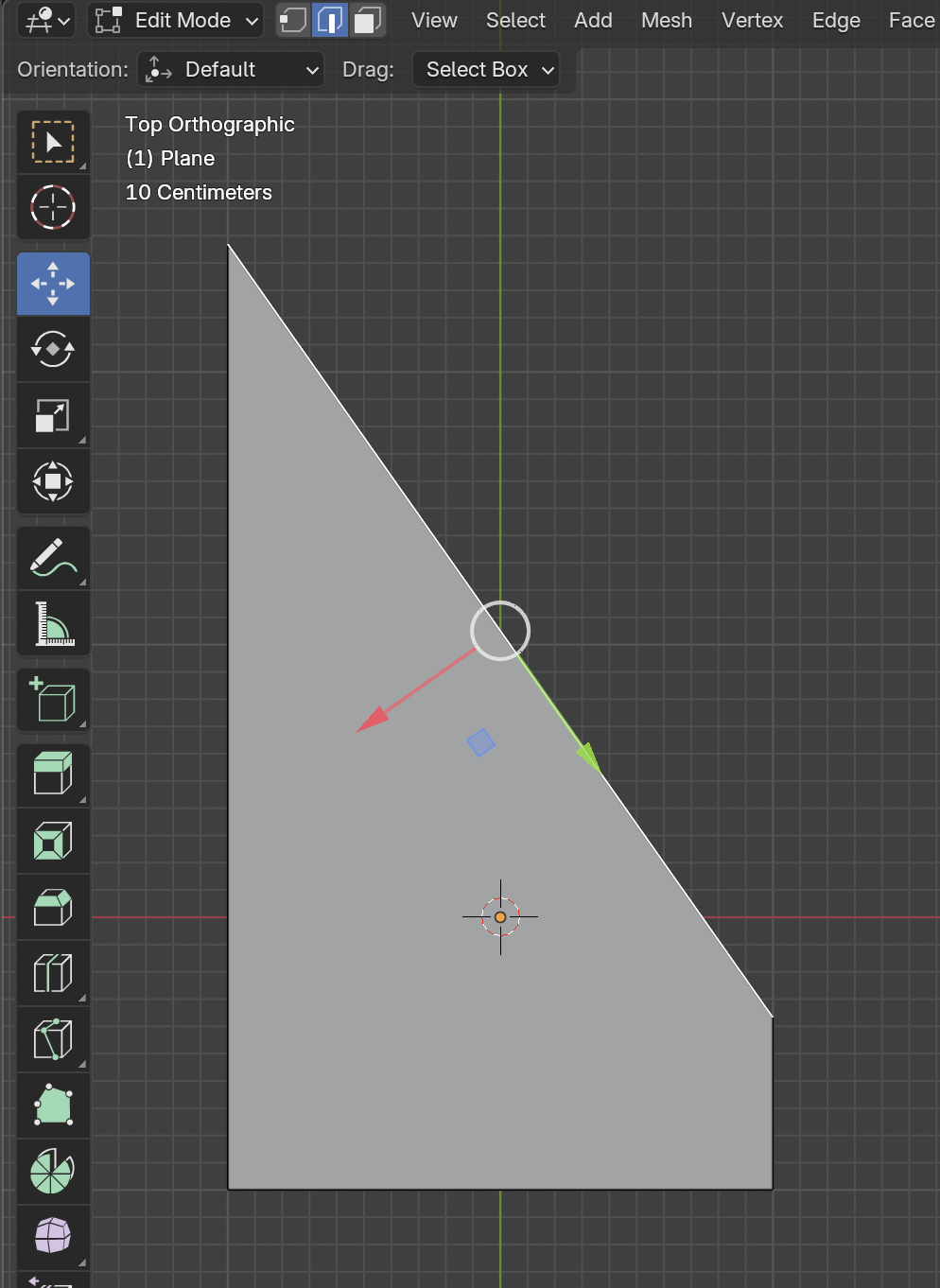
Also I always like to point to this part of Pothead tutorial where JL does the create a custom transform trick. Starting at 17:50

Hi Leo  wod ,
wod ,
The problem is, that you are Extruding Edges and Edge Normals have their Z pointing away from the Object's Origin (their Y goes along the length of the Edge and the X perpendicular to those 2):
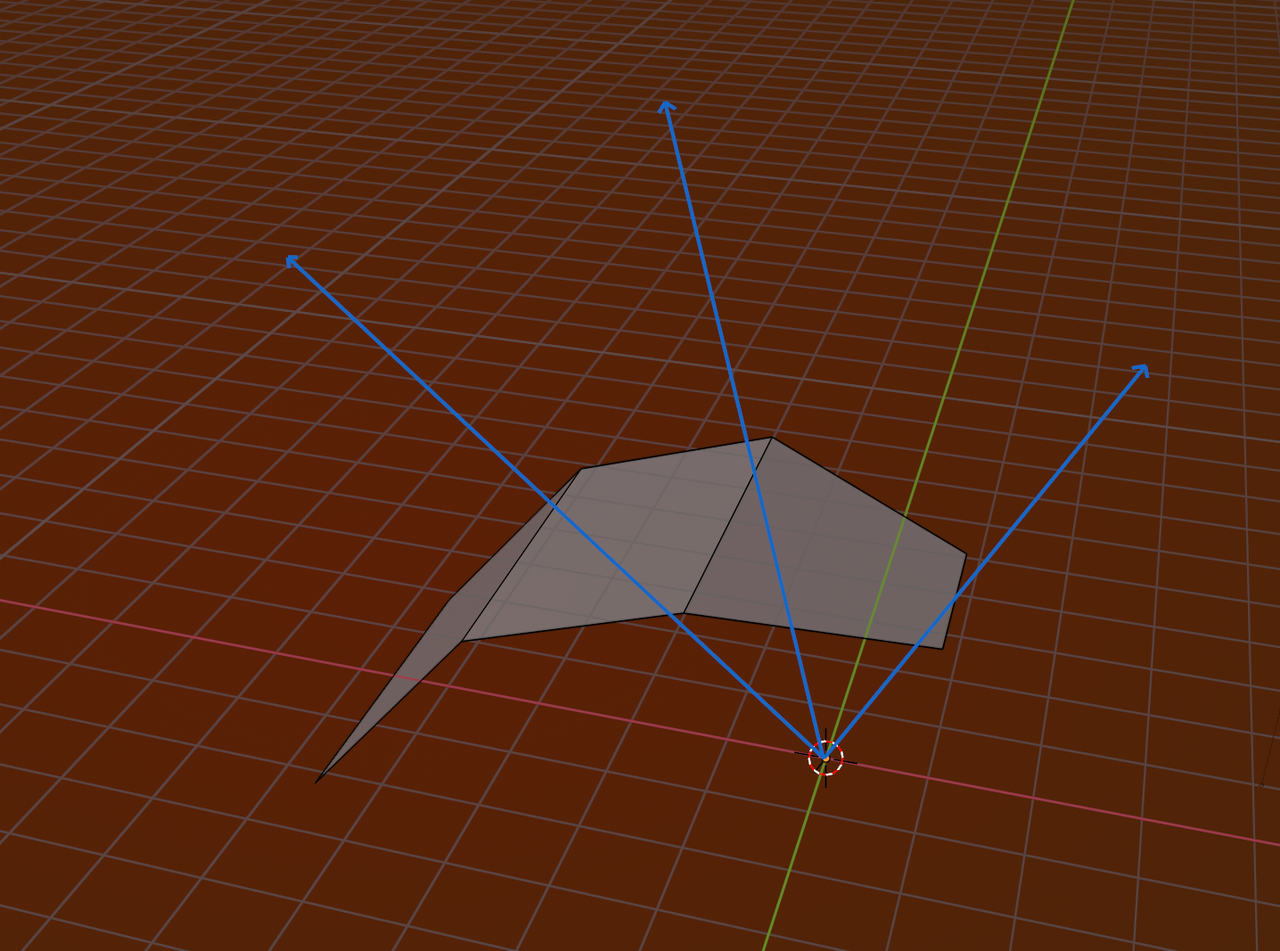
The Gizmo that Omar suggested, doesn't show the Edge's Axes correctly, but shows the Axes of the (average of the) adjacent Face(s).
Thank you for your answers. I didn't know about the custom transform trick. That's cool.
I just tried again and I noticed that I can't seem to extrude 2 edges along the normals(?) If each side of the triangle has only one edge, it works fine. But if they have 2, these difficulties arise.
In the end I also noticed that even if I extrude it in global direction I can move it in normal direction afterwards.
What I understand even less or does the normal value/direction change. I hope you can recognize this from the pictures otherwise I have to record it.


