
Hello!
When I select an object (or part of one), and have the Snap settings set to "Vertex" and "Closest," my outcomes are very unpredictable and rarely operated as expected.
I believe it's supposed to snap my selected asset (at a vertex's point) to another asset's vertex whenever the vertices get close to each other. However, sometimes it snaps the selected asset's center to a vertex. Sometimes it picks a favorite vertex on the selected asset and only snaps when *that specific* vertex gets close to another. Sometimes it ignores any vertices getting close at all (I'll do my darndest to get the vertices practically on top of each other, and it still doesn't snap together). And sometimes, most bizarrely, it snaps to a vertex, but the result has my selected object floating entirely above the snapped point (I'll add a picture of this. The sphere is selected and being dragged to the plane's vertex. When it "snaps", the sphere floats above the plane altogether, no vertices touching).
Any clarity on how the tool is supposed to work, or perhaps how I'm using it incorrectly, would be welcome. Thank you for your time!

HI Emily eelehman ,
Snapping in Blender takes some time to get used to, but your confusion is completely understandable; When Snapping Objects, the Bounding Box of the Objects is used:
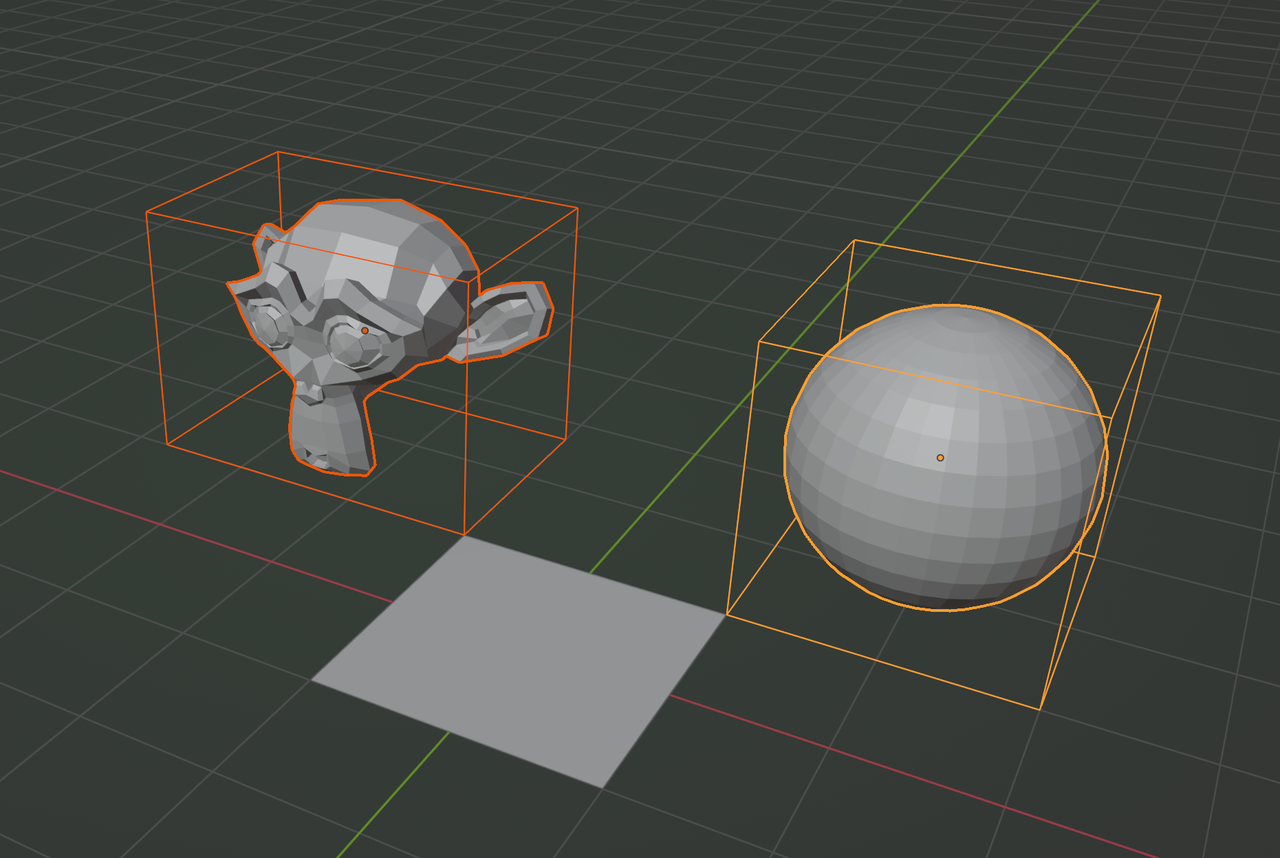
Nowadays, you can use the B hotkey to set the Snap Base, while moving, takes a bit of practice, but you don't need to activate the Snapping, but set the Snap Base in the Settings to Center, then Select you Object, press G, then B, with your Mouse Pointer click on a Vertex, Edge or Face of that Object and then you can Snap that Vertex to a Vertex, Edge, Face, Volume... It's a bit hard to explain, but it's worth learning it.

As Martin says, it takes some time to get used to it, but sometimes snapping gets unpredictable. It doesn't always happen, but Blender gets confused and you're like ah man, snapping got crazy again, so you have to switch the snapping point, hack a setting or two to get some usefulness back. So it's a mix of lots of things is what I'm saying, just so you know. It's a bit hard to explain by text, but you get used to the quirkiness of snapping, it works 90% of the time though.
This is helpful! Thank you both for the swift responses! It feels wonky for the system to use the bounding box as the base function of the snapping tool, but that does explain why it was responding in seemingly weird ways.
This is going to sound meticulous, but with the B hotkey, is there a way to snap the B cursor to a vertex? If I simply drag it to a vertex (or try to click on one), I feel like there's a high chance I'll place it near, but not exactly on that distinct point in 3D space.
Press G to get into Move mode, then B to Set Snap Base and then:
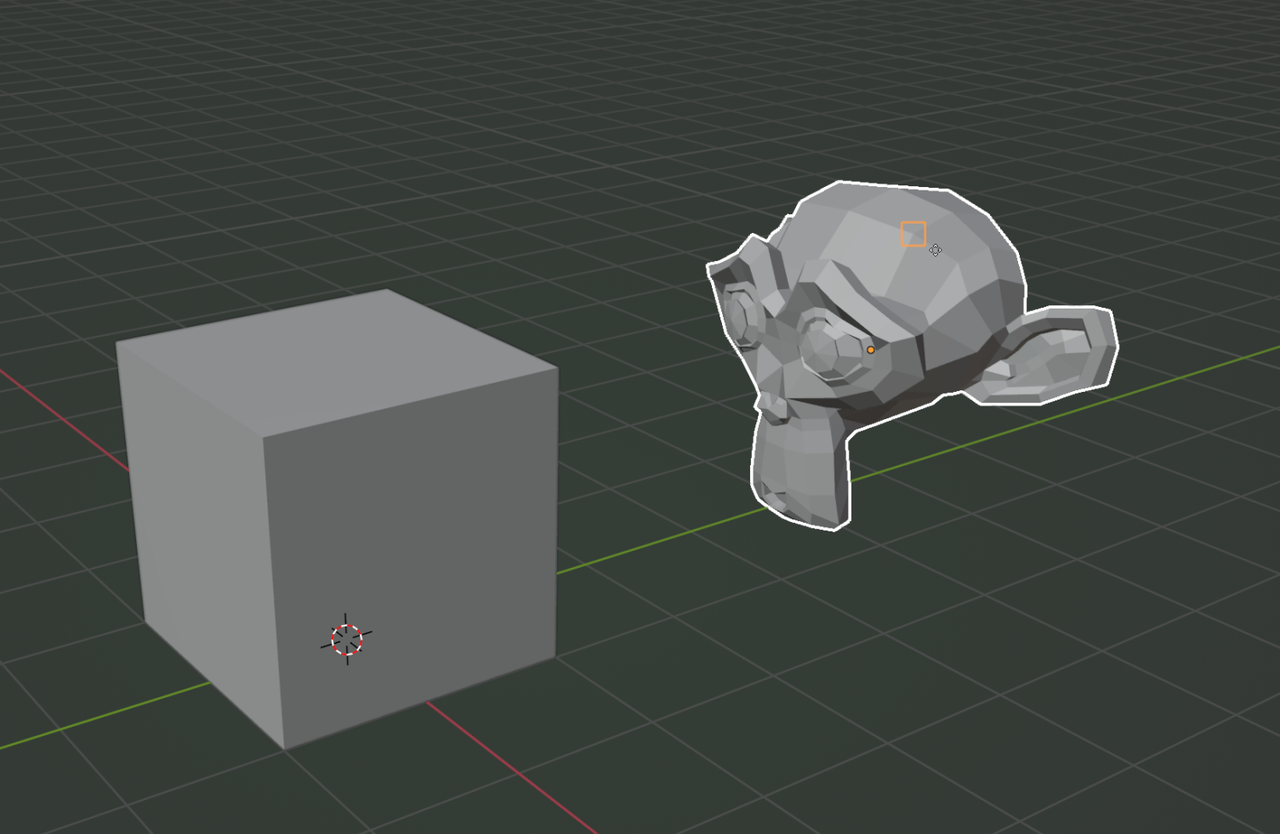
The orange square is a sort of preview of which Vertex is going to be the Snap Base. A circle indicates that a Face is going to be the Snap Base, a double triangle for an Edge and a triangle for an Edge Center.