

Hello!
From the manual
Edge loop
Chain of Edges belonging to consecutive Quads. An edge loop ends at a pole or a boundary. Otherwise, it is cyclic.
Select edge loop
Holding Alt while clicking an edge selects that edge and then expands the selection as far as possible in the two directions parallel to it. (While this of course works for selecting edge “loops” that go all the way around a mesh, it also works if there’s no loop.)
Jonathan Williamson. From the mesh modeling fundamentals course, not an exact quote
An edge loop is a continuous path of edges. That is, every edge that is in a parallel path with the initial clicked edge, so long as the valence is consistently four, such that each vertex has four edges connected to it.
Here to the right the edge loop goes all the way around (all vertices has four edges connected to them. In the middle it stops at the two 3 sided poles. And this is all good. But then to the left something happens that confusing me. There I have added one edge to that ”end face” and get that edge loop. What I don’t understand is why it runs pass those 3 sided poles and stops at those vertices with four edges connected to them. All help is appreciated, thank you.
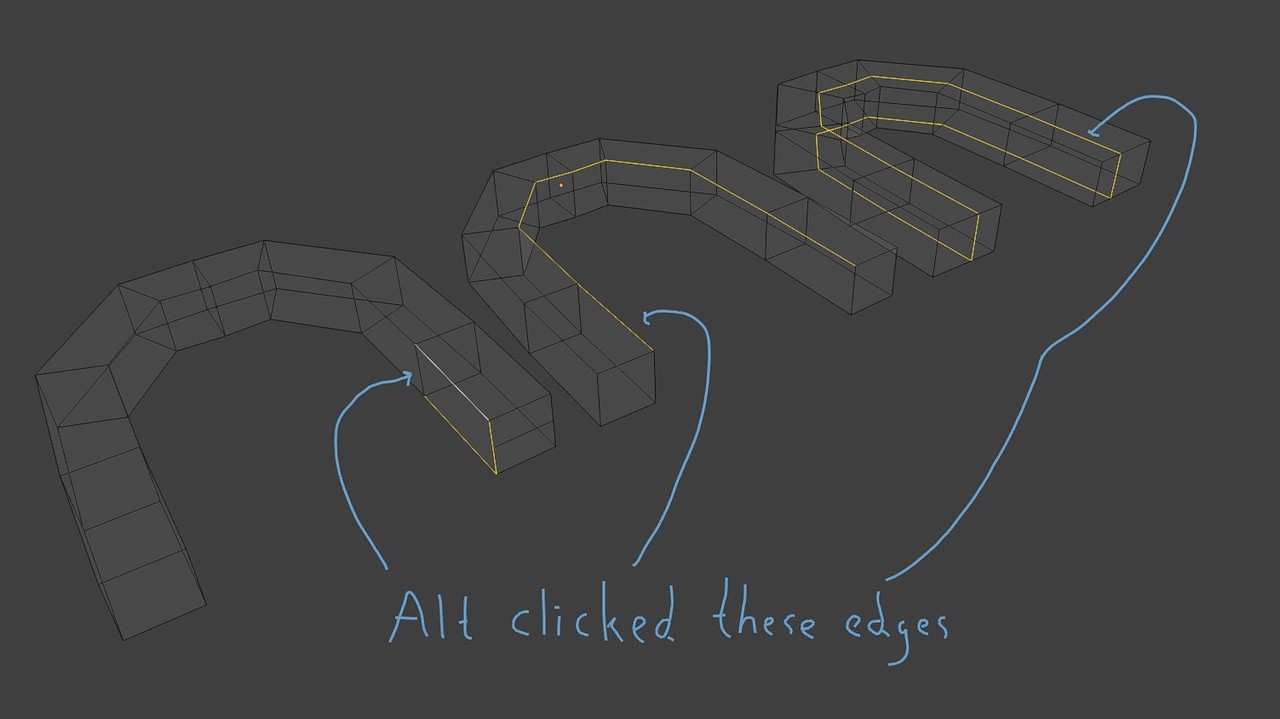

Hi Tom,
Unless you absolutely want to know, I wouldn't worry about it. I certainly don't know how exactly it works, but one thing I notice is, "... belonging to consecutive Quads... and this:
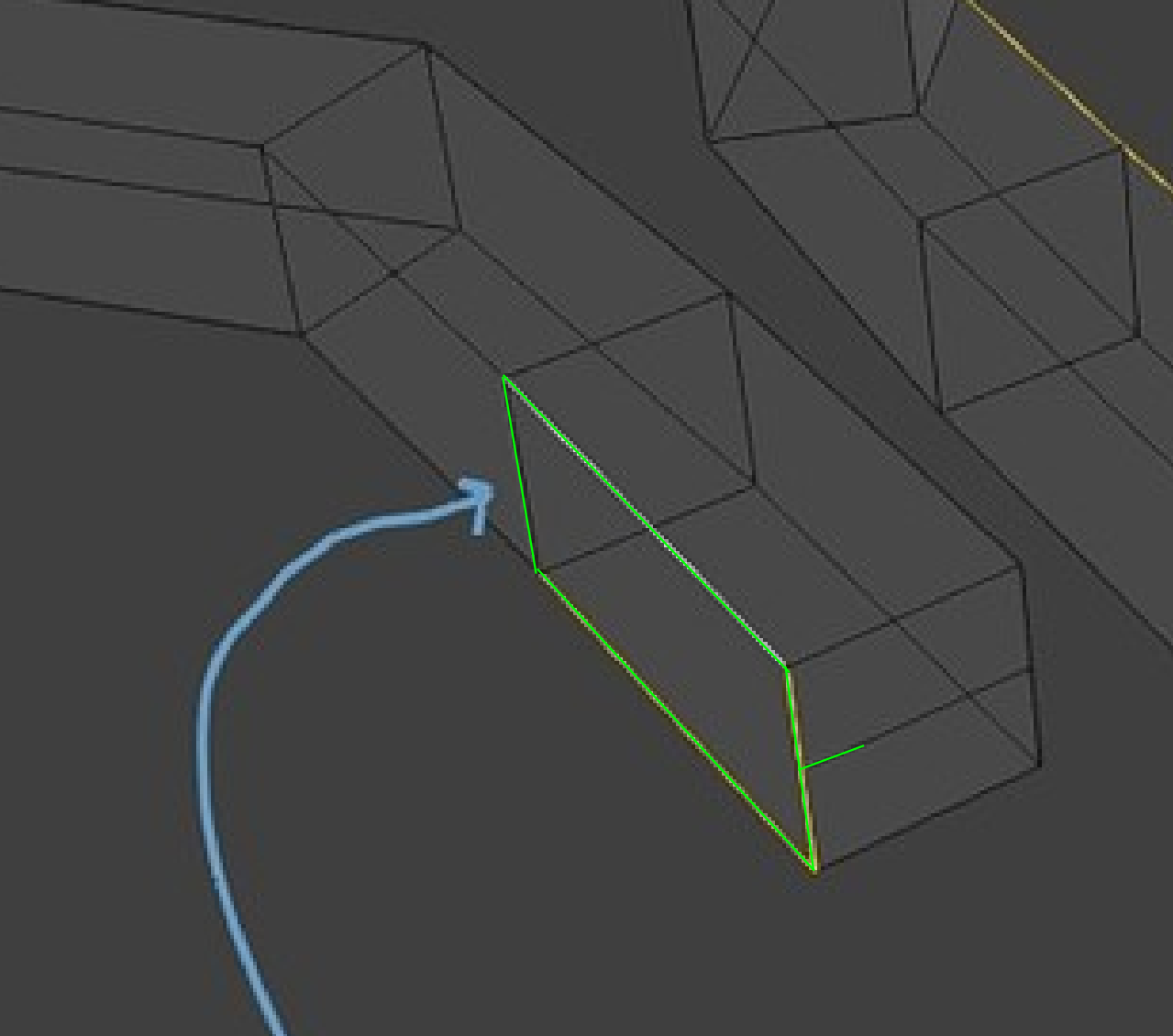
is not a Quad.
But it's a bit more complicated than that and the exact algorithm used, is probably rather difficult to explain.
I have never felt the need to investigate this, practically, you'll always be able to Select what you want, but if you really want to know, I can do a deep dive (spoiler: it won't make you a better modeler).
Hi Martin.
it was in the course Interior Architectural Vizualization, when I was modeling the lamp bracket for the wall lamp I faced this. And yes liked you said, I just needed to click a couple of times then I had my selection. And ten minutes later I had an awesome wall lamp. But hey good point there with the n-gon, I totally missed that.
Thank you