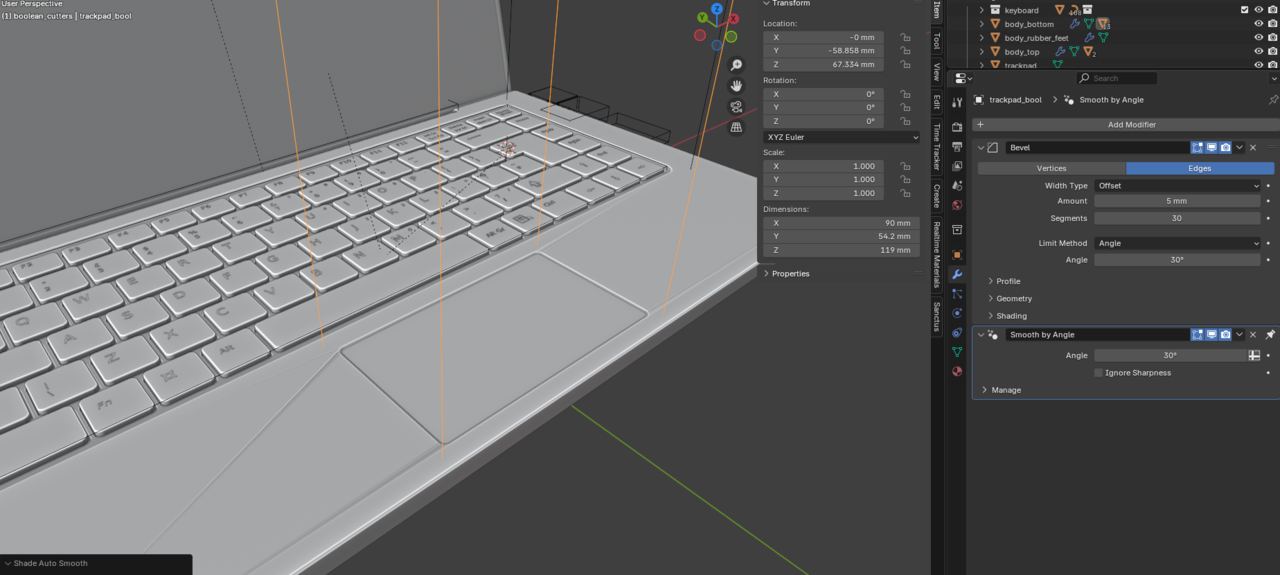
I have tried a variety of ways to try to fix this but nothing really seems to work. At this point I have jest left the Trackpad BOOL shaded flat. Is there a way to Auto Smooth this object without the Normals of the laptop body getting all funky?
Would adding a few subdivisions to the laptop bottom mesh help Blender calculate all of the booleans better or would it just create a huge mess?

Usually if you slightly move it around, the mesh adjusts and if you're lucky enough those artifacts can go away. Sometimes no matter how much you fiddle they don't go away, so you have to build the foundational geometry to support the boolean. Sometimes you just have to apply the boolean and then go in and clean up. But the thing is, if you're working with booleans, you are most likely going to have to fiddle and clean up a lot, it's part of the workflow. You're going to get artifacts and it'll be unique to your mesh and you just have to try the best you can make good topology out of it.
I will try the subdivisions and adjust the BOOL objects. Hopefully, this makes cleaning up the mesh less intense. 🤣