

When I press Ctrl B, I get multiple vertices in all directions. Scrolling up creates a rounder bevel but it also adds vertices in 3D space so to speak. I have box selected the vertices, just like in the video, I have applied the scale and I am working in Blender 4.0. 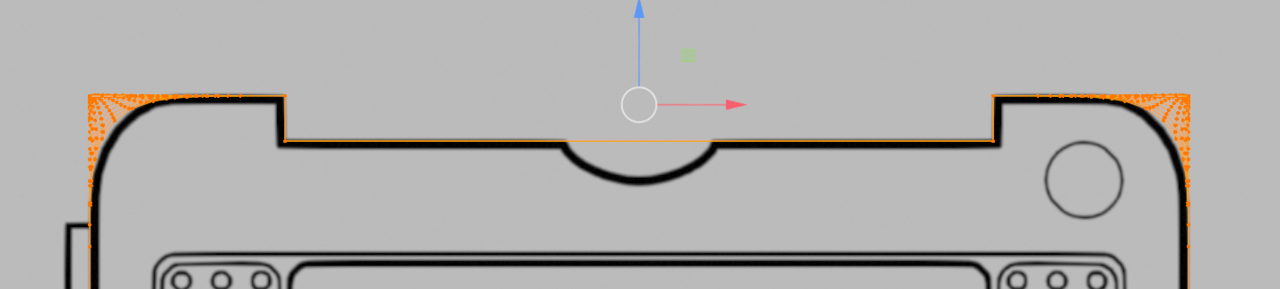

Hi MoFlow ,
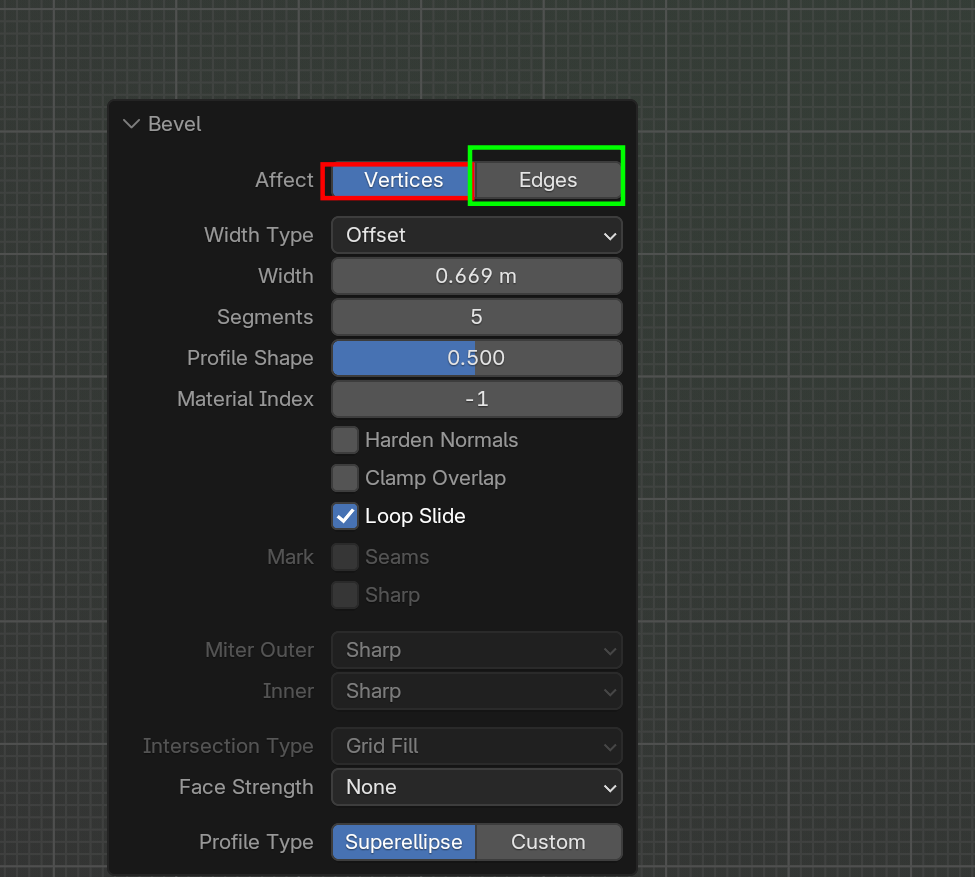
That looks like you did SHIFT+CTRL+B for Vertex Bevel.
You can also change it in the 'Ajust Last Operation' box:
No. I used CTRL B and also tried CTRL shift B. Both have the same result. None of them bevel - they only add vertices. Also clicking on vertices (just like in your screenshot) does not work.

It would be super convenient to have a screen grab recording from your screen, that way we can clearly see what is wrong. You can record your screen and upload the video to YouTube and post it here. And then we'll see it and be like oooohhh I see what you did there, it goes wrong because of this super little thing you did here.
"clicking on vertices (just like in your screenshot)"
In your image it looks like you are Beveling the Vertices, so you should click on Edges (green), not Vertices (red).
Try looking at it from an angle, not just in Top Orthographic View; that might help seeing what's going on.
Can you show us what your problem is exactly,, Yousif HHousingWharf368 ?
Or have you resolved it by above solution?
Please post a screenshot of the issue (Perspective View) HHousingWharf368 .
Similar issue here with beveling. I have the edges selected in the screenshot below and the right side bevels nicely but the left side stays sharp. In the video, the instructor says to select the vertices, which I have tried too, and I still end up with the same result where the right corner bevels nicely but the left corner remains a right angle. I even tried beveling them separately instead of together. Same result of the right looking great and the left staying angled. 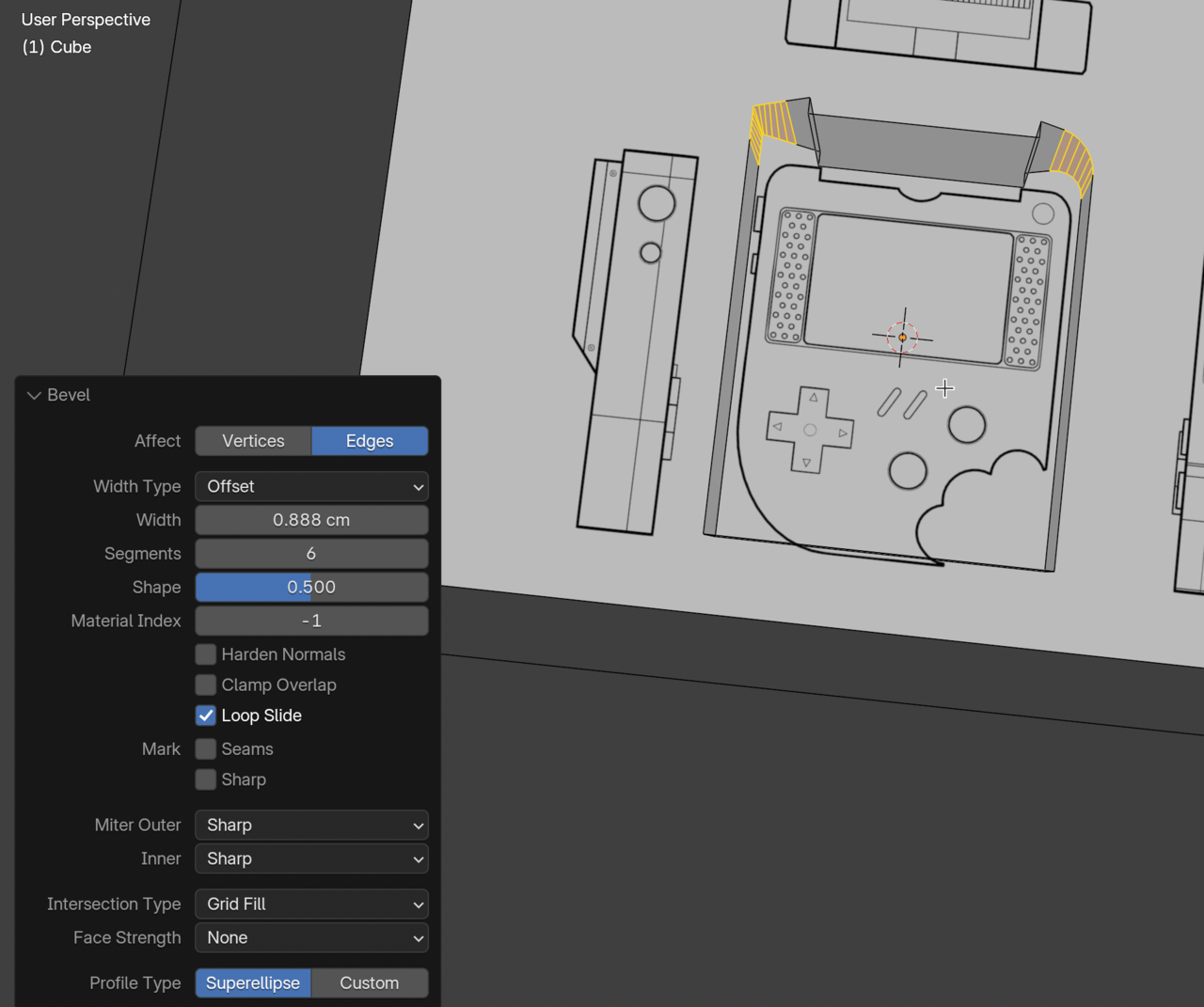
Hi ccrashsoup ,
I bet you have so-called 'double Vertices' on the left side.
Before Beveling, Select everything with A, then M > Merge > By Distance.
Then try again.