

Sorry, but the way you place all those reference pictures is just plain confusing. There is no precise distance to the cube, which makes lining everything up just chaotic. They all have different distances to the cube, which makes everything chaotic and simply not precise. Am I missing something here? Also, I have lost track of which side is front, side or whatever - almost instantly when the third reference picture has been placed.

Hi MoFlow ,
It doesn't matter how far the Reference Images are from the Cube; you are only going to use them in Orthographic View.
You can see what View you are in at the top left of the 3D View:
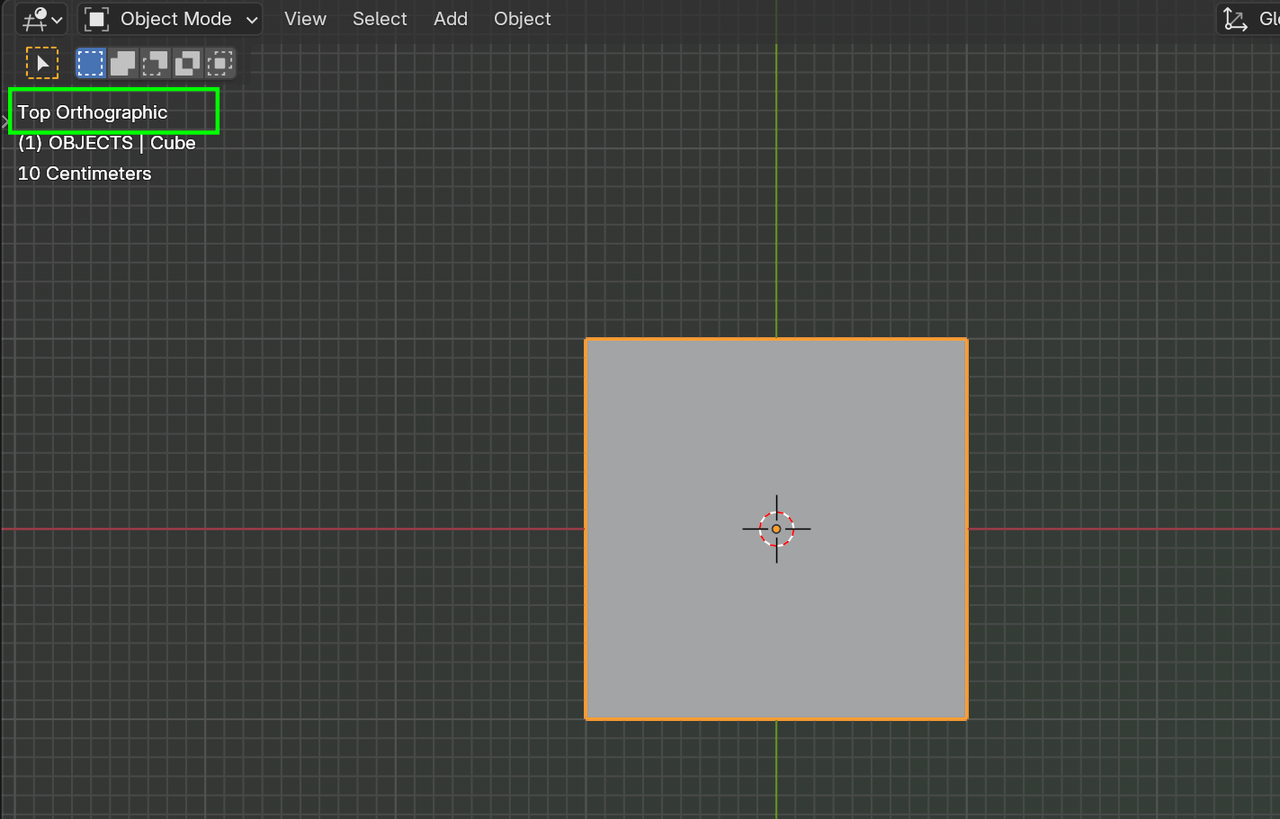
And if you Name your Reference Images logically, you should have no problems.

Orthographic view has no depth, so it doesn't matter the distance you place the images. If I may though, Blender is not easy, so of course it's actually pretty hard, but it shouldn't matter, we don't learn things because they are easy or hard, it's because we want to and we like doing it. A lot of people get frustrated very early on and abandon the whole project before giving it a chance and getting pass the initial steep learning curve, so you have to face the challenges with a calm mind and know that it'll get easier and easier. And of course you have a great community behind you who can help along the way. And you can rest easy knowing the guys that teach here are literally the best out there. We see so many comments and reviews of people tired of watching YouTube stuff only to be glad to have found a place with structure and real teachers. So I hope you enjoy Press Start, it's more a Blender Tech Demo than a tutorial. If you want to start from the very beginning, you can watch the Blender Basics and The Fundamentals of Blender:
https://cgcookie.com/courses/blender-basics-an-introduction-to-blender-4-x
Thanks for those answers. Your pep talk also really helps me. I mean many say that blender has that steep learning curve, but then it always hits me, whenever I try to get into it again. I also tried Unreal Engine 5, but modeling is just better in Blender it seems. I have already done the fundamentals course - want to finish this project here and then possibly continue with the paid course "core" (and maybe minimalism). I am still not sure what to focus on, because I want to do product visualization, as well as short films later on too (focus meaning: unreal and / or Blender). Keeping a calm mind IS indeed important, but also something that I struggle with...
As you learn all the stages of the pipeline, concept art, modeling, texturing, shading, lighting, rigging, animation, VFX, simulations, compositing, etc. You end up discovering what you like the most on focus on that one, and it happens organically, it's not like you have to make a decision. Lots of people end up being generalists, meaning they do all the stages of the pipeline themselves.
Yes I agree, as a Beginner I confused at the first time too. But we need to imagine from the console perspective view first, then put your reference based on console perspective. The example is: think first "What's the front button gonna be on the console? Oh, if I know the button gonna on front consolde, then you can go to side view, then put your reference based on that perspective". Hope this help :)