Hi!
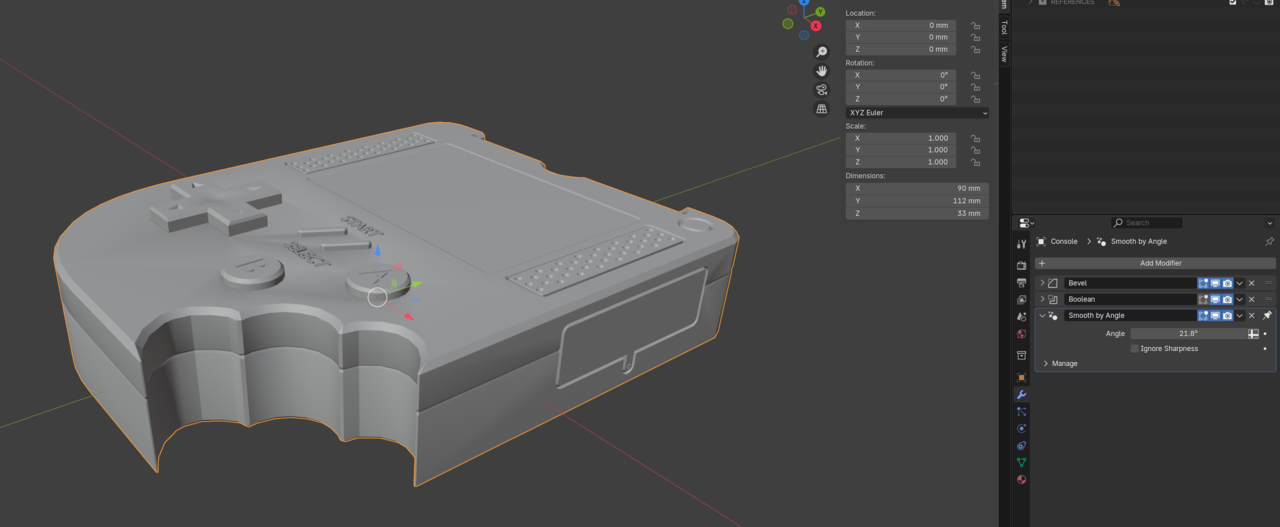
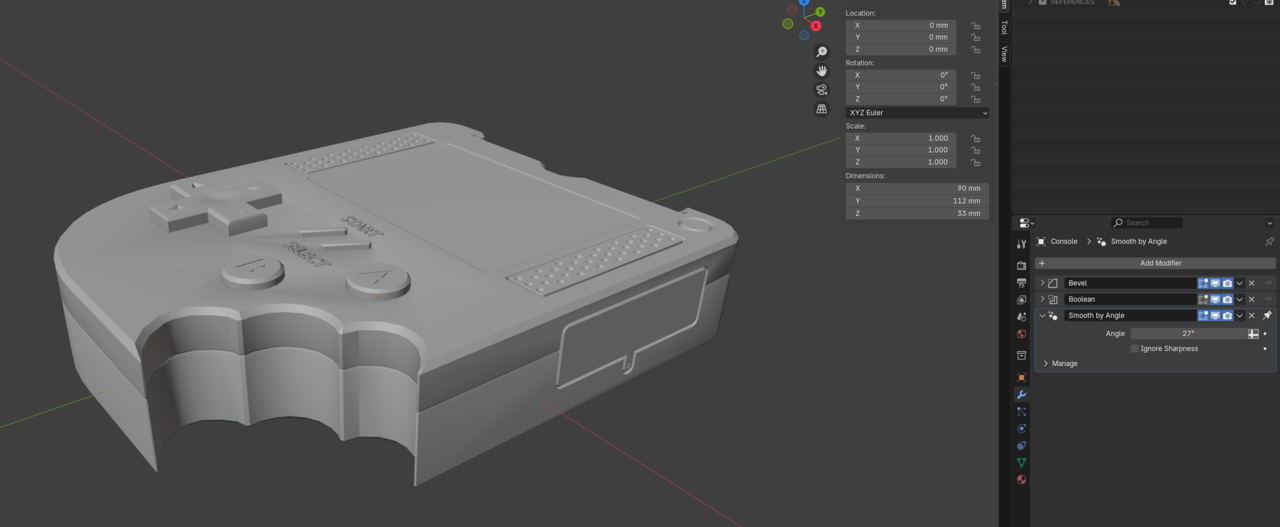
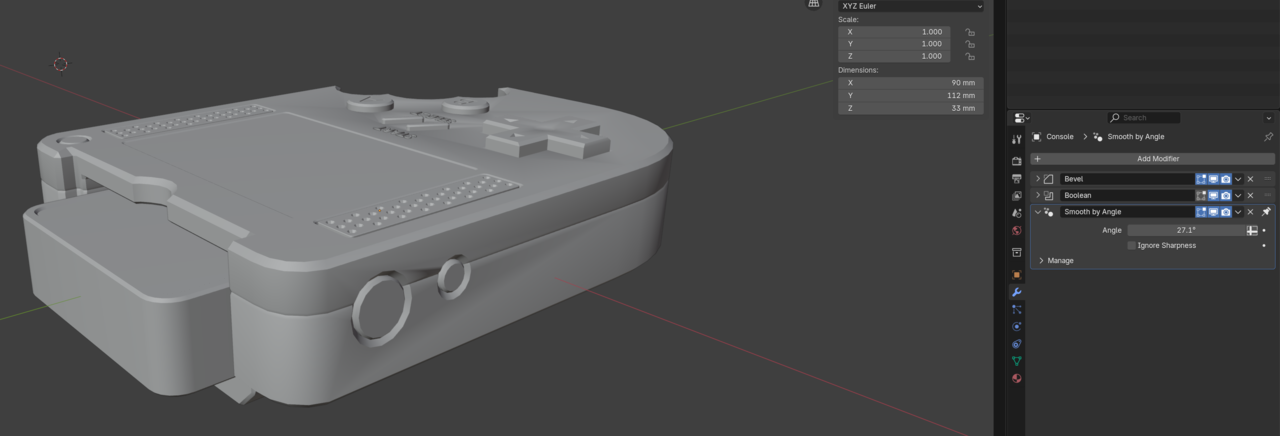
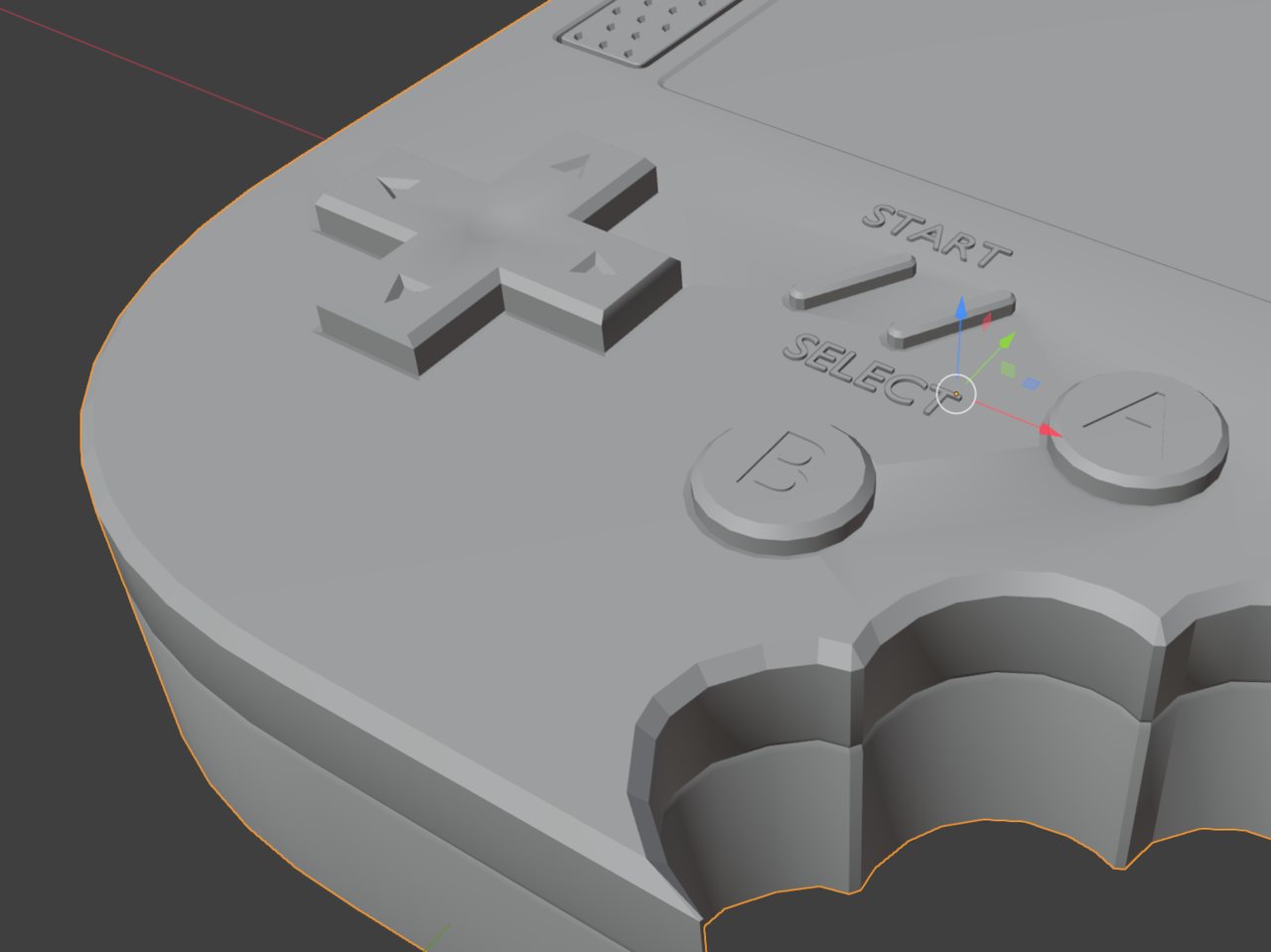
After applying the smooth-by-angle, I get shaded triangular shapes on some of my faces. It goes away if I lower the angle threshold, but then some of the details in the bevels lose their roundness.
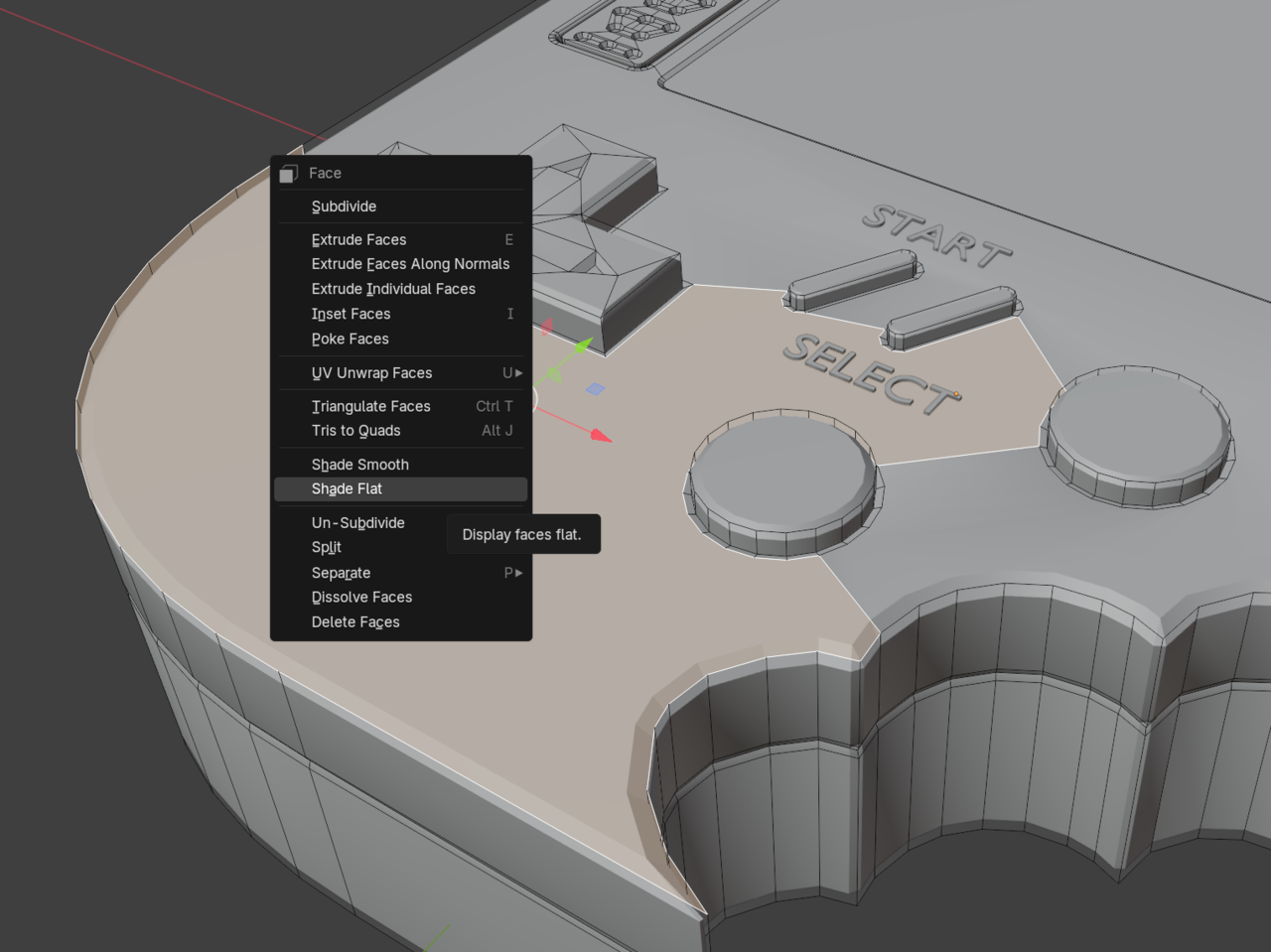
I've tried recalculating normals and checking for double vertices so far. I also tried the Shade Flat recommended in the other thread (which works!), but I was wondering if there's a more methodical way to do it.
Thanks!
-Nathan

Hi Nathan nnchu001 ,
You can also try lowering the Edge Loops around the buttons as shown here: https://cgcookie.com/community/20171-very-bad-shading
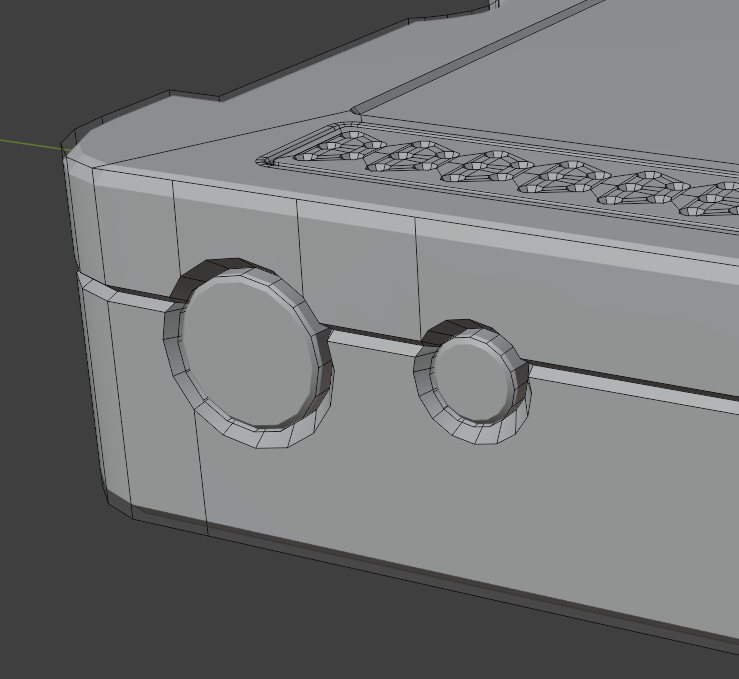
And similar on the sides, where you get bad Shading.

Thanks both of you.
Re: lower the edge loops, it looks like that worked for some of my features - I think I went a bit conservative with inset depths. It helped a bit on the top face, but I still struggled with the sides. 
I used the knife tool to split up the face and it seemed to move the weird shadow around a bit, and then I could pick a smaller face to shade flat and it seemed to help. Maybe a janky approach but it works for now.
Thanks for the information about the methodical ways, I think I also have a tendency to get stuck trying to make something look perfect (I blame SolidWorks). I look forward to learning the details in the later courses!