Hi,
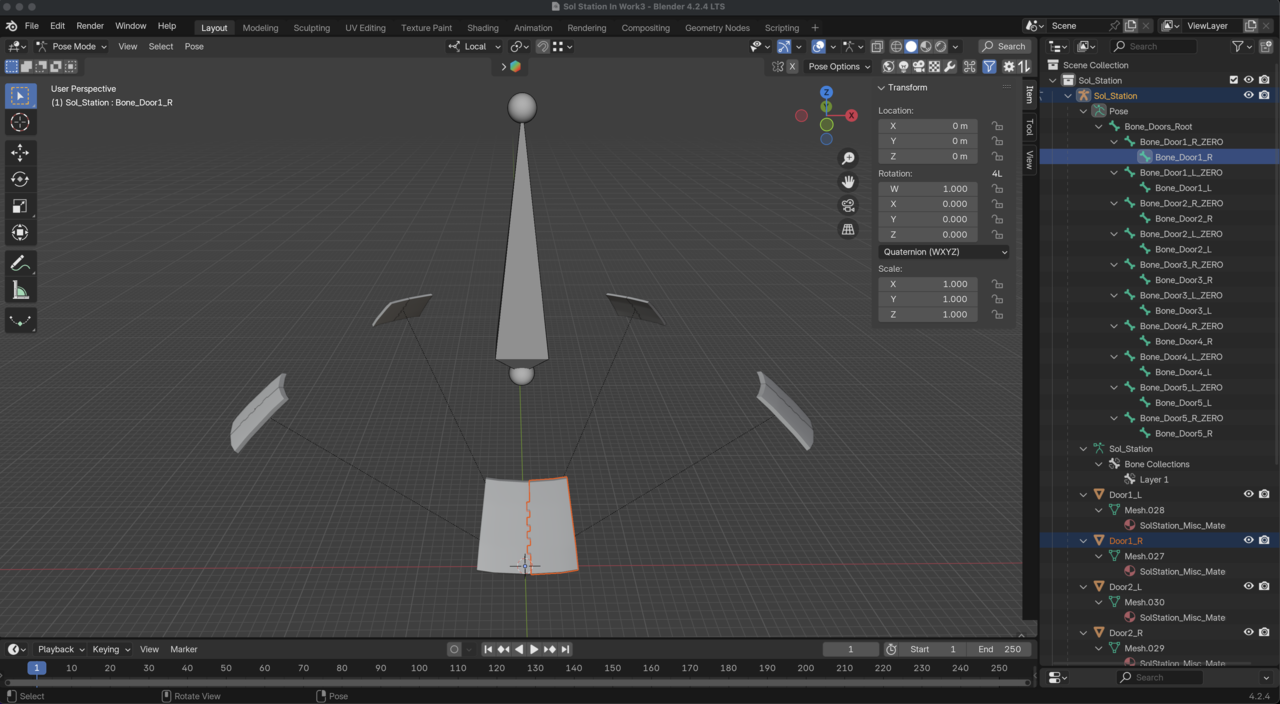
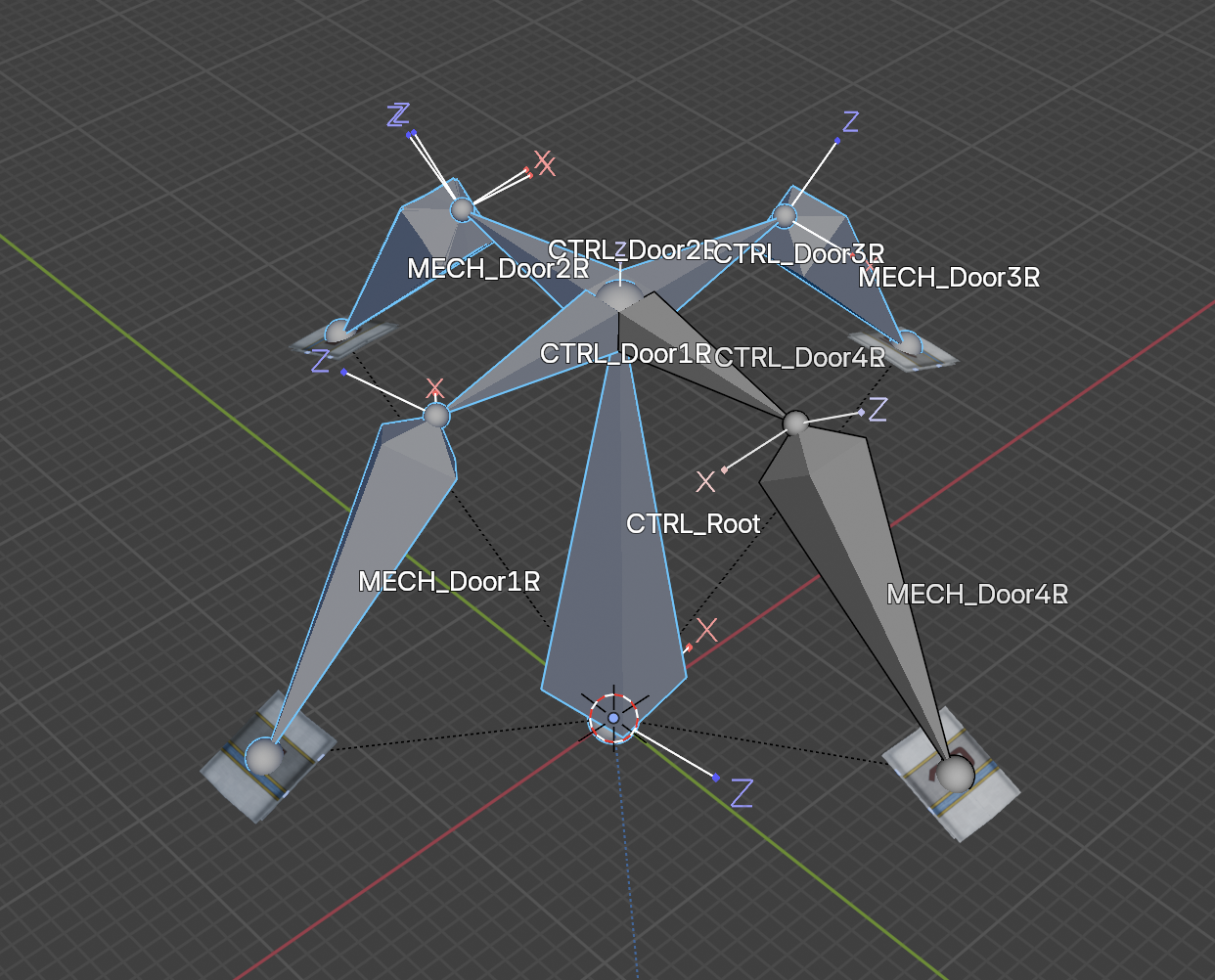
I've worked on this for 3 days with no real luck. The artist said the model has rigged doors. They are rigged. I just can't figure out how they're supposed to work.
I've gone through about 60% of Wayne's fundamentals course, and I haven't been able to apply the lessons to fixing this rig. I'm stuck.
I'm attaching a screenshot of the rig. I've deleted all parts of the mesh that aren't involved in the rig and will provide the packed, modified Blender file. The only part of the model that is supposed to be rigged are the doors, and that's what I've left intact.
If you think that you'll need the exact original file, please let me know. After many hours of looking at this, I can assure you that what you see in the modified file's rig is everything that was there in the full original file.
I have been able to brute force enable a decent animation by copying Quaternion angle values from the root bone to the door bones, moving the door bones in local space, and animating the influence of transformation bone constraints until it "looks ok", but that feels like a complete kludge.
I have a colleague who is helping me build an entirely new rig from scratch, but as part of my learning journey I want to know what may have been the artist's intent with this rig and why I can't get it to work.
Thank you for any help or insight!
-Jeff
Blender file coming as soon as I figure out how to get it here...

Yeah this is a bad rig. It looks like either it was a Maya conversion that didn't work or a very old version of Blender. Question: Are the teeth parts of the door where they lock closed or the hinges?
Here is a quick rig setup. This works best with local transform orientation(Comma->Local). Then you can select the pair(.L and .R) or multiple pairs and rotate on x axis(R->X if in local. R->X->X if in Global).
https://drive.google.com/file/d/1FDbVyvrKvBDES37jC_l7jcDEe7Ds1PYW/view?usp=sharing
Thank you, Dwayne, for that rig. It makes a lot more sense to me than the original, for obvious reasons. I appreciate you taking the time to set it up!
Hi Dwayne,
I need to resurrect this thread because I've come across a puzzling issue and have more questions. I hope that's alright. I sort of reverse engineered the demo rig you provided to see how you got the doors to move the way you wanted, and only the way you wanted.
I'm trying to use the space station in a project and I had a big design decision to make. I couldn't use your rig because the doors opened in and out, but the hangar doors need to slide open like shower doors. So I set up a rig to do that. The design principle is a central root bone aligned along the world space Z-axis, with 8 mech rig bones extending from it like one of those whirly swing rides at the carnival.
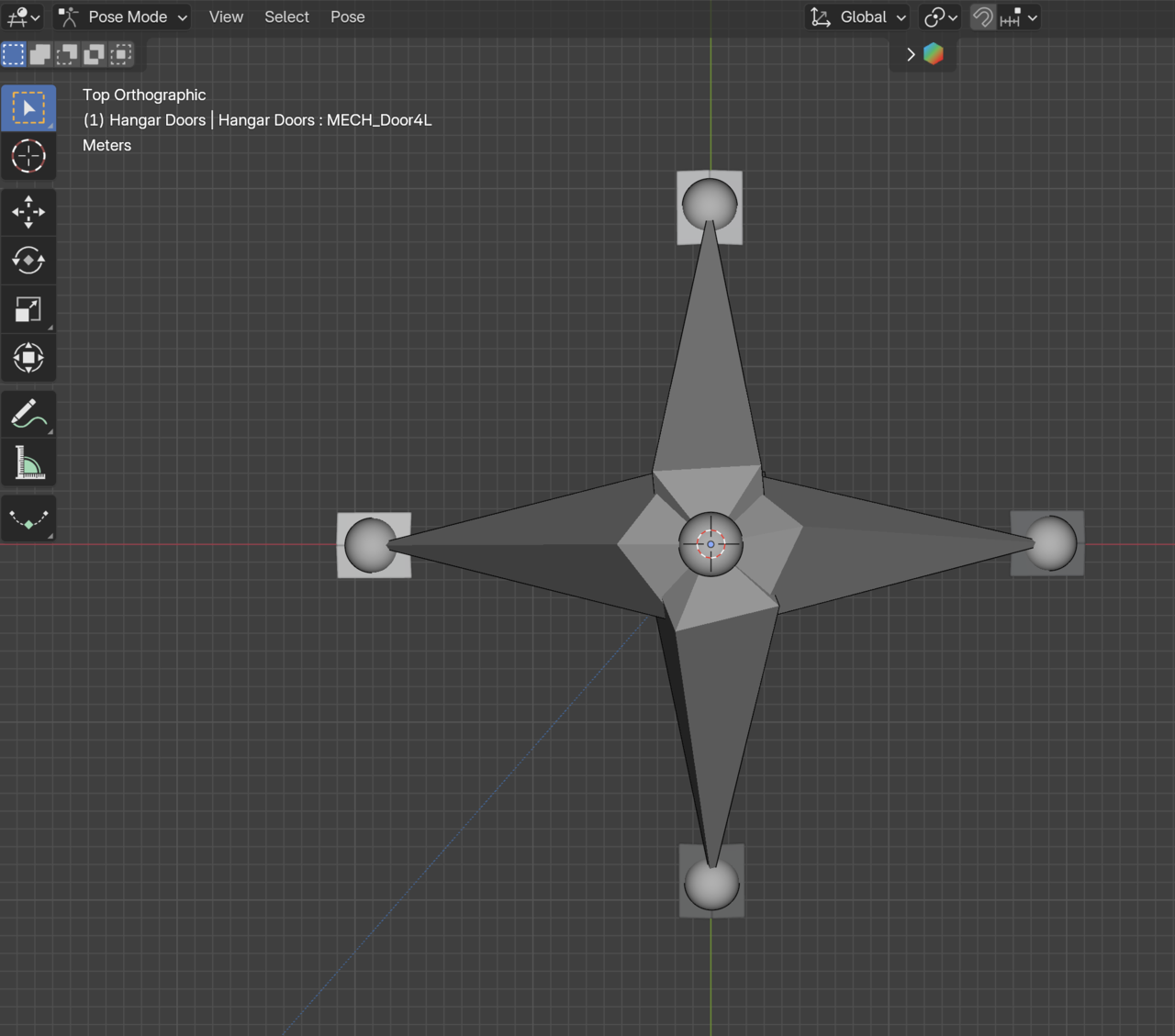
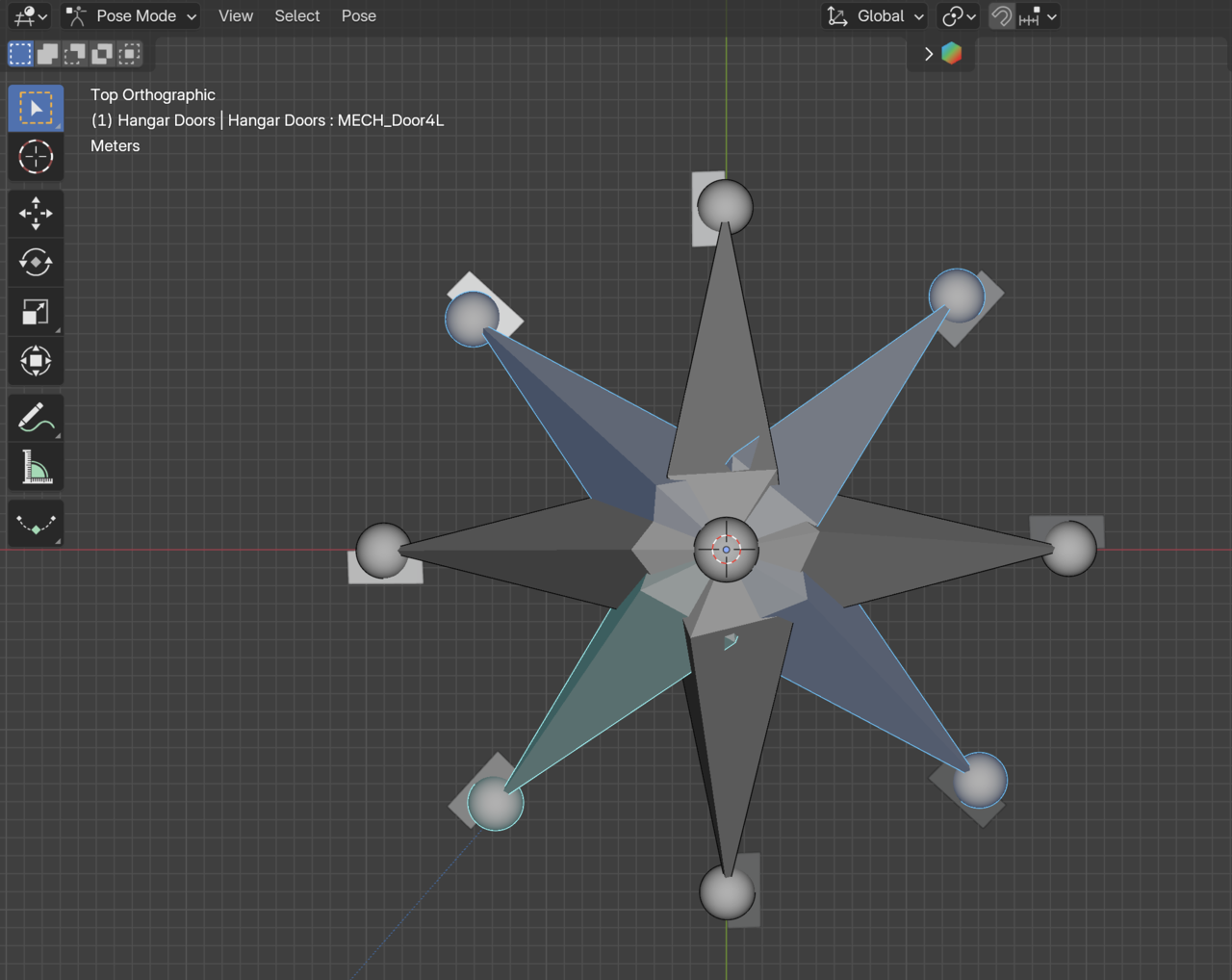
This design is what I chose because it keeps the doors aligned with the space station hull as the rotate open and closed. (The screenshot shows much more door movement than what is actually needed so that I could illustrate the principle.)
This rig works great as long as the root bone's local Y-axis is aligned with the world space Z-axis and I rotate the MECH_Door bones around the world space Z-axis (using either the Rotate gizmo or the R+Z keyboard shortcut).
Things break down if I tilt or rotate the armature object or the root bone away from being aligned with the world Z-axis. I'm searching for a way to constrain the rotation of the MECH bones around the local Y-axis of the root bone, no matter which way the root bone is aligned in world space.
I'm providing a link to my (huge) file in case you need it. I deleted any existing constraints and the control bones that I used to control each pair of doors so that I could try and work out the logic without ending up in constraint hell.
Thanks for any help you (or anyone else) can give!
-Jeff
Link to .blend file: SpaceStationRigged (It may not be fully uploaded yet; please be patient.)
I can take a look when I get home in 4 hours, but I think the solution to what you're describing is that you need to change the transform orientation from global to normal. Then on the bones coming out from the root (door bones) make sure that you have the same axis pointing upward(aligned with the world z axis). If it isn't then adjust the roll of the bone in edit mode until it is. This will be the axis you rotate those bones with. So either x or z. Y is always the length of the bone. As for constraints, you may need to change them from world space to local space, but I don't think that is the problem here.
***Edit***
Transform orientation can be set on the header where it says global or by pressing comma and selecting normal.
I'm confused and probably missing something obvious. With the door bone(s) orientation, connected to and relative to the root bone, I don't see any way to align either the X or Z axis with the world Z-axis using only the Roll parameter. Screenshots attached.
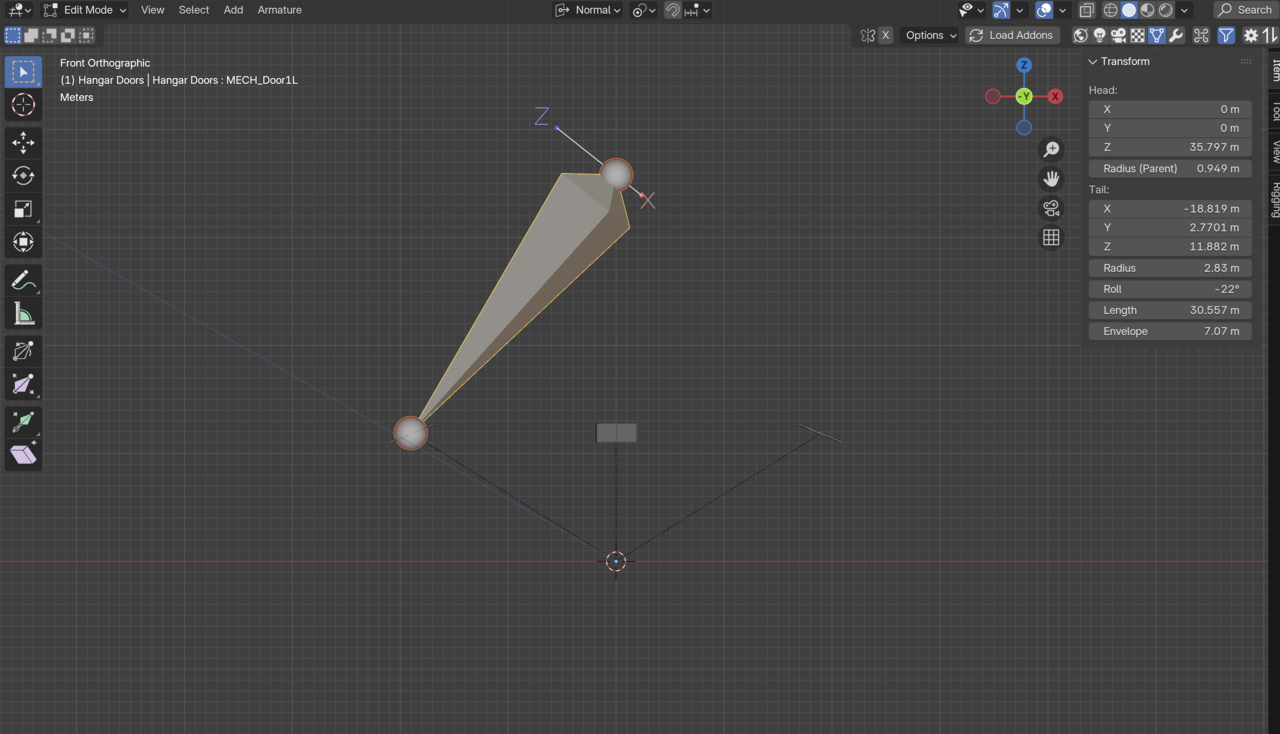
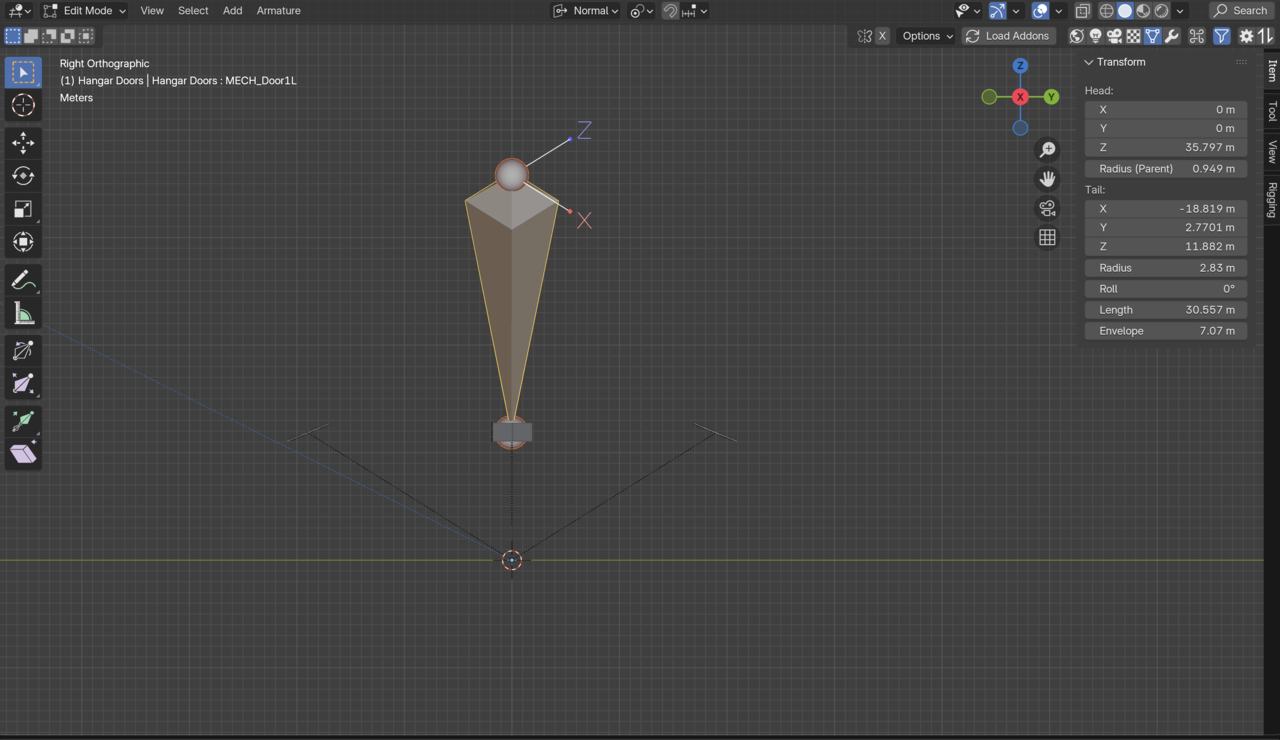
I like where you're headed with this, I'm just not executing it very well. Thank you for your continuing help! 🙏🏻
Don't move/rotate the bone. Think of the X or Z axis as your hing. That is the axis you want to rotate around. While thinking like that adjust the roll setting under the transform panel on the right hand side until the axis is aligned with how you want to rotate around.
I'll be home in about 2 hours. 5:45 pm central standard time. If you want to talk on buddy hangout 2 of CG cookies discord.
Hi Dwayne,
Thank you for the session in the Discord hangout. You came up with a clever solution! By subdividing the MECH bones, I was able to keep the physical distance and angle of the original MECH bone from the Root bone, which is critical for the doors to rotate in the proper plane. But I was also able to turn the new segment of the original bone into a CTRL bone by making the Y-axis of the new bone parallel to the world space X-Y plane and recalculating the roll of the new bone to align its Z-axis with the world space +Z axis. Like so:
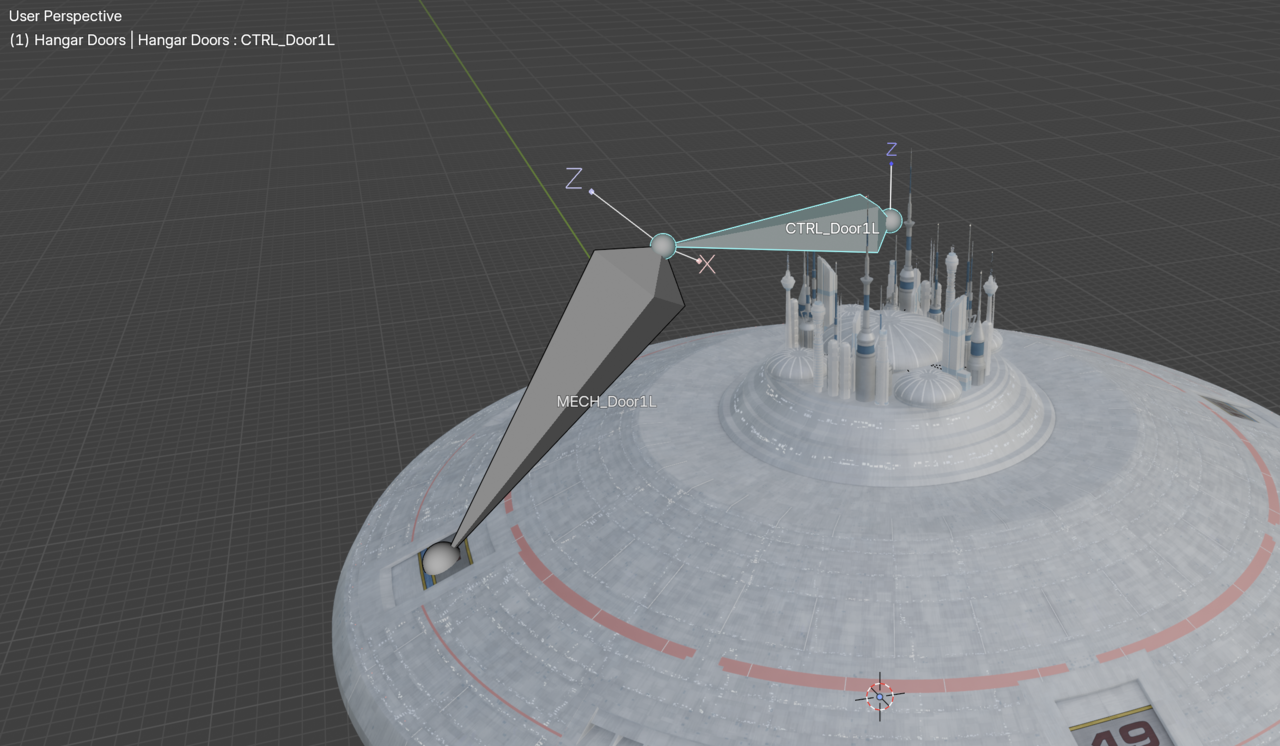
Now the Z-axis of the CTRL bone is aligned with the Y-axis of the ROOT bone, no matter how the armature is rotated in world space, which was the goal.