Hi everyone,
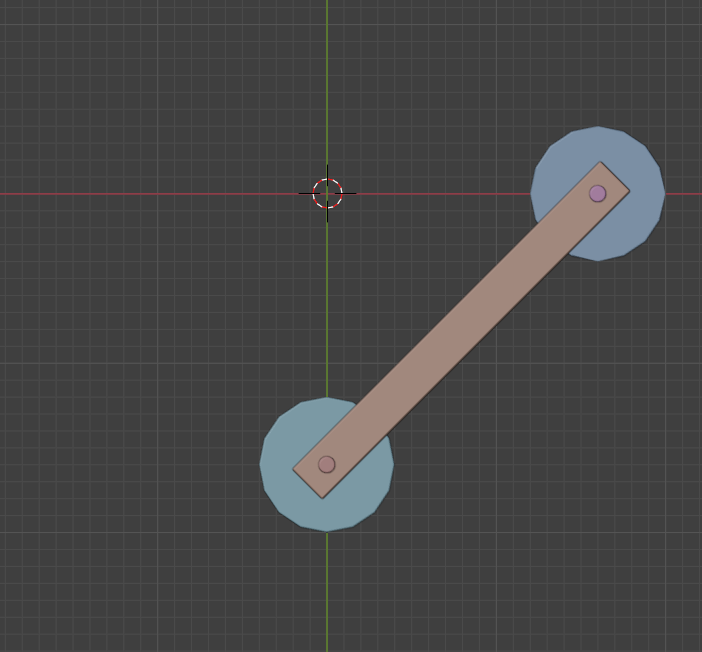
I'm working on a rig where I need this long rectangle to always stay connected to the centers of the two circular objects (cylinders). Each cylinder moves independently — one only along the X axis and the other only along the Y axis.
As shown in the image, I want the rectangle to remain attached at both ends no matter how the cylinders move.
How can I achieve this setup? Any ideas using constraints, drivers, or geometry nodes are welcome.
Thanks in advance


There are a few questions that need to be answered first. Will box object be stretching to maintain connection? If no, do you want to control the max distance of movement by the rig or let the animator handle it? Does the box piece stay in the same position and only rotate to point to the 2 cylinders? Will it be the same movement every time? for example: when you push positive on the Y axis the one on the x axis automatically moves to the right. Then when you go down(negative on y) the X moves left.
Hi,
No need for stretching — I’m making it a loop animation. The first cylinder moves from 1.6 to -1.6 on the X-axis, and the second cylinder moves from 1.6 to -1.6 on the Y-axis. The rectangular part should stay connected to both of them and can rotate as needed, as long as it maintains its position so the animation doesn’t break.

So, if I understand this correctly, you want this: