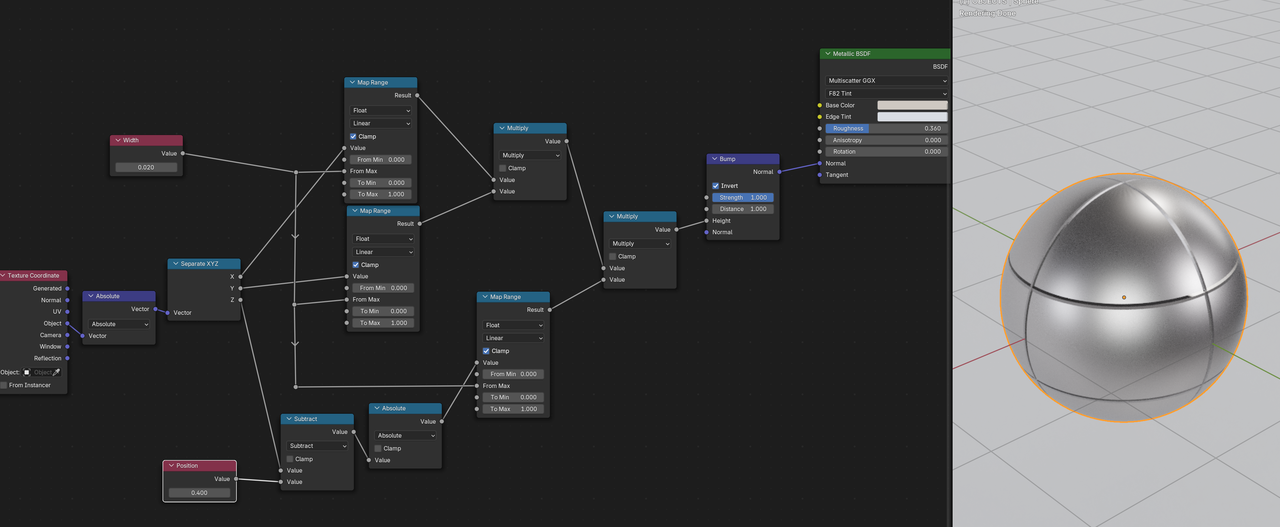
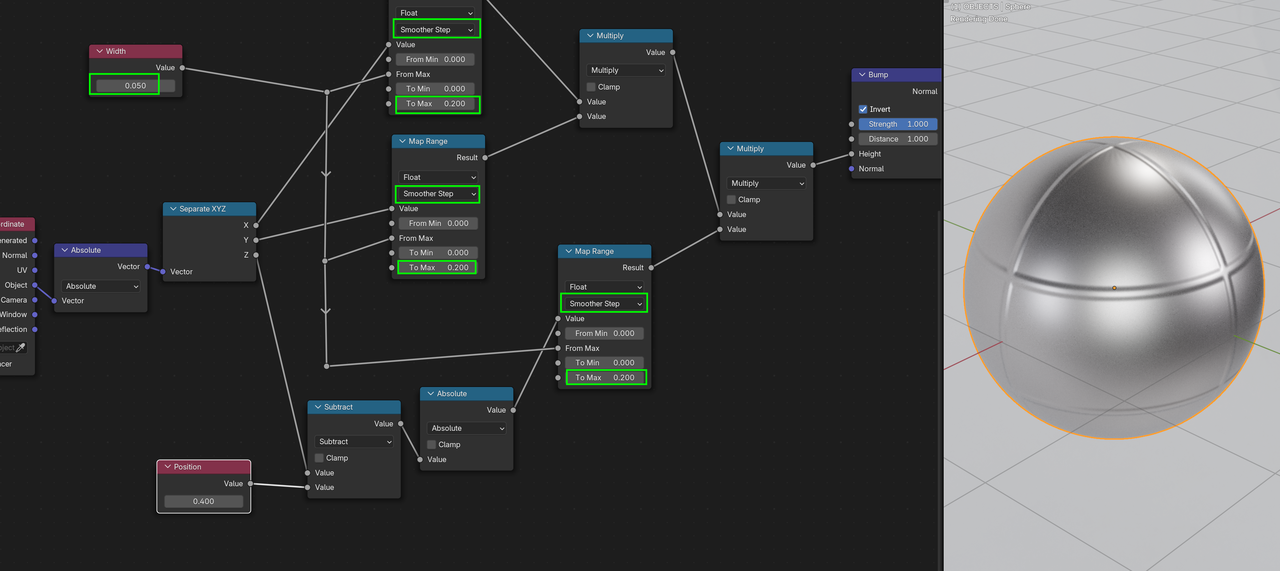
Hi,
I'm trying to create a stripe effect similar to the one in the picture.
This is what I got so far using the Wave Texture node, but I was wondering if anyone had a better idea to achieve the result I'm aiming for.
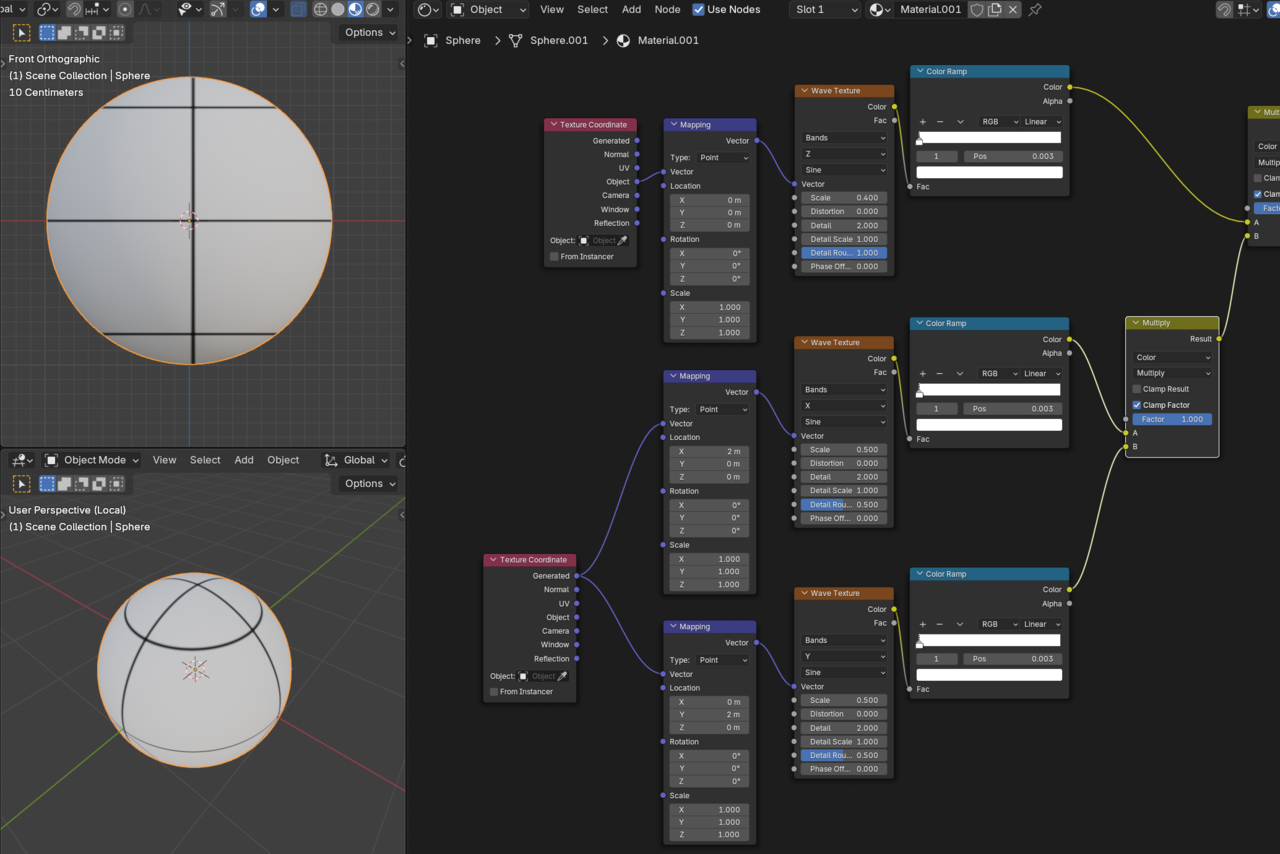
I want to create two loops around the sphere that I can rotate freely on the Z-axis, but without showing a middle stripe in the front view (check the second image).
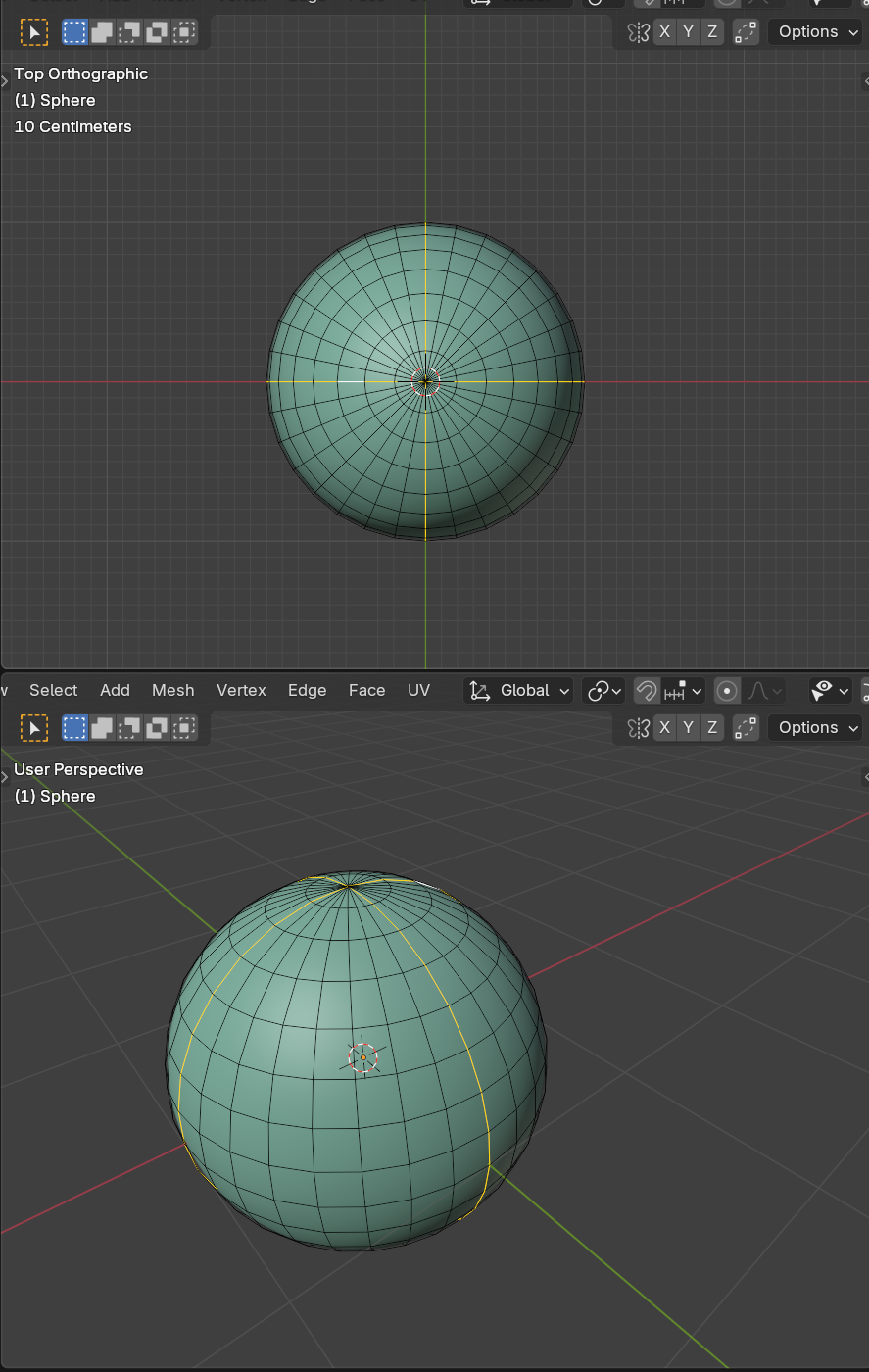
Thanks.

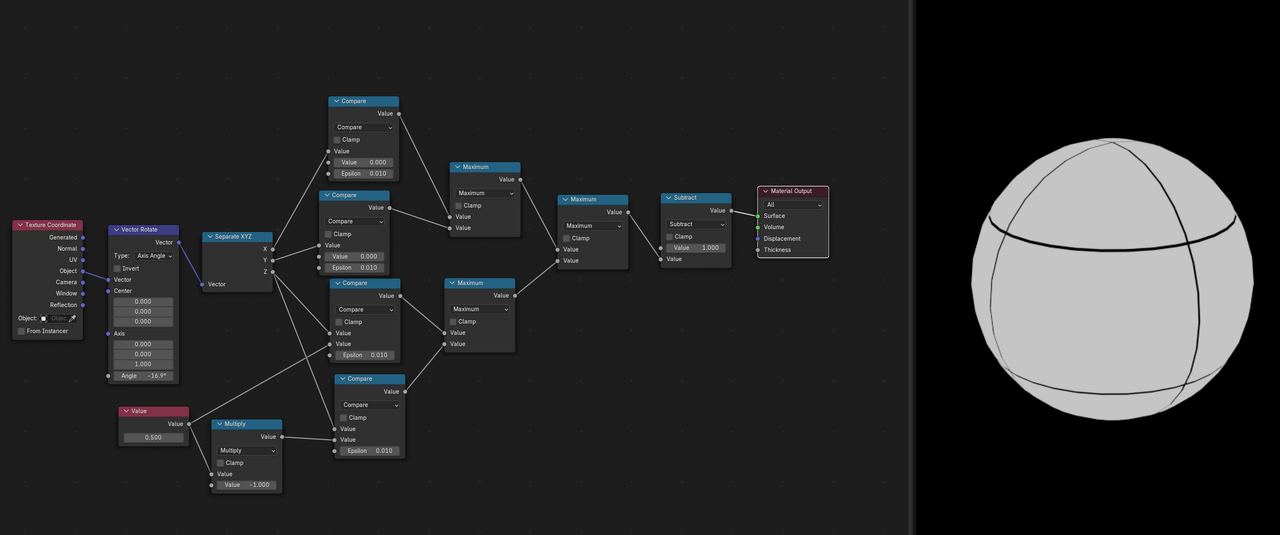
In the Math Compare Nodes, the Epsilon controls the thickness of the stripes and the Value directly above that controls the position of the stripes.
This originally gives white strpies on a black ball, that is why the last Math Node subtracts it from 1, to invert that.
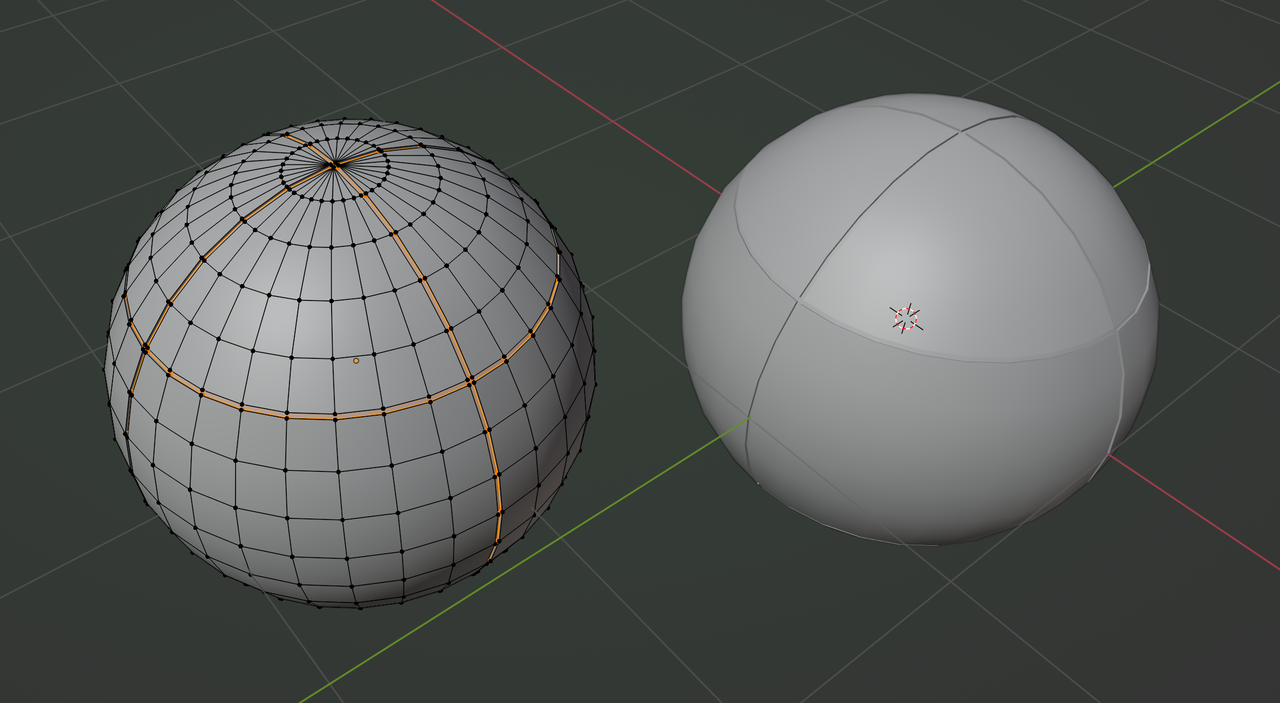
It depends on what you want and how close up you are going to be to the Objects, but you'll probably need to model the rings. With a UV Sphere, you already have the correct Edge Loops available; some Beveling and Extruding will go a long way.
Booleans would also be an option.
Doing it Procedurallly, it will be quite hard to get a clean result.
here is my .blend file
https://mega.nz/file/1xdESaYT#YsCrHf9oAC_qpH7IFHzlpi7uNW6QW8WwuG4nEbvESgs
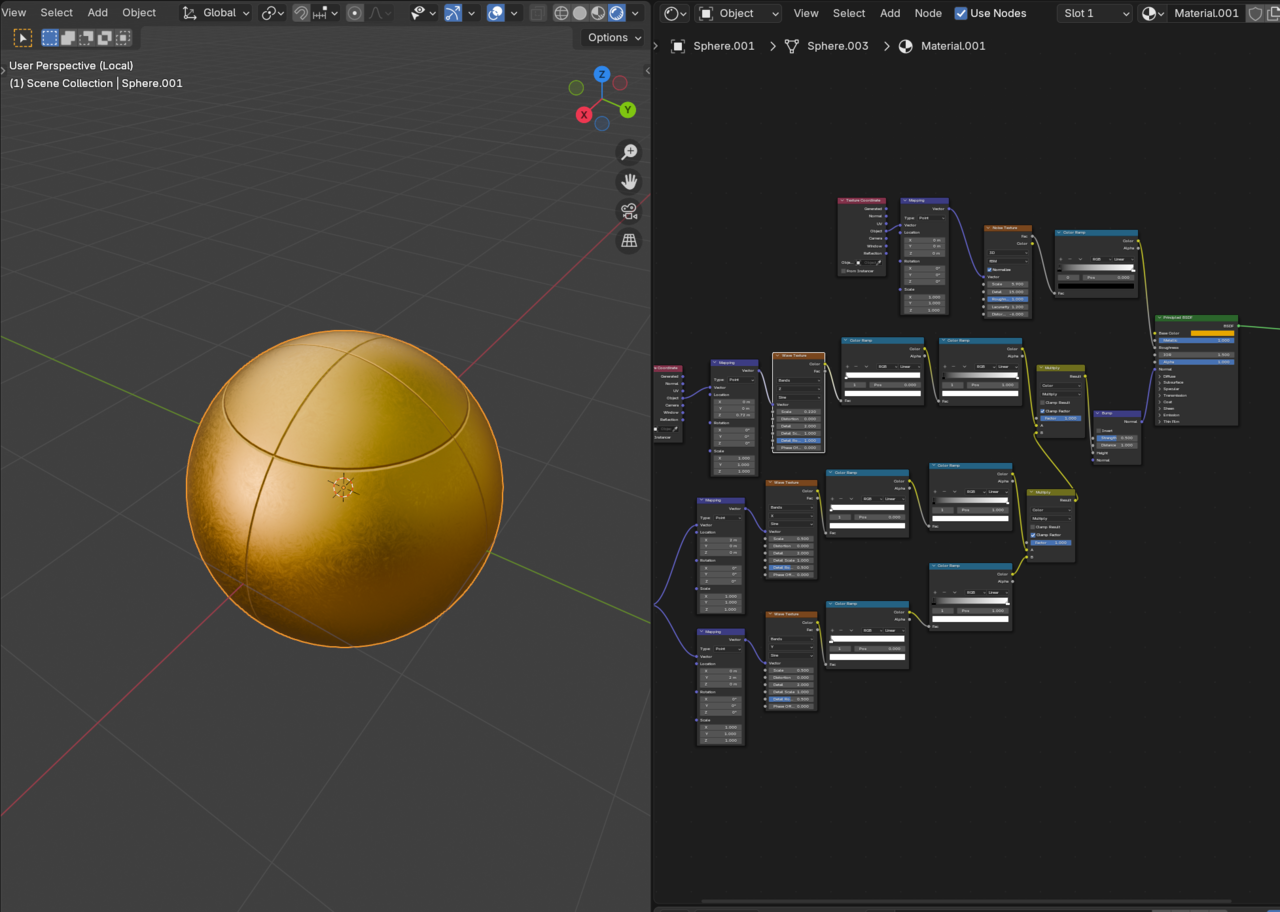
but still I need some smoothnes to the bumps.
Here's the file: https://drive.google.com/file/d/1J1_8wLxmUGr7alOt02NsEw7a4RQHQZgv/view?usp=sharing
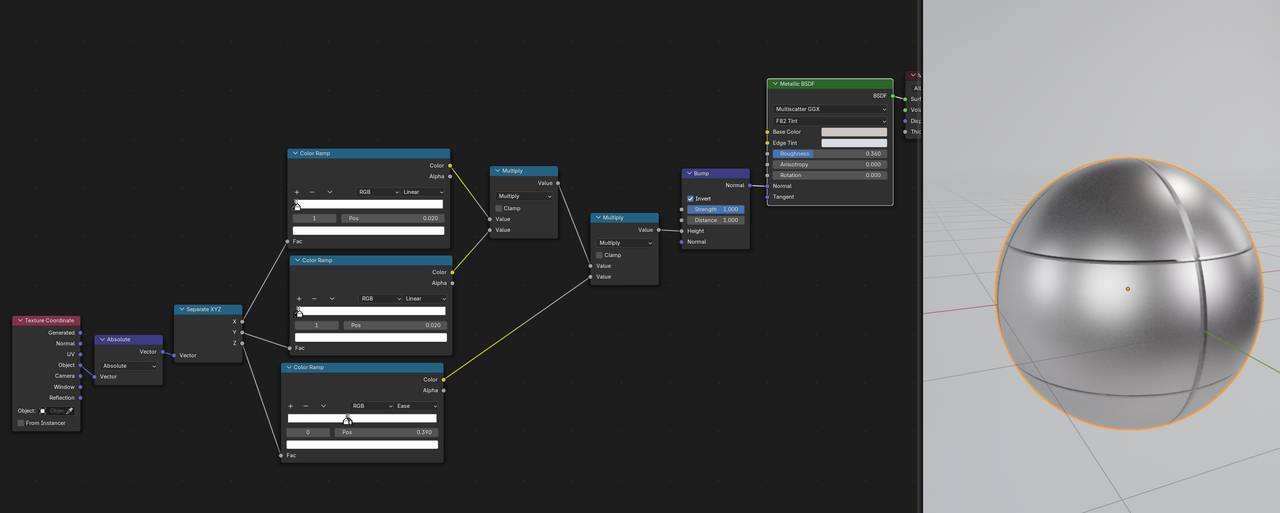
Be aware, that this uses a Metallic Shader, which is quite new (Blender 4.3+), but the file should still open in earlier Blender Versions, just with a red 'Undefined" Shader. just switcch that out, if you want/need to.
Recreating the nodes from a screenshot can indeed be tricky, especially if there are unknown Values, like in Color Ramps.
If it's not too difficult, I'll just recreate them, otherwise, if possible, i ask for the file 😉