
For some strange reason my models Axis is mixed up. For some reason the when I move down the Z Axis on the Root Bone it moves the Y Axis. Funny enough it's only on this one model is that normal.

Hello Gavriel. Can you explain and give more context to your problem? Also post some screenshots that illustrate things a little bit more. As far as I can remember, bones Y axis are like the Z axis for normal objects I believe. I think for bones Y is up, but I'm not sure, the other guys will know more. In the mean time, have you watched the rigging fundamentals:
https://cgcookie.com/courses/core-fundamentals-of-rigging-blender
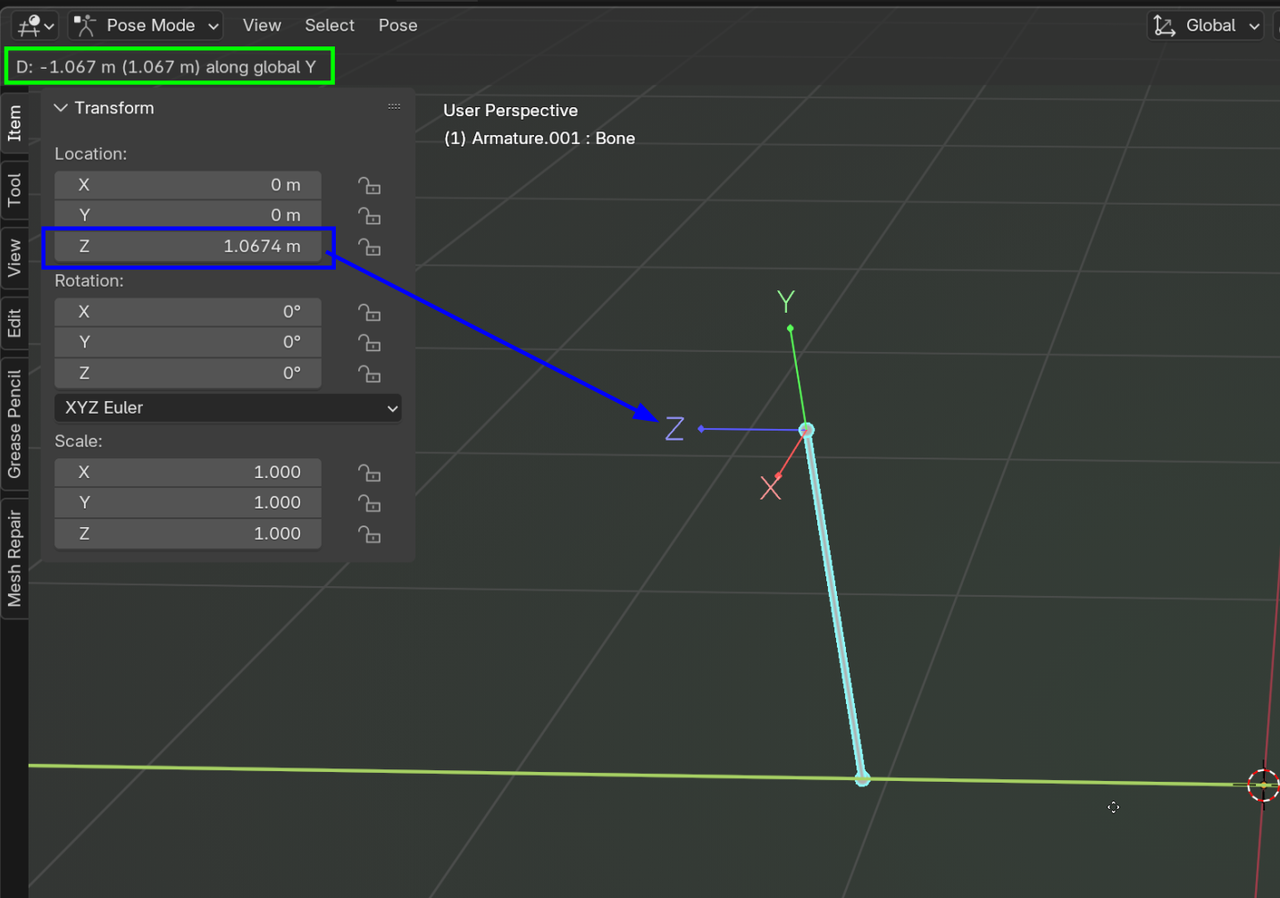
This is what I meant when I said that the Axis are mixed up on this particular model.

When you add a bone by default It's Y axis(The length of the bone) is pointing up(The worlds z axis) and the bone's Z axis is aligned with the worlds Y axis.
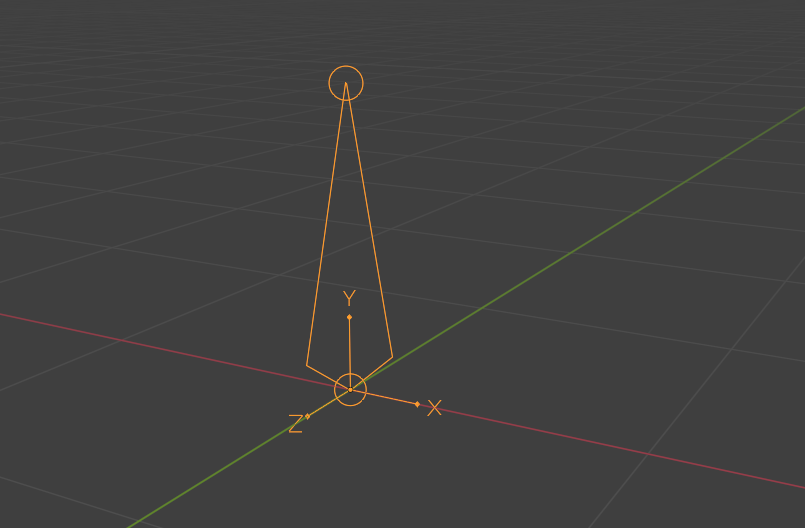
In pose mode, the transforms show the bone's transforms in relation to it's resting position(Where it was set at in edit mode). If you want the bones axis aligned with the world axis then you need to rotate it -90 on the x axis in edit mode. You may have to reskin the spider to the bone after making that change.

 \
\