Hello, fellow kids)
Need a little help here. For some reason, I can't achieve same result with baking dirty vertex paint. Also, It looks similar to lesson with "Solid" shading, but with "Material Preview" it looks like this chest is locked character or somethin.
https://ibb.co/XZdNrvhC

Hi Alexey HoodZomb ,
Don't knowq what that's about...could it be a contrast issue (try inserting a Color Ramp) maybe?
You say it looks similar in Solid Shading...🤔
If you're still stuck, could you post a link to your .blend file please (don't forget to go to File > External Data > Pack Resources)?
Yes, please
https://drive.google.com/file/d/1elqyXxIPEzawkmkvmgnGUESlePQOpywm/view?usp=sharing
Hey Alexey HoodZomb ,
You have Painted your Dirty Vertex Colors to Attribute.001:
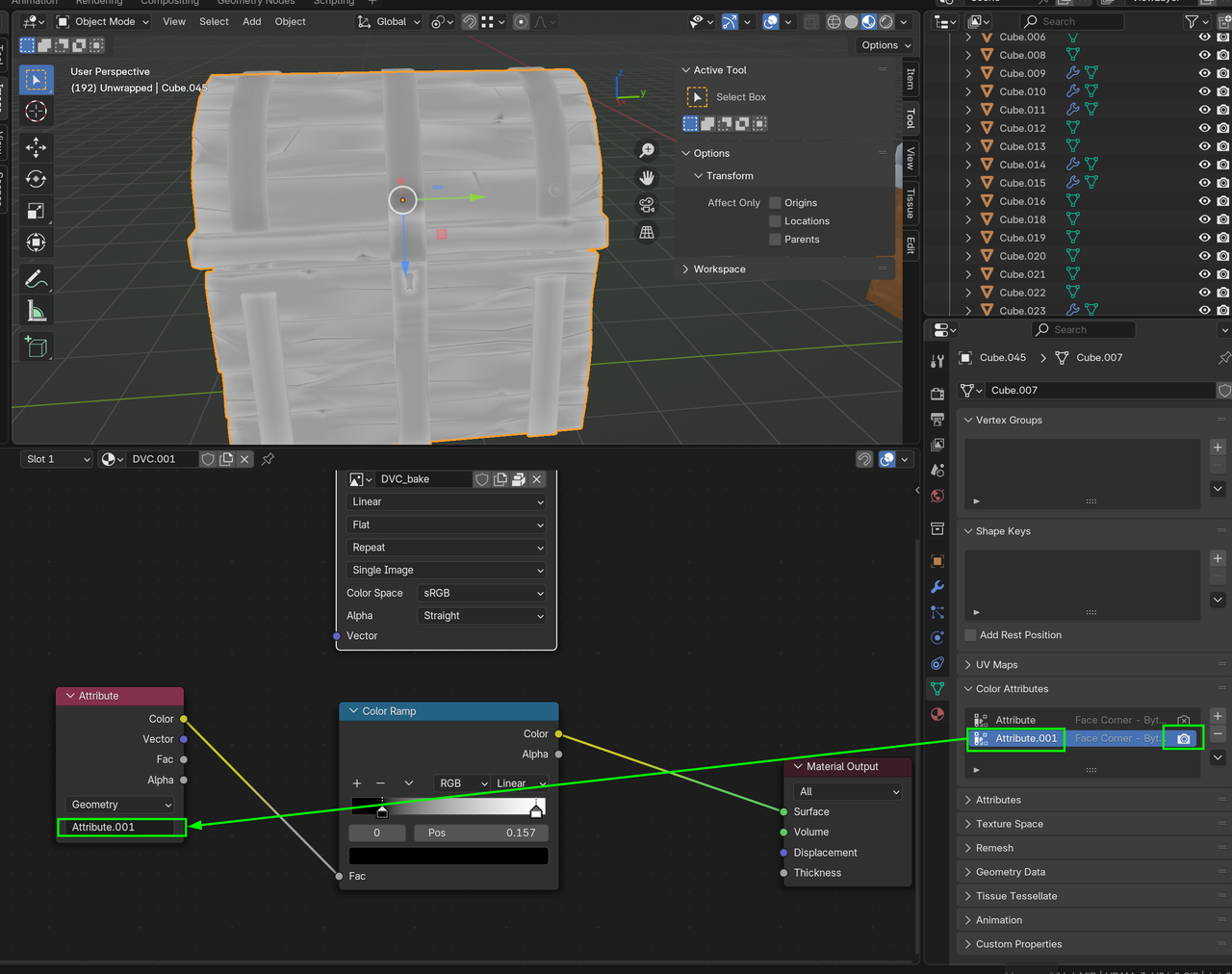
Attribute has no DVC information stored.