

I am modeling an object from a reference and let's say that I would like to lock the view on the z axis. But most of the time, when I move my mouse, the view moves too. (I am on Mac and I don't have a number keyboard.)

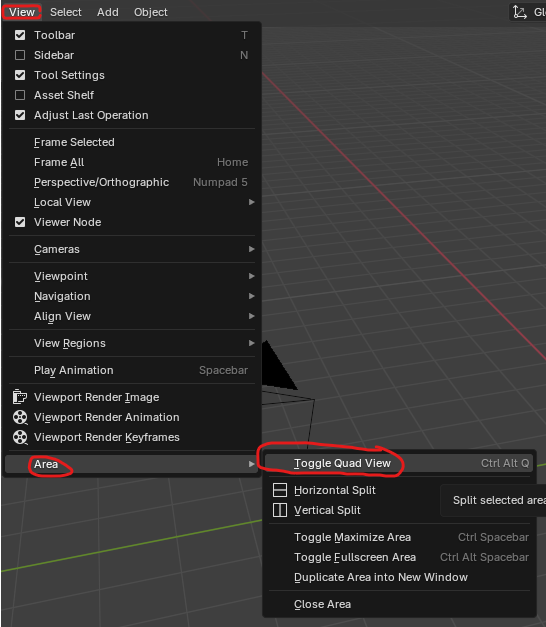
I'm not quite sure I follow. That's how it goes really, when you move your mouse, the view moves. Once you're on orthographic view, you should only zoom in and out, because if you orbit, that will take you out of orthographic. Maybe you want to have different views at the same time? There's the quad view option:
Well... It's almost that. I would like to see only the top view in my screen... Is it possible??? (I tried to enlarge it, without success.)

Hi Marie delama ,
The only thing I could come up with, is to disable the Rotate View in your Preferences; these 3:
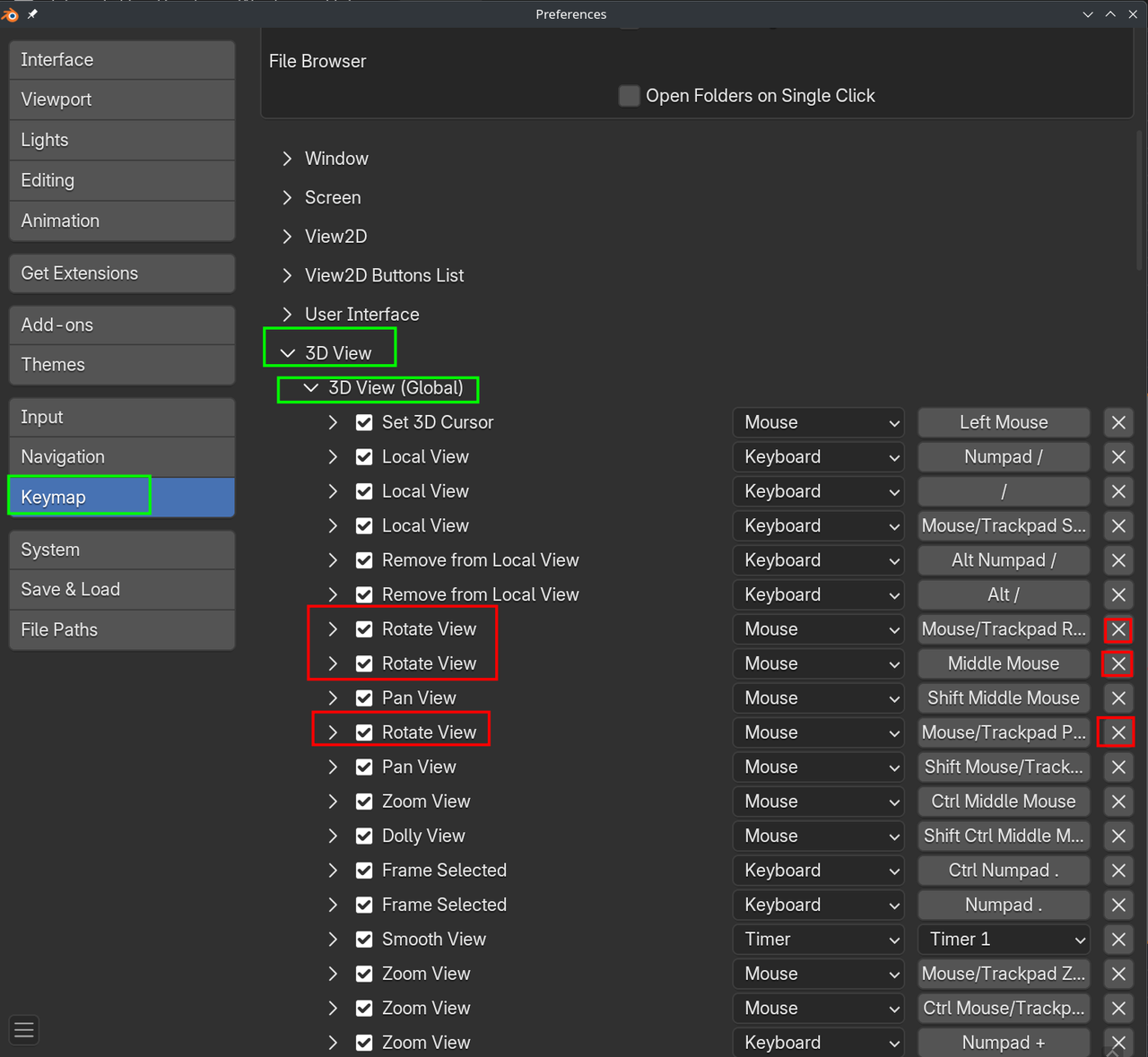
Once you Click one of the X's, you'll get a Restore Button to the right of 3D View, so you can get them back again.

I created an addon that can let you do this. install just like any addon. Then under n-panel->view tab->View panel->View Lock sub panel there is a new option: Lock View Rotation. Check it to turn off view rotation.
You can download it here: https://drive.google.com/file/d/1NeFhsj3A3ZaSQY2eu1HGYE_K8V-RvPLA/view?usp=sharing
Or Cut and paste it into Blender's text editor and save with a [name].py Make sure to have the period py at the end. Then you can install that python file as an addon.
bl_info = {
    "name": "Lock View Rotation",
    "blender": (4, 0, 0),
    "category": "3D View",
}

import bpy

def draw_lock_rotation(self, context):
    layout = self.layout
    col = layout.column(align=True)
    col.prop(context.space_data.region_3d, "lock_rotation", text="Lock View Rotation")

def register():
    bpy.types.VIEW3D_PT_view3d_lock.append(draw_lock_rotation)

def unregister():
    bpy.types.VIEW3D_PT_view3d_lock.remove(draw_lock_rotation)

if __name__ == "__main__":
    register()
***Edit** Thanks to BlenderArtist.org for helping me figure out how to append it to the existing panel. Thanks to Martin(AKA Spikey) for pointing me in the right direction.(See previous post)
Wow! It works!!! I'm very impressed!!! Thank you (and your helpers!) so much. 🤗