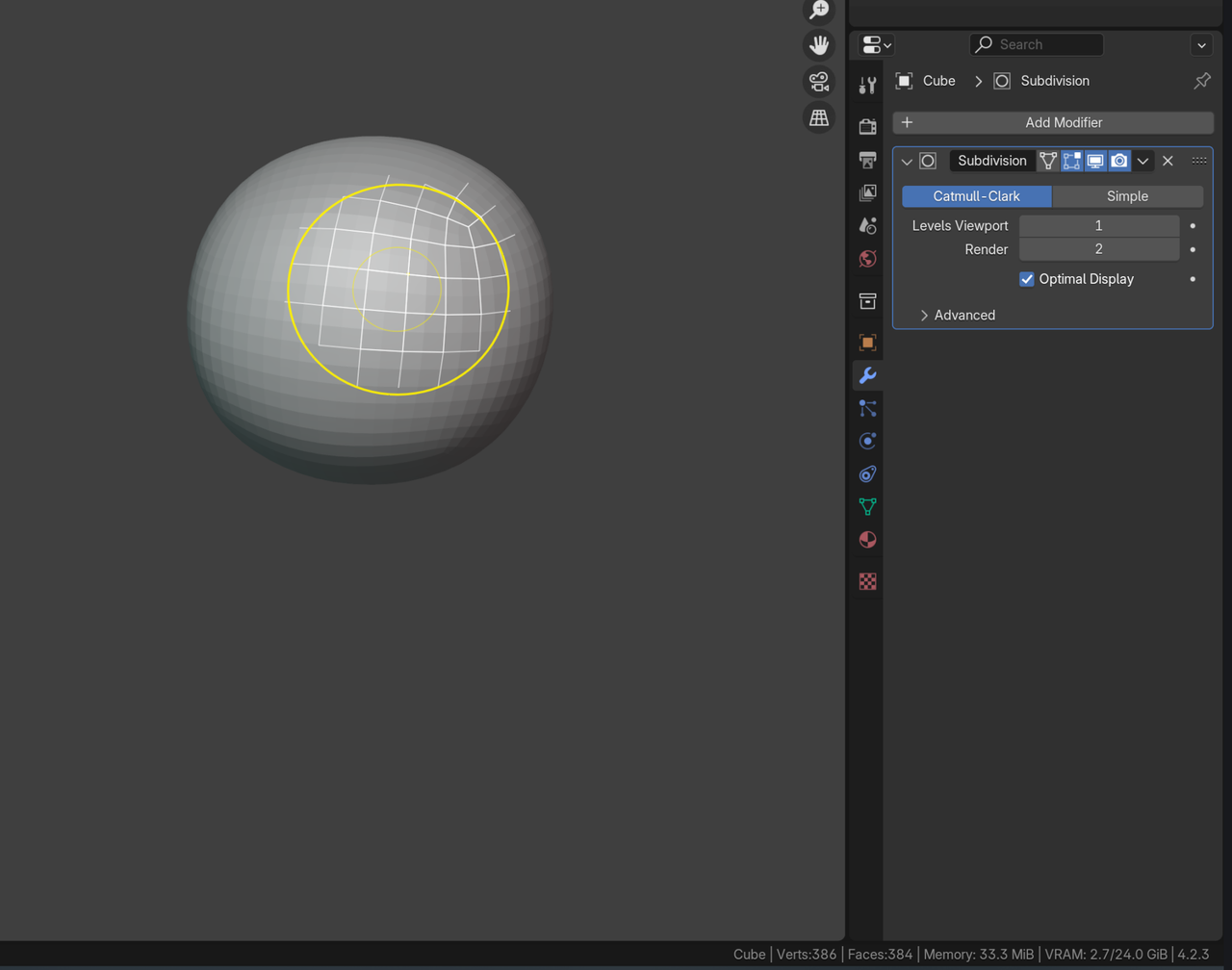
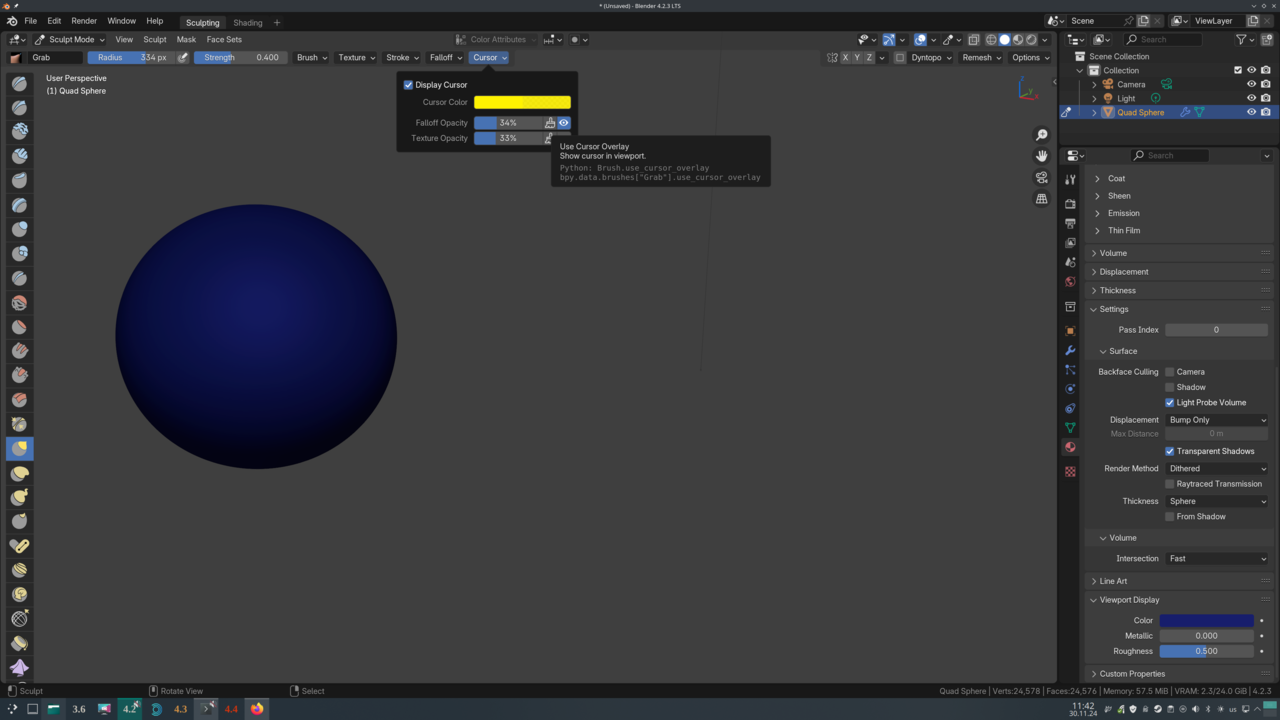
In the basemesh modelling course I have that bug in blender 4.2 that I can't see that wireframe when using 'grab active vertex' (in sculpt mode)
I can't find anything about it with google. Did anyone came across the same problem and found a solution?

Hi Sheila sheila5 ,
It's not really a bug.
It is meant to help seeing what you do, when certain Modifiers are Added to the Mesh; if you, for instance Add a Subdivision Surface Modifier, or a Solidify, to the Mesh (seems to work with most, if not all* Modifiers), the Wireframe Preview will be visible.
* at least 1 exception is the Multiresolution Modifier ('obviously').
it doesn't work Martin. The object has those modifiers. You can't see the wireframe. I tried with display modifier in edit mode on even 
it is supposed to look like this

yes 
In the later lesson about the t-shirt it gets unabled. He sais in the video that it's a known bug but I think that is weird since it works for most people and I don't see complaints on the internet
the thing is, it doesn't work on my older blender versions either so it makes me think it's something on my pc that is different
I bumped it up with a comment. Now going to walk the dog and leave it at that. I don't see any solutions