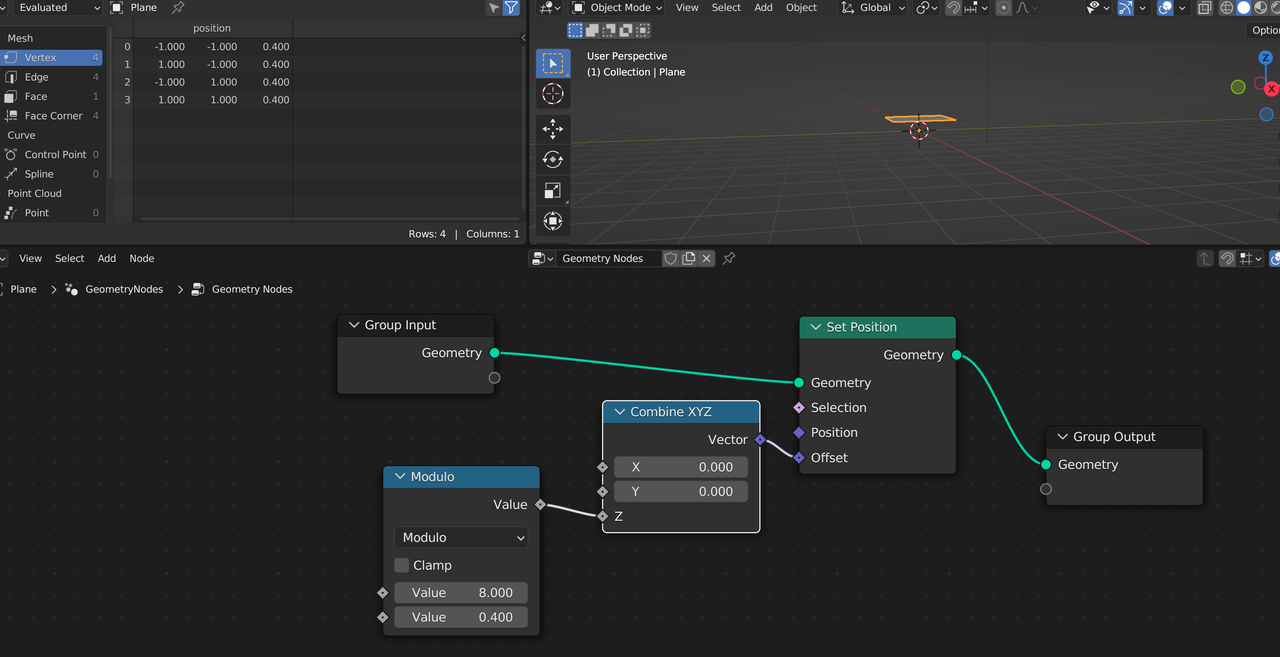
Hi aaaronstarlin ,
Yes, the Modulo is still needed.
The difference is, that the result gets either 'Floored' or 'Truncated'. This only makes a difference if the result of the Modulo is negative.
For instance: -2.71828...Truncated is -2 (get rid of everything after the decimal point), while -2.71828... Floored is -3 (the highest integer smaller than, or equal to).
The Modulo itself still works in the exact same way and in this case, the result is always an Integer anyway, so it doesn't matter which one you use.

I searched for it almost at the same time.
To add additional context: I found the Chat, where the feature was implemented. There is a picture which illustrates the difference very good.
https://projects.blender.org/blender/blender/pulls/110728
Truncated is symetrical around zero and floored is always "left".


One question concerning "Truncated Modulo": Why does for example 8 divided 0.4 equal to 0.4? I would expect 0 since 0.4 fits 20 times into 8 so that the remainder is 0.0 or truncated 0. File is here.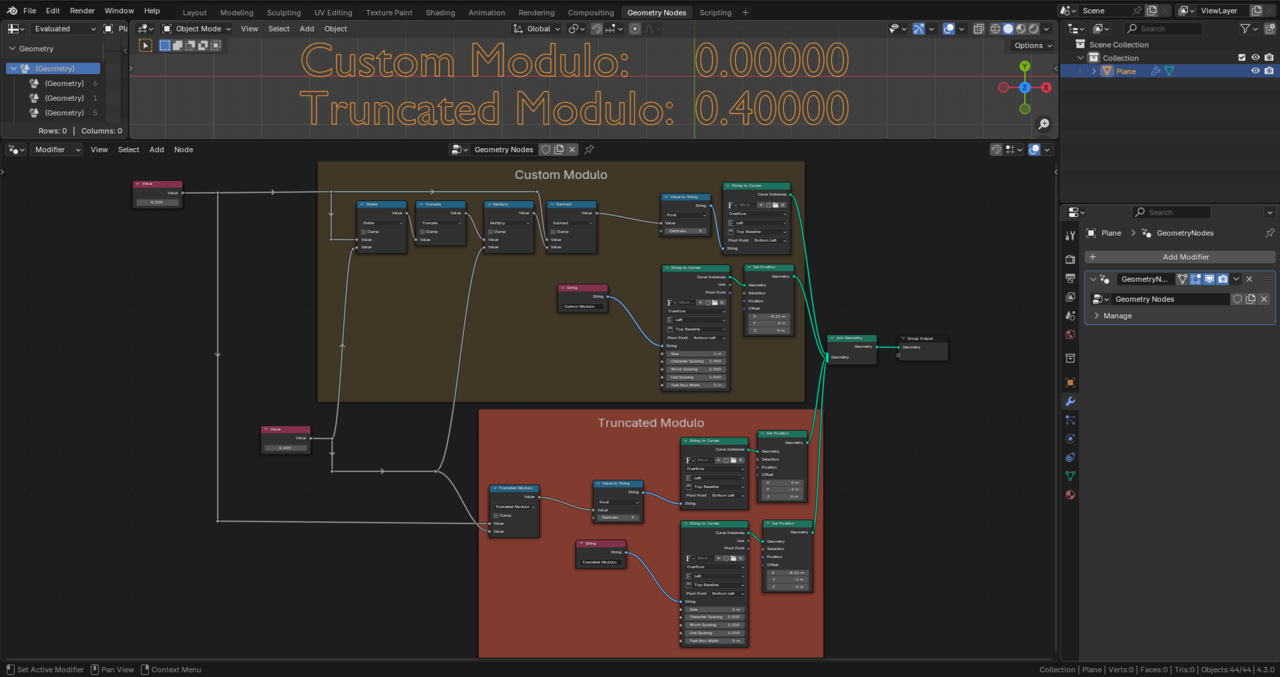
Hi Ingmar duerer ,
I have no idea how programmer's modulo works.
I just know the mathematical modulo and that is only defined with whole numbers. Even modulo 1 is not defined (like dividing by 0).
But Truncated Modulo gives the same result as Modulo used to (if your not using negative numbers):