
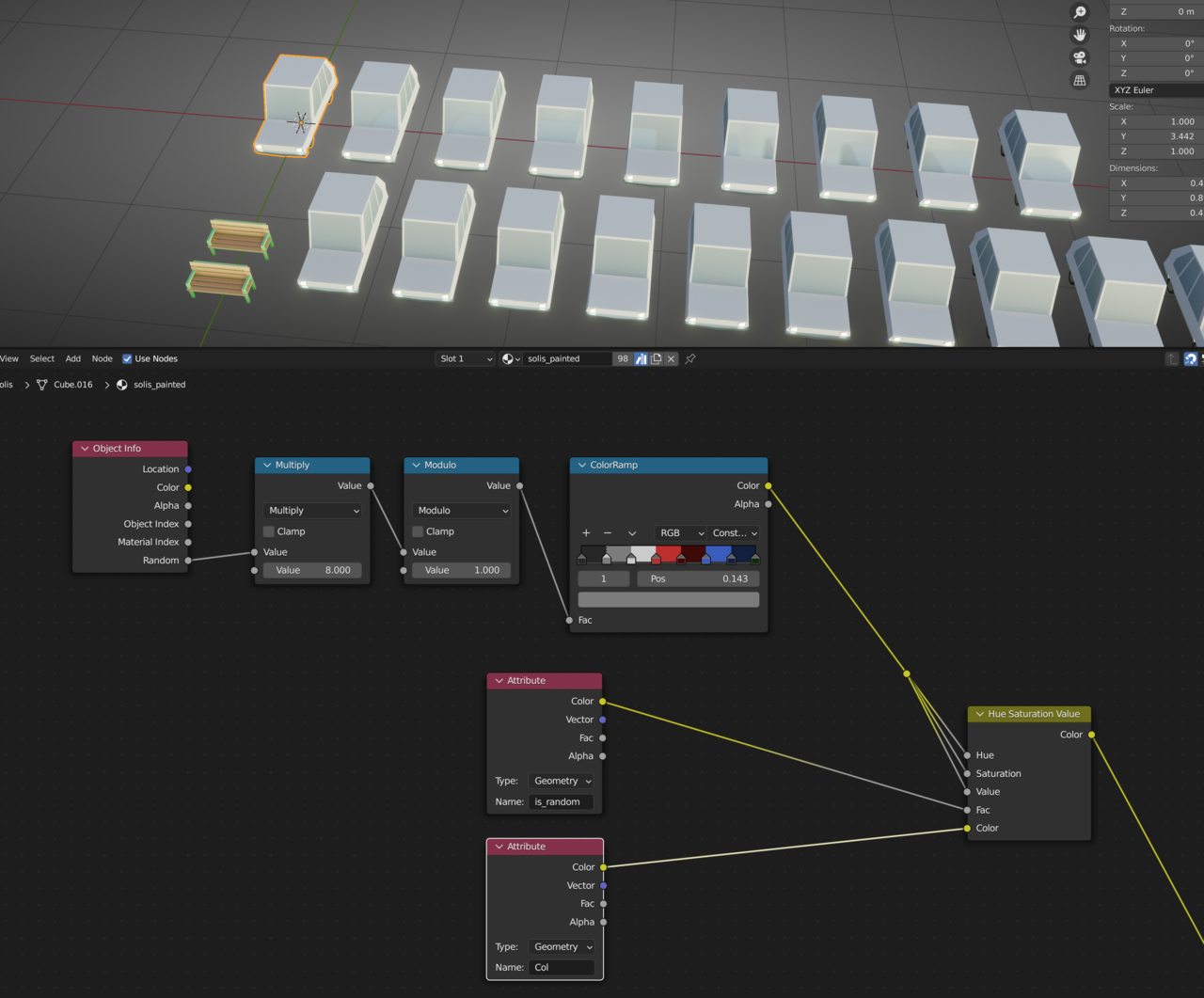
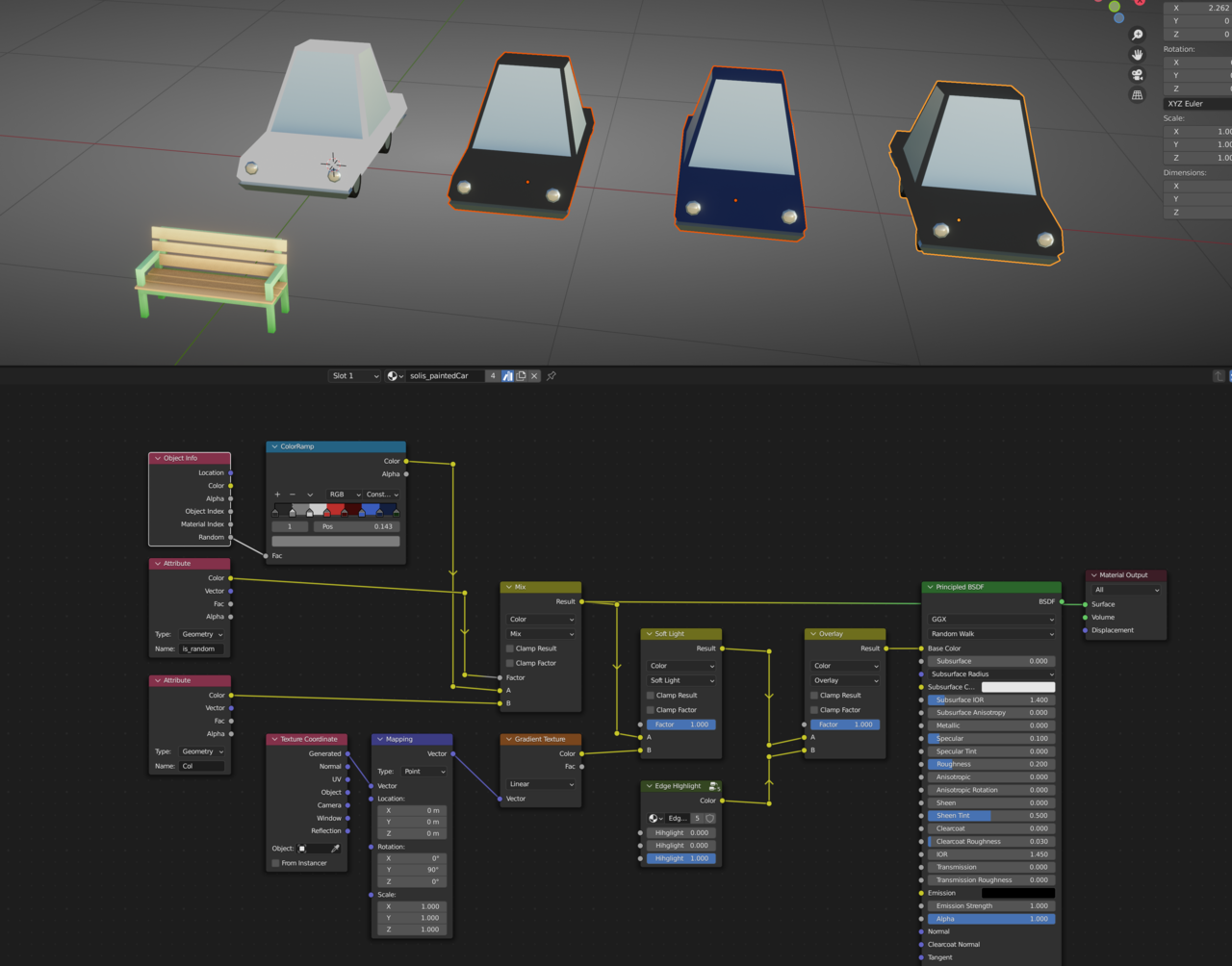
Hello, I am trying to do and understand something. For my cars, I want to limit their colors to 8 color options. Also, I am trying to understand the relationship between the "Col" and "is_random" color attributes. I don't understand how Blender is looking at one or the other to determine what color to produce. It would make sense, based on setting the color of the color attribute "is_random" to a value of .4 and the shader using whatever is set to a value color of .4 on the object to present whatever color nodes are used in association with "is_random", but I'm not sure that's how the relationship works. I have two node sets to present. The top one will be the color swatch randomization group eventually, and the portion to the right is how I'm trying to connect it into the gradiant and edge highlight groups. The attribtutes below are what I'm trying to understand how to connect to make them function as I'm imagining. The first group has the vehicles acting as I want, but the bench is also acting as if it has the "is_random" color attribute associated with it, which they do not. So next I tried to use the hue saturation value node as in the tutorial, at which point the benches worked again but the vehicles do not. Any thoughts as to how I can get them to function properly within the same shader?

Hi Benjamin SSylr ,
the first one is almost correct.
I would suggest to remove the Greater Than Node, switch the Color inputs in the Mix Color Node and triple-check the spelling of the Attribute:
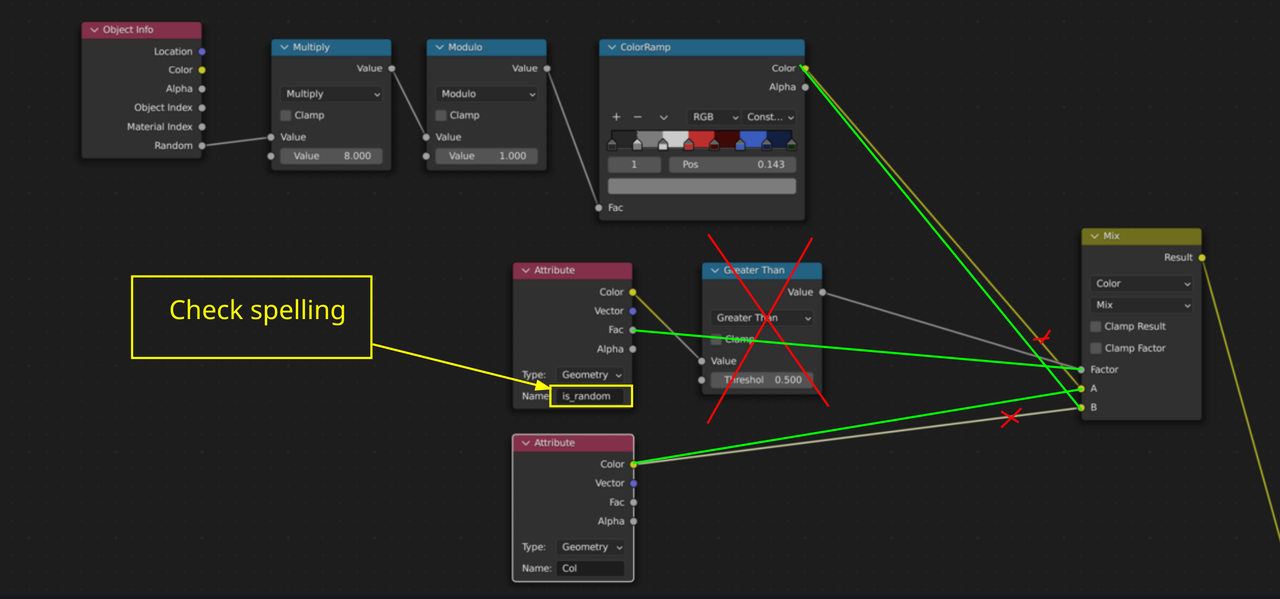
What might have happened in your case, was that the Attribute was misnamed (is_random vs. Is_random, for instance) and would thus always result in zero (False) and that means that the Fac of the Mix Node would always be 0 and therefor the fist Color Socket would always be used.
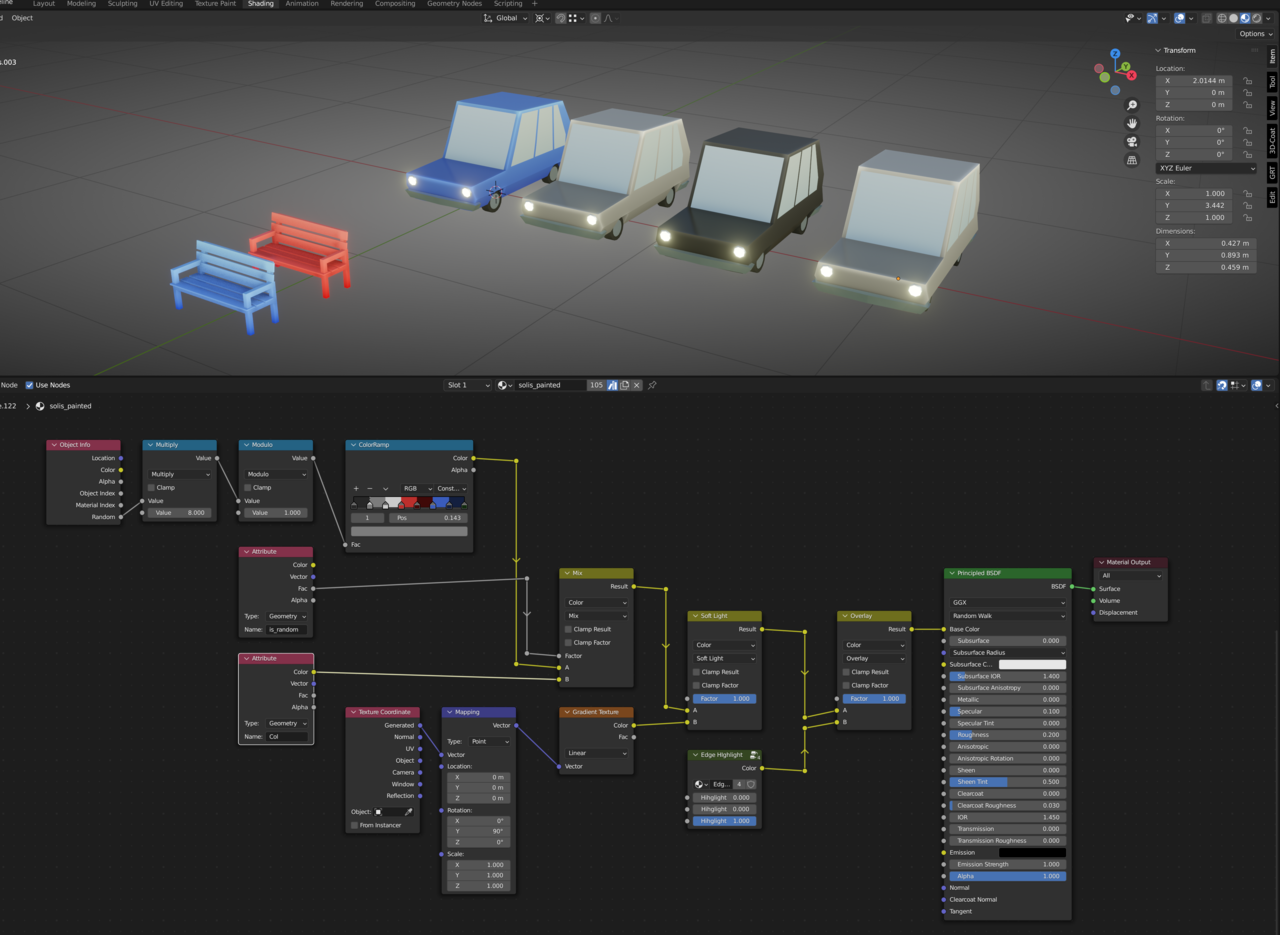
Thank you for the reply. Unfortunately, it didn't work. In your example, switching the colorRamp with the "Col" attribute simply reverses the result which says to me that it is always returning a "true" result from the factor input, which isn't true either because I've painted the cars in vector painting "black", so that the full color of the swatch color would come through and they return as grey. Also note that the "is_random" color attribute on the objects are "Face Corner", "Byte Color", and set to black as well. I've included two more screen shots, this time including the entire shader (except the edge highlight group nodes as they simply follow Kent's method and don't have any bearing when the mix node coming directly from the colorRamp portion is connected directly). You can see what happens when I switch the "A/B" inputs. Also, I know the "is_random" attribute is coming out of the "Fac" in these examples. I used both Color and Fac in testing and it didn't seem to have any bearing on the results. Lastly, I'm using Blender 3.4. I don't know if this has been changed enough since then to have any relevance.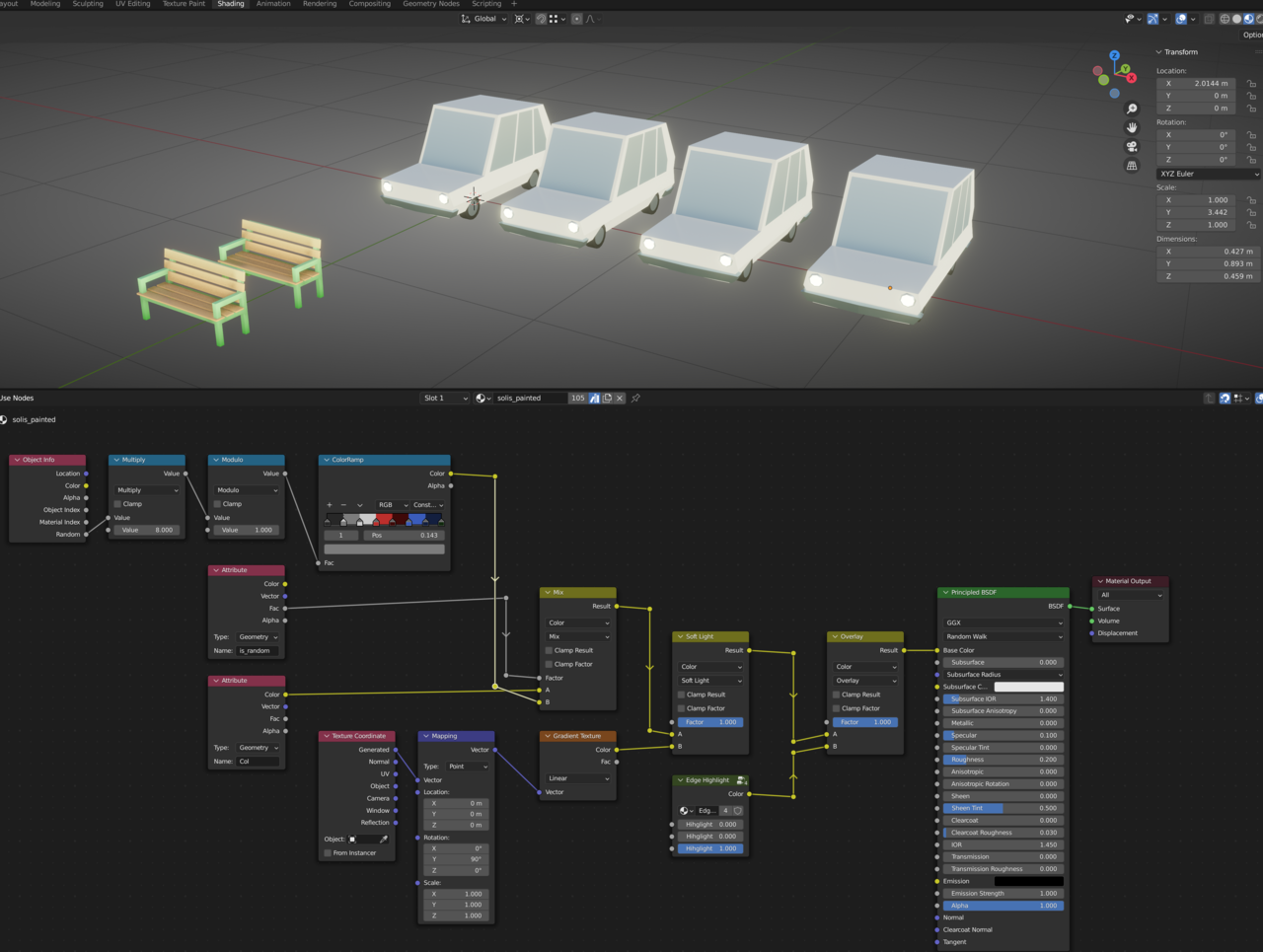
Hi Benjamin,
I am sorry, but I'm having difficulty understanding what exactly is going on from your description and screenshots.
(At least the Blender Version shouldn't make any difference.)
Could you upload your .blend file to Googledrive, Dropbox, or so and post a link here? That'll make it a lot easier to troubleshoot.

Let's start with your first problem. You're multiplying by 8 and doing modulo. There's no need for that. Random produces a number from 0 to 1(it is extremely rare to get an actual 1. So really 0.99999). The color ramp works with a range of 0 to 1 with anything under 0 being treated as 0 and anything over 1 treated as 1. So the conversation to 8 colors is already being handled by the color ramp. I don't know how python handles modulo with decimals, but in java, JavaScript, and qbasic it just drops the decimals. Thus in your nodes it would always return 0. If all you want is random colors then that's all you need. If you want to mix in the gradient then you can add the other steps.
Dwayne Savage, Thank you! I was thinking that "Random" out of "Object Info" was returning either a "0" or a "1", but it does seem to return float rather than integer. I removed the two math nodes and it fixed it! I was trying to do some crazy math that wasn't working in my own mind which complicated everything. Just removing those two math nodes fixed it! And also, Thank you Martin Bergwerf for helping me think more about the mix node. It works by putting the color ramp into input "A", the "is_random" into "Factor" and "Col" in input "B". I'll put the blend file up for anyone interested.
https://mega.nz/file/5UxV0B7b#1ZsnPE-XBE3PdPPr3Bpgl2_U1lyMAkScfd3P_9MCiUE
Glad you got it working, Benjamin!
Just a small correction:
Something that doesn't happen very often, Dwayne was mistaken, Modulo doesn't 'throw away the decimals', that is what Truncate does. Modulo 1 removes what is before the decimal point, so the Output of the Random Socket gives something in the range [0, 1], multiplied by 8 gives [0, 8] and then Modulo 1 puts it back in the [0, 1] range.So those two Math Nodes you had were not necessary, but didn't do any harm either, apart from the unnecessary calculations.
Some examples:
0.1 multiplies to 0.8 and then 'moduloes' to 0.8. (And no, moduloes is not a word 😉)
0.2 becomes 1.6 and then 'moduloes' to 0.6.
0.9 becomes 7.2 and 'moduloes' to 0.2.
(The idea, was probably to move random numbers that were close together further apart, but it would also put some numbers that were far apart, closer together. So no net gain.)
(Mind you, this is not the mathematical modulo, so don't mention this at a mathematicians party, when you find yourself there; in math, modulo only 'works' with integers and modulo 1 is not even defined (a bit like dividing by 0).)
 spikeyxxx thanks for the info. So it seem Python handles it like C# does. I haven't dove to deep into python yet.
Hi Dwayne dillenbata3 ,
I believe the Nodes are written in C/C++, but Python should handle Modulo the same way.
If JavaScript &Co. do it the way you say (and I trust you in that), that would be a criminal offense 😉