
Image/UV's question

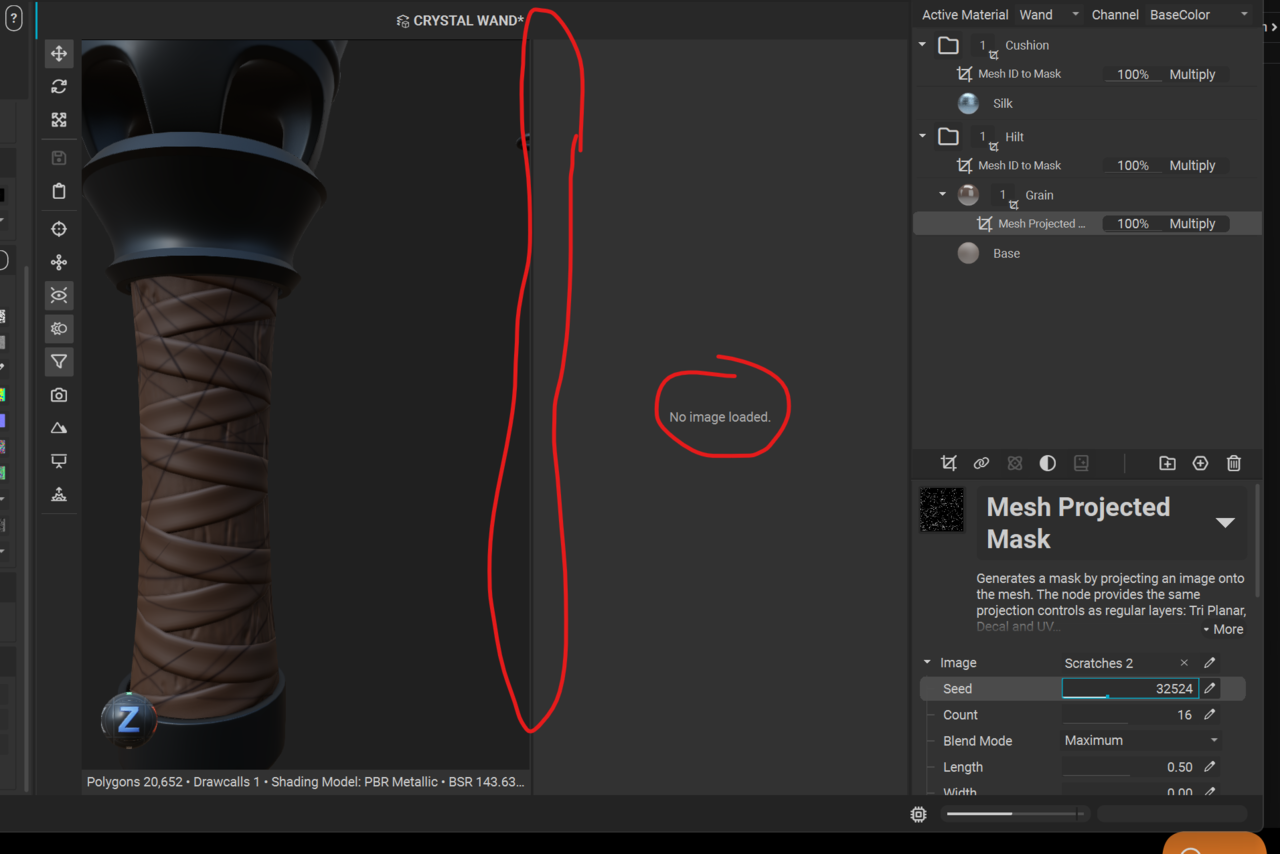
I'm following the tutorial but there was a cross dissolve when we got to adding the scratches 2 image for the wood grain. And in that cross dissolve, in the tutorial suddenly the silk and wood materials/images appear in the image window.Ā  When I click the image icon to bring up that window, I'm met with "no image loaded" and I don't get the tools on the left sidebar of the image window as I see in the tutorial.Ā  Any guidance would be greatly appreciated. :)nstaMAT question.png
1 love
Reply
  • Joe Hansen(Joe_Hansen) replied
    I realize it’s not a vital feature for tackling next steps and I’m able so far to move forward in the tutorial with no issues without being able to see my UV/materials in the image window. Ā InstaMAT is just brand new to me and I wanna make sure I’m not missing anything in the UI. Ā 

    It’s been a lil quirky. Ā My AO shows up pure white when I click C to get to that view, but the minute I apply a material to anything and go back to AO view, I see all my delightful gray to white gradients as expected/desired (possibly a viewport glitch). Ā Also, all multilayer materials default to only the base color being activated by default until I click the lil paint can ā€œfillā€ icons to activate things like roughness and AO. Ā I only just downloaded the software a couple days ago so I’m assuming I’m on the most updated version. Ā Anyway, just some quirky behavior in instaMAT, but it hasn’t caused me to run into any roadblocks as of yet. Ā Me just wanty learn. Lol 🤪
    1 love
  • Joe Hansen(Joe_Hansen) replied

    ... Right Click on the material folder and select "view composite output".Ā  I gots it now.Ā  Sorry I jumped the gun, but it was eventually mentioned for the leather straps 'cavity' part of the tutorial.Ā  My apologies for jumping the gun with my question. :)

    • ♄
    • šŸ¤˜šŸ»
    • šŸ‘
    1 love
  • Chunck Trafagander replied

    Not a problem! Thanks for updating the thread with the answer. 😁

    I feel the UX in viewing the images in the editor is a little wonky with InstaMAT, so I will agree that it's not immediately obvious why something isn't showing up. But this is a great thread now for anyone facing that same issue! Can't wait to see your final creation!Ā 

    2 loves