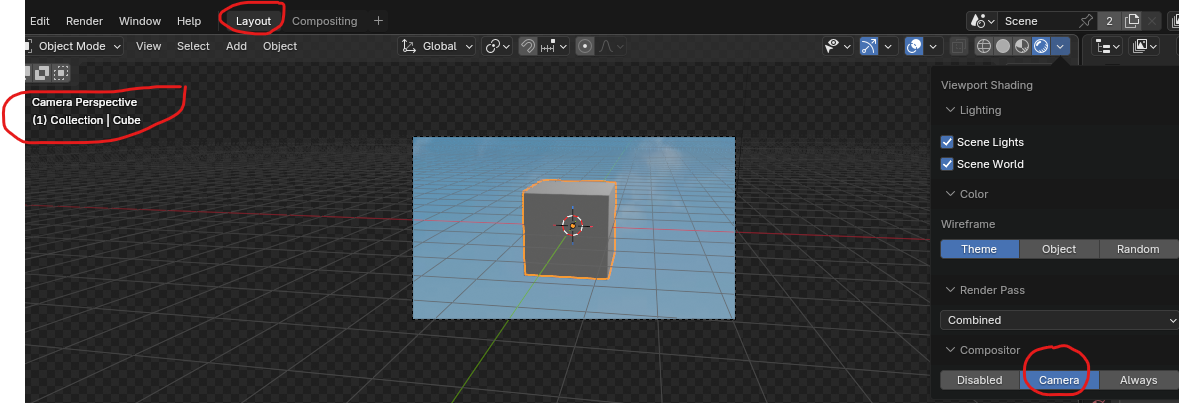
Hello, I hope this isn't too basic. Using 5.2 or 5.1.
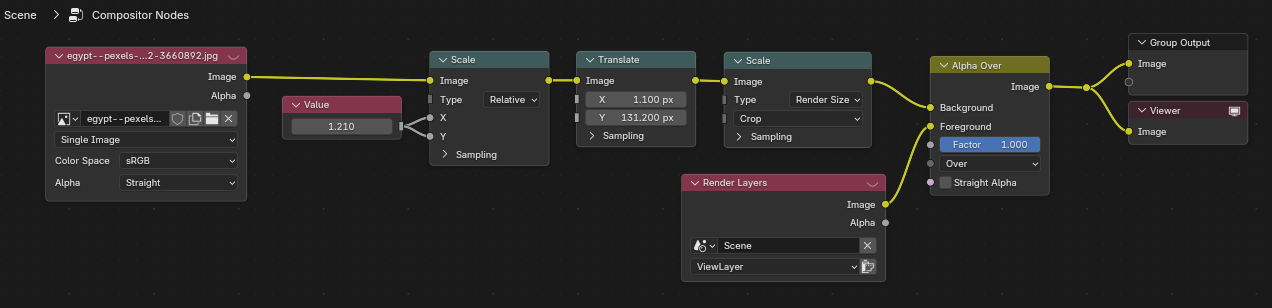
I have set up Film:Transparent. In the compositing tab, I scale/translate the background image where I want it in the camera, then MIX the render over it using rendered alpha.
Everything looks fine in the Compositing tab Viewer. When I switch to Layout and enable Compositor:Camera, the background image is translated differently. This isn't what I expected.
A workaround is to set a Background Image on Camera, then manually adjust everything to get (approximately) the same look. But this is awkward and not exact. Another workaround is to physically scale/crop the background image to match the render, but this isn't very desirable.
Is there a trick I am missing? Thanks.
Hopefully these pix are worth a thousand words.
1. Compositor nodes:
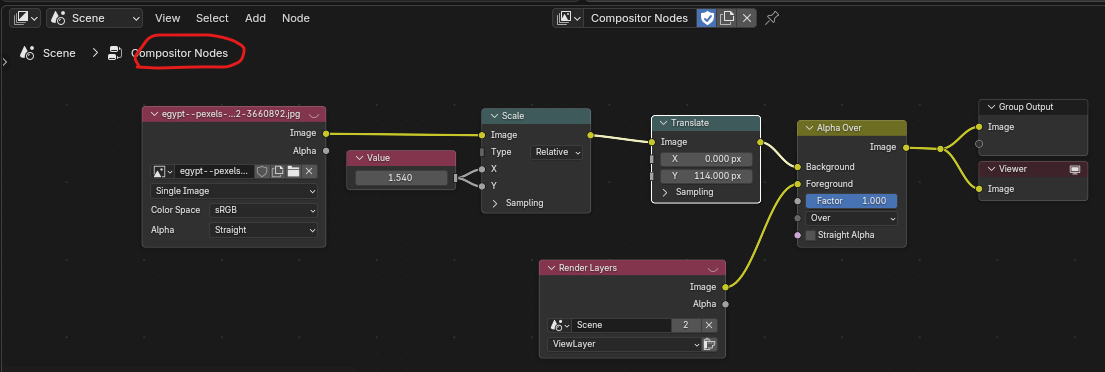
2. Views in Compositor tab:
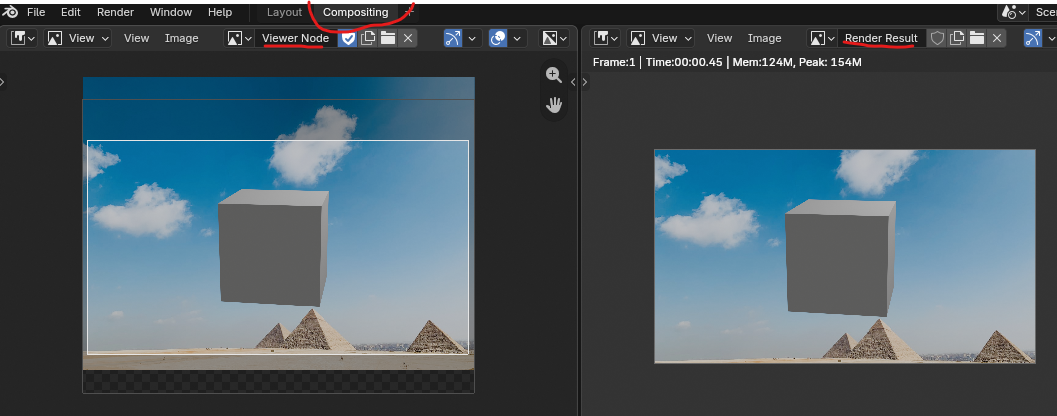
3. View in Layout (Camera view):