
I can't seem to connect the vertices at the top part of the console
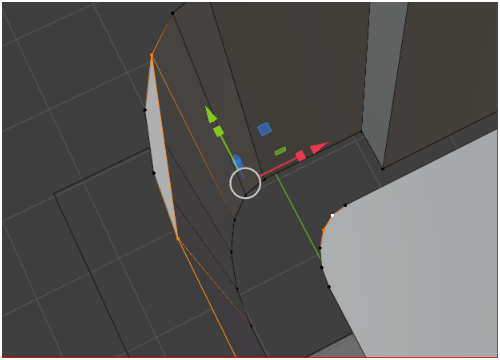
This what happens when I shift select 2 vertices and hit F, it automatically selects other vertices after and fills something else

F to fill can be a little finicky at times... particularly if it can't figure out where you're trying to fill to. When all else fails, can select the verts you want to fill. Also, when using F to fill, it helps to have the cursor on the side you want to fill towards.

Hi Peter,
In every case I've seen, when F doesn't behave the way you expect, the Selection is different from what you think it is. In your case, I highly suspect that you have double Vertices (very likely in combination with inconsistent Normals).
The solution is, (in Edit Mode): A (to Select everything) and then M . Merge > By Distance, (immediately) followed by SHIFT+N. But before you try Filling again, make sure that both Meshes are part of the same Object (they might be, but really make sure they are!). If they are not, switch to Object Mode and then CTRL+J to combine (Join) them into a single Object.