
What is the benefit to having this mirror option defaulted to off? Wouldn't most use cases want it on?

Which option are you referring to? There were several that he mentions just in the first few minutes. A time stamp and/or a screenshot of which options would help here.

Hi Ken,
That is a good question.
They are the default settings for all modifiers in Blender.
Yes it's beneficial to have them on for most of the modifiers, but for some it can come at a huge computational cost. So that is left to the user to decide when/if to enable them.
My understanding is that all of them have the same default (disabled) so there is consistency across the board.

And to add to what Wayne said,
As a Modeler, I will leave that Toggle off 99% of the time. It doesn't mean that you can't see the effect of the Modifier:. For instance:
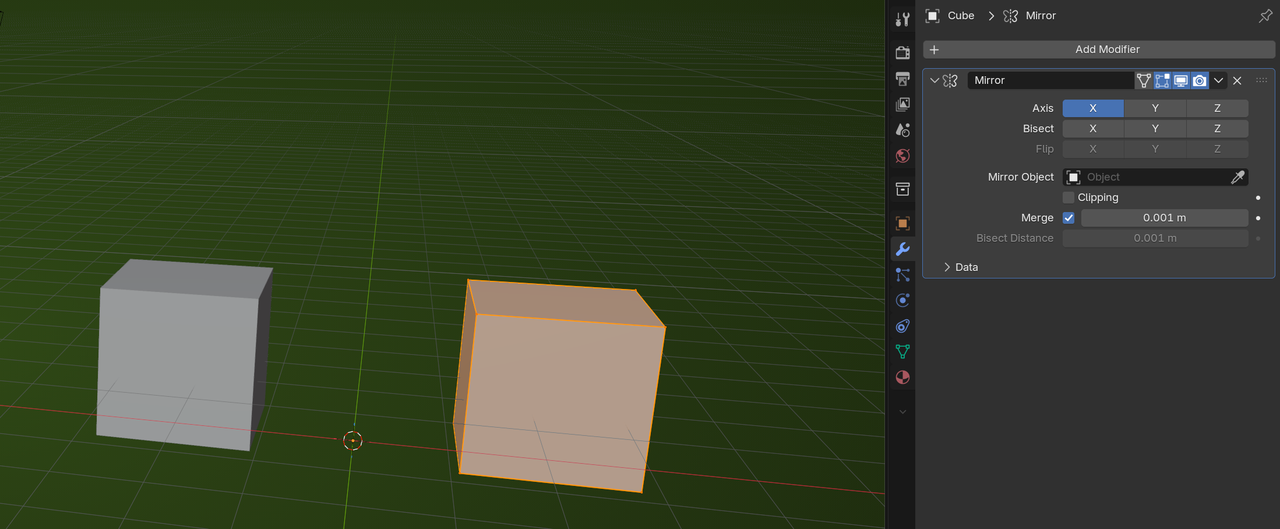
And even when re-Topologizing, I tend to leave it off, because I find it mostly distracting. Switching to Object Mode shows both sides and Toggling between the two is something that works a lot better for me, than having that Option enabled all the time.
Awesome, thanks for the info! I would have not thought of the hit to PC performance, but it makes sense!