
Moin,
I don't understand why taking the position from the string to curves node and scaling it by -1 centers the letter.
My understanding is that each instance has it's own (invisble) pivot point (which is set to Midpoint in the tring to curves node). So the pivot point is in the center of each instance? What are the values than for the pivot points? Can I visualize them (e.g. in the Spreadsheet). And why is scaling it by -1 and set the position afterwards works.

Hi Bernd,
This is very confusing, I agree!
Let me try to explain (at least as far as I imagine what happens). It has to do with the Bouinding Boxes.
First, if you don't use the Pivot Point, the Bounding Box of all the letters is considered and if you set the Alignment to, for insatance Top and Right, that is what is used to place the Letters:
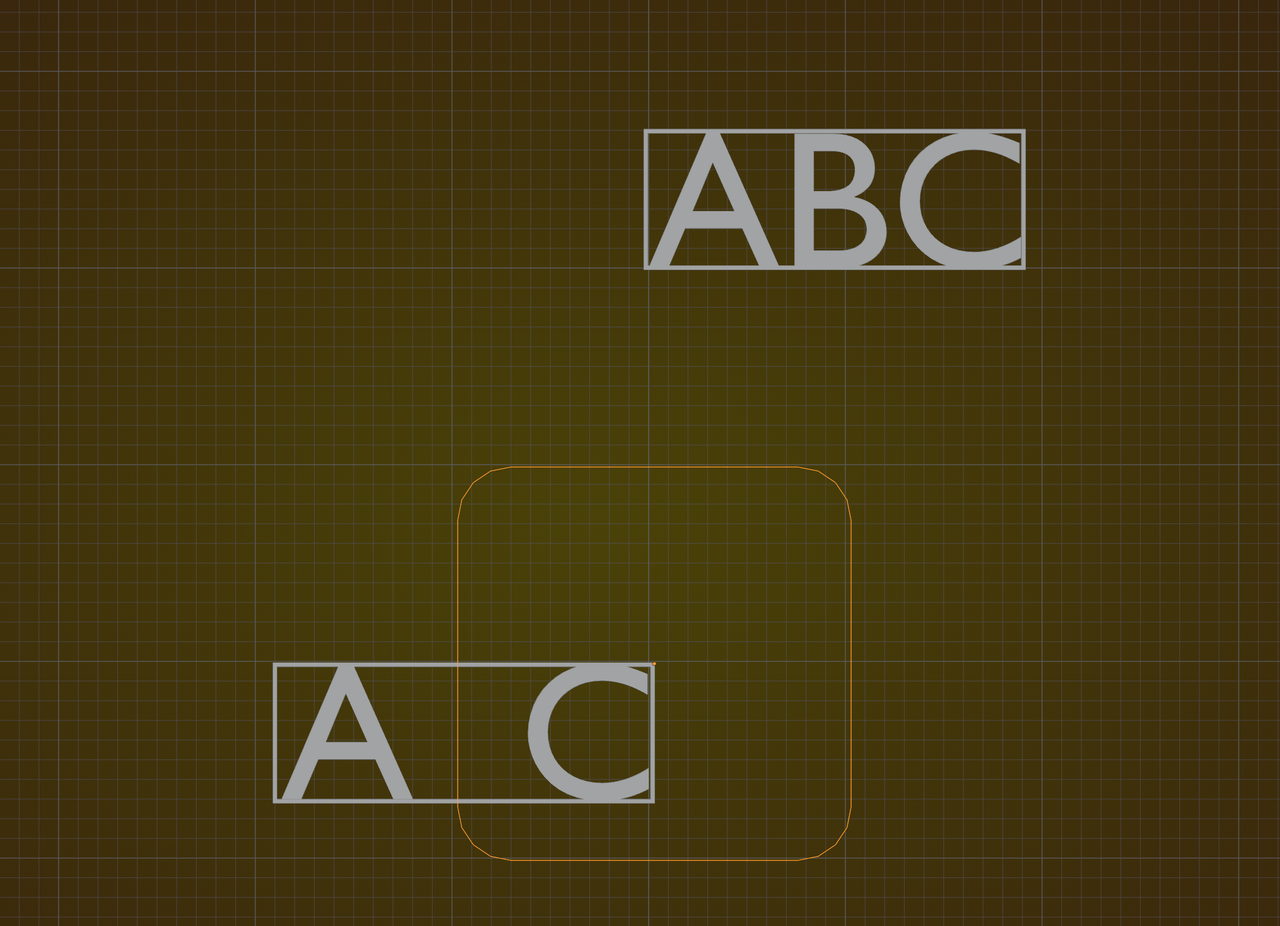
But when you use the Pivot Point, the Bounding Boxes of the individual letters is considered. From the bottom left (the (0, 0) of the Bounding Box (just looking at the 2D version here) to wherever you set the Pivot Point. In this example Bottom Center for the A and Top Right for the C:
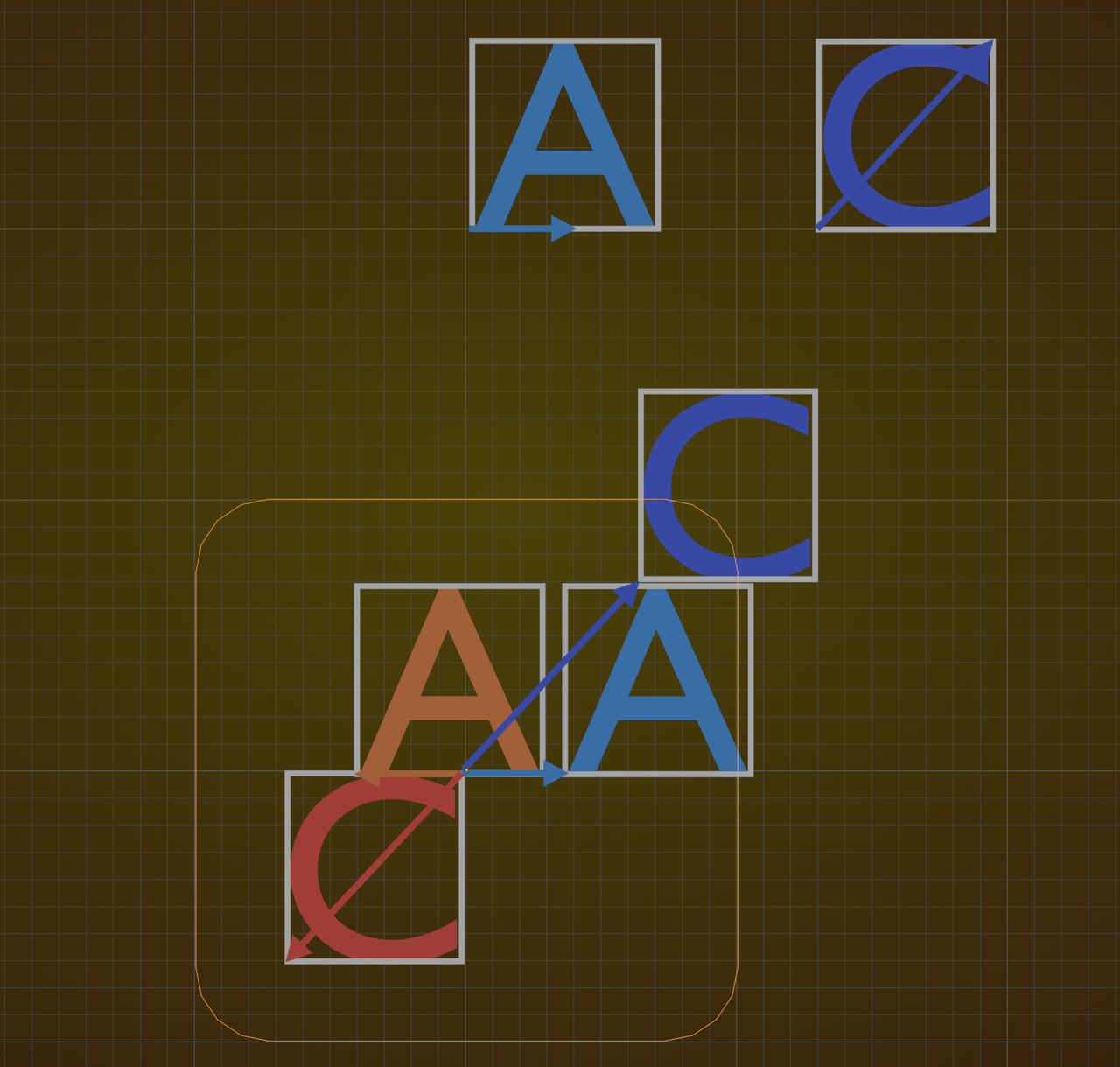
That Vector is than used as the Position for the Placement of the Bounding Box of the letter.. Scaling by minus 1 then becomes clear (I hope).
The strange thing is, that when you'd use a Mesh, instead of a String, Converted to Mesh, it would use the Position for the Vertices of that Mesh, so you'd have to use the Offset, instead of the Position.
Hi Martin,
that you so much for the efford of explaining it to me. But I'm still not sure if I understand it.
I set up this little GM here:

So, I just scaled the Pivot Point by 0 and feeding it into the SetPosition Node. So what I assume now is the following.
The SetPosition Node uses the individual postion of the letter based on the Buttom Left Corner. So feeding 0 in the position slot aligns it to the buttom left corner. The not visable pivot point is in the exact center of the letter. I in my screenshot it rougly on 2.5, 3.5. So scale it by -1 set's it to -2.5, -3.5. So what I basicially do is to move the Bottom Left Corner to -2.5, -3.5 wich is then the exact center of the letter.
Is that right?
Is there any way to visualise the value of the pivot point? Or the buttom left corner pint? Tried it in the Spreedsheet, but I was not able to visualize it
