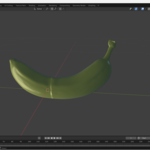
Exercise practice submission

Hello, when submitting course practices do I export in fbx and provide that file? Or how should I submit course practice materials?

1 love
Reply
  • Martin Bergwerf replied

    Hi Ford,

    That depends on the Course; usually, there will be detailed instriuctions on what to submit and how.

    1 love
  • Ford Grimm(Ford) replied

    CORE | Fundamentals of Animation in Blender, particularly Exercise: Interpolation Practice, I don't see instructions on uploading work submission, but I also can't find the right yogurt at Walmart.. so...

    1 love
  • Dwayne Savage(dillenbata3) replied
    1. Do the exercise and render out to video.
    2. Upload to youtube or Vimeo.
      For YouTube: Goto Studio.youtube.com or from youtube menu Your Channel->Your Videos. Then from channel dashboard click upload video. Drag and drop video or Browse video.
      For Vimeo: Click create button in top right hand corner. Then click Upload. Drag and drop video or browse to the video.
    3. Get the Link.
      YT: it is on the right-hand side of the video form that comes up after upload. You can also get it after you fill out the form and go thru the steps and  publish the video.
      VI: After upload completes click share button. Then Copy Link button. Fill out form if you need or want to.
    4. Go to video on CGCookie. In this case, Chapter 4 video 2 of CORE: Fundamentals of Animation. In the top right hand corner or in the description below the video click the Submit Your Work button. 
    5. Fill out the form. Including the link from 3 in the Video URL field. You can either right click and click paste or click/tab into the field and press CTRL+V.
    6. Click add submission. 

    Note: Make sure that it is set to public or not listed. Otherwise the instructor won't be able to view it. 

    1 love
  • Ford Grimm(Ford) replied

    Thank you!

    1 love