
How do I combine a lava mask with a cracks mask so that lava only appears inside the cracks, not between them? I want the cracks to be filled with lava, but outside the cracks there should be little to no lava. The overall lava distribution should still be controlled by a Noise texture mask.
https://drive.google.com/drive/folders/180EyKWRRJcRtuyGyLywNWFsKTRrnWWIK?usp=sharing

Hi Maks mmatz17 ,
You can combine the two Masks loads of different ways.
Here's a very basic example (you can change the Value you Subtract from to regulate the amount of lava):
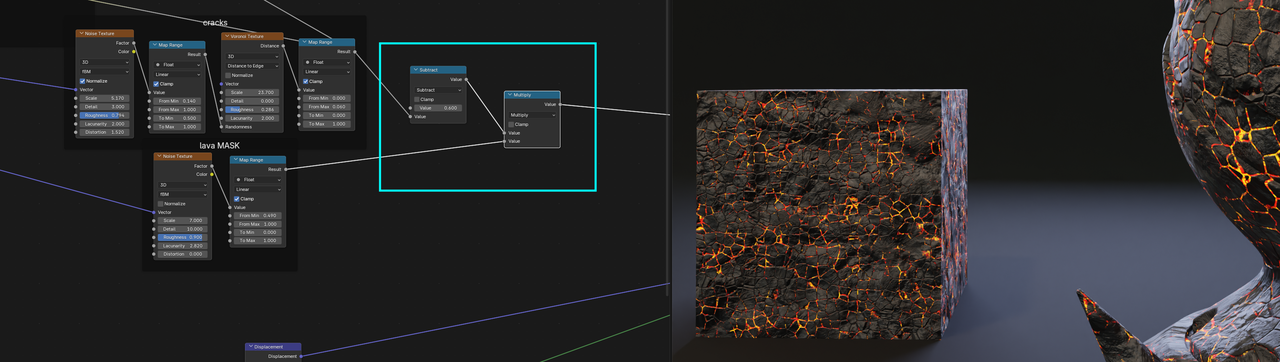
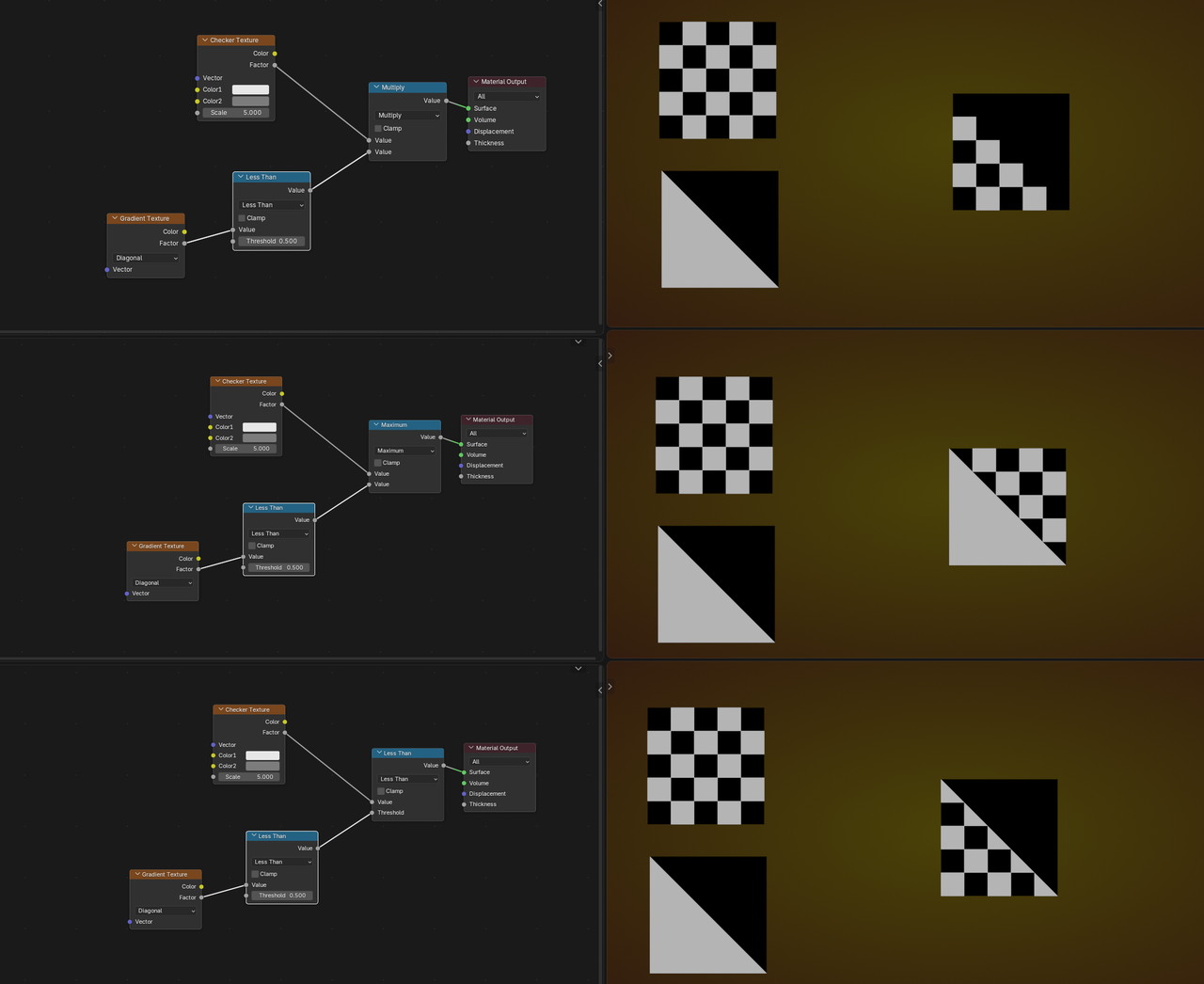
Think of the Masks as outputing 0 and 1 ('forget' the in-between for now) and use Math Nodes like Multiply, Maximum, Minumum (symmetrical), Greater Than, Subtract (asymmetrical), etc.
Some examples:

Also Kent has a oldie but goodie Lava shader in the shader forge that should prove helpful: