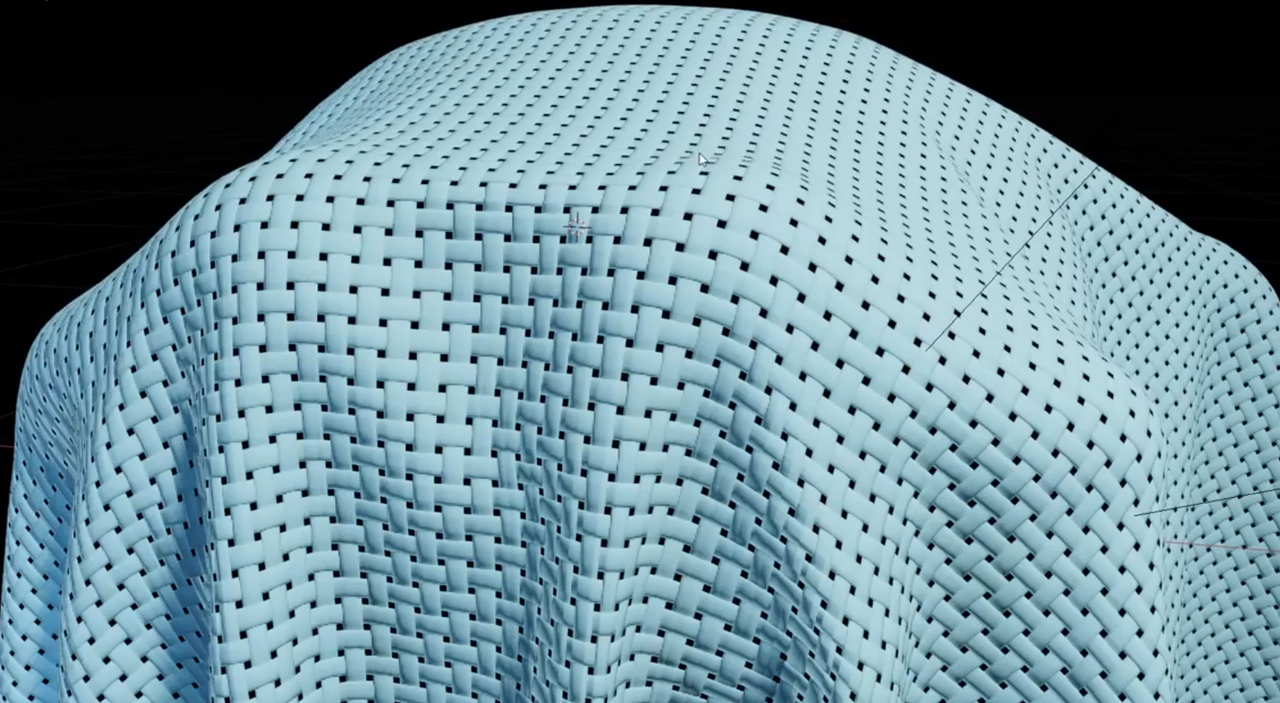
Anyone know how to make wicker materials or geometry?
Tried using micromesh but its a little hard to control and messes with my mesh too much.
Also tried a youtube tutorial for geometry node wicker and it wouldn't work.

Update one of the tutorials I referenced links to a free tool for wicker geometry node setups which is definitely working however it uses a massive amount of verts to get the result you're after as I've noticed with some other methods. seems very difficult to populate a scene with the kinda styles that use wicker without adding a lot of verts. For ref my entire scene's important bits are around 100,000 verts. The two wicker objects I've made to populate the scene have added 500,000 with minimal subdivision..
Hey Martin,
Been trying to show ss's but the website keeps giving me a 404 error when I try to upload them. Ended up with something which I think is close enough as they're just filler objects in this larger scene. They're just primitives a cylinder and a cube with some bevels. They're not gonna be super close up but it's a small scene so the gaps of the wicker will probably be noticeable from any camera angle. I hadn't heard of the tissue addon but after looking at it the micromesh addon does almost the same thing and would result in the same high poly result. I don't really know if there's any low poly method for this short of using shaders which will probs be much less realistic.

Hi Sam,
You can do this with procedural shading. Here's a video that might help:
https://www.youtube.com/watch?v=CoCDbCbeiAk&list=PLvgg0AvdksuLO_NmzLC9oQPwy7080iRNp&index=2