Hi guys,
I have a few potential issues here 😁
1. Is this texture with normal mapping correct?

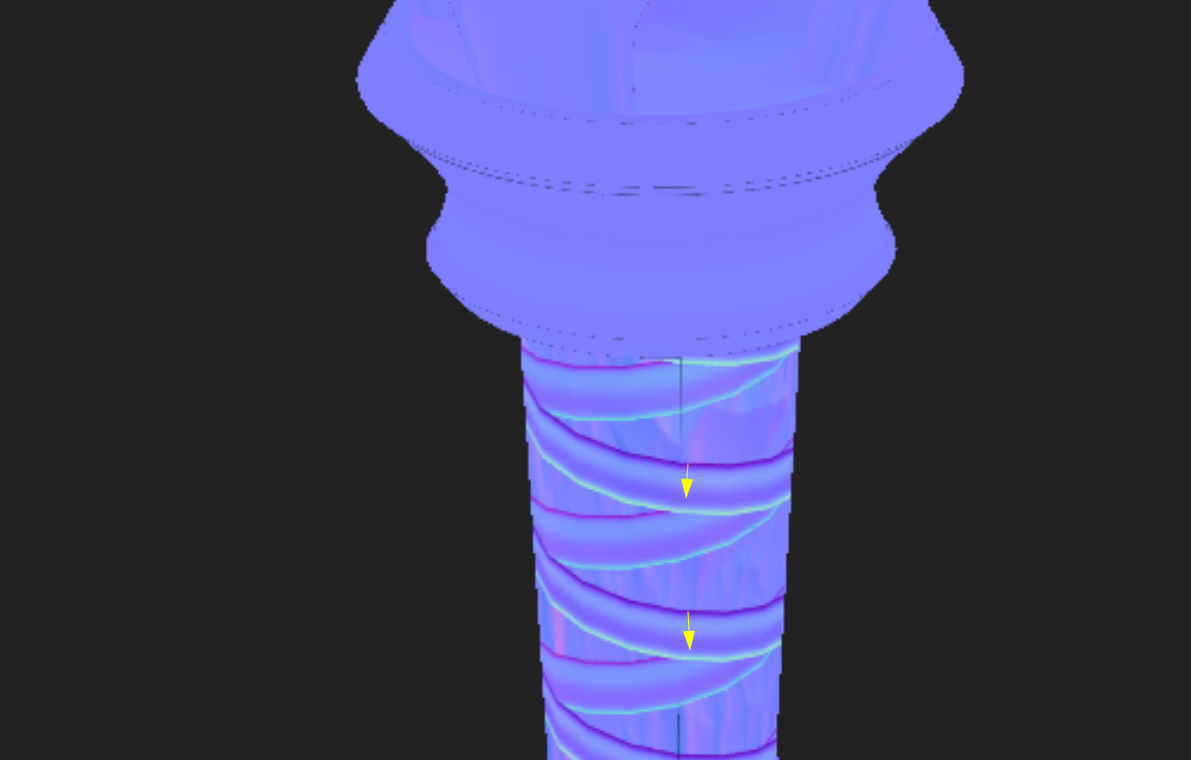
In the video, the colors of the leather straps on the handle are reversed (the blue is facing up). My faces in blender are oriented in the correct direction.
2. Why is there no AO preview after baking?

I added an ambient occlusion channel following the instuctions in the video and used the same baking settings. In the screenshot above (showing the normal map), you can see the existing AO texture on the right.
If you'd like to help me, let me know what information you need.
Cheers!

Hi Milosz,
As InstaMat still doesn't have a Linux version yet, I can't really help, especially with the AO problem...
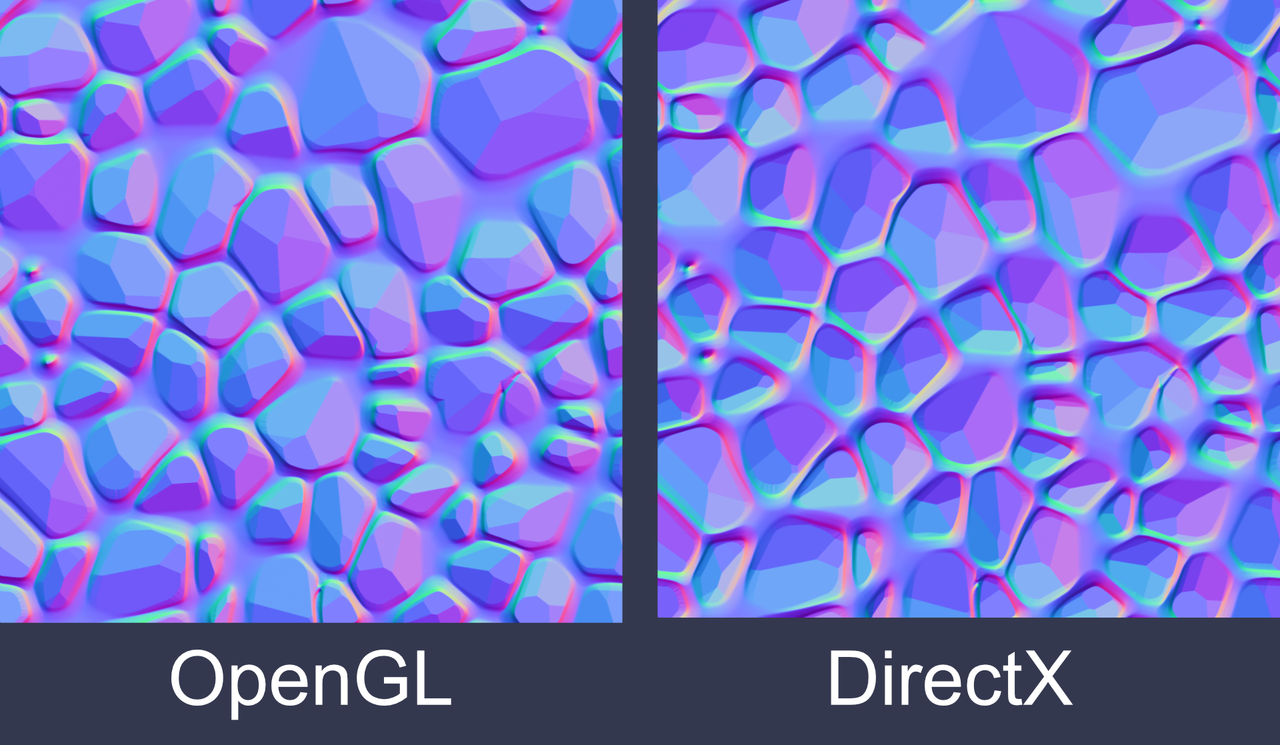
But, the Normal Map you show looks like it's OpenGL (that's also what Blender uses). If 'blue' would be facing up, that would be a DirectX version of the Normal Map (where the green channel is inverted, compared to the OpenGL version).


Hey there!
I believe you've got it backwards Martin, with OpenGL being a +Y coordinate (blue/teal colour facing upwards). Image below is an example of what the visual differences will be. Again, it will depend on where you want to take this asset which will determine which format you choose. OpenGL is used in Blender, but if you hope to use this in Unreal Engine, you will want to stick with DirectX. (Posting image separately, was giving me issues trying to post here)
As for why your AO isn't showing much, that one is tough to tell at this point. 🤔You may need to play with the parameters if you haven't already. If you click on that baked texture you've shown in the viewport settings tab, is there anything actually baked into the texture?
First of all, thank you for your interest in this matter.
I'd heard about the differences between OpenGL and DirectX before, when I was playing around with Unreal Engine. I don't know why I asked that question (I've just changed one parameter - now blue/teal is pointing upward.)
As for the AO issue, in response to Chunck's last question... Yes there is a texture in my AO settings: