
First of all, thanks for the course, absolutely great stuff!
I've got a shading issue around the dimples of my dice after the boolean operation. Does anybody know a good fix for these faces? Thanks in advance!
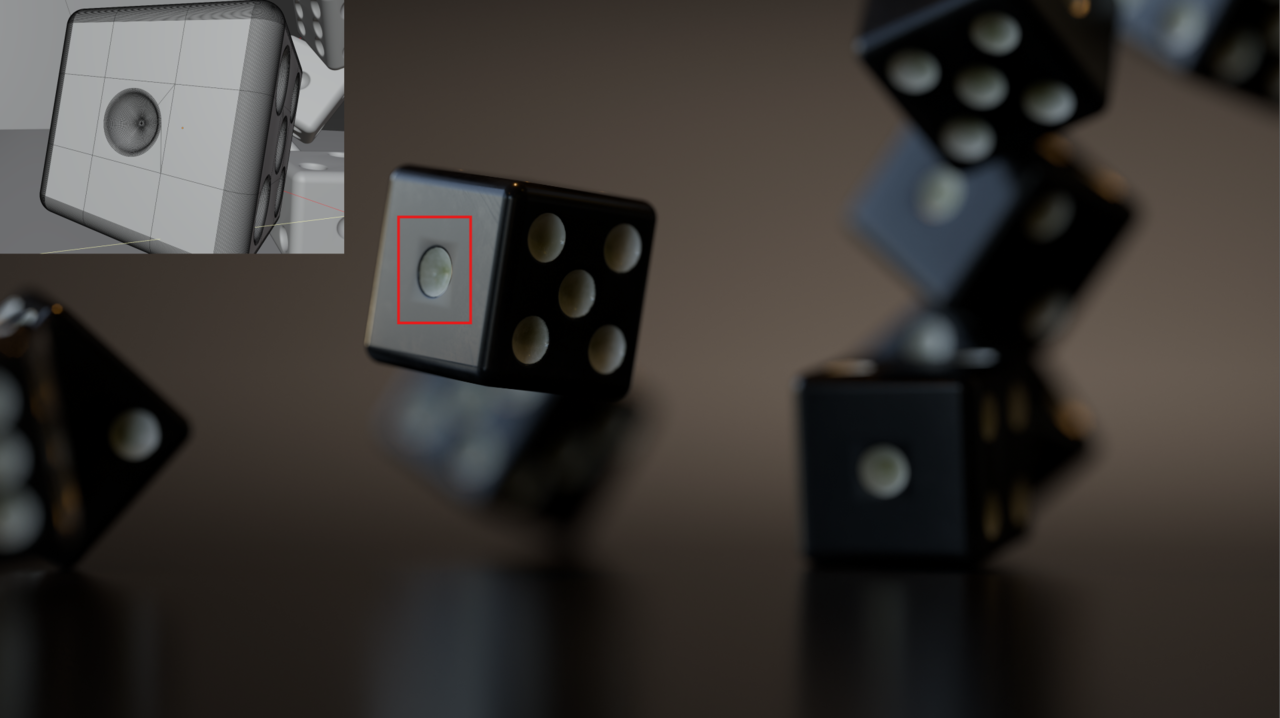

Hi Aaron,
That looks like you had your Boolean Cutter too close to the surface on that one. If that's the case and you haven't Applied the Boolean Modifier yet, you should be able to fix that easily.
Or if you Saved Incremental Versions of your .blend file, you could go back to before you Applied the Boolean Modifiers.
If not, you learned an important Lesson: Always make Incremental Saves!
So, hopefully you still have your Cutter. Then you can just re-do that part.
You can also start from scratch.
Or maybe I'm wrong and it's something else entirely, that's causing the Shading issue.

You can always delete just that whole side, that one face and redo it. But most likely is just some easy fix, like selecting two vertices and J to slice the face or just create a circular hold out loop. Or maybe that whole side is not perfectly flat and it's causing some issues. You can give us more details to see what fixes can come in handy.
Hi Martin, thanks for your response!
I've tried to raise the cutters and apply the boolean again, unfortunately that didn't help. But it made me think of something else.. lowering the angle limit in smooth by angle modifier fixes the flat surfaces, but introduces flat shading on some of the dimple transition radius. In the end I kept the auto smooth shading at a higher angle and just did an inset on those n-gons. No good practice but it does the job in this case :) thanks!