
Hey, super noob, so super noob question but - how do I get rid of the artifacts that are marked in red? I've tried troubleshooting with Chat GPT, but honestly none of the tips it's providing seem to help. I only have a bevel modifier activated, and shade smoothed. Any tips would be great, as I am sure I am doing something wrong.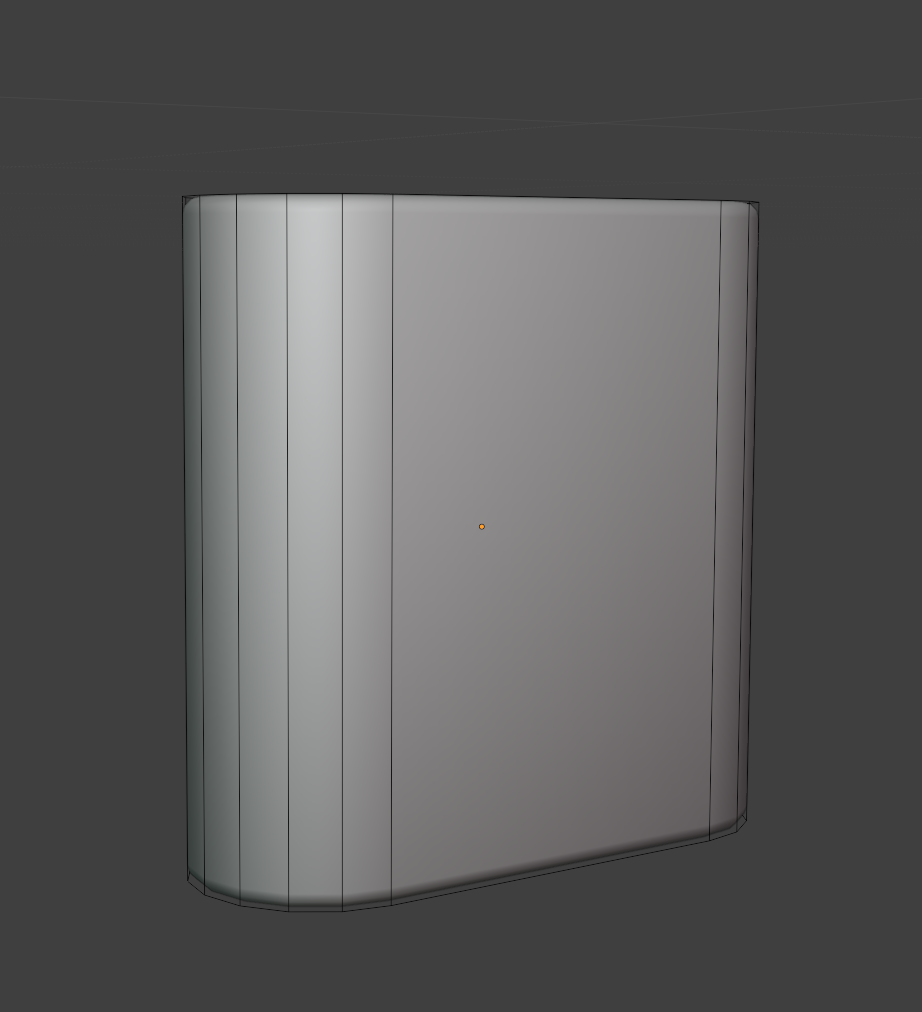
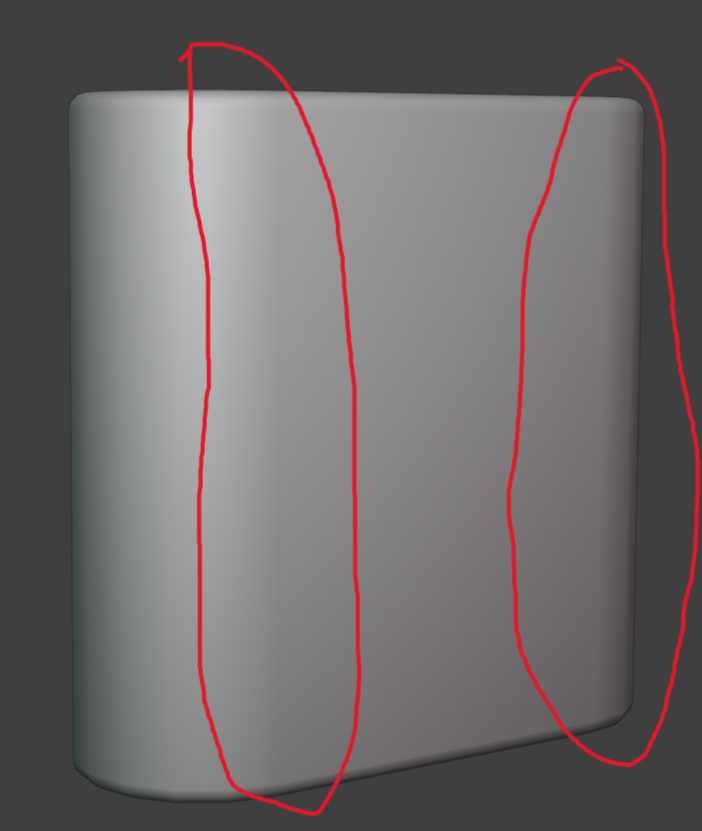

Doesn't seemt to be flipped normals... first guess is that there might be doubled verts. Could select all and merge by distance to clear anything like that out. Another thing to try if that doesn't fix it is try marking the top and bottom edges aling the rim as sharp. Should still work with the bevel, if I'm not mistaken, but might help clear up the shading.
the other thing might be one more edge along the flat side as a hold edge on either side just before the curve.
Yeah no interior faces, I also tried merging all by distance, but didn't really work. Also tried your mark sharp solution.
Did you try adding a loop cut along the flat edge just a bit before the start of the curve?

Hi Westley,
I don't think there is anything wrong with your model; it looks to me like you are just looking too long and/or hard.
What I think is happening, is that you see the direction change of the Normals, where it goes from flat to curved. This is exaggerated by the simple lighting in the Solid Shading View. When you look at this Rendered, when the light is coming from all directions (indirect light, environment light), you probably won't notice it, especially if the model has actual Materials on it.
In my mind it is something like this:
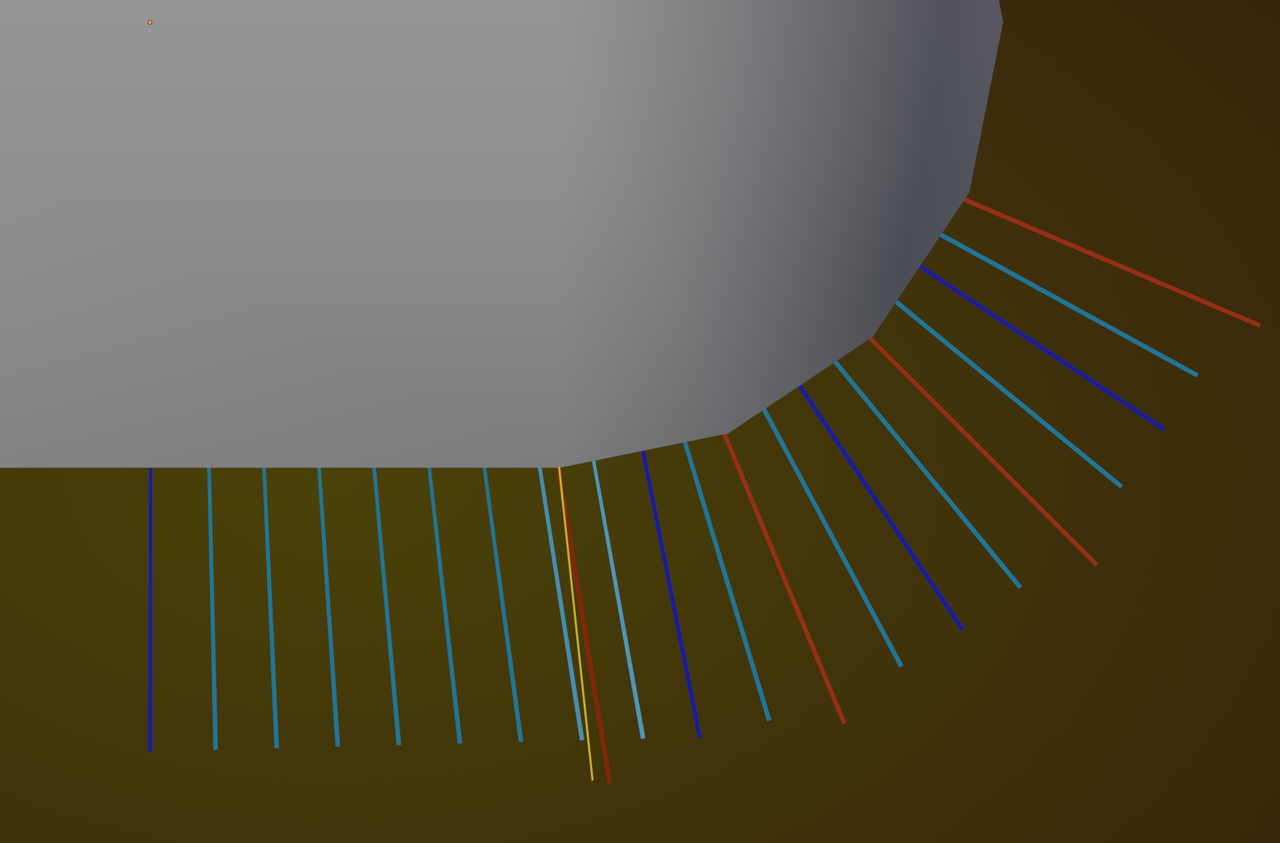
The Smooth Shading is based on the Vertex Normals (red), that are interpolated (light blue) from the adjacent Face Normals (dark blue), while a smooth transition at the 'problematic' Edge, would probably be a 'half-angle' (yellow).
If that is correct, an Edge Loop (on the large Face) at the Exact right distance from that Edge, would at least improve it. But that exact placement would be hard to get right and absolutely not worth the trouble, in my opinion.
Okay, that makes sense. You're right, I just viewed it with a material in rendered and it looks totally fine. I guess I was looking too hard at it, comes with being new to all of this, but I am learning - slowly. 😂But thank you anyway. Appreciate it.