
Hi!
I was wondering if there is a way to scrub the timeline without a keyed object moving on screen.
Let's say I add a key to my box on frame 1, and then on 100, instead of going 1, 10, 20 etc.
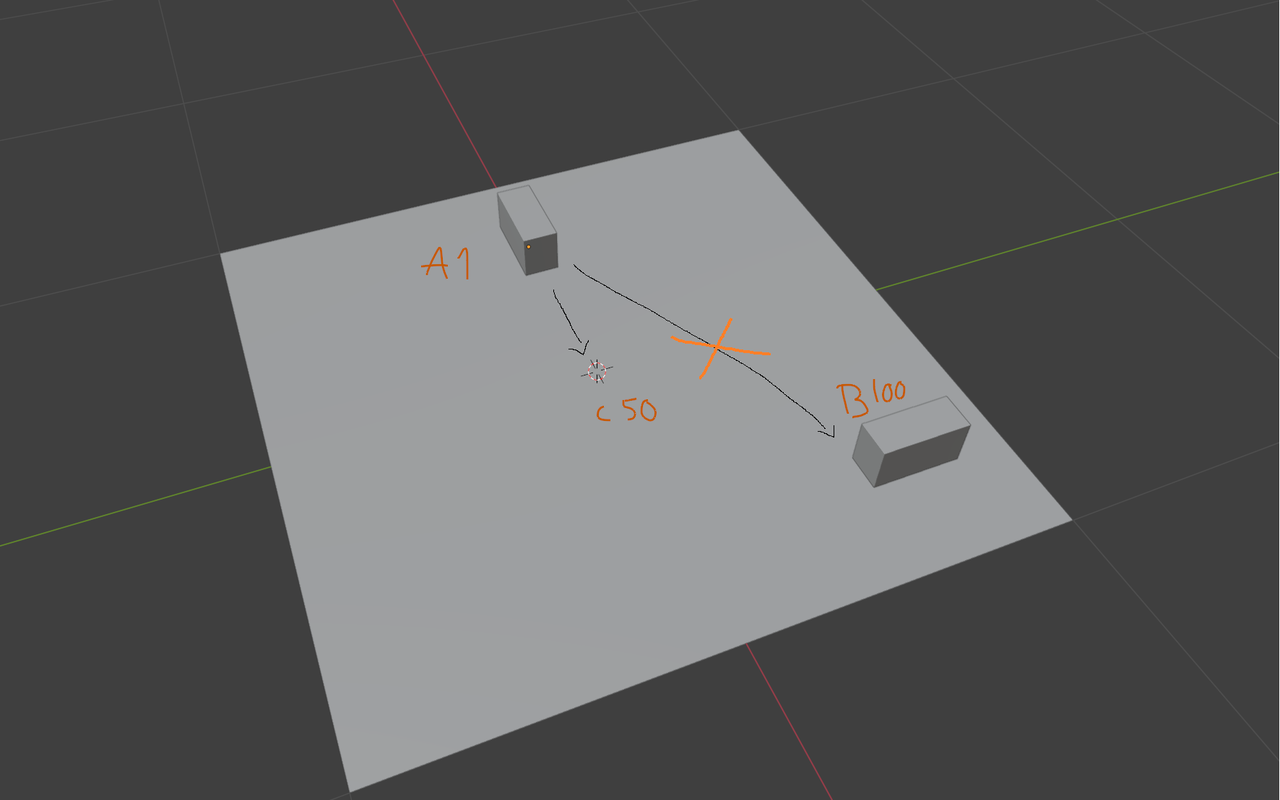 I want to have the box move from A to B in 100 frames. But I want to add a new key on frame 50 in point C, after keying A and B.
If I want to move the box in a straight line along the X axis to point C, it's more "difficult" when it's allready started to move towards point B.
Hope that was understandable, appreciate any help :)

Hi 5546_student ,
Yes, just mute the Channel with this Toggle:
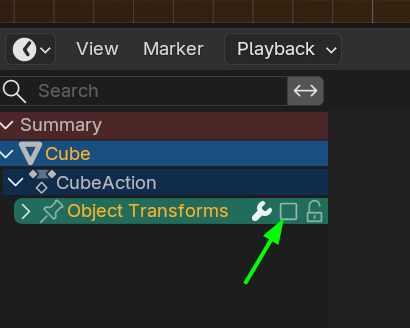
You will still be able to set your Keyframe at 50.

Well, the way you are trying to avoid is not wrong either, perhaps you just need a little getting used to things. You can reach frame 50 as things move around, and just move the object to point C and watch things move and adjust again, and then you fine tune. The object moving shouldn't be an issue really. Again, maybe it's just a little getting used to thigs.
Yeah, I'm just at the beginning stage of learning animation, so I'm not sure what's best :)
Is there a standard way to do it that animators usually use? If there is, it's probably best that I learn it that way from the start.

It depends on the animation and which animation method you are using. In pose to pose method.(Similar to what you describe) You would make your key poses( A and B in your case). Then do a break down pose(your C) by going to frame 50 and moving the cube to where you want it and inserting a keyframe. You will probably want to change the handle type to vector( with mouse cursor in the timeline/graph/dopesheet editor press V->Vector) so the cube doesn't slow down and speed up as it reaches/leaves frame 50.
Side Note: once you are on frame 50. A quick way to move to C point is to use ALT+G to clear the location and then G->X and move to C point. Then press I to set the keyframe.
Okay. I did try to use ALT + G when scrubbing to frame 50 and I think it worked. Thank you :)