Hi!
I wonder is there a generic possibility to do this kind of simulations in Blender
using Physics? Here is a video with example of simulations of this kind

Hi Boris,
The basis is a Shrinkwrap Modifier. The problem is to make the transition from 'unshrunk', to 'shrunk', because the Shrinkwrap Modifier doesn't have some thing like an Influence slider.
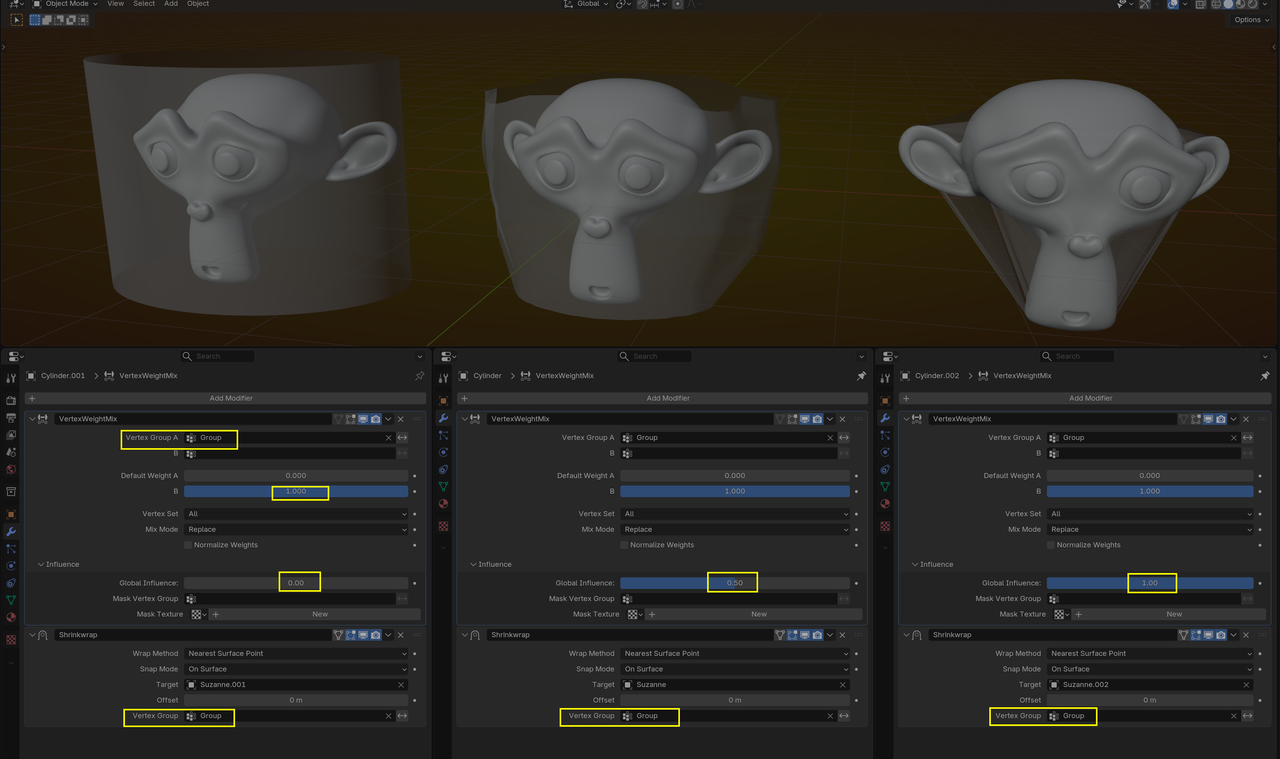
Maybe the simplest way, would be to Assign a Weight of 0 to all Vertices of the wrap (a Cylinder in this example) and change that over time to 1, with for instance a Vertex Weight Mix Modifier:
look at the Course Modify, for a refresher on the Shrinkwrap Modifier.

true, but sometimes the shrinkwrap (irl) doesn't completely conform to whatever it's shrinkwrapping, more like the 3rd image from Martin's, which is probably why he went that route.

Duplicate the object. Apply a shrink wrap modifier. Then use the shrink wrapped version as the final shape key. To do this select the shrink Wrapped first. Then shift+select the original object. Then on the properties editor->Mesh/Data tab->Shape Keys panel-> click the plus to create the Bais. Then click the drop down arrow on the right and click New From Objects. If you have multiple stages or forms create all of them first then select all and shift+select the original last. Then do this and it will create a shape key for each object. I don't remember if it uses the objects names as the shape key name or not. So you may want to name your shrink wrapped object before doing this just incase.
I look for it, but there is a YouTube video on how to get this effect using GeoNodes, but it is an older version of Blender so I'm not familiar enough with GoeNodes to know if it's still relevant. I'll post it here if I can find it.
Thank you very much for your answers!
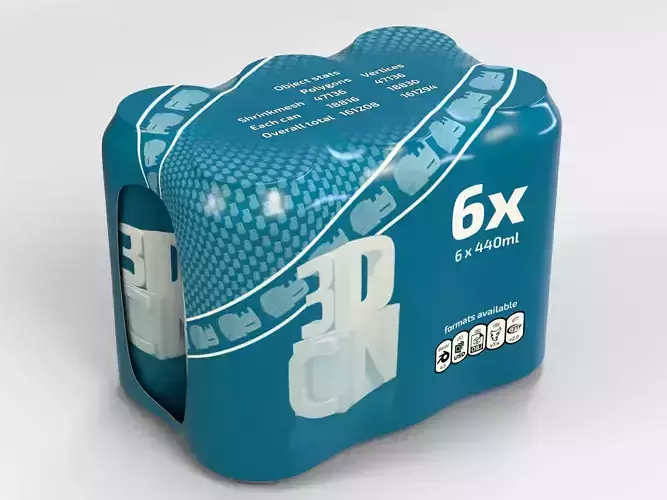
Sorry for the misunderstanding, I'm not looking for animations, I'm interested in the final results after wrapping. I'm a packaging designer working on artworks for shrink sleeves for beverage cans, so I'm looking for a solution to show my work to a client. I've added an example below. Thank you!