Hi!
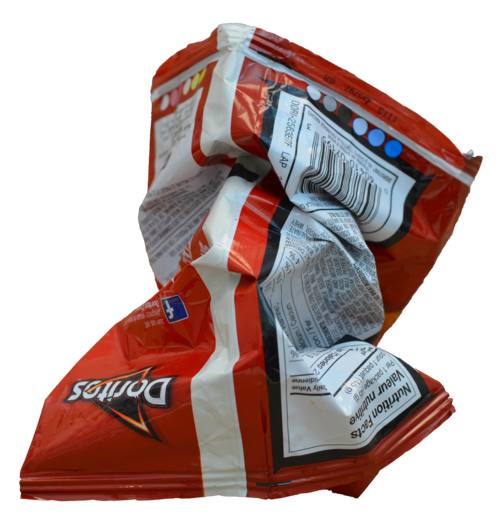
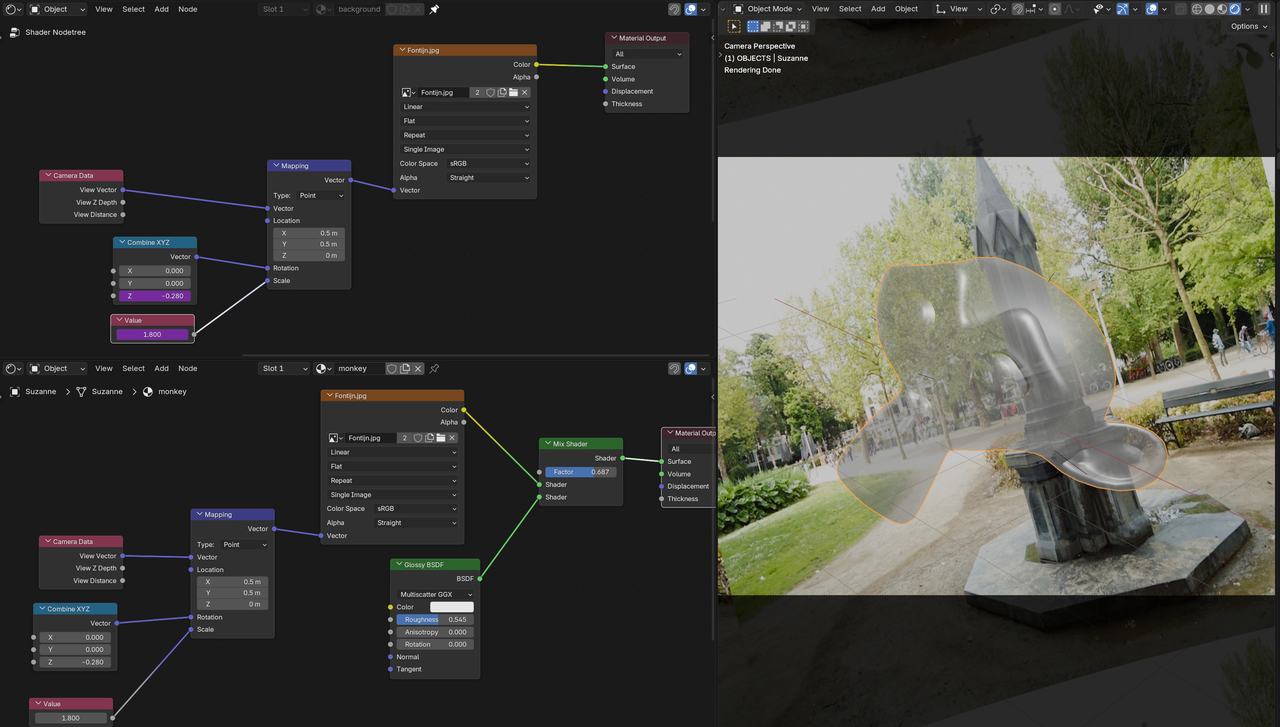
What is best possible way to place a texture on my crisps pack so my texture would not be distorted by mesh geometry, camera or render window proportions, will face camera and I can easy scale, move and rotate it? It's really hard to use mapping coordinates.
Hi Matrin! Sorry, I will try to explain
1. I need a specific angle of view for this pack, so I setup a camera and adjusted it.
2. Now I need to apply a texture with graphics, but I don't want my graphics (logos, text etc) to be distorted by a mesh geometry.
Problems I have:
- I cannot use Camera for Texture coordinates, because this type of texture mapping distorts my graphics according to geometry
- I cannot use Window for Texture coordinates. It ignores the mesh geometry, but it shrinks my graphics according to the Window proportions
- It's really hard to position a texture using Mapping node coordinates, because I cannot choose a center of transformation. If I could scale and move the texture according to the center of my pack I would be happiest man in the word.

If I understand correctly, you just need to add an empty and parent the empty to the bag. Then on the bag's shader add the texture coordinate node and use the object output. At the bottom use the object selection part to point to the empty. Then attach that to the textures' vector/normal. Then you just need to move/scale/rotate the texture along the surface of the back with the empty. The parenting keeps the empty following the bag.

But if you project your texture to an already distorted mesh, and the texture itself isn't following the natural distortion of the mesh, it will look super weird, as if it's floating most likely. You would have to remake the model, texture it and then distort it. So I'm also not so sure what you want to achieve. Can you explain even deeper?

I get why you might not want to use Camrea or Window coordinates, but like Martin said, why can't you use UV coordinates? That, I think, would be the easiest way to map an object like that.
Thank you so much for your answers gentlemen!
To Martin: yes, I don't want my texture to be distorted by geometry.
To Dwayne: thank you so much for this tip! It really helps to move and scale texture in 3d viewport!
For Omar and Grady:
I created a screeshot with example
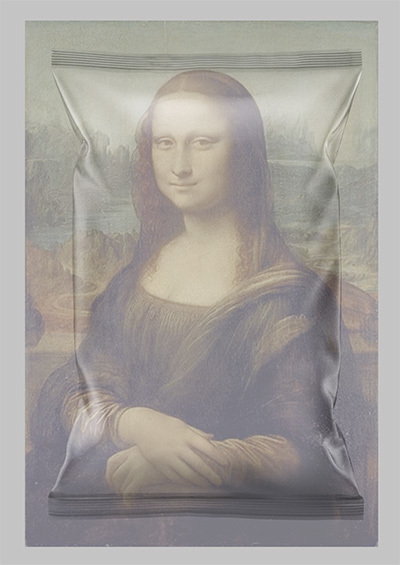
Here Mona Lisa is my artwork texture, I don't want it to be distorted by geometry. My project is a beauty pack for commerce purposes and brand managers don't want to see distorted artwork, logos and etc. In my project the angle of view is specially selected, so front of my pack is facing camera view.
Well Chris uses sch technique throughout the entire Bug Bots course:
https://cgcookie.com/courses/bug-bots-hard-surface-creature-creation-in-blender
I know watching an entire course just for a quick answer is too much, but I think he goes on to it fairly quick.
Thank you so much for your comments!
I prepared another preview, I tried to make it as simple as possible. 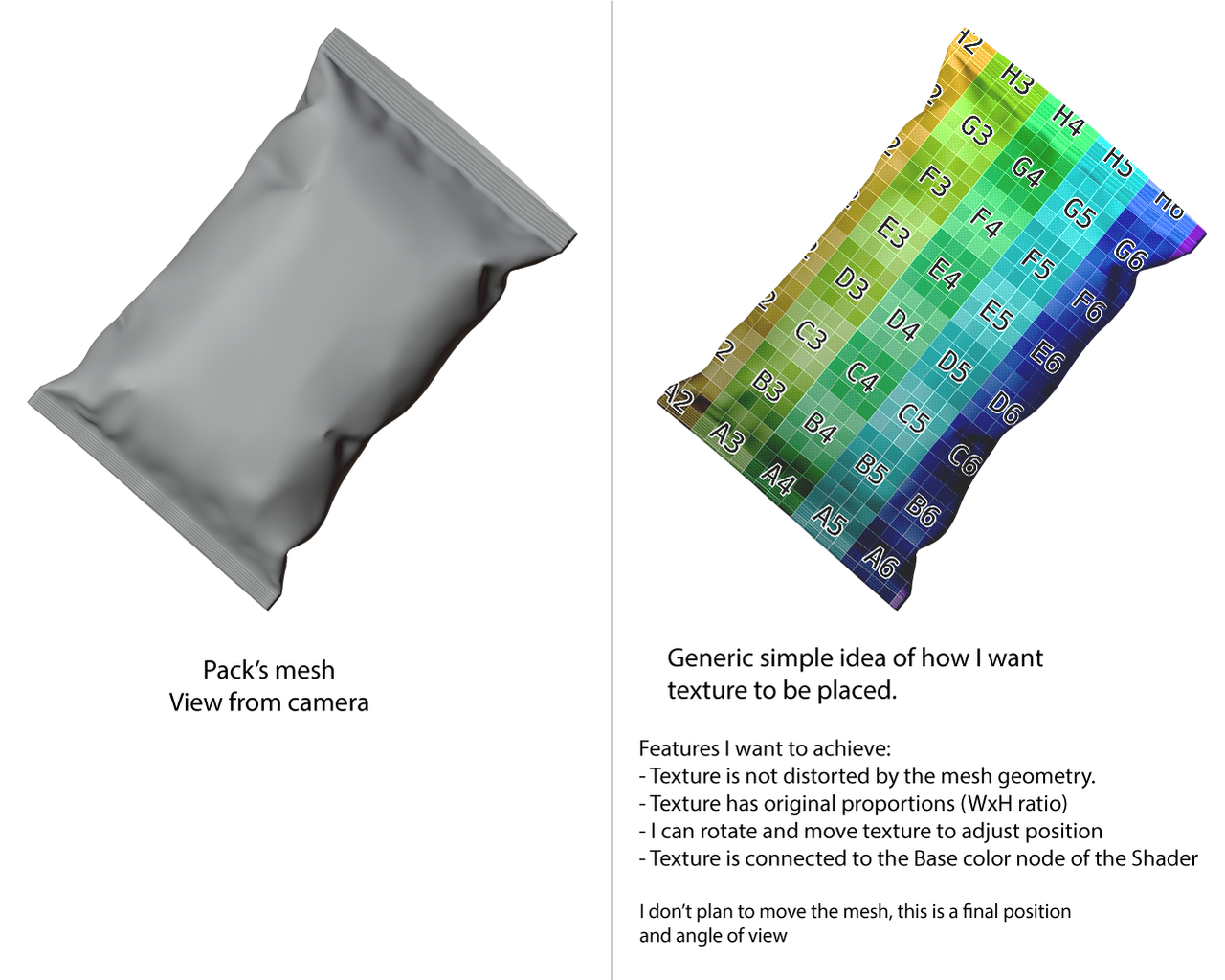
I realized today that one of the possible ways to make this happen is to create UV map using "Projection from view" option, but Im not sure.


Oh, yes Charles thehomme ,
That would actually be a great solution for this specific case!