
Hello there,
I am working on a geometry nodes setup to create resistors (electronic parts).
Resistor can have between 3 and 6 bands, depending on the level of precision (see Wikipedia for details on the Electronic Color Code).
So, depending on the number of bands, certain settings on the geometry nodes modifier panel should not be displayed :

As you can see, i grouped the settings in various panels, and added "Panel Toggles" on the panels that should not always be displayed. The purple color indicates that this boolean panel toggles are controled by drivers.
As you might have guessed, it is the Band Count parameter that drives them all, e.g. with the Temperature Coefficient panel toggle : 
Here, it is correctly evaluated, because Band Count == 6, so the panel toggle == True.
If i change Band Count to 3 :

All the panel toggles are correctly evaluated to False.
But... the panels are still displayed 🤔.
This past summer, i had used a similar setup to create my procedural chainlink fence, and displayed a panel for custom material selection, and do not remember it was a complicated thing to do. But the most baffling thing is that i went and checked my old file for some clues about how i did it back then, and...
[EDIT] I simply can't find how i did it, apparently not with a ternary condition and driver, because they do not change according to the material type selection.
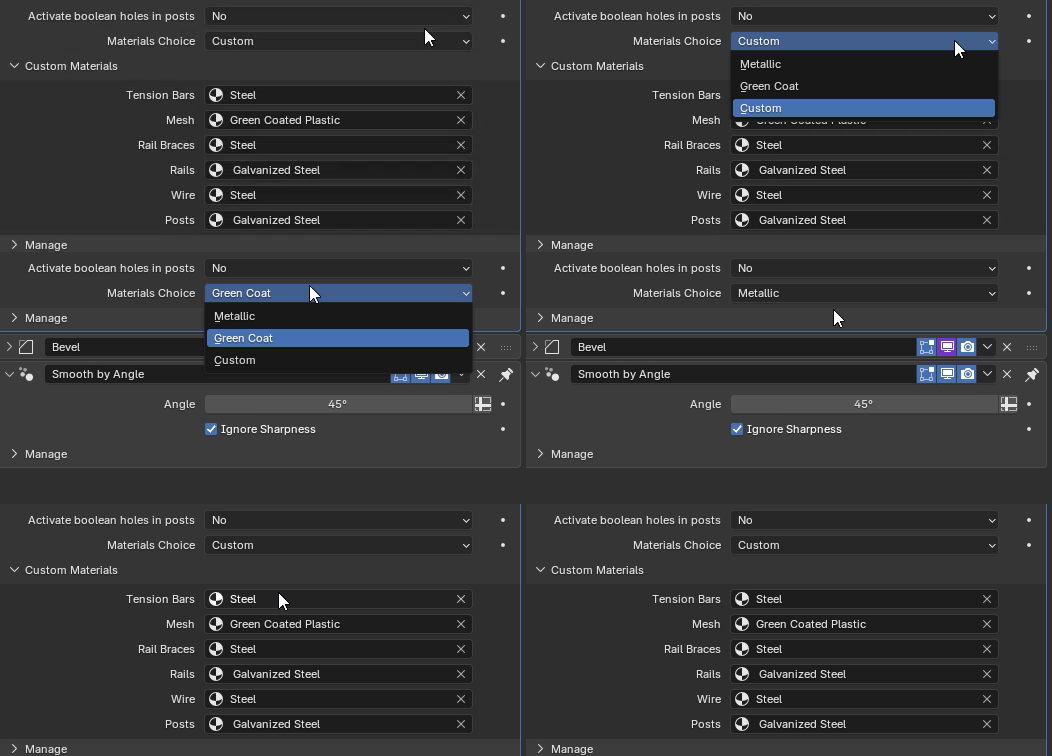
The Blender Manual is not of much use (or i may be seriously dumb 😅) :

Any ideas on how i could make this work ?

Hi  Koala ,
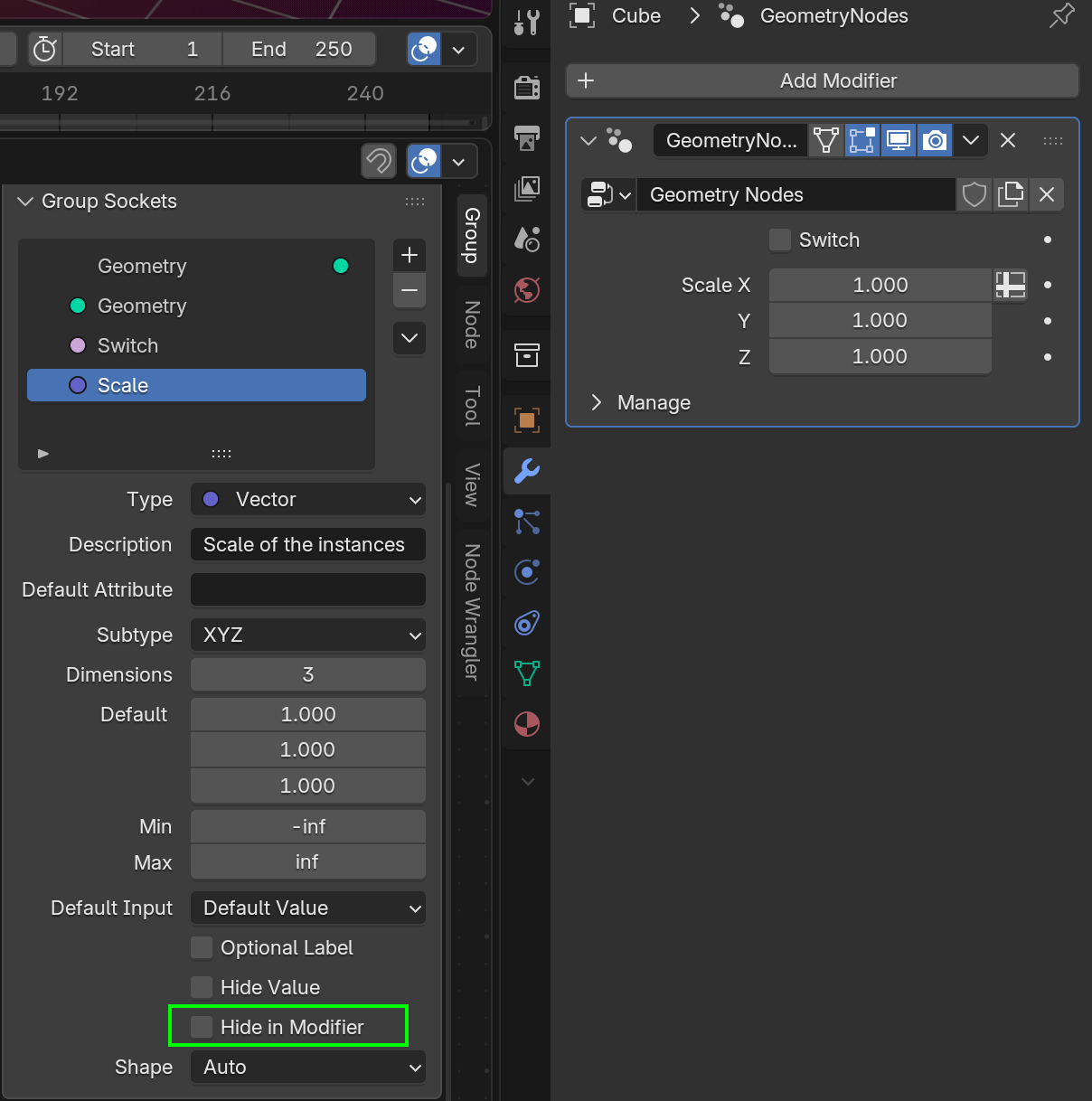
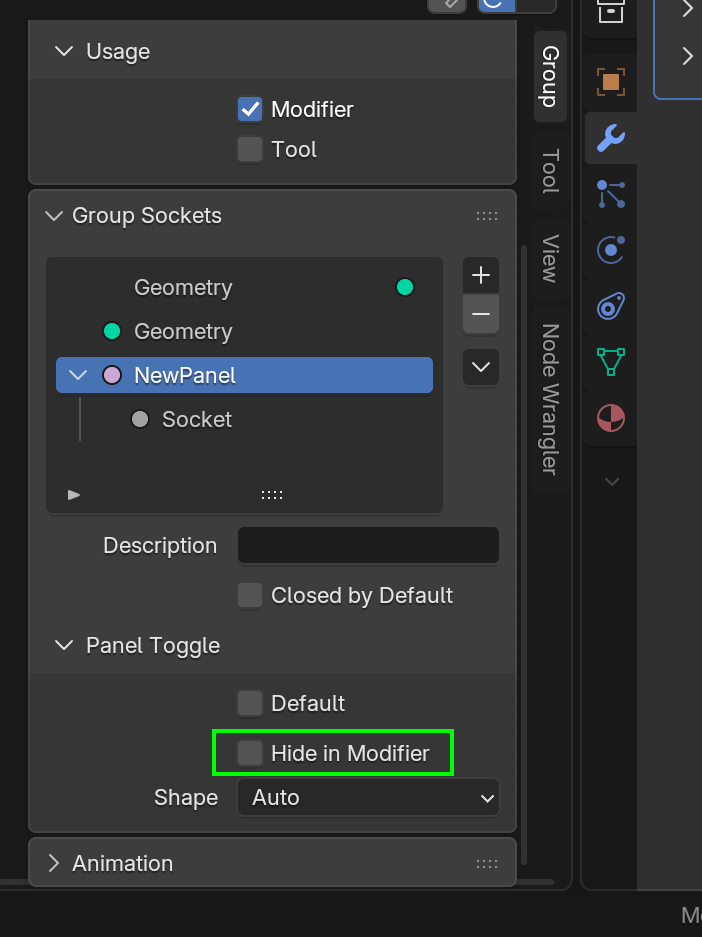
Not sure, but maybe you used the Hide in Modifier Toggle, for the Socket:
Or for the Panel:
After some blender file archeology (i spent some time digging in my blender file from this summer), i realize that i was mistaken :
- Panel toggles are not for greying out or hiding subpanels.
- I don't know what they are for 😅
- To grey out a panel you have indeed to use a switch menu, like this :

If Band count == 6, then use the Color value from the switch menu, else color == Black

And here indeed, band count == 4, the Temperature Coefficient panel (and TC variable) are greyed out. Not hidden though, i still have not figured that out, but that's already better, you can see the input is "useless" in this context.
Strangely, there is no way to use a driver on the "Hide in Modifier" toggle, which would then completely hide the panel :


Add driver is missing here.
If i find the solution i'll post it here.
So my "Geo Nodes Procedural Resistor" personal project is almost done, and i finally found in which circumstances some input variables are hidden / revealed, as demonstrated in these two screen captures :
1) Custom Body Color is hidden
As you can see in the Geo Nodes modifier, the input variable "Body Color" is set on tan, one of the possibilities of the Body Color Menu Switch node.
2) Custom body color is revealed

As soon as i pick "Custom" in the Menu, this implies to choose... well, a custom body color. The variable is revealed in the modifier, under "Body Color".

And i didn't need to modify the default settings, which are all untoggled as you can see.
As you can also see in the first two images, some variables (3rd SD, Tolerance and Temperature Coefficient) are greyed out, because they are not used here since this is a "cheap" resistor with only 3 bands.
Here is how i achieved this result with the 3rd SD for instance :

The input variable 3rd SD (SD = significant digit) is plugged into a menu switch, which in turn is plugged into the "True" socket of a switch.
The said switch is governed by a comparison between the Band Count (integer, geo nodes modifier input) and the Threshold of 4.
I.E. : the band for the 3rd SD will be displayed only if there are more than 4 bands on the resistor.
For 3 or 4 bands, the 3rd SD input will not be used, and thus it will be greyed out.
I hope it helps other Geo Nodes nerds out there 😅.