
I love the dual mesh ones, but if I say wanted to make more unform Hexagons (standard ones) how would I go about that? Is that possible with the dual mesh?

I don't know how to do it in geonodes, but you can go to preferences->Extensions and in search type extra. Install Extra Mesh Objects. Once that is enabled you can do the following in 3D Viewport. Shift+a->Mesh->extra->Honeycomb. Then use adjust last operator(F9 or expand box on the bottom left corner of viewport) Set the number of rows and columns. Cell Diameter is the overall size of the mesh. Then set edge width to 0 so that the second edge is on top of the other. It will look like it has disappeared, but it hasn't. Then give it GeoNode. Put a Merge by distances node between the group input and group output. Then you can add a mesh to curve and curve to mesh with the curve circle as the profile.
I found a solution online that sort of achieves it using Geo Nodes for those wondering but it might be a bit pointless? supposedly manipulating every other vertice using the index to select every other vertice? I think?

Hi ffrostheart10 ,
Here's another way of thinking about hexagons and how you can construct them:
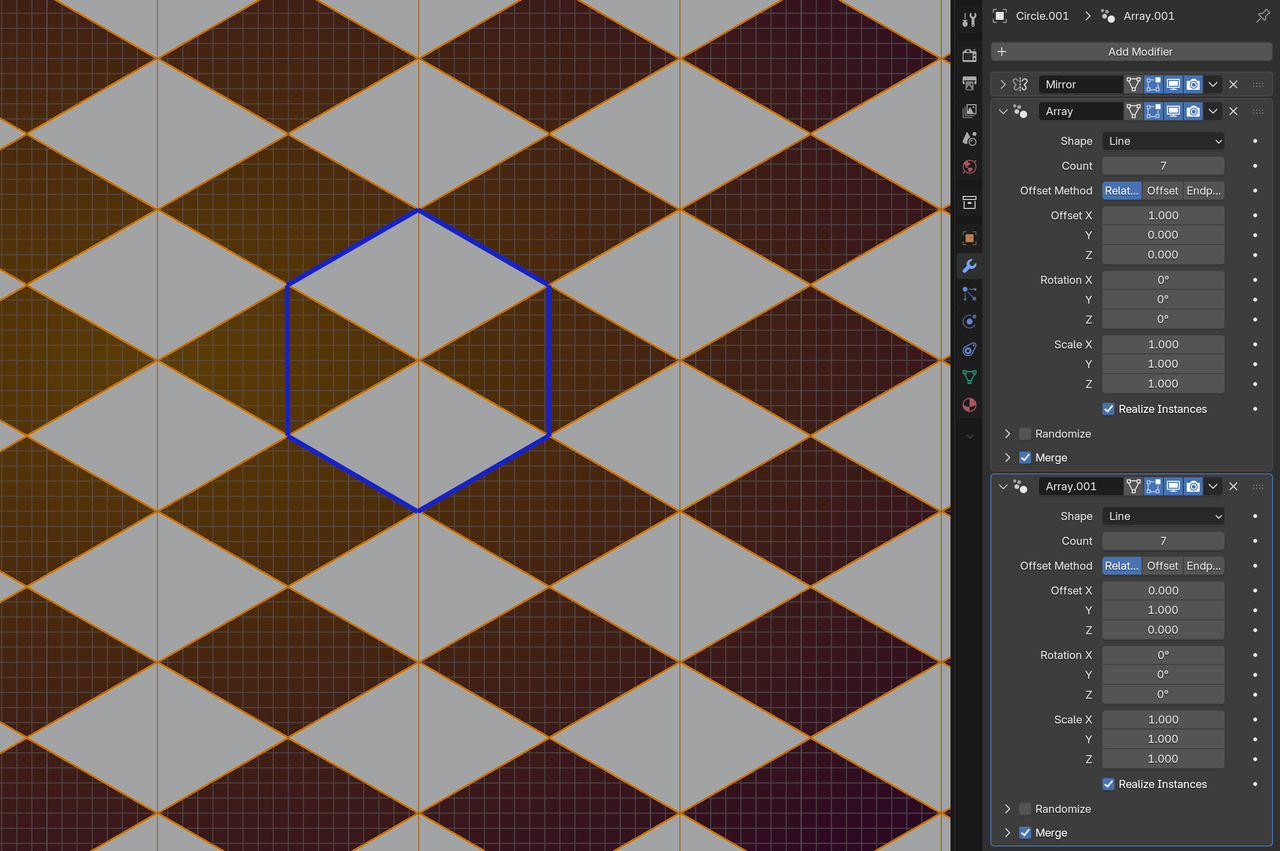
I leave it up to you to implement this in Geometry Nodes.
I start with a Triangle (Circle with 3 Verts) here. You can also start with a 6-sided Circle, but then the placement of the others requires a bit (not a lot) more math.