
I’m trying to flatten a surface, but LoopTools → Flatten doesn’t seem to work in my case also tried other options normals and view
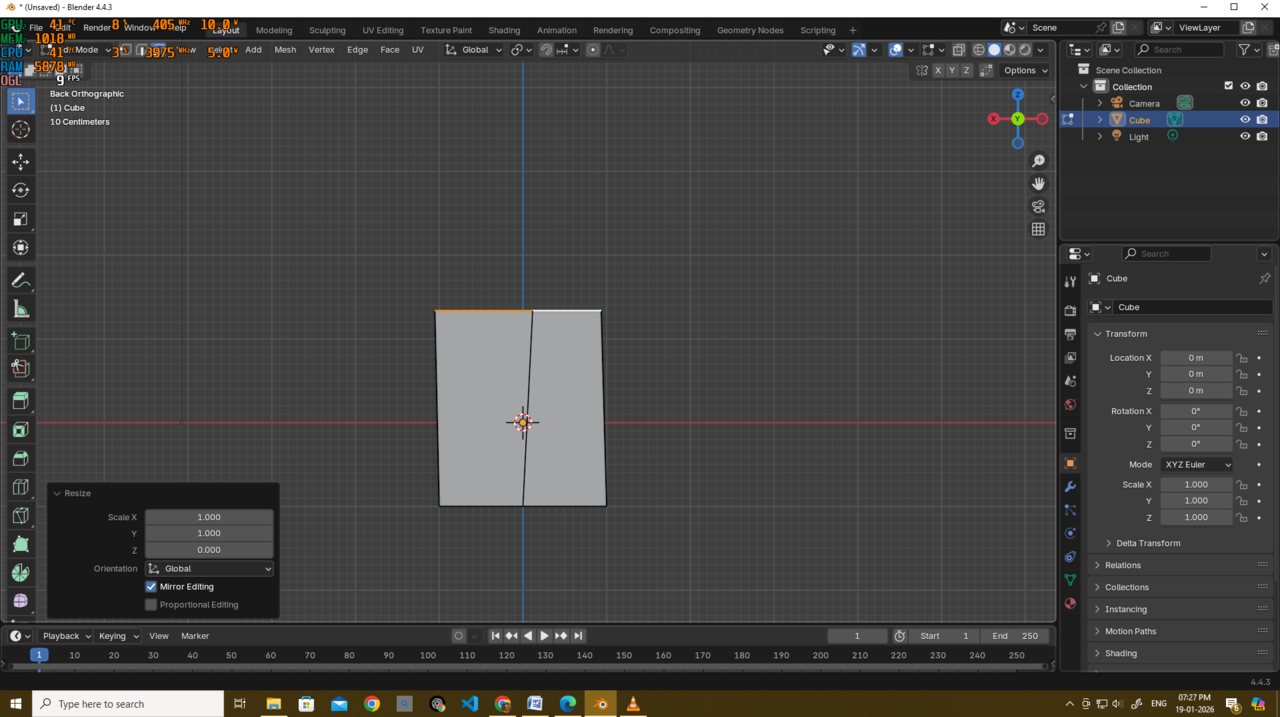
while scaling on the Z axis to 0 works perfectly.
What is the difference in logic between these two methods?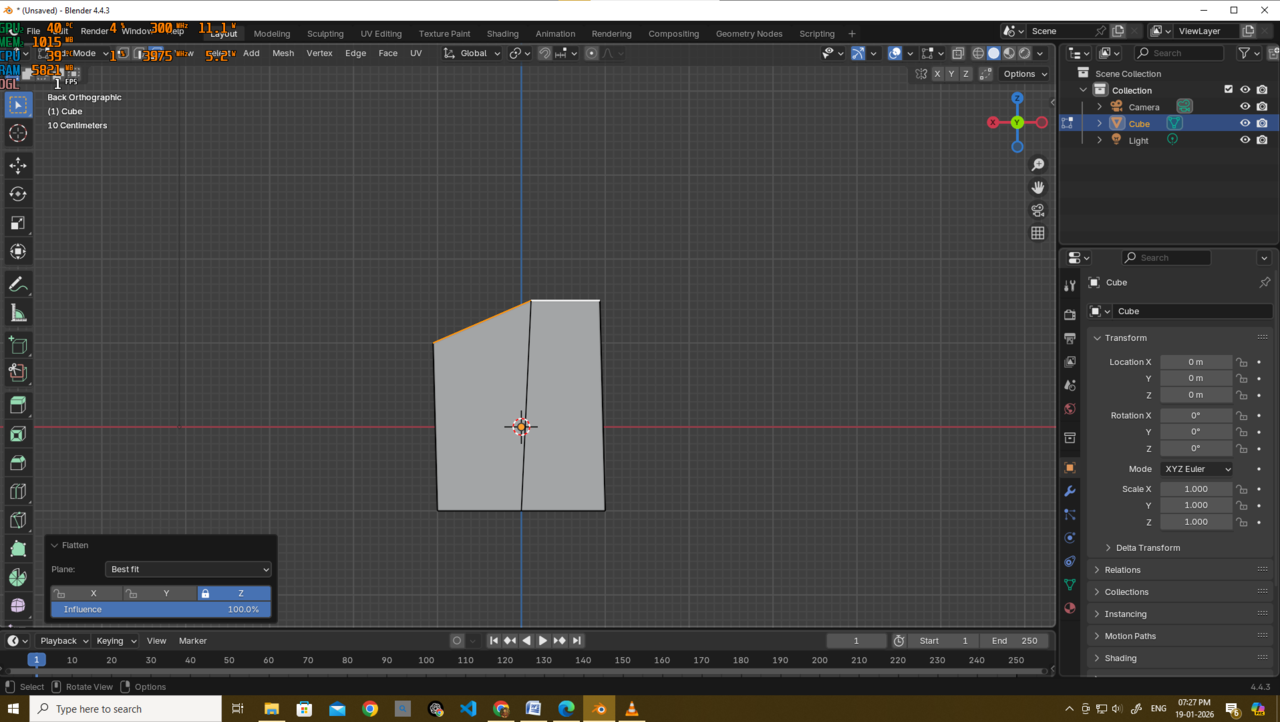

There's a good YouTube video on all the LoopTools https://youtu.be/o4LopQs2bBQ?si=2X_ucZe1xxzKtzBK
I've never really used Flatten myself. I think you'll find GStretch is what you want. It's a lifesaver especially when used on just space and with relevant axis locked

Hi Deb,
Loop Tools 'averages out' the Normals and is okay and fast, when your not using a specific Axis. (You disabled the Z- Axis, while usib=ng Best Fit, that obviously didn't work as you expected).
Scaling to 0 gives you more control, because you can control both the Pivot Point and the direction of the resulting Face (using Custom Normals, if needed).
I actually mostly just use Circle and Space (and sometimes Bridge) from Loop Tools.
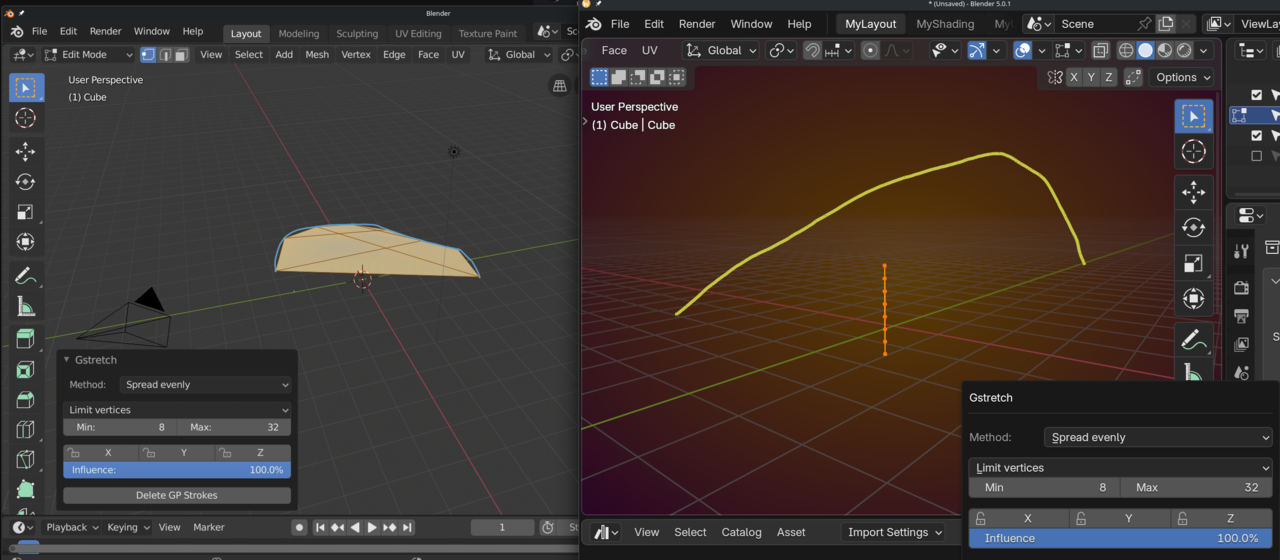
G Stretch is not mentioned in the Addon's Documentation, but it looks like it's broken. Here's what it used to do (2.80) and what it does now to a Cube and a Stroke:
It also doesn't throw an error or warning anymore, if you try and use it without a GP Stroke and might give really unpredictable and unwanted results (with or without Stroke):
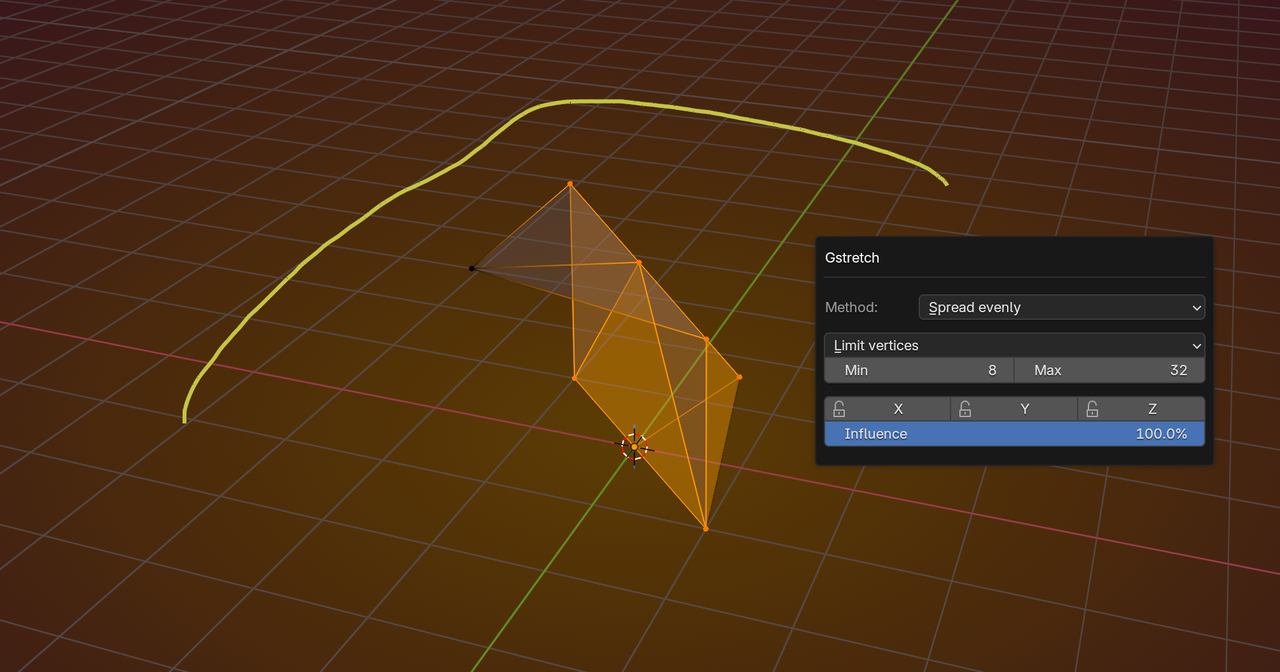
Use it to your advantage if you want/can, but it doesn't get a recommendation from me😉
I find G-Stretch really helpful. I think I tried it out cos you mentioned it in another thread as a possible solution to something I wanted to do.
Maybe I'm not using it correctly?
I only use it with the Spread dropdown. Spread evenly never works for me.
What it does is flatten the vertices between the 1st and last in the axis enabled. If I have an edge that's a bit wonky from modelling I can sort it out with G-Stretch.
Here I use it constrained to z to flatten the vertices between the highpoint and the low point. 
So it's different to flattening to 0% scale. but it would do that if the first and last were both on the same Z

Thank u all omar thehomme and martin...thank u very much....will try things out..
That's really cool Charles thehomme ,
But that certainly wasn't me that told you about GStretch....I actually thought I heard about it from you🤔
I tend to use Custom Normals in situations like that.
Anyways, as always, there are always many ways to do something in Blender.
